
1. Introduction
The Fnatic Gear Rush LED Backlit Mechanical Pro Gaming Keyboard is designed for competitive gaming, offering precision, reliability, and comfort. This manual provides essential information for setting up, operating, maintaining, and troubleshooting your keyboard.
2. Package Contents
Please verify that all items are present in your package:
- Fnatic Gear Rush Mechanical Keyboard
- Detachable Wrist Rest
- USB Cable (integrated)
- Quick Start Guide (not included in this digital manual)
3. Setup
Follow these steps to set up your Fnatic Gear Rush keyboard:
- Connect the Keyboard: Plug the integrated USB cable from the keyboard into an available USB port on your computer. The keyboard is plug-and-play and does not require additional drivers for basic functionality.
- Attach the Wrist Rest (Optional): Align the wrist rest with the bottom edge of the keyboard and gently push to secure it. The wrist rest is designed for ergonomic comfort during extended use.
- Initial Power On: The keyboard's LED backlighting will illuminate upon successful connection.
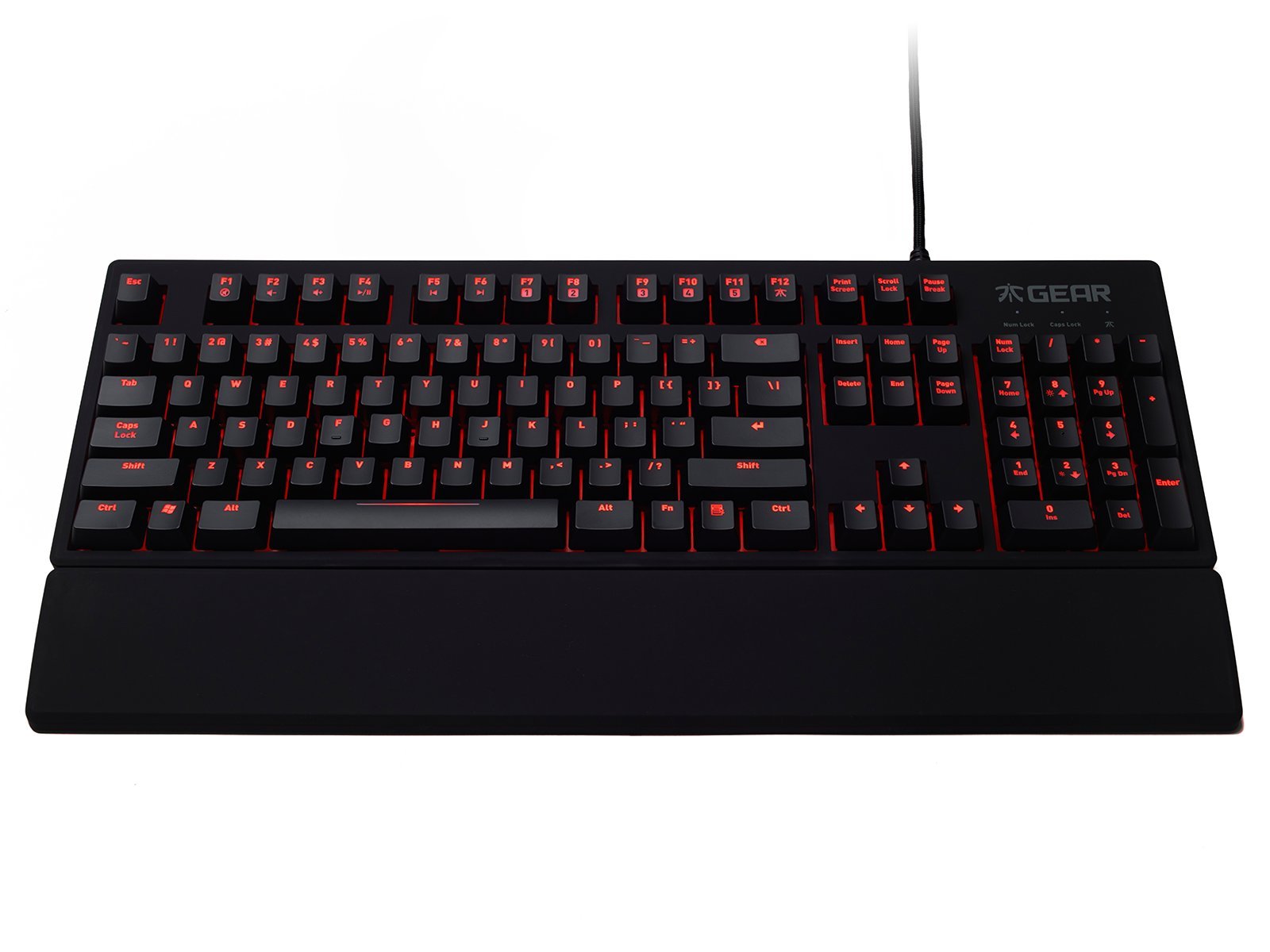
Image: The Fnatic Gear Rush Mechanical Keyboard, showcasing its full layout and integrated USB cable, ready for connection.
4. Operating Instructions
The Fnatic Gear Rush keyboard features standard QWERTY US layout keys and several function keys for enhanced control.
4.1. Backlighting Control
Adjust the LED backlighting brightness using the dedicated function keys:
- Fn + F1: Decrease backlight brightness.
- Fn + F2: Increase backlight brightness.
- The keyboard offers multiple brightness levels, including off.

Image: Detail of the keyboard's upper left section, highlighting the Fn key and F1/F2 keys used for adjusting LED backlight intensity.
4.2. Media Controls
Control media playback directly from your keyboard:
- Fn + F5: Play/Pause
- Fn + F6: Stop
- Fn + F7: Previous Track
- Fn + F8: Next Track
- Fn + F9: Mute Volume
- Fn + F10: Decrease Volume
- Fn + F11: Increase Volume
4.3. Gaming Mode
Activate Gaming Mode to disable the Windows key and prevent accidental interruptions during gameplay:
- Fn + F12: Toggle Gaming Mode On/Off. An indicator light may illuminate when Gaming Mode is active.
4.4. USB Pass-through Ports
The keyboard features two additional USB ports on its back for convenient connection of other peripherals:
- Locate the two USB ports on the upper right side of the keyboard's rear.
- These ports can be used for connecting a mouse, headset, or other USB devices.

Image: The back of the Fnatic Gear Rush keyboard, highlighting the two integrated USB pass-through ports for connecting additional devices.
5. Maintenance
Proper maintenance ensures the longevity and performance of your keyboard.
- Cleaning: Disconnect the keyboard from your computer before cleaning. Use a soft, dry cloth to wipe the surface. For deeper cleaning, a can of compressed air can remove dust and debris from between the keycaps. Avoid using harsh chemicals or abrasive materials.
- Keycap Removal (Advanced): Keycaps can be carefully removed for thorough cleaning or replacement using a keycap puller (not included). Exercise caution to avoid damaging the switches.
- Storage: Store the keyboard in a dry, cool environment away from direct sunlight and extreme temperatures.
6. Troubleshooting
If you encounter issues with your Fnatic Gear Rush keyboard, refer to the following common solutions:
| Problem | Possible Cause | Solution |
|---|---|---|
| Keyboard not responding | Loose USB connection, faulty USB port, system driver issue. |
|
| Backlighting not working or dim | Brightness set to minimum, software conflict. |
|
| Keys repeating or not registering | Debris under keycap, switch malfunction. |
|
| Windows key disabled | Gaming Mode is active. | Press Fn + F12 to toggle Gaming Mode off. |
7. Specifications
Key technical specifications for the Fnatic Gear Rush Mechanical Keyboard:
- Model: Rush Keyboard
- Switch Type: Cherry MX Red Mechanical Switches
- Layout: US Layout
- Backlighting: Red LED Backlit
- Connectivity: USB
- USB Pass-through: 2 ports
- Dimensions (L x W x H): 17.64 x 5.83 x 1.3 inches (44.8 x 14.8 x 3.3 cm)
- Weight: 2.8 pounds (1.27 kg)
- Material: Rubber (coating)
- Special Features: Backlit, Ergonomic Design, Detachable Wrist Rest, Gaming Mode

Image: A side profile view of the Fnatic Gear Rush keyboard, illustrating its ergonomic shape and the texture of its rubberized coating.
8. Warranty and Support
For warranty information and technical support, please refer to the official Fnatic website or contact their customer service directly.
- Online Support: Visit the Fnatic Store on Amazon for product information and links to official support resources.
- Warranty Period: Specific warranty terms and duration may vary by region. Please retain your proof of purchase.
