
Introduction
This manual provides detailed instructions for the setup, operation, and maintenance of your Audiovox RCR3273R 3-Device Universal Remote Control. Please read this guide thoroughly to ensure proper use and to maximize the functionality of your remote control.
Product Overview
The Audiovox RCR3273R is a universal remote control designed to operate up to three different audio/video devices, such as TVs, VCRs, DVD players, and cable boxes. Its ergonomic design and clearly labeled buttons provide intuitive control over your home entertainment system.
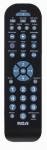
An image of the Audiovox RCR3273R universal remote control, featuring a black casing with various gray and blue buttons for device selection, channel control, volume, and number input.
Setup
1. Battery Installation
- Open the battery compartment cover on the back of the remote control.
- Insert two (2) AAA batteries, ensuring the positive (+) and negative (-) terminals align correctly with the markings inside the compartment.
- Close the battery compartment cover securely.
2. Programming Your Devices
To program the remote control to operate your devices, you will need to enter specific codes. Refer to the code list provided with your remote (if applicable) or search for codes online for your specific device brands. The general programming steps are as follows:
- Turn on the device you wish to program (e.g., TV, DVD player).
- Press and hold the desired device button on the remote (e.g., TV, DVD) for approximately 3 seconds until the indicator light illuminates.
- While holding the device button, enter the 4-digit code for your device brand using the number buttons.
- Release the device button. The indicator light should turn off.
- Test the remote by pressing the Power button. If the device turns off, the programming was successful.
- If the device does not respond, repeat the steps using a different code from the list for your brand.
Note: If no code works, some universal remotes offer an auto-search feature. Consult your remote's specific instructions for this advanced programming method.
Operating Instructions
Once programmed, operating your devices with the Audiovox RCR3273R is straightforward:
- Device Selection: Press the corresponding device button (TV, DVD, VCR/AUX) to select the device you wish to control. The indicator light may briefly flash to confirm selection.
- Power: Press the Power button to turn the selected device on or off.
- Volume Control: Use the VOL+ and VOL- buttons to adjust the volume.
- Channel Control: Use the CH+ and CH- buttons to change channels.
- Number Pad: Use the number buttons (0-9) to directly enter channel numbers or other numerical inputs.
- Mute: Press the MUTE button to silence the audio.
- Playback Controls: Buttons such as PLAY, STOP, PAUSE, REW, and FF control playback functions for devices like DVD players or VCRs.
Maintenance
- Cleaning: Use a soft, dry cloth to clean the remote control. Do not use liquid cleaners or abrasive materials.
- Battery Replacement: Replace batteries when the remote's performance diminishes or if the indicator light does not illuminate during operation. Always replace both batteries at the same time with new AAA batteries.
- Storage: Store the remote in a cool, dry place away from direct sunlight and extreme temperatures.
Troubleshooting
- Remote not working:
- Check if the batteries are inserted correctly and are not depleted. Replace if necessary.
- Ensure you have selected the correct device button (e.g., TV for your television).
- Verify that the remote is pointed directly at the device's infrared sensor.
- Confirm that the device is powered on.
- Device not responding after programming:
- Re-attempt programming using a different code for your device brand.
- Ensure the device is turned on before starting the programming process.
- Some buttons not working:
- This may indicate an incorrect or partially compatible code. Try reprogramming with an alternative code.
Specifications
| Brand | Audiovox |
| Model | RCR3273R |
| Connectivity Technology | Infrared |
| Controller Type | Button Control |
| Special Feature | Universal |
| Battery Type | AAA (2 required) |
Warranty and Support
For warranty information and technical support, please refer to the documentation included with your purchase or visit the official Audiovox website. Keep your purchase receipt as proof of purchase for any warranty claims.


