
1. Introduction
Thank you for choosing the AMIR Digital Kitchen Scale. This precision instrument is designed to provide accurate measurements for a wide range of items, from cooking ingredients to jewelry. This manual will guide you through the setup, operation, and maintenance of your new scale to ensure optimal performance and longevity.

The AMIR Digital Kitchen Scale, your cooking assistant.
2. Product Features
The AMIR Digital Kitchen Scale is equipped with several features to enhance your weighing experience:
- Large Weighing Range and Refined Accuracy: Manufactured with advanced high precision sensors, providing accuracy up to a large weight range of 1g-3000g, 0.01 oz/ 0.1 g. Ideal for measuring jewelry, medicine, and cooking ingredients with high precision.
- Multi-Functions: Features a clear blue back-lit LCD screen and converts measurement units in seconds between g, oz, ozt, dwt, ct, and gn. Comes with two trays (13 cm, 10 cm) that can be used as protectors or scale trays.
- Smart Button Functions: Includes PCS function for piece counting (e.g., pins, beads, screws), Tare (T) function for net weight, and Mode (M) function to select units. Auto-off time can be set to 60", 120", and 180". Alerts for low battery, overload, and uneven surface placement are also included.
- Quality Materials: Crafted with a high-quality stainless steel platform for durability and easy cleaning.
- Space Saver: Mini and compact size (Product Dimensions: 4" x 5" x 3/4"; Platform Dimensions: 4"x4") takes up minimal space, making it portable and easy to store.

Key features for precise and convenient weighing.

Offers 0.1g ultra-fine precision for exacting needs.

Clear blue backlit LCD HD display for easy readability.
3. What's Included
Upon unboxing your AMIR Digital Kitchen Scale, you should find the following items:
- 1 x AMIR Digital Kitchen Scale (Model: US-KA6)
- 2 x AAA Batteries
- 2 x Transparent Weighing Trays (13 cm and 10 cm)
- 1 x User Manual

All components included for immediate use.
4. Setup
4.1. Battery Installation
- Locate the battery compartment on the underside of the scale.
- Slide open the battery compartment cover.
- Insert two AAA batteries, ensuring the correct polarity (+/-) as indicated inside the compartment.
- Close the battery compartment cover securely.
4.2. Placement
For accurate readings, place the scale on a hard, flat, and stable surface. Avoid placing it on soft or uneven surfaces, or near sources of vibration or extreme temperature changes.
5. Operating Instructions
5.1. Power On/Off
- Press the ON/OFF button to turn the scale on.
- To turn off the scale, press and hold the ON/OFF button for a few seconds until the display turns off. The scale also features an auto-off function to conserve battery life.
5.2. Unit Conversion
The scale supports multiple units of measurement. To switch between units:
- With the scale on, press the M (Mode) button repeatedly to cycle through the available units: grams (g), ounces (oz), troy ounces (ozt), pennyweights (dwt), carats (ct), and grains (gn).
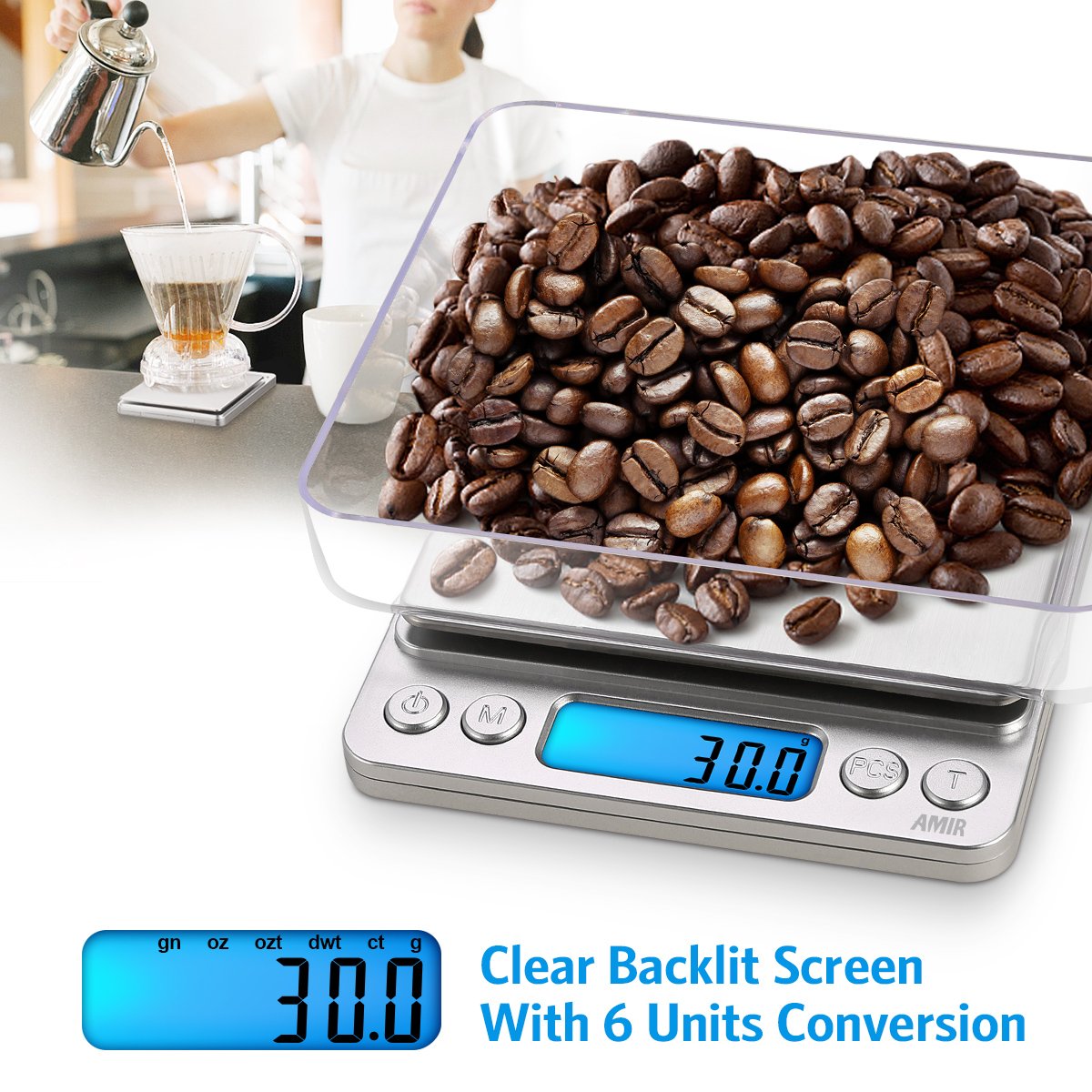
Easily switch between 6 units for versatile use.

Flexible unit switching for customized precision.
5.3. Tare Function (Net Weight)
The Tare function allows you to subtract the weight of a container or previous ingredients, so you can measure only the net weight of your current item.
- Place an empty container on the scale platform.
- Press the T (Tare) button. The display will reset to zero.
- Add your ingredients or items into the container. The display will show the net weight.
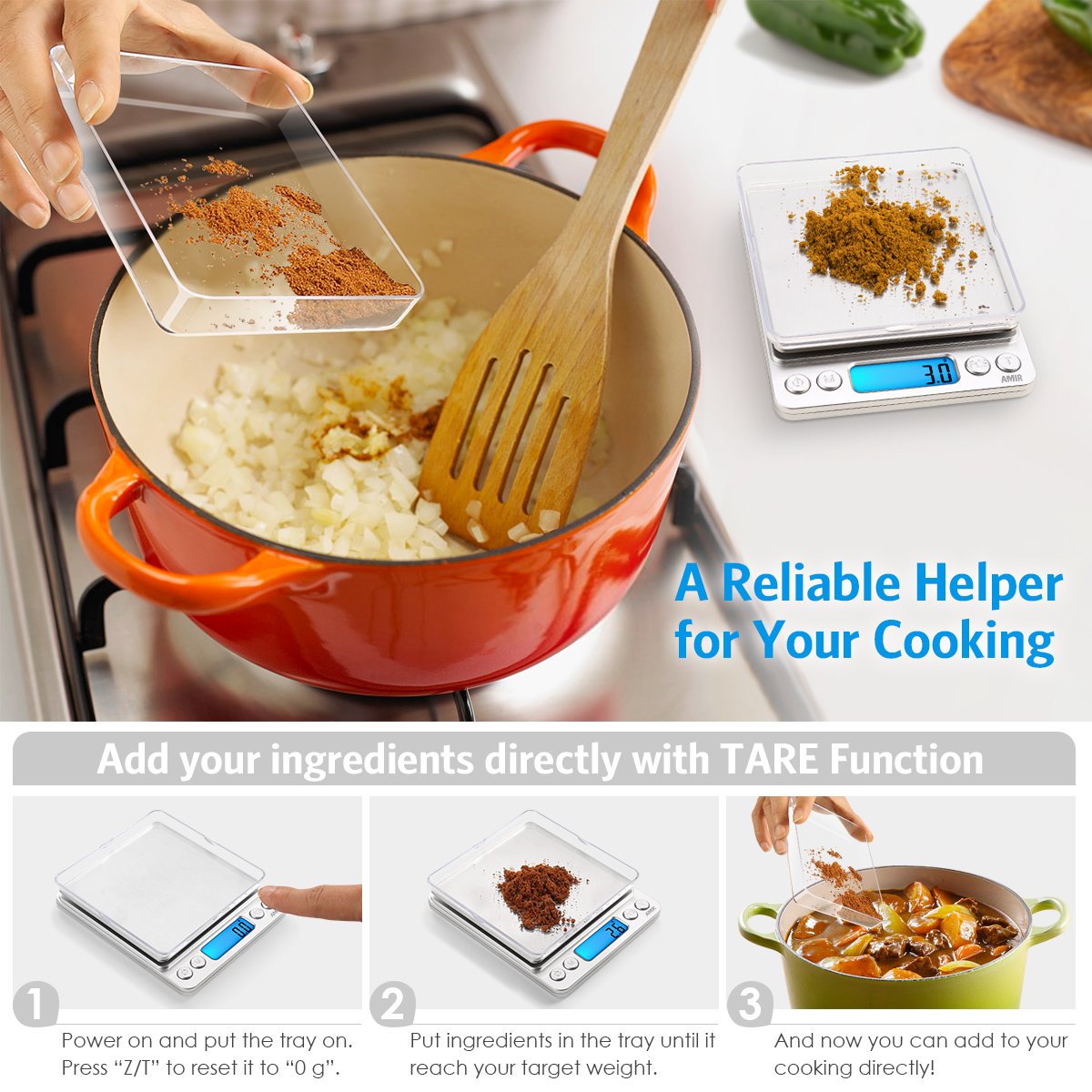
A reliable helper for your cooking with the TARE function.

Step-by-step guide for using the peeling (tare) function.
5.4. PCS Function (Piece Counting)
The PCS function allows you to count small, uniform items.
- Turn on the scale and ensure it is in weighing mode (not PCS mode).
- Place a sample quantity of items (e.g., 25, 50, 75, or 100 pieces) on the platform.
- Press and hold the PCS button until a number (e.g., "25", "50") appears on the display.
- Press the M (Mode) button to select the sample quantity that matches the number of items you placed on the scale.
- Press the PCS button again to confirm. The display will show "PCS" and the number of items.
- You can now add more items, and the scale will count them for you.
5.5. Auto-Off Setting
The scale is designed to automatically turn off after a period of inactivity to save battery life. You can adjust this time:
- While the scale is on, press and hold the M (Mode) button until the auto-off time (e.g., "60", "120", "180") appears.
- Press the M (Mode) button again to cycle through 60, 120, or 180 seconds.
- Release the button to set the desired auto-off time.
6. Maintenance
6.1. Cleaning
The stainless steel platform and durable ABS frame make the scale easy to clean.
- Wipe the scale with a soft, damp cloth.
- Do not use abrasive cleaners or immerse the scale in water.
- Ensure the scale is dry before storage or next use.

Easy to clean for consistent hygiene.
6.2. Battery Replacement
When the low battery indicator appears on the display, replace the batteries promptly to ensure accurate readings.
- Follow the battery installation steps outlined in Section 4.1.
7. Troubleshooting
If you encounter any issues with your AMIR Digital Kitchen Scale, refer to the following common problems and solutions:
| Problem | Possible Cause | Solution |
|---|---|---|
| Display shows "Lo" or no display | Low battery power | Replace the batteries with new AAA batteries. |
| Display shows "O-Ld" | Overload | Remove the item immediately. The weight exceeds the maximum capacity (3000g). |
| Inaccurate readings or unstable display | Uneven surface, vibrations, or temperature changes | Place the scale on a hard, flat, and stable surface. Avoid drafts or direct sunlight. Ensure no vibrations are present. |
| Scale does not turn on | Batteries incorrectly installed or dead | Check battery polarity. Replace batteries if necessary. |
8. Specifications
| Feature | Detail |
|---|---|
| Brand | AMIR |
| Model Number | US-KA6 |
| Weight Limit | 3000 Grams |
| Accuracy | 0.01 oz / 0.1 g |
| Product Dimensions | 1.97 x 1.57 x 1.18 inches; 9.6 ounces |
| Platform Dimensions | 4 x 4 inches |
| Display Type | LCD with Backlit Display |
| Power Source | 2 AAA batteries (included) |
| Special Features | Backlit Display, Lightweight, Portable, Tare Function, PCS Function, Unit Conversion |
| Material | Stainless Steel Platform |
| Date First Available | March 26, 2016 |
Compact dimensions for easy storage.
9. Warranty and Support
AMIR is committed to providing high-quality products and customer satisfaction.
- Return Policy: 6 Months Return
- Warranty: 24 Months Warranty
- Customer Support: 7*24H Professional Support
For any inquiries or assistance, please contact AMIR customer service through the details provided on the product packaging or the official AMIR website. Our technicians are dedicated to providing better quality products and services.

AMIR's commitment to quality and customer care.

