
Planet Audio PL1600.4
Planet Audio PL1600.4 4 Channel Car Amplifier
Model: PL1600.4
Introduction
The Planet Audio PL1600.4 is a Class A/B 4-channel full-range amplifier designed to enhance your vehicle's audio system. This powerful amplifier delivers 1600 Watts Max Power and features a MOSFET power supply for robust performance. It offers versatile sound customization options including Fixed High Pass Crossover, Variable Low Pass Crossover, and Bass Boost. Channels can be bridged for increased power output and flexibility, making it suitable for driving both speakers and subwoofers.

Figure 1: Front view of the Planet Audio PL1600.4 amplifier, showcasing its sleek black design and illuminated blue Planet Audio logo.
Setup and Installation
Proper installation is crucial for optimal performance and safety. It is strongly recommended to have this product professionally installed.
Mounting the Amplifier
Choose a secure, well-ventilated location for mounting the amplifier, away from direct sunlight or heat sources. Ensure sufficient space around the amplifier for air circulation.
Wiring Connections
All wiring should be done with the vehicle's battery disconnected to prevent electrical shorts.
- Power Connection (BATT+): Connect a heavy-gauge power cable directly from the vehicle's positive battery terminal to the BATT+ terminal on the amplifier. An inline fuse (not supplied) should be installed within 18 inches of the battery.
- Ground Connection (GROUND): Connect a heavy-gauge ground cable from the GROUND terminal on the amplifier to a clean, unpainted metal surface on the vehicle's chassis. Ensure a solid, low-resistance connection.
- Remote Turn-On (REMOTE): Connect a remote turn-on wire from your head unit's remote output to the REMOTE terminal on the amplifier. This wire signals the amplifier to turn on when the head unit is active.
- Speaker Outputs (CH1-CH4): Connect your speakers to the appropriate output terminals. The PL1600.4 supports 4-channel operation or 2-channel bridged operation for higher power to subwoofers. Refer to the wiring diagram for specific configurations.
- Audio Inputs (RCA): Connect your head unit's RCA outputs to the amplifier's RCA inputs (CH1/CH2 and CH3/CH4). This amplifier supports both low-level (RCA) and high-level (speaker wire) inputs.

Figure 2: Rear panel of the amplifier, detailing the power input terminals (BATT+, REMOTE, GROUND), speaker output terminals for channels 1-4, and fuse slots.
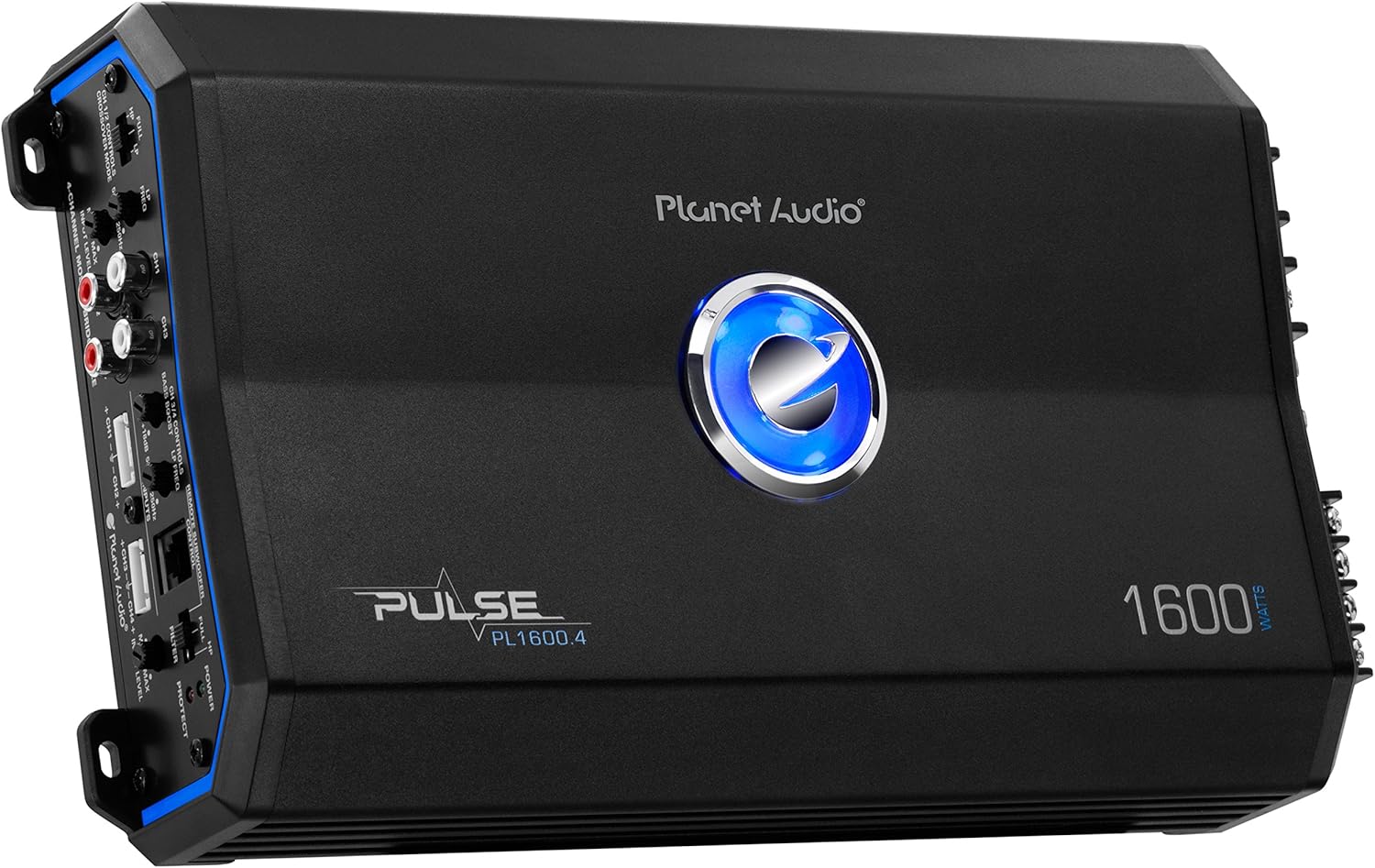
Figure 3: Side view of the amplifier, highlighting the control panel with various adjustments for audio input and output.
Operating the Amplifier
Once installed, the amplifier can be configured to optimize your audio system's sound.
Adjusting Controls
- Variable Gain Control (INPUT LEVEL): This control adjusts the sensitivity of the amplifier's input to match the output level of your head unit. It is not a volume control. Start with the gain at minimum and slowly increase it until distortion is heard, then back off slightly.
- Crossover Mode (FULL/HP/LP):
- FULL: Full range audio output.
- HP (High-Pass): Filters out low frequencies, ideal for full-range speakers. The Fixed High-Pass Crossover is specifically geared towards "highs" in all size speakers, including mid-ranges and tweeters.
- LP (Low-Pass): Filters out high frequencies, ideal for subwoofers. The Variable Low-Pass Crossover allows you to set exact sound specifications for bass frequency reproduction.
- LP Freq (Low-Pass Frequency): Adjusts the cutoff frequency for the low-pass filter when LP mode is selected.
- Bass Boost: Provides an adjustable bass enhancement for channels 3 and 4. Use sparingly to avoid distortion.
- Remote Subwoofer Control: Connects to an optional remote control for convenient adjustment of subwoofer level from the driver's seat.

Figure 4: Detailed view of the amplifier's control panel, illustrating the various knobs and switches for fine-tuning audio output, including gain, crossover, and bass boost.
Bridging Channels
The PL1600.4 can be bridged to dramatically increase power output to speakers or subwoofers. When bridging, connect the positive (+) terminal of your speaker/subwoofer to the CH1+ terminal and the negative (-) terminal to the CH2- terminal for one bridged channel. For a second bridged channel, use CH3+ and CH4-. Ensure your speakers/subwoofers are rated for the increased power output in bridged mode.
Maintenance
Regular maintenance ensures the longevity and optimal performance of your amplifier.
- Cleaning: Periodically wipe the amplifier's exterior with a soft, dry cloth. Avoid using harsh chemicals or abrasive cleaners.
- Ventilation: Ensure that the amplifier's cooling fins are free from dust and debris. Good airflow is essential to prevent overheating.
- Fuse Replacement: If a fuse blows, replace it only with a fuse of the same type and rating. Using an incorrect fuse can damage the amplifier or cause a fire. The fuse slots are located on the rear panel (refer to Figure 2).
- Connection Check: Periodically check all power, ground, remote, and speaker connections to ensure they are secure and free from corrosion.
Troubleshooting
If you encounter issues with your PL1600.4 amplifier, refer to the following common problems and solutions:
| Problem | Possible Cause | Solution |
|---|---|---|
| No Power / Amplifier does not turn on | Blown fuse; Loose power/ground/remote connection; Faulty wiring. | Check and replace fuses. Verify all power, ground, and remote wire connections are secure and properly terminated. Ensure the remote wire is receiving 12V from the head unit. |
| No Sound Output | RCA cables disconnected/damaged; Speaker wires disconnected/shorted; Gain set too low; Head unit volume too low. | Check RCA cable connections. Inspect speaker wiring for shorts or disconnections. Increase gain setting gradually. Ensure head unit volume is up. |
| Distorted Sound | Gain set too high; Improper crossover settings; Speaker impedance mismatch; Damaged speakers. | Reduce gain setting. Adjust crossover frequencies. Verify speaker impedance matches amplifier's capabilities. Test speakers with another amplifier if possible. |
| Amplifier Overheating / Goes into Protect Mode | Insufficient ventilation; Speaker impedance too low; Prolonged high volume use; Internal fault. | Ensure adequate airflow around the amplifier. Check speaker impedance. Reduce volume or allow amplifier to cool down. If problem persists, professional inspection may be required. |
| Engine Noise / Whining Sound | Poor grounding; RCA cables too close to power wires; Ground loop. | Verify ground connection is solid and clean. Route RCA cables away from power wires. Consider using a ground loop isolator. |
Specifications
| Feature | Detail |
|---|---|
| Brand | Planet Audio |
| Model Number | PL1600.4 |
| Number of Channels | 4 |
| Output Power (Max) | 1600 Watts |
| Power Output (RMS) | 400 Max x 4 @ 2 Ohms, 200 Max x 4 @ 4 Ohms, 800 Max Bridged x 2 @ 4 Ohms |
| Dimensions (L x W x H) | 11.9 x 7 x 2.3 inches (11.93” x 7” x 2.39”) |
| Item Weight | 6 pounds (5.75 lbs) |
| Input Type | Low Level (RCA) & High Level (+/- wire) |
| Crossover Type | Variable Low-Pass, Fixed High-Pass |
| Features | MOSFET Power Supply, Bridgeable, Variable Gain Control, Bass Boost, Remote Subwoofer Control |
| Whats in the box | Amplifier, Remote Subwoofer Control, High Input Cable With Connector, Mounting Screws (4) |
Warranty and Support
Planet Audio provides a 6 Year Platinum Online Dealer Warranty for purchases made through Amazon.Com. For warranty claims or technical support, please contact Planet Audio customer service.
For additional information and detailed diagrams, you may refer to the official user manual PDF: Download User Manual (PDF).
Proposition 65 Warning: This product contains chemicals known to the State of California to cause cancer and birth defects or other reproductive harm.