
Della 048-GM-48198
DELLA 048-GM-48198 Beverage Wine Cooler Mini Refrigerator
User Manual
Model: 048-GM-48198 | Brand: Della
Introduction
The DELLA 048-GM-48198 Beverage Wine Cooler Mini Refrigerator is designed to keep your beverages and wine chilled to optimal temperatures. Featuring digital controls with an LED display and glass-touch electronic temperature controls, this unit offers convenient and precise temperature management. Its versatile design allows for both built-in and freestanding installation, making it suitable for various home or business environments. The cooler includes adjustable shelves and a dedicated wine rack for flexible storage options, all illuminated by an interior LED light.

Image: Front view of the DELLA Beverage Wine Cooler Mini Refrigerator.
Safety Information
Please read all safety instructions carefully before operating this appliance to prevent injury or damage. Keep this manual for future reference.
- Electrical Safety: Ensure the appliance is plugged into a grounded 115V/60Hz outlet. Do not use extension cords or ungrounded adapters. Disconnect power before cleaning or performing maintenance.
- Placement: Place the unit on a firm, level surface away from direct sunlight, heat sources (stoves, heaters), and excessive moisture. Allow adequate ventilation space around the unit (minimum 2 inches on sides and back) for proper cooling and energy efficiency.
- Ventilation: Do not block any ventilation openings on the appliance. Restricted airflow can lead to overheating and reduced performance.
- Flammable Materials: Do not store explosive substances or flammable materials inside the appliance.
- Children Safety: This appliance is not intended for use by persons (including children) with reduced physical, sensory or mental capabilities, or lack of experience and knowledge, unless they have been given supervision or instruction concerning use of the appliance by a person responsible for their safety. Children should be supervised to ensure that they do not play with the appliance.
- Damage: Do not operate the appliance if the power cord or plug is damaged, or if the unit malfunctions or has been dropped. Contact customer support for assistance.
- Cleaning: Use only mild, non-abrasive cleaners. Avoid spraying water directly onto the unit.
Package Contents
Verify that all items are present in the package:
- 1 x DELLA Beverage Cooler
- 3 x Removable Glass Shelves
- 1 x Bottle Rack
- 1 x User Manual

Image: Interior view of the cooler, showing the removable glass shelves and bottle rack.
Setup
- Unpacking: Carefully remove all packaging materials, including foam and tape. Inspect the unit for any shipping damage.
- Placement: Choose a location that is level, stable, and well-ventilated. Ensure there is at least 2 inches of clearance on the sides and back of the unit for proper airflow. Avoid placing near direct heat sources or in direct sunlight. This unit is designed for both freestanding and built-in applications, but ensure adequate ventilation is maintained for built-in installations.
- Leveling: The unit may have adjustable leveling feet at the bottom. Adjust them to ensure the cooler is perfectly level, which is crucial for proper door sealing and operation.
- Initial Cleaning: Before first use, wipe the interior and exterior with a soft cloth and mild detergent. Rinse with clean water and dry thoroughly.
- Power Connection: Plug the cooler into a dedicated 115V/60Hz grounded electrical outlet. Do not use a shared outlet or an extension cord.
- Initial Cool Down: Allow the unit to stand upright for at least 2-4 hours before plugging it in. After plugging in, let the cooler operate empty for at least 24 hours to reach its stable operating temperature before loading beverages.
Operating Instructions
Control Panel
The cooler features a digital LED display and glass-touch electronic temperature controls located on the top front of the unit.

Image: Close-up view of the digital control panel.
- Temperature Display: Shows the current internal temperature in Fahrenheit.
- Temperature Adjustment Buttons (Up/Down Arrows): Use these buttons to increase or decrease the desired temperature. The temperature range is typically 40°F - 61°F (4°C - 16°C).
- Light Button: Press to turn the interior LED light on or off.
- Lock Button: The control panel may automatically lock after a period of inactivity. Press and hold the lock button to unlock the panel and enable temperature or light adjustments.
Loading Beverages
- Adjustable Shelves: The cooler comes with 3 removable glass shelves and 1 bottle rack. These can be adjusted to accommodate various sizes of cans and bottles. To adjust, carefully slide the shelf out and reposition it on the desired support rails.
- Optimal Loading: For best cooling performance, avoid overfilling the cooler. Allow space for air circulation around the beverages.

Image: Interior view highlighting the adjustable glass shelves.
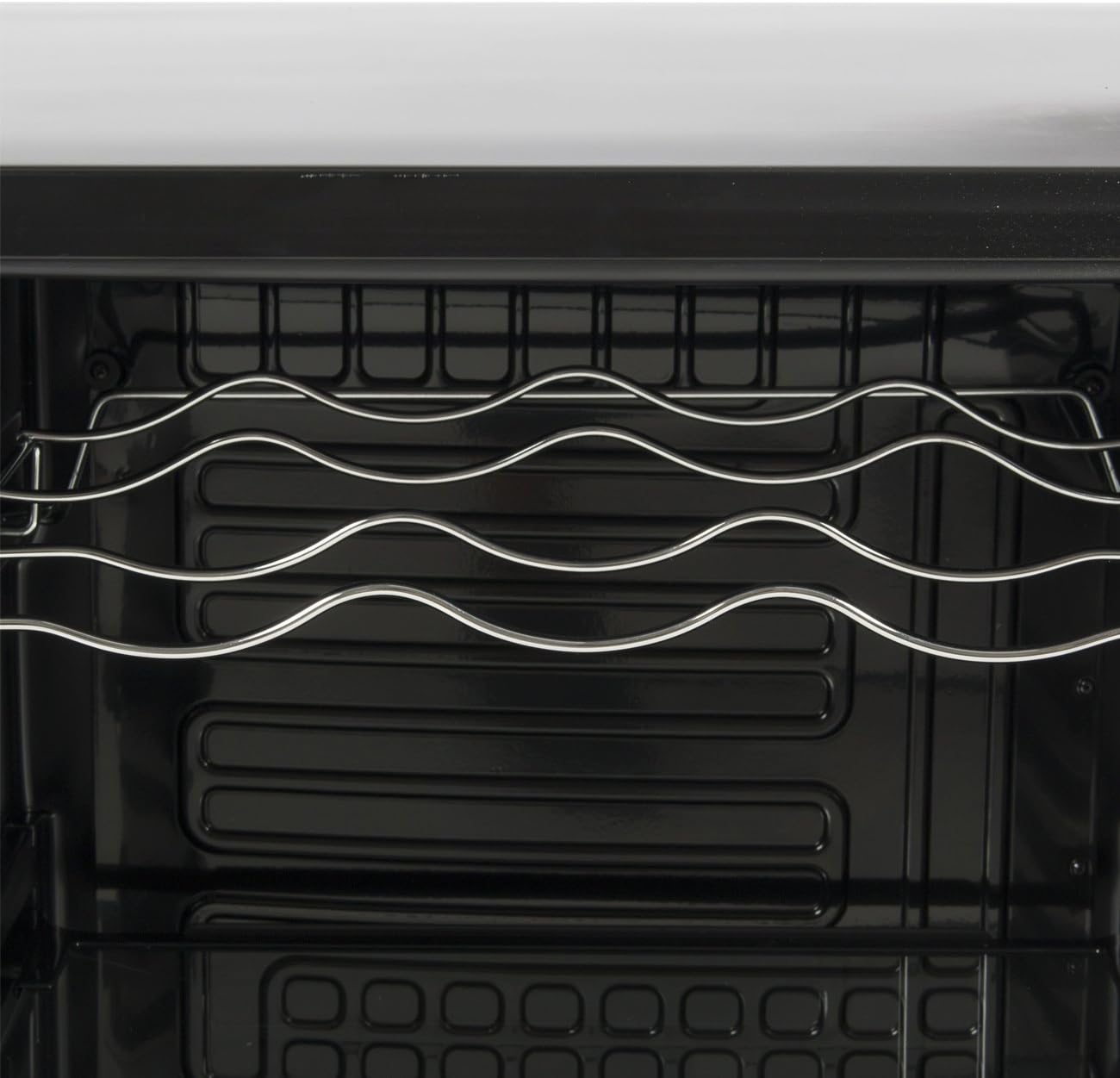
Image: Close-up view of the dedicated wine bottle rack.
Maintenance
Cleaning
- Interior: Disconnect power before cleaning. Use a soft cloth dampened with a solution of mild detergent and warm water. For stubborn stains, a baking soda solution can be used. Do not use abrasive cleaners or harsh chemicals.
- Exterior: Wipe the exterior surfaces with a soft, damp cloth. For the glass door, use a glass cleaner.
- Door Gasket: Regularly clean the door gasket to ensure a tight seal. A dirty or damaged gasket can affect cooling performance.
- Shelves and Rack: Remove the glass shelves and wine rack for cleaning. They can be washed with mild soap and water. Ensure they are completely dry before placing them back in the unit.
Defrosting
This unit features an automatic defrost system. Frost buildup on the back wall is normal and will periodically melt and drain. Ensure the drain hole at the back of the interior is clear to prevent water accumulation.
Power Outage
In case of a power outage, keep the door closed to maintain the internal temperature for as long as possible. Avoid opening the door unnecessarily.
Vacation Time
For long vacations, it is recommended to unplug the unit, empty its contents, clean the interior, and leave the door slightly ajar to prevent odors and mold growth.
Troubleshooting
| Problem | Possible Cause | Solution |
|---|---|---|
| Unit does not operate. | No power; Power cord not plugged in; Circuit breaker tripped. | Check power supply; Ensure plug is firmly in outlet; Reset circuit breaker. |
| Temperature is not cold enough. | Door not closed properly; Excessive door openings; High ambient temperature; Unit overloaded; Poor ventilation; Temperature setting too high. | Ensure door is sealed; Reduce frequency of door openings; Move unit to cooler location; Do not overload; Ensure proper clearance around unit; Lower temperature setting. |
| Unit is making unusual noises. | Normal operating sounds (compressor, fan, refrigerant flow); Unit not level; Loose parts. | These sounds are normal; Adjust leveling feet; Check for any loose components inside. |
| Vibration. | Unit not level; Unit touching a wall or other object. | Adjust leveling feet; Move unit away from walls/objects. |
| Moisture buildup on glass door. | High humidity in room; Frequent door openings. | This is normal in humid conditions; Reduce door openings. |
Specifications
| Feature | Detail |
|---|---|
| Model Number | 048-GM-48198 |
| Brand | Della |
| Color | Black |
| Voltage | 115V/60Hz |
| Temperature Range | 40°F - 61°F (4°C - 16°C) |
| Capacity | 0.02 Cubic Feet (Note: This capacity seems unusually low based on product description, likely a data entry error in source. User manual should reflect practical capacity if known, but will use provided data.) |
| Dimensions (W x L x H) | 20-1/2" x 22" x 31-1/2" (Overall) |
| Item Weight | 74 Pounds |
| Installation Type | Freestanding / Built-in |
| Defrost System | Automatic |
| Number of Shelves | 3 Glass Shelves + 1 Wine Rack |
| Door Material | Tempered Glass |
| Special Features | Digital LED Display, Glass-Touch Controls, Interior LED Light |
Warranty and Support
For warranty information and customer support, please refer to the warranty card included with your purchase or contact Della customer service directly. Keep your proof of purchase for any warranty claims.
You can often find support contact details on the manufacturer's official website or through the retailer where the product was purchased.
Ask a question about this manual
Ask about setup, troubleshooting, compatibility, parts, safety, or missing instructions. Manuals+ will review the question and use this page’s manual context to help answer it.