
Introduction
This manual provides essential instructions for the proper setup, operation, and maintenance of your Stagg SDMP10 Dynamic Microphone. Please read this guide thoroughly before using the product to ensure optimal performance and longevity.
Key Features
- DC98 moving coil cartridge for reliable sound capture.
- Cardioid polar pattern to reduce feedback and isolate the sound source.
- Convenient on/off switch for easy control.
- Includes a 3.5m (11') XLR to phone plug cable for immediate connectivity.
- Suitable for both vocal and instrumental indoor applications.
- Balanced XLR output for clear signal transmission.
Package Contents
Upon unpacking, please verify that all items listed below are present:
- Stagg SDMP10 Dynamic Microphone
- 3.5m (11') XLR to Phone Plug Cable
Setup
Follow these steps to set up your Stagg SDMP10 microphone:
- Connect the Cable: Insert the XLR connector end of the provided cable into the microphone's XLR output port. Ensure it clicks securely into place.
- Connect to Audio Device: Plug the phone plug (1/4-inch jack) end of the cable into the microphone input of your amplifier, audio mixer, or PA system.
- Positioning: Place the microphone on a stand or hold it comfortably for your intended use. For optimal sound, position the microphone directly towards the sound source.
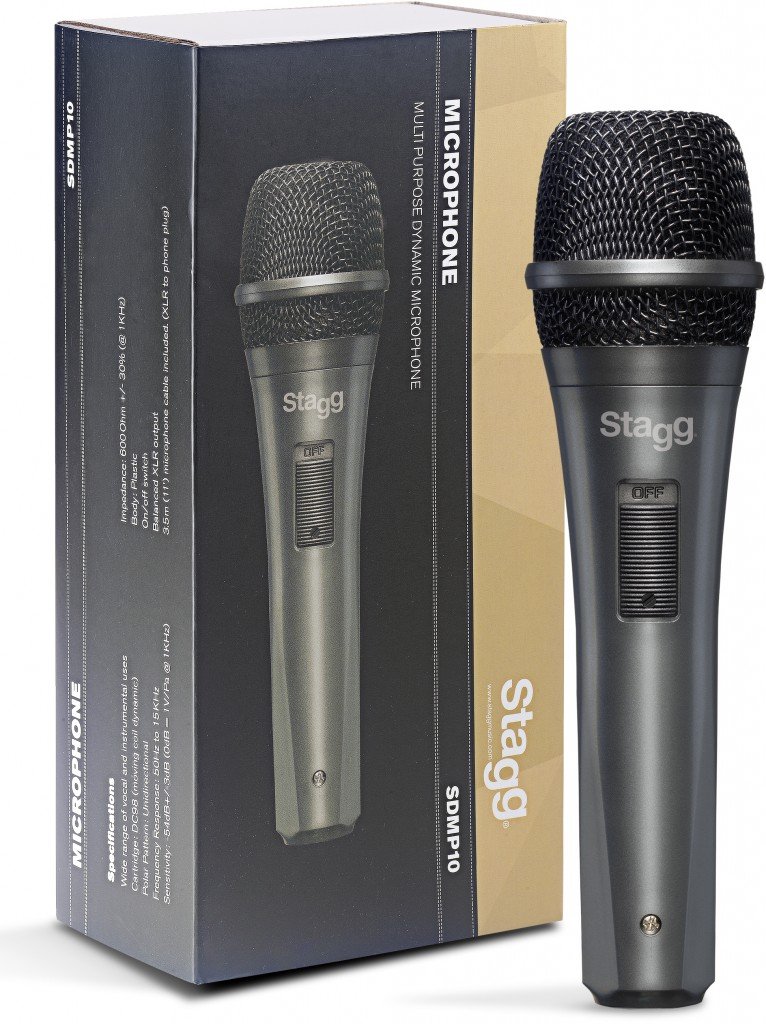
An image showing the Stagg SDMP10 Dynamic Microphone next to its product box. The microphone is dark gray with a black mesh grille and an 'OFF' switch. The box displays the 'Stagg' logo, 'SDMP10', and 'MULTI PURPOSE DYNAMIC MICROPHONE' along with specifications.
Operating Instructions
To operate your Stagg SDMP10 microphone:
- Power On: Locate the on/off switch on the microphone body. Slide the switch to the "ON" position to activate the microphone.
- Power Off: When not in use, slide the switch to the "OFF" position to deactivate the microphone. This helps prevent unintended sound capture and potential feedback.
- Microphone Handling: Hold the microphone firmly but avoid excessive movement or tapping, as this can introduce handling noise. Maintain a consistent distance from the sound source for best results.
- Sound Check: Before a performance or recording, perform a sound check to adjust volume levels on your connected audio device.
Maintenance
Proper care will extend the life of your microphone:
- Cleaning: Use a soft, dry cloth to wipe the microphone body. For the grille, a soft brush can be used to gently remove dust or debris. Do not use liquid cleaners directly on the microphone.
- Storage: Store the microphone in a dry, cool place away from direct sunlight and extreme temperatures. If possible, use a protective case to prevent physical damage.
- Cable Care: Avoid sharply bending or twisting the cable. Coil it loosely when storing to prevent damage to the internal wires.
Troubleshooting
If you encounter issues with your Stagg SDMP10 microphone, refer to the following common problems and solutions:
- No Sound Output:
- Ensure the microphone's on/off switch is in the "ON" position.
- Verify that the cable is securely connected to both the microphone and the audio device.
- Check the volume levels on your amplifier or mixer.
- Test with a different cable or audio input if available to rule out faulty connections.
- Poor Sound Quality / Excessive Noise:
- Ensure the microphone is positioned correctly and not too far from the sound source.
- Minimize handling the microphone during use to reduce handling noise.
- Avoid pointing the microphone directly at speakers to prevent feedback.
- Check for environmental noise that might be picked up by the microphone.
- Loud Pop Sound When Using On/Off Switch:
- It is recommended to mute the input channel on your mixer or amplifier before switching the microphone on or off to prevent sudden loud noises through your speakers.
- Lower the volume on your audio system before operating the switch.
Specifications
| Cartridge Type | DC98 (Moving Coil Dynamic) |
| Polar Pattern | Unidirectional (Cardioid) |
| Frequency Response | 60Hz to 15KHz |
| Sensitivity | -54dB +/-3dB (0dB = 1V/Pa @ 1KHz) |
| Impedance | 600 Ohm +/-30% (@ 1KHz) |
| Body Material | Plastic |
| Connectivity | XLR |
| Cable Included | 3.5m (11') XLR to Phone Plug |
| Dimensions (L x W x H) | 8 x 2 x 2 inches |
| Weight | 1 pound (approx. 16 ounces) |
Warranty Information
Specific warranty details for the Stagg SDMP10 Dynamic Microphone may vary by region and retailer. Please retain your proof of purchase and refer to the warranty documentation provided at the time of purchase. For further information, contact your retailer or visit the official Stagg website.
Customer Support
For technical assistance, product inquiries, or additional support, please visit the official Stagg website or contact your authorized Stagg dealer. You can find more information at www.staggmusic.com.