
Introduction
This manual provides essential information for the proper setup, operation, and maintenance of your Stagg SDMP30 Dynamic Microphone. Please read these instructions carefully before using the product to ensure optimal performance and longevity.
The Stagg SDMP30 is a versatile dynamic microphone designed for both vocal and instrumental live performance, offering clear sound reproduction.
Package Contents
Upon unpacking, please ensure all items listed below are present:
- Stagg SDMP30 Dynamic Microphone
- XLR to phone plug cable
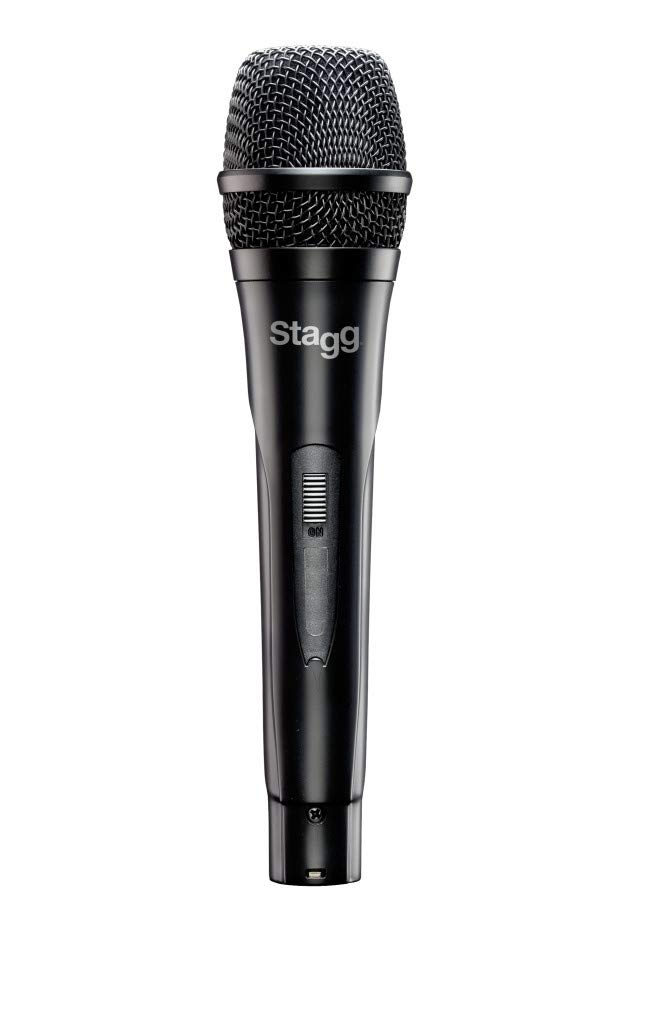
Image: Stagg SDMP30 Dynamic Microphone packaging. The box displays the microphone and its model number, indicating a multi-purpose dynamic microphone.
Setup
- Connect the Cable: Insert the XLR connector of the provided cable into the microphone's XLR output port.
- Connect to Device: Plug the phone plug (1/4 inch jack) end of the cable into the input of your mixer, amplifier, or audio interface. Ensure the input is compatible with a dynamic microphone.
- Positioning: Place the microphone on a stand or hold it as required for your performance or recording setup.
Operating Instructions
The Stagg SDMP30 features a cardioid polar pattern, which means it is most sensitive to sound coming from the front and rejects sound from the sides and rear. This helps to reduce feedback and isolate the desired sound source.
- Power On/Off: If your connected device has phantom power, ensure it is off when connecting or disconnecting the microphone to prevent damage. This microphone does not require phantom power.
- Gain Adjustment: Adjust the gain (input level) on your mixer or audio interface to achieve a clear signal without distortion. Start with a low gain setting and gradually increase it.
- Proximity Effect: Speaking or singing closer to the microphone will increase bass response (proximity effect). Experiment with distance to find the desired tonal balance.
Maintenance
- Cleaning: Wipe the microphone body with a soft, dry cloth. Do not use liquid cleaners or solvents.
- Storage: Store the microphone in a dry, cool place away from direct sunlight and extreme temperatures.
- Handling: Avoid dropping the microphone or subjecting it to strong impacts, as this can damage the internal components.
Troubleshooting
| Problem | Possible Cause | Solution |
|---|---|---|
| No Sound Output |
|
|
| Distorted Sound |
|
|
| Feedback (Howling Sound) |
|
|
Specifications
| Model | SDMP30 |
| Type | Dynamic Microphone |
| Cartridge | DC98 moving coil |
| Polar Pattern | Cardioid (Unidirectional) |
| Frequency Response | 50 Hz to 15 KHz |
| Connectivity Technology | XLR |
| Included Components | Microphone, XLR to phone plug cable |
| Item Weight | 1 pound (approximately 0.45 kg) |
| Product Dimensions (L x W x H) | 12 x 4 x 4 inches (approximately 30.5 x 10.2 x 10.2 cm) |
Warranty and Support
For warranty information or technical support, please refer to the official Stagg website or contact your local dealer. Keep your purchase receipt as proof of purchase.
You can also visit the Stagg Store on Amazon for more product information.