

Introduction
Thank you for choosing the Prextex 2 Pack Cartoon Remote Control Cars. This set includes a police car and a race car, each with its own steering wheel controller, designed for toddlers aged 18 months and up. These cars offer simple controls, engaging lights, and sounds for hours of interactive play.
What's Included
- 1 x Police Car
- 1 x Race Car
- 1 x Police Officer Action Figure (removable)
- 1 x Race Car Driver Action Figure (removable)
- 1 x Blue Steering Wheel Remote Controller (for Police Car)
- 1 x Green Steering Wheel Remote Controller (for Race Car)
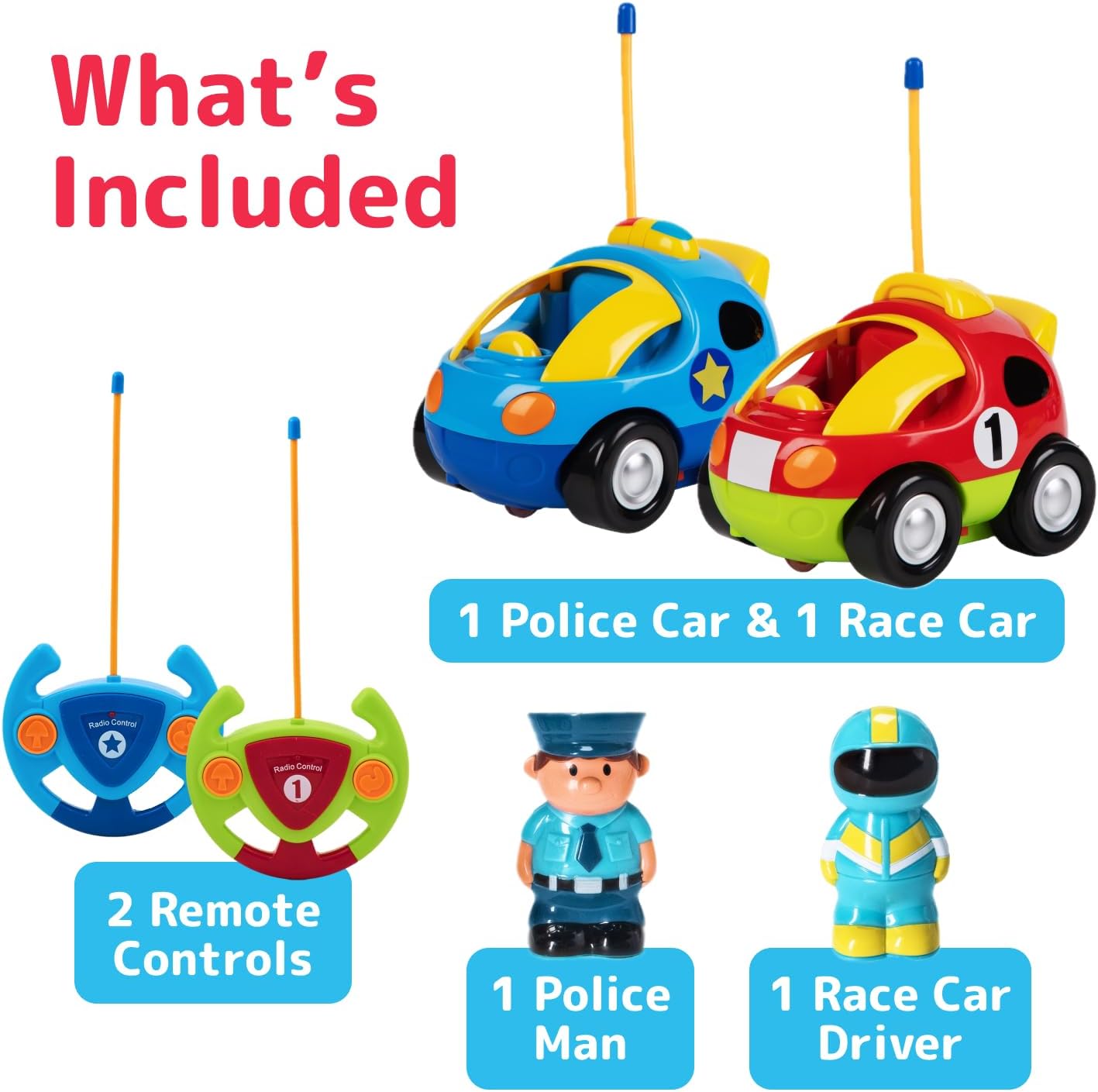
Image: This image displays all components: one blue police car, one red race car, their respective blue and green steering wheel controllers, a police officer figure, and a race car driver figure.
Setup and Battery Installation
Each remote control car requires 3 AA batteries, and each remote controller requires 2 AA batteries. Batteries are not included.
- Locate the battery compartment on the underside of each car and remote controller.
- Using a small Phillips head screwdriver, open the battery compartment cover.
- Insert the required AA batteries, ensuring correct polarity (+/-).
- Replace the battery compartment cover and secure it with the screw.
- Turn the power switch on each car and remote to the 'ON' position. The cars and remotes operate on different frequencies, allowing both to be played simultaneously without interference.

Image: This image shows the blue steering wheel remote controller and the blue police car. The remote has two large, easy-to-press buttons for forward and reverse movement. The car has an antenna for remote communication.
Operating Instructions
Basic Movement
Each steering wheel-shaped controller features two buttons for simplified operation:
- Press the forward arrow button (left button) to move the car forward.
- Press the reverse/turn button (right button) to move the car backward in a turning motion.
Lights and Sounds
- The cars feature flashing headlights and realistic sounds (honking, sirens, music) to enhance playtime.
- Pressing the removable action figure in the driver's seat may activate additional sound effects.

Image: This image highlights the interactive features of the cars, showing both the red race car and blue police car with their headlights illuminated and musical notes floating around, signifying their sound effects.
Key Features
- Two Unique Frequencies: Allows both cars to be operated simultaneously without signal interference.
- Simple Steering Control: Designed with two-button controllers for easy forward and reverse movement, ideal for young children.
- Engaging Lights & Sounds: Includes flashing headlights, honking sounds, siren effects, and music for interactive play.
- Removable Action Figures: Each car comes with a removable driver figure (police officer and race car driver) for added imaginative play.
- Durable Construction: Built to withstand typical toddler play.

Image: This image demonstrates the removable action figures, with the police officer figure shown separately from the blue police car. The image also indicates the approximate dimensions of the car and figure.
Care and Maintenance
- Wipe the cars and controllers with a damp cloth to clean. Do not immerse in water.
- Remove batteries from cars and controllers if they will not be used for an extended period to prevent leakage.
- Store in a cool, dry place away from direct sunlight.
Troubleshooting
Car Not Responding
- Ensure both the car and its corresponding remote are switched 'ON'.
- Check battery levels in both the car and remote. Replace if necessary.
- Verify that the correct remote is being used for each car (different frequencies).
- Ensure there are no obstructions between the remote and the car.
Sound/Light Issues
- Check battery levels.
- Ensure the action figure is properly seated if sound activation is linked to it.
Product Specifications
| Product Dimensions | 5 x 4 x 4 inches |
| Item Weight | 5 ounces |
| Model Number | 9M-NM0A-GUWE |
| Recommended Age | 18 months - 10 years |
| Batteries Required | 3 AA for each car, 2 AA for each remote (not included) |
| Manufacturer | Prextex |
Important Safety Information
- Adult supervision is recommended during play.
- Keep away from water and moisture.
- Do not mix old and new batteries. Do not mix alkaline, standard (carbon-zinc), or rechargeable (nickel-cadmium) batteries.
- Small parts may be a choking hazard for very young children if figures are removed and not supervised.
Warranty and Customer Support
For warranty information or customer support, please refer to the contact details provided on the product packaging or visit the official Prextex website.