
1. Introduction
This instruction manual provides important information for the proper installation, operation, and maintenance of your Leviton SmartlockPro Dual-Function AFCI/GFCI Receptacle. This device is designed to offer enhanced electrical safety by protecting against both arc faults and ground faults, which can lead to electrical fires and shocks.
The SmartlockPro Dual-Function AFCI/GFCI Receptacle is a National Electrical Code (NEC) compliant option for AFCI/GFCI protection in residential kitchens and laundry areas for new construction, modifications, extensions, and replacement receptacles. It is also suitable for replacing ungrounded receptacles, meeting NEC requirements for both AFCI and GFCI protection.
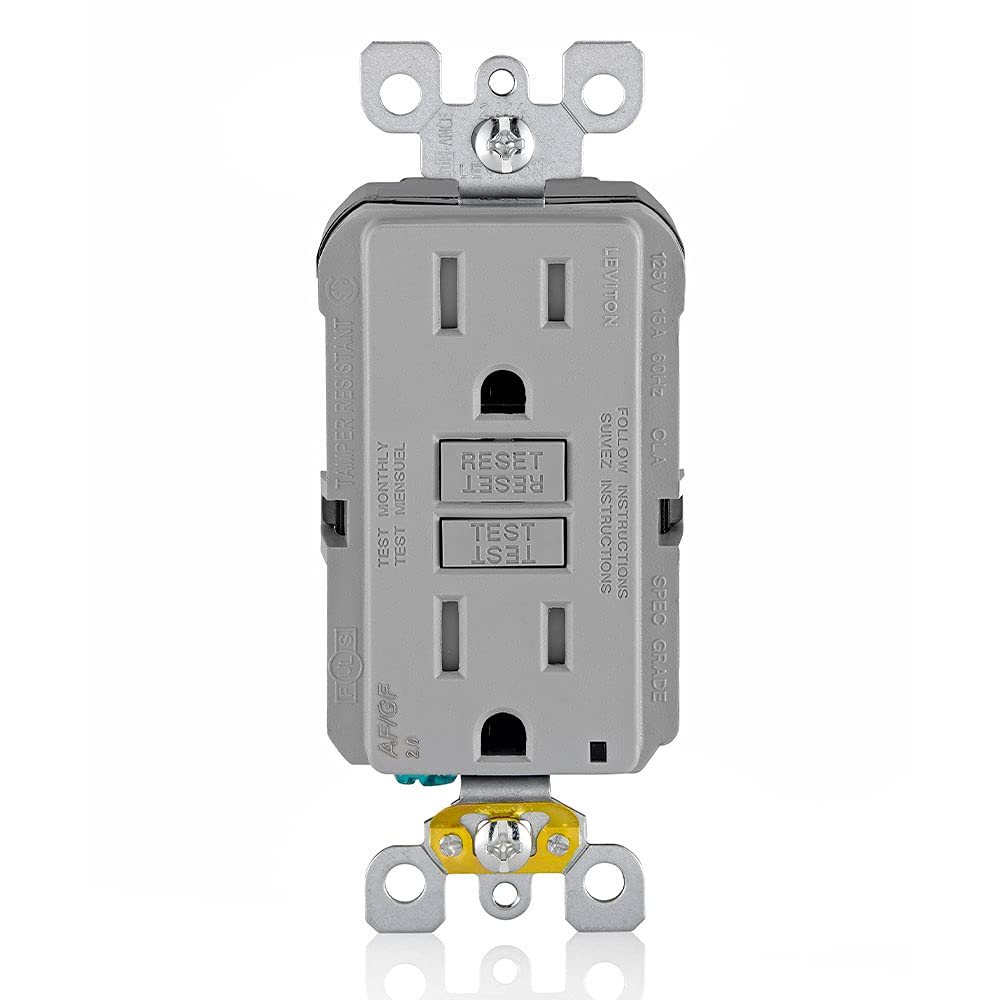
Figure 1: Leviton AGTR1-GY Dual-Function AFCI/GFCI Outlet, Gray.
2. Important Safety Information
WARNING: TO AVOID FIRE, SHOCK, OR DEATH, TURN OFF THE POWER AT THE CIRCUIT BREAKER OR FUSE AND TEST THAT POWER IS OFF BEFORE WIRING.
- Always disconnect power at the circuit breaker or fuse before installing or servicing the device.
- If you are unsure about any part of these instructions or are uncomfortable working with electrical wiring, contact a qualified electrician.
- This device must be used with copper or copper-clad wire only.
- For use with #12 AWG through #14 AWG wire.
- Do not install non-weather-resistant devices in wet or damp locations as per NEC code. When installing weather-resistant devices in wet locations, use with approved weather-resistant covers/enclosures, caulk, and gaskets.
3. Package Contents
The package includes the following items:
- Leviton AGTR1-GY Dual-Function AFCI/GFCI Outlet
- Instruction Sheets
- Mounting Screws
- Self-Ground Clip
- Washers
4. Tools Required for Installation
The following tools are recommended for installation:
- Flathead Screwdriver
- Phillips Head Screwdriver
- Electrician's Pliers
- Wire Stripper
- Electrical Tape
- Handheld Voltage Tester
5. Installation Instructions
This section outlines the general steps for installing your Leviton Dual-Function AFCI/GFCI Outlet. For specific wiring diagrams and detailed instructions, always refer to the instruction sheet included with your product's packaging. Local electrical codes take precedence over general guidelines.
5.1. Power Disconnection and Verification
- Locate the circuit breaker or fuse that controls the power to the outlet where you intend to install the device.
- Turn off the power at the circuit breaker or remove the fuse.
- Use a handheld voltage tester to confirm that the power is completely off at the outlet box. Test all wires to ensure no live current is present.
Video 1: General installation guide for Leviton SmartlockPro receptacles. This video demonstrates the process of identifying wires, connecting them, and securing the device. Always refer to the specific instructions provided with your product.
5.2. Wire Identification
It is crucial to correctly identify the line (incoming power) and load (outgoing power to other outlets) wires. Miswiring can prevent the device from functioning correctly and may leave downstream outlets unprotected.
- Identify the hot (usually black), neutral (usually white), and ground (bare copper or green) wires.
- If there are more than four wires plus the ground in the wall box, or if you are uncertain about wire identification, consult a qualified electrician.
- The device should be installed as the first outlet closest to the load center on that circuit to maximize protection for all downstream outlets.

Figure 2: Back view of the Leviton Dual-Function AFCI/GFCI Outlet, illustrating the wiring terminals. Note the distinct line and load terminals.
5.3. Wiring Connections
Ensure wires are straight and stripped to the appropriate length using the strip gauge on the back of the device. The device offers the option of either wrapping leads around the terminal screws or using an external back-wire clamp.
- Connect the incoming hot (black) line wire to the brass LINE terminal (without the yellow sticker).
- Connect the incoming neutral (white) line wire to the silver LINE terminal (without the yellow sticker).
- If protecting downstream outlets, connect the outgoing hot (black) load wire to the brass LOAD terminal (under the yellow sticker).
- If protecting downstream outlets, connect the outgoing neutral (white) load wire to the silver LOAD terminal (under the yellow sticker).
- Connect the bare copper or green ground wire to the green hexagonal ground screw.
- Tighten all terminal screws clockwise to secure the wires. Gently tug on each wire to ensure a secure connection.

Figure 3: Side view of the Leviton Dual-Function AFCI/GFCI Outlet, showing the wire connections to the terminals.
5.4. Securing the Device
- Carefully fold the wires into the wall box, ensuring they are not pinched.
- Secure the device into the wall box using the provided mounting screws.
- Install the wall plate.
6. Operating Instructions
After installation and restoring power at the circuit breaker, the device is ready for use. AFCI/GFCI devices are shipped from the factory in a tripped condition and cannot be reset until correctly wired and supplied with power.
6.1. Initial Reset and Test
- Restore power at the circuit breaker.
- Press the RESET button firmly. The indicator light should turn on, and power should be available at the outlets.
- To verify proper operation, plug a lamp or radio into the device.
- Press the TEST button. The indicator light should turn off, and the lamp/radio should lose power.
- Press the RESET button again. The indicator light should turn on, and the lamp/radio should regain power.
If the device does not reset or test correctly, refer to the troubleshooting section.
7. Maintenance
Leviton AFCI and GFCI devices feature an automated self-testing feature based on the latest product standards. However, it is still recommended to manually test the device monthly to ensure continued protection.
7.1. Monthly Self-Test
- Press the TEST button on the device. The indicator light should turn off, and power to the outlets should be interrupted.
- Press the RESET button. The indicator light should turn on, and power should be restored.
- If the device fails to trip or reset, it may be faulty and should be replaced.
8. Troubleshooting
If your Leviton Dual-Function AFCI/GFCI Outlet is not functioning as expected, consider the following common issues:
- Device will not reset: Ensure the device is correctly wired (line and load connections are not reversed). Verify that power is supplied to the device from the circuit breaker. If the device is damaged, it will not reset.
- No power to downstream outlets: Check if the device is properly wired to protect downstream outlets (load terminals). Ensure the device itself is reset.
- Nuisance tripping: High-frequency (HF) nuisance tripping has been improved in this design. However, if frequent, check for faulty appliances or wiring issues on the circuit.
- LED Indicator Light: Refer to the instruction sheet for specific LED indicator light patterns and their meanings (e.g., tripped, end-of-life).
For detailed troubleshooting steps and specific wiring diagrams, always consult the instruction sheet provided with your product or contact Leviton customer support.
9. Specifications
| Feature | Detail |
|---|---|
| Manufacturer | Leviton |
| Part Number | AGTR1-GY |
| Item Weight | 5.2 ounces |
| Product Dimensions | 1.68 x 1.27 x 4.21 inches |
| Model Number | AGTR1-GY |
| Size | 1 Pack |
| Color | Gray |
| Style | 15A GFCI/AFCI Combination |
| Material | Polycarbonate (PC) |
| Voltage | 125 Volts |
| Special Features | AFCI, Self-test, Tamper-Resistant, Improved immunity for reduced High Frequency (HF) nuisance tripping |
10. Warranty and Support
This Leviton device comes with a 5-Year Limited Warranty. For warranty claims, technical support, or additional information, please refer to the contact details provided in your product's packaging or visit the official Leviton website.
For more information on AFCI, GFCI, and Dual-Function AFCI/GFCI receptacles from Leviton, visit leviton.com/protection.


