
Introduction
The Maclean MCE131 is an energy-saving LED ceiling light equipped with a Passive Infrared (PIR) motion sensor. This device automatically activates the light when motion is detected within its sensing range. It also features an adjustable light sensor, allowing the unit to operate only during specific ambient light conditions, such as at night or in dimly lit areas. This manual provides essential information for the safe installation, operation, and maintenance of your MCE131 LED ceiling light.
Safety Instructions
- Electrical Safety: Installation must be performed by a qualified electrician in accordance with local electrical codes and regulations. Ensure the power supply is disconnected before installation or maintenance.
- Mounting: Mount the device securely on a stable ceiling surface. The recommended mounting height is between 2.2 meters and 4 meters.
- Environment: Do not install in areas with excessive vibration, high humidity (above 93% RH), or extreme temperatures outside the operating range of -20°C to +40°C.
- Cleaning: Use a soft, dry cloth for cleaning. Do not use abrasive cleaners or solvents.
- Disassembly: Do not attempt to disassemble or modify the device. This will void the warranty and may pose a safety risk.
Product Overview
The Maclean MCE131 is a circular LED ceiling light designed for automatic illumination based on motion detection. It integrates an LED light source with a PIR sensor and an ambient light sensor for efficient operation.
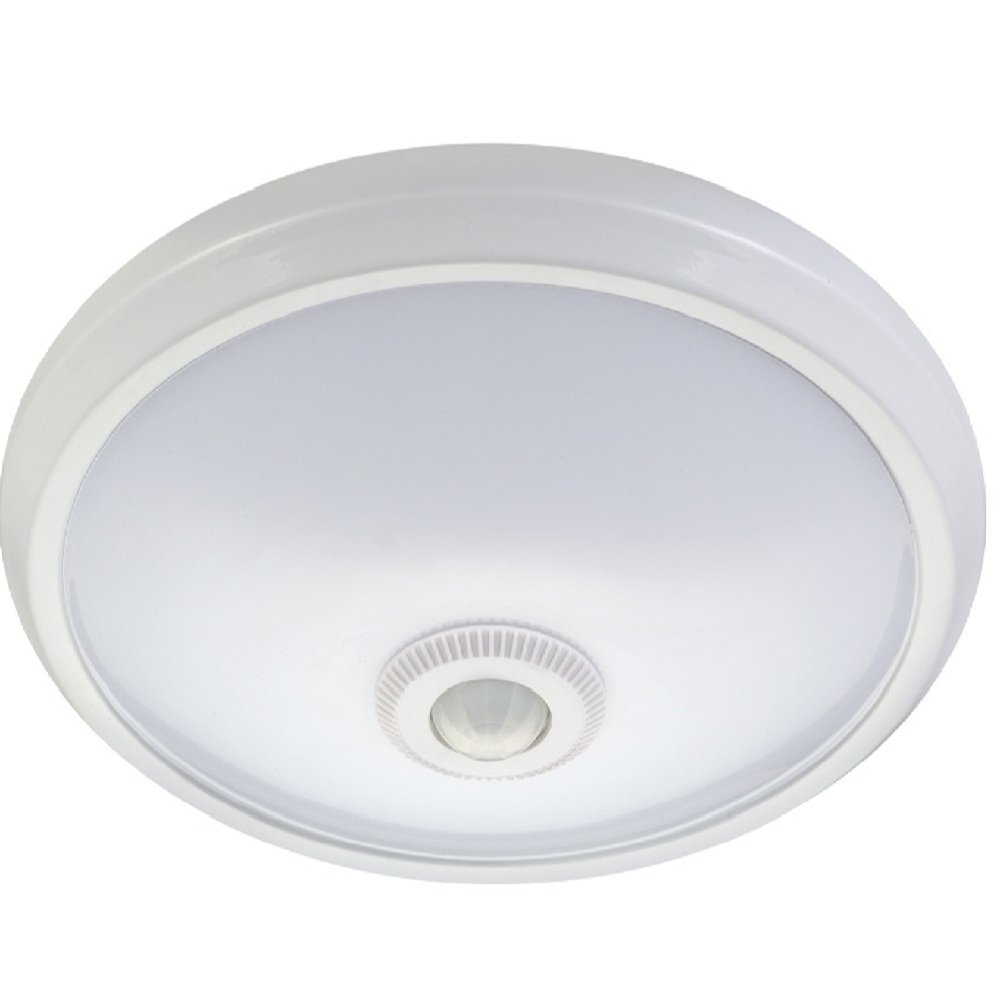
Figure 1: Front view of the Maclean MCE131 LED Ceiling Light, showing the central PIR motion sensor dome.

Figure 2: Rear view of the Maclean MCE131 LED Ceiling Light, displaying the mounting points and product specification label.
Specifications
| Feature | Specification |
|---|---|
| Power Supply | 110-240V/AC |
| Rated Load | 12W (24 pcs LED) |
| Detection Range | 6m max (<24°C) |
| Detection Angle | 360° |
| Light Sensor (LUX) | 3-2000 LUX (adjustable) |
| Time Delay Adjustment | Min: 10s ± 3s, Max: 3min ± 30s |
| Operating Temperature | -20°C to +40°C |
| Operating Humidity | <93% RH |
| Recommended Mounting Height | 2.2m - 4m |
| Motion Detection Speed | 0.6 - 1.5 m/s |
| Integrated Battery | 3.7V/1500mAh (for emergency/fail-safe mode) |
| Fail-safe Lighting Time | 3 hours |
| Fail-safe Power Consumption | 1.2W (6 pcs LED) |
| Product Dimensions (L x W x H) | 30cm x 30cm x 7cm |
Installation
Important: Ensure the main power supply is switched off at the circuit breaker before beginning installation. If you are unsure about electrical wiring, consult a qualified electrician.
- Choose a Location: Select a ceiling location within the recommended mounting height (2.2m - 4m) where the 360° detection field is unobstructed. Avoid placing near heat sources or air conditioning vents that could cause false triggers.
- Prepare Mounting Surface: Mark the drilling points on the ceiling using the light fixture as a template.
- Drill Holes and Insert Anchors: Drill holes at the marked points and insert the provided wall anchors.
- Connect Wiring: Connect the main power supply wires to the terminals on the back of the MCE131 unit. Ensure correct polarity (Live, Neutral, Earth if applicable). Secure all connections.
- Mount the Fixture: Align the mounting holes on the fixture with the anchors in the ceiling. Secure the light fixture using the provided screws.

Figure 3: Included mounting hardware: screws and wall anchors.
Operation and Settings
The Maclean MCE131 features adjustable settings for light sensitivity (LUX) and time delay (TIME). These adjustment dials are typically located on the unit, often requiring the cover to be removed to access them. Refer to the product diagram or the back of the unit for exact locations.
- LUX Adjustment: This dial controls the ambient light level at which the sensor becomes active.
- Turn towards the sun symbol (high LUX) for the sensor to operate during both day and night.
- Turn towards the moon symbol (low LUX) for the sensor to operate only in low light conditions or at night.
- TIME Adjustment: This dial sets the duration the light remains on after motion is detected and the last motion ceases.
- Adjust from minimum (approx. 10 seconds) to maximum (approx. 3 minutes).
- The timer resets with each new motion detection.
After adjusting the settings, replace the cover securely and restore power to the unit. Test the settings by moving within the detection area and observing the light's behavior.
Maintenance
- Cleaning: Regularly wipe the sensor lens and light diffuser with a soft, dry, lint-free cloth to ensure optimal performance. Do not use liquid cleaners or sprays directly on the unit.
- Inspection: Periodically check the mounting screws for tightness and the wiring for any signs of damage or wear.
- LED Longevity: The integrated LED light source is designed for long life and is not user-replaceable.
- Battery (if applicable): The integrated battery is for fail-safe operation. It is not user-serviceable. If the fail-safe function degrades, consider replacing the entire unit.
Troubleshooting
| Problem | Possible Cause | Solution |
|---|---|---|
| Light does not turn on when motion is detected. | 1. Power supply off. 2. LUX setting too low (moon symbol) during daytime. 3. Sensor obstructed. 4. Motion outside detection range. | 1. Check circuit breaker. 2. Adjust LUX setting towards sun symbol. 3. Clear any obstructions from the sensor. 4. Ensure motion occurs within 6m range and 360° field. |
| Light stays on continuously. | 1. Continuous motion in detection area. 2. TIME setting too long. 3. Sensor malfunction. | 1. Ensure no constant movement (e.g., pets, swaying curtains) in the area. 2. Adjust TIME setting to a shorter duration. 3. If problem persists, contact support. |
| Light flashes or flickers. | 1. Unstable power supply. 2. Loose wiring connection. 3. Unit malfunction. | 1. Check power source stability. 2. Disconnect power and check wiring connections (by a qualified electrician). 3. If problem persists, contact support. |
| Detection range is poor. | 1. Mounting height too low or too high. 2. Obstructions. 3. Ambient temperature too close to body temperature. | 1. Verify mounting height is within 2.2m - 4m. 2. Remove obstructions. 3. Performance may be reduced in very warm environments. |
Warranty and Support
Maclean products are designed for reliability and performance. This product comes with a standard manufacturer's warranty. For specific warranty terms and conditions, please refer to the documentation provided with your purchase or visit the official Maclean website. For technical support, troubleshooting assistance beyond this manual, or to inquire about spare parts, please contact Maclean customer service through their official channels. Keep your purchase receipt as proof of purchase for warranty claims.
Spare Parts Availability: 7 Years (as per product specifications).