
1. Overview
The Coway Airmega 300S is an app-enabled smart air purifier designed to provide clean air in your home. It features a HyperCaptive Filtration System, smart modes, and real-time air quality monitoring. This manual provides essential information for setup, operation, and maintenance to ensure optimal performance.
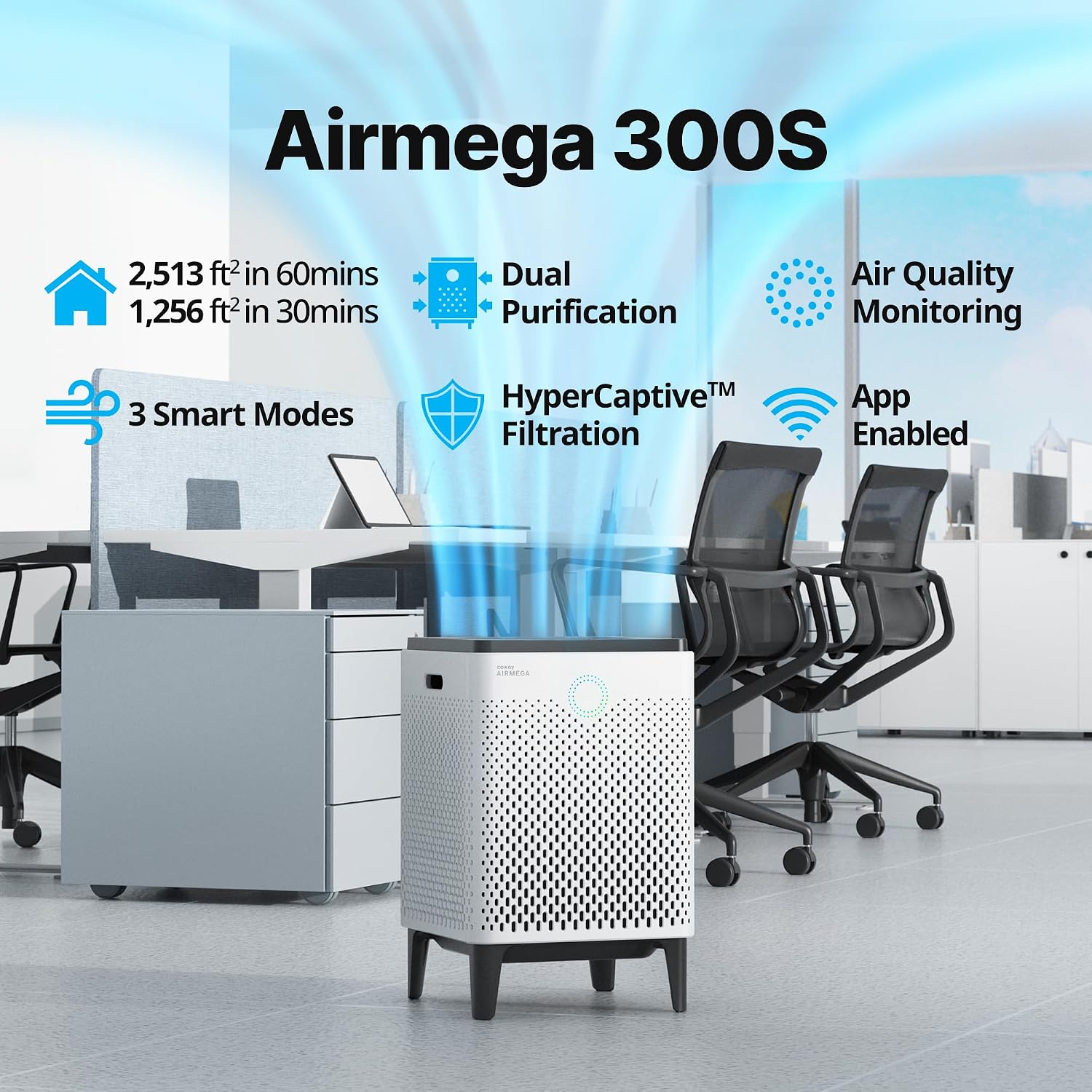
Image: Coway Airmega 300S showcasing its coverage, dual purification, smart modes, HyperCaptive filtration, air quality monitoring, and app-enabled features.
2. Key Features
- Coverage: Designed to clean spaces up to 2,512 sq. ft. in 60 minutes (1,256 sq. ft. in 30 minutes).
- HyperCaptive Filtration System: A combination of a pre-filter, active carbon filter, and True HEPA Filter reduces 99.97% of 0.3 micron particles, including pollen and other allergens. It also reduces volatile organic compounds and odors.
- APP and Voice Control: The IoCare mobile app allows indoor and outdoor air quality monitoring, filter notifications, scheduling, and speed/smart mode control. Compatible with Amazon Alexa and Google Assistant.
- Air Quality Indicator: A 24/7 pollution monitor adjusts purification to the necessary level and saves energy when not needed.
- Smart Mode: Automatically adapts to surroundings by adjusting fan speeds based on room air quality, ensuring energy efficiency without compromising effectiveness.

Image: Breakdown of the HyperCaptive Filtration System, illustrating how the Pre-Filter, Activated Carbon Filter, and HEPA Filter work together to capture various pollutants.
3. Setup
- Unboxing: Carefully remove the air purifier and all packaging materials from the box.
- Filter Installation: Open the side covers of the unit. Ensure the pre-filters and Max2 filters (Activated Carbon + HEPA) are correctly installed. Remove any plastic wrapping from the filters before installation.
- Placement: Place the air purifier on a flat, stable surface, ensuring adequate space around the unit for optimal airflow.
- Power On: Plug the power cord into a standard electrical outlet. Press the power button on the top panel to turn on the unit.
- App Connection: Download the Coway IoCare mobile app. Follow the in-app instructions to connect your Airmega 300S to your home Wi-Fi network for smart control and monitoring.

Image: The Coway Airmega 300S with its side panel removed, revealing the dual purification system with the pre-filter and Max2 filter.
4. Operating Modes
The Airmega 300S offers several operating modes to suit your needs:
- Smart Mode: The unit automatically adjusts fan speed based on real-time air quality detected by its sensors.
- Auto Mode: Similar to Smart Mode, it automatically adjusts fan speed.
- Eco Mode: Designed for energy efficiency, the fan turns off when air quality is good and reactivates when pollution is detected.
- Sleep Mode: Operates at a very low, quiet fan speed and dims indicator lights for undisturbed rest.
- Manual Fan Speed: Choose from multiple fan speed settings (1, 2, 3) for continuous operation at your desired intensity.

Image: Visual representation of the three smart modes (Auto, Eco, Sleep) and how the air purifier adjusts its operation based on air quality and light conditions.
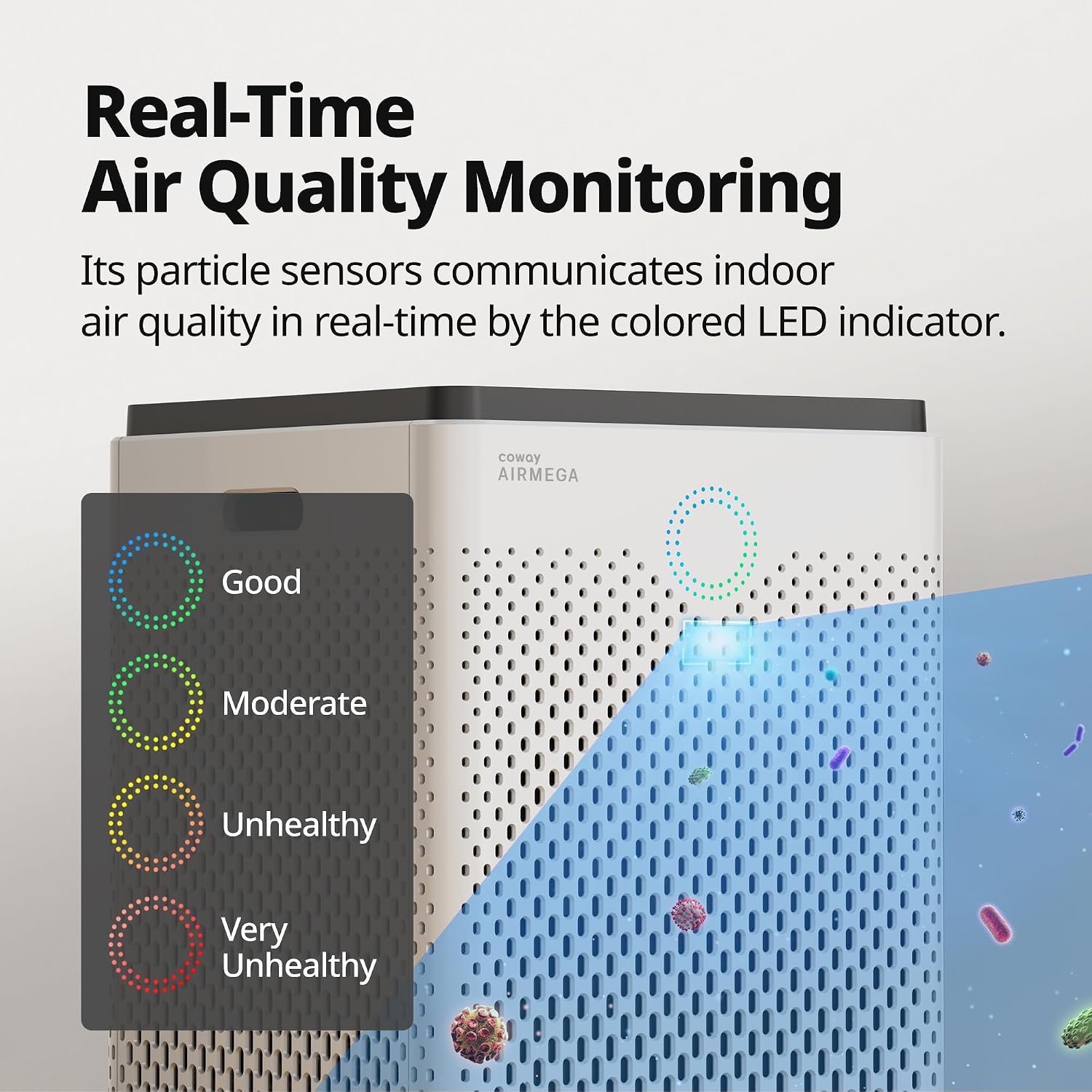
Image: The air purifier's real-time air quality monitoring system, showing LED indicators for Good, Moderate, Unhealthy, and Very Unhealthy air quality levels.
5. Maintenance
Regular maintenance ensures the longevity and efficiency of your Airmega 300S.
Filter Maintenance
- Pre-Filter: The washable pre-filter captures large particles like hair and dust. Clean it regularly (approximately every 2-4 weeks, or when the 'Pre Wash' indicator lights up) by rinsing it under running water or vacuuming. Allow it to dry completely before reinserting.
- Max2 Filter (Activated Carbon + HEPA): This combined filter should be replaced approximately every 12 months, or when the 'Max2 Change' indicator lights up. These filters are not washable and must be replaced.

Image: A hand removing the washable pre-filter from the Coway Airmega 300S, demonstrating the ease of access for cleaning.
Pollution Sensor and Air Outlet Cleaning
For optimal air quality detection and airflow, regularly clean the pollution sensor and air outlet.
Video: This video demonstrates the process of cleaning the pollution sensor and the air outlet grill of the Airmega air purifier. It shows how to access these components and perform the cleaning steps.
- Pollution Sensor: Clean the sensor every 2 months. Open the sensor cover on the side of the unit. Use a damp cotton swab to gently wipe the sensor's outlet, lens, and inlet. Follow with a dry cotton swab.
- Air Outlet: Turn the top cover counter-clockwise until the dots align, then lift it off. Remove any dust or objects from the air outlet. Replace the cover by aligning the dots and rotating clockwise.
6. Troubleshooting
If your Airmega 300S is not functioning as expected, try these basic troubleshooting steps:
- No Power: Ensure the power cord is securely plugged into both the unit and a working electrical outlet.
- Poor Airflow/Performance: Check if the pre-filters are clean and properly installed. Ensure the Max2 filters are not expired and are correctly seated. Verify that the air intake and outlet are not obstructed.
- Indicator Lights Not Changing: Clean the pollution sensor as described in the Maintenance section.
- App Connectivity Issues: Ensure your Wi-Fi network is active and the unit is within range. Restart the unit and your mobile device, then try reconnecting via the IoCare app.
For further assistance, please refer to the full user manual or contact Coway customer support.
7. Specifications
| Feature | Detail |
|---|---|
| Brand | Coway |
| Model Number | 111359 |
| Product Dimensions | 13.6"D x 13.6"W x 21.2"H |
| Floor Area Coverage | 2512 Square Feet (60 minutes) |
| Noise Level | 22 Decibels (minimum) |
| Filtration Type | HEPA, Active Carbon, Pre-Filter |
| Particle Retention Size | 0.3 Micron |
| Controller Type | Amazon Alexa, Google Assistant, Touch |
| Special Features | Air Quality Monitor, Eco Mode, Filter Life Indicator, Smart Mode, Wi-Fi Enabled |
| Item Weight | 21.4 Pounds |
| Power Source | Corded Electric |

Image: The Coway Airmega 300S with its dimensions (13.6"D x 13.6"W x 21.2"H) clearly labeled.
8. Warranty
The Coway Airmega 300S comes with a 5-year manufacturer's limited warranty. Please retain your proof of purchase for warranty claims. For detailed terms and conditions, refer to the warranty card included with your product or visit the official Coway website.
9. Support
For additional support, product registration, or to purchase replacement filters, please visit the official Coway website or contact their customer service. You can also find more information and resources on the Coway Store on Amazon.
Video: This video showcases a powerful performance test of the Coway Air Purifier, demonstrating its effectiveness in cleaning the air.
Video: This video highlights three key reasons why the Coway Airmega 300S is considered a smart air purifier, focusing on its advanced features and benefits.


