1. Introduction
This manual provides essential information for the safe and effective use of your De'Longhi Pinguino PAC EX100 portable air conditioner. Please read these instructions carefully before operating the appliance and retain them for future reference. This unit is designed to provide cooling, dehumidification, and fan functions for indoor spaces.
2. Safety Information
Always observe basic safety precautions when using electrical appliances to reduce the risk of fire, electric shock, and personal injury.
- Ensure the power supply voltage matches the rating label on the appliance.
- Do not operate the unit with a damaged cord or plug.
- Keep the appliance away from heat sources and direct sunlight.
- Do not block air inlets or outlets.
- Do not insert objects into the air vents.
- This appliance is not intended for use by persons (including children) with reduced physical, sensory or mental capabilities, or lack of experience and knowledge, unless they have been given supervision or instruction concerning use of the appliance by a person responsible for their safety.
- Always unplug the appliance before cleaning or maintenance.
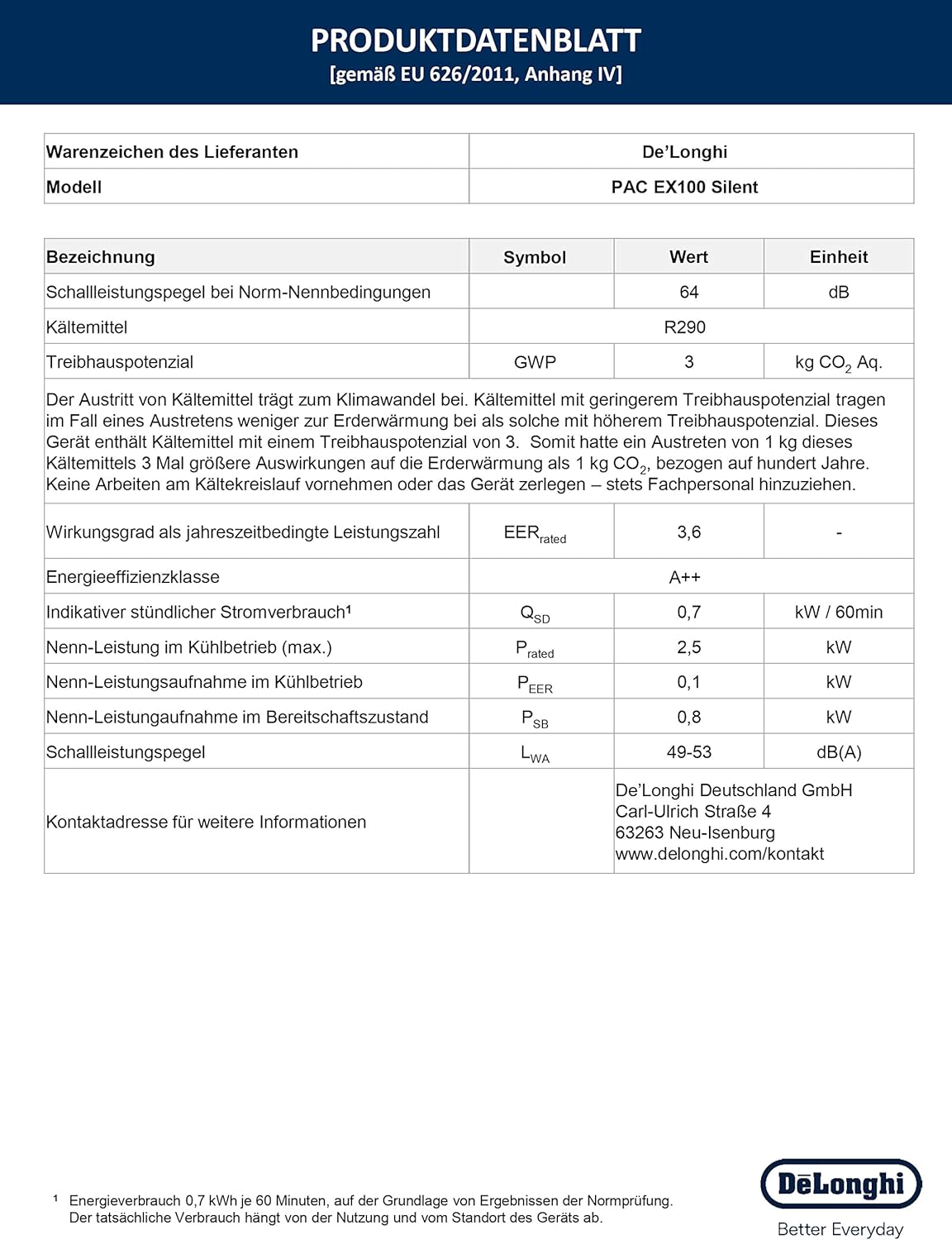
- The appliance contains R290 refrigerant. Do not attempt to interfere with the refrigerant circuit. Contact qualified personnel for service.
3. Product Overview
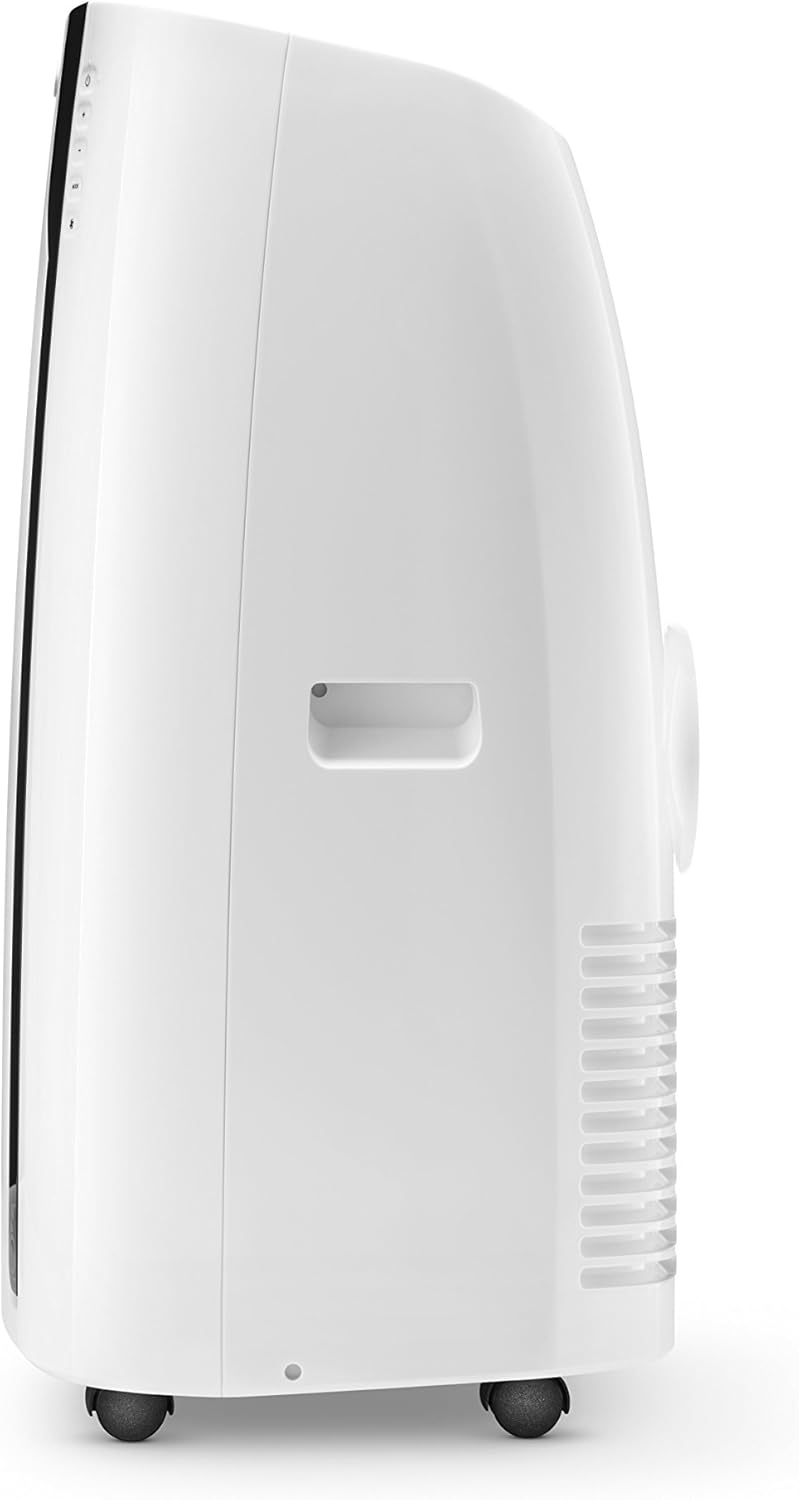
Familiarize yourself with the main components of your De'Longhi Pinguino PAC EX100.




4. Setup and Installation
Proper installation is crucial for the efficient operation of your air conditioner.
4.1 Unpacking
- Carefully remove the appliance from its packaging. Due to its weight (approximately 30 kg), it is recommended to have assistance during unpacking and placement.
- Remove all packing materials and ensure no components are missing. Refer to Figure 8 for a list of included accessories.
4.2 Exhaust Hose Installation
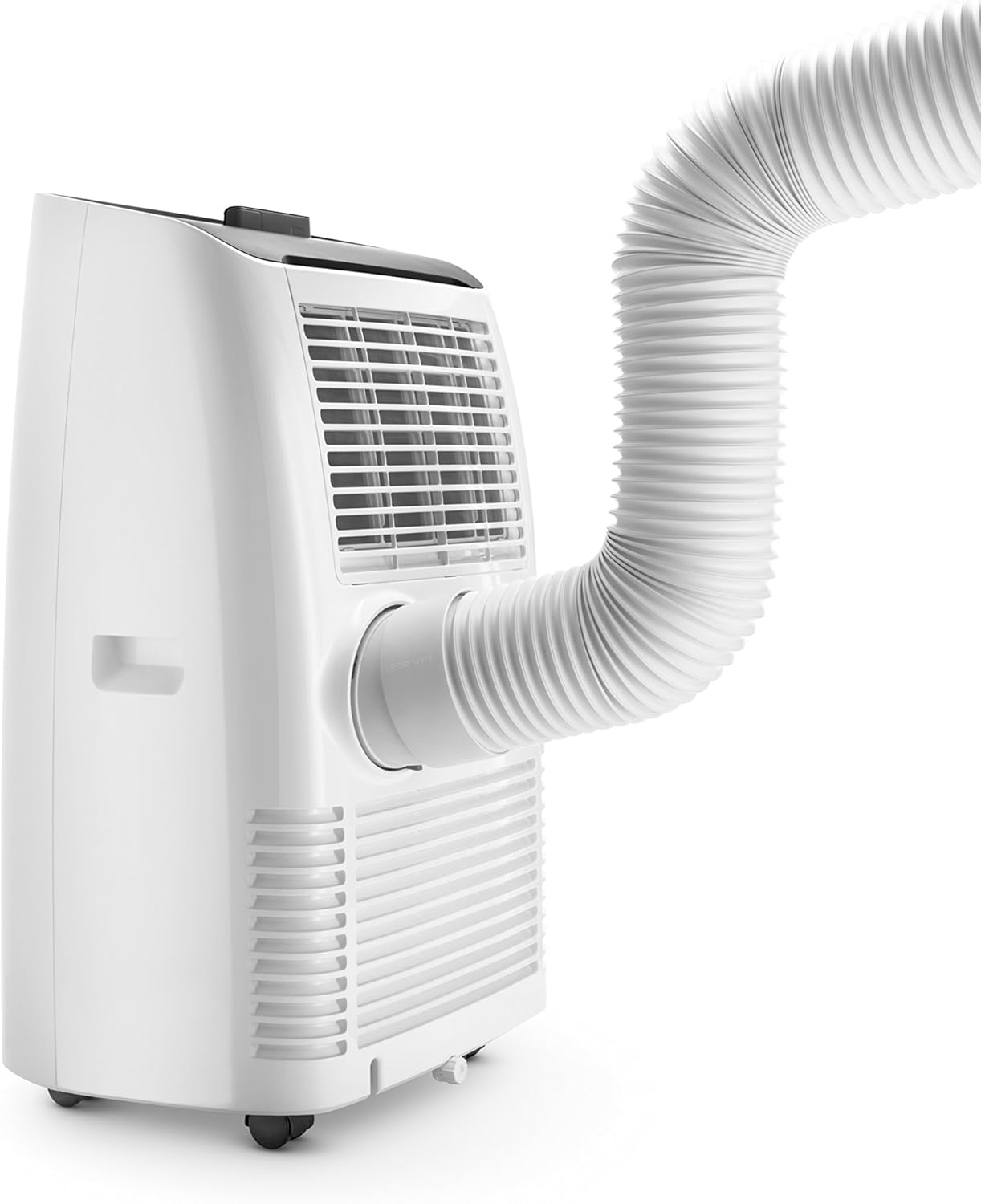
The exhaust hose must be connected to expel hot air outside the room.
- Attach the hose connector to the exhaust outlet on the rear of the unit (see Figure 6).
- Connect the other end of the flexible exhaust hose to the window outlet adapter.
- Insert the window outlet adapter into the window kit. The window kit is designed to fit various window types and should be securely installed to prevent hot air from re-entering the room.
- Minimize the length and bends of the exhaust hose for optimal performance. A shorter, straighter hose allows for more efficient heat expulsion.
4.3 Placement
Position the unit on a flat, stable surface. Ensure there is at least 30 cm of clear space around the unit for proper airflow. The unit should be placed near a window or opening for the exhaust hose.


5. Operating Instructions
Your PAC EX100 offers multiple operating modes for personalized comfort.
5.1 Control Panel and Remote Control
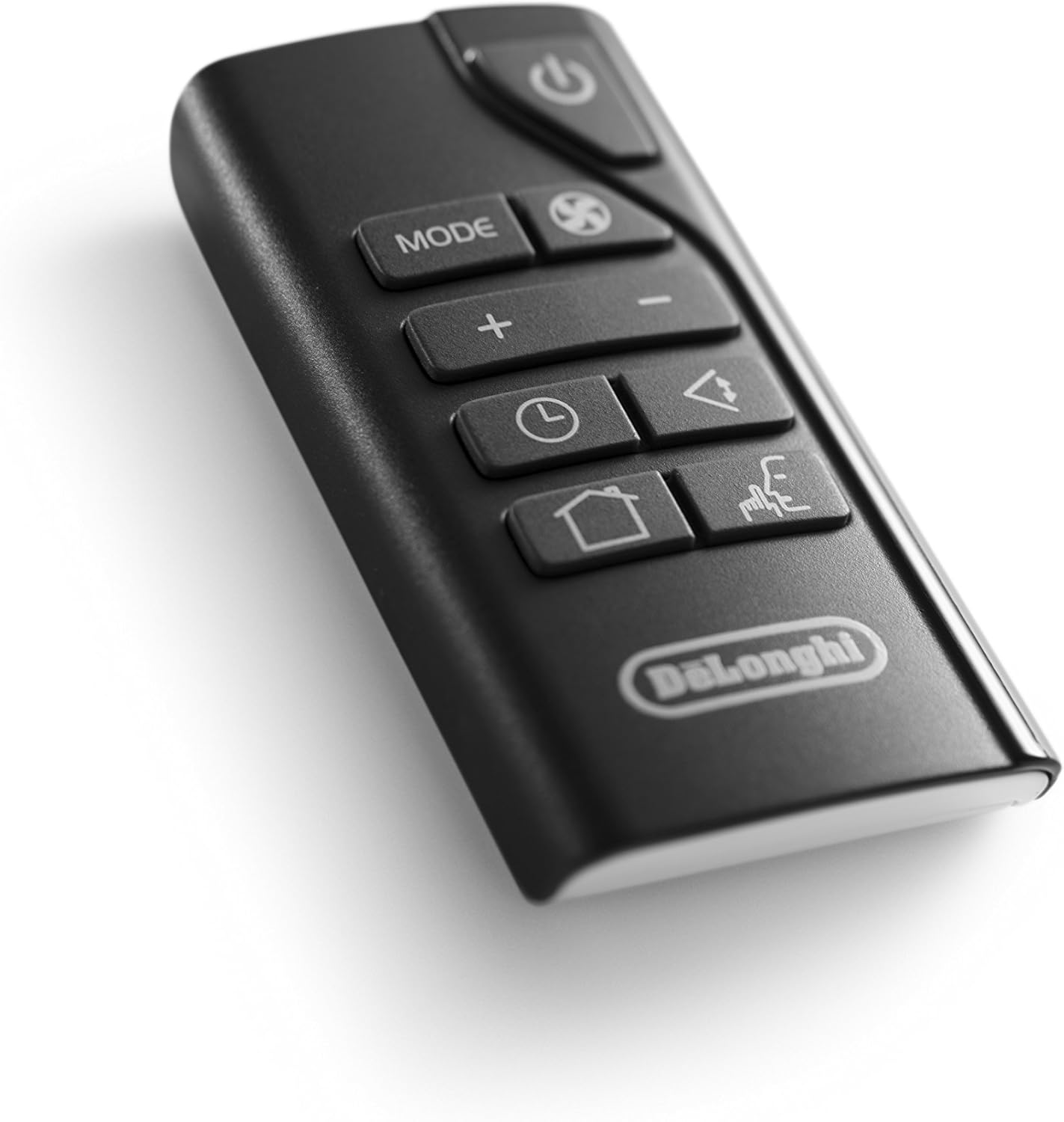
The unit can be operated via the touch control panel on the top of the unit or using the included LCD remote control (Figure 9).
5.2 Power On/Off
Press the ON/OFF button to turn the appliance on or off.
5.3 Mode Selection
Press the MODE button to cycle through the available functions:
- Cooling Mode (Snowflake icon): For cooling and dehumidifying the room. Adjust the desired temperature using the + and - buttons.
- Dehumidifying Mode (Water drop icon): Reduces humidity in the room. The unit can remove up to 32 liters of moisture per day.
- Fan Mode (Fan icon): Circulates air without cooling. Select from 3 fan speeds.
5.4 Temperature Adjustment
In Cooling Mode, use the + or - buttons to set your desired temperature. The recommended comfortable temperature range is 20-22°C (68-72°F).
5.5 Fan Speed
In Cooling or Fan Mode, press the FAN SPEED button to select between low, medium, or high fan speeds.
5.6 Timer Function
The 24-hour digital timer allows you to program the unit to turn on or off automatically. Press the TIMER button and use + or - to set the desired time in 30-minute intervals.
5.7 Silent System
The PAC EX100 features a Silent System designed to reduce operational noise. While no air conditioner is completely silent, this mode optimizes settings for quieter operation, particularly useful during nighttime. Expect a consistent, low hum rather than complete silence.
5.8 Real Feel Technology
This technology automatically adjusts temperature and humidity to achieve and maintain optimal comfort. In this mode, the unit may cycle between active cooling and standby to maintain the ideal environment, which can result in variations in noise levels as the compressor engages and disengages.
6. Maintenance
Regular maintenance ensures optimal performance and longevity of your appliance.
6.1 Cleaning the Air Filters
The air filters should be cleaned regularly (e.g., every two weeks) to prevent dust buildup and maintain efficiency.
- Turn off the appliance and unplug it from the power outlet.
- Remove the air filter covers (Figure 7).
- Gently remove the filters.
- Clean the filters with a vacuum cleaner or wash them under running water. Ensure they are completely dry before reinserting.
- Replace the filters and close the covers.
6.2 Draining Condensate Water
During dehumidification, water collects inside the unit. The PAC EX100 typically evaporates most of this water, but in high humidity conditions, the internal tank may fill. When this occurs, the unit will stop operating and display an indicator. Drain the water as follows:
- Turn off the appliance and unplug it.
- Place a shallow pan or container under the drainage outlet at the bottom rear of the unit.
- Remove the drain cap and plug.
- Allow all water to drain completely.
- Replace the drain plug and cap securely.
6.3 Storage
If the unit will not be used for an extended period:
- Drain all condensate water.
- Clean the air filters.
- Unplug the unit and coil the power cord.
- Store the unit upright in a dry, cool place, preferably covered to protect it from dust.
7. Troubleshooting
Before contacting customer service, refer to the following table for common issues and solutions.
| Problem | Possible Cause | Solution |
|---|---|---|
| Unit does not turn on | No power supply; Power cord not plugged in; Fuse blown; Internal water tank full. | Check power connection; Plug in securely; Check household fuse/circuit breaker; Drain condensate water. |
| Unit cools insufficiently | Air filters dirty; Air intake/outlet blocked; Room too large; Doors/windows open; Exhaust hose not properly installed or too long/bent. | Clean air filters; Clear obstructions; Ensure room size is within unit capacity (up to 110 m³); Close doors/windows; Check exhaust hose for proper installation and minimal length/bends. |
| Unit is noisy | Fan speed too high; Unit not on a level surface; Compressor operating (normal). | Reduce fan speed; Place unit on a flat surface; Note that some noise is normal during compressor operation, especially when cooling rapidly. Use Silent mode for reduced noise. |
| Unit leaks water | Drain cap/plug loose or missing; Unit tilted. | Ensure drain cap/plug is securely fastened; Place unit on a level surface. |
8. Technical Specifications
Key technical data for the De'Longhi Pinguino PAC EX100.
| Specification | Value |
|---|---|
| Brand | De'Longhi |
| Model Number | PAC EX100 |
| Dimensions (L x W x H) | 44.5 x 39 x 80.5 cm |
| Weight | 30 kg |
| Energy Efficiency Class | A++ |
| Cooling Capacity | 2.5 kW (2500 Watts) |
| Annual Energy Consumption | 1 kWh (per 60 minutes, based on standard tests) |
| Noise Level | 64 dB |
| Dehumidification Capacity | Up to 32 l/day |
| Refrigerant | R290 |
| Voltage | 230 Volts |
| Material | Polycarbonate |
| Special Features | Indicator lights, Real-Feel technology, Silent System, 24-hour digital timer, LCD remote control |
For detailed product information and energy label, please refer to the EPREL database: https://eprel.ec.europa.eu/qr/126570

9. Warranty and Support
Your De'Longhi Pinguino PAC EX100 is covered by a manufacturer's warranty. Please refer to the warranty card included with your product for specific terms and conditions. For technical assistance, spare parts, or repairs, please contact De'Longhi customer service or visit their official website.


