
1. Product Overview
The MAD OWL 18x15W Full Color 6-in-1 RGBWA+UV LED Par Light (Model: WKP-1816) is a professional-grade lighting fixture designed for a wide range of applications including stage productions, discos, ballrooms, KTVs, bars, clubs, parties, and weddings. This par light features 18 high-power 15-watt LEDs, each capable of producing Red, Green, Blue, White, Amber, and Ultraviolet (UV) light, allowing for an extensive palette of colors and effects. Its robust aluminum construction ensures durability and reliable performance in demanding environments.
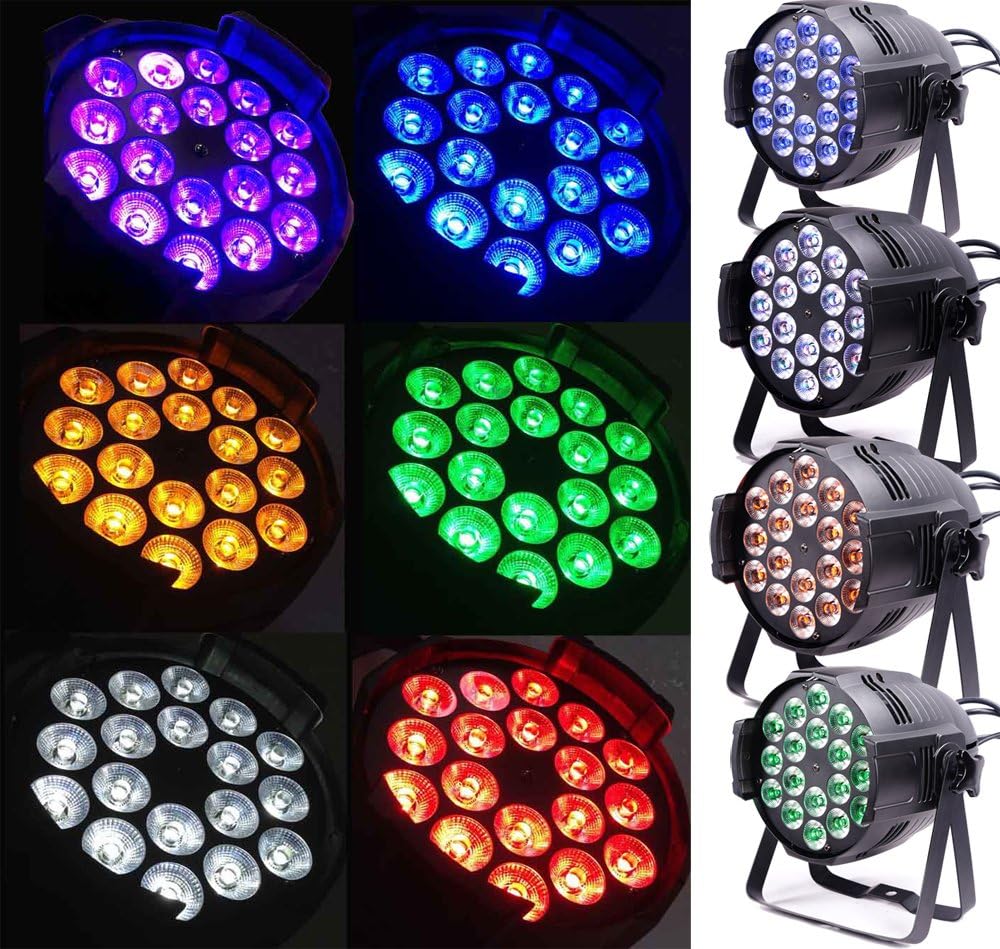
Figure 1: MAD OWL 18x15W LED Par Light showcasing its multi-color capabilities. The image displays the light from the front, with its 18 individual LED lenses emitting a range of vibrant colors including purple, blue, yellow, green, white, and red, demonstrating its full spectrum output.
2. Safety Information
Please read and understand all safety instructions before installing, operating, or maintaining this product. Failure to do so may result in electric shock, fire, or serious injury.
- Always connect the product to a grounded circuit to avoid the risk of electrocution.
- Ensure the power supply voltage matches the product's requirements.
- Do not open the housing. There are no user-serviceable parts inside. Refer all servicing to qualified personnel.
- Avoid direct eye exposure to the light source. The intense light output can cause eye damage.
- Ensure adequate ventilation around the fixture to prevent overheating. Do not block ventilation openings.
- Mount the fixture securely using appropriate hardware. Ensure the mounting surface can support the weight of the fixture.
- Disconnect from power before cleaning or performing any maintenance.
- Do not operate the fixture if the power cord is damaged.
- Keep the fixture away from flammable materials and liquids.
3. Setup
3.1. Package Contents
Verify that all components are present and in good condition upon unpacking:
- MAD OWL 18x15W LED Par Light (quantity as per purchase, e.g., 4 units)
- Power Cable
- DMX Cable (if included)
- Mounting Bracket (pre-attached)
- User Manual (this document)
3.2. Physical Installation
The MAD OWL LED Par Light is designed for floor mounting or truss mounting using its integrated bracket. Ensure the fixture is stable and securely fastened to prevent accidental falls.
- Floor Mounting: Position the fixture on a flat, stable surface. Adjust the mounting bracket to achieve the desired beam angle.
- Truss Mounting: Use appropriate clamps (not included) to attach the fixture securely to a truss or lighting bar. Always use a safety cable (not included) as a secondary attachment.
3.3. Power Connection
Connect the provided power cable to the power input on the rear of the fixture. Plug the other end into a suitable grounded power outlet (AC 100-240V, 50/60Hz). Multiple units can be daisy-chained for power using the power output connector, provided the total current draw does not exceed the circuit's capacity.
3.4. DMX Connection (Optional)
For external control via a DMX controller, connect a DMX cable from your controller's DMX output to the DMX IN port on the first fixture. For multiple fixtures, daisy-chain them by connecting the DMX OUT of the first fixture to the DMX IN of the next, and so on. Ensure the last fixture in the chain has a DMX terminator (not included) connected to its DMX OUT port for stable signal transmission.
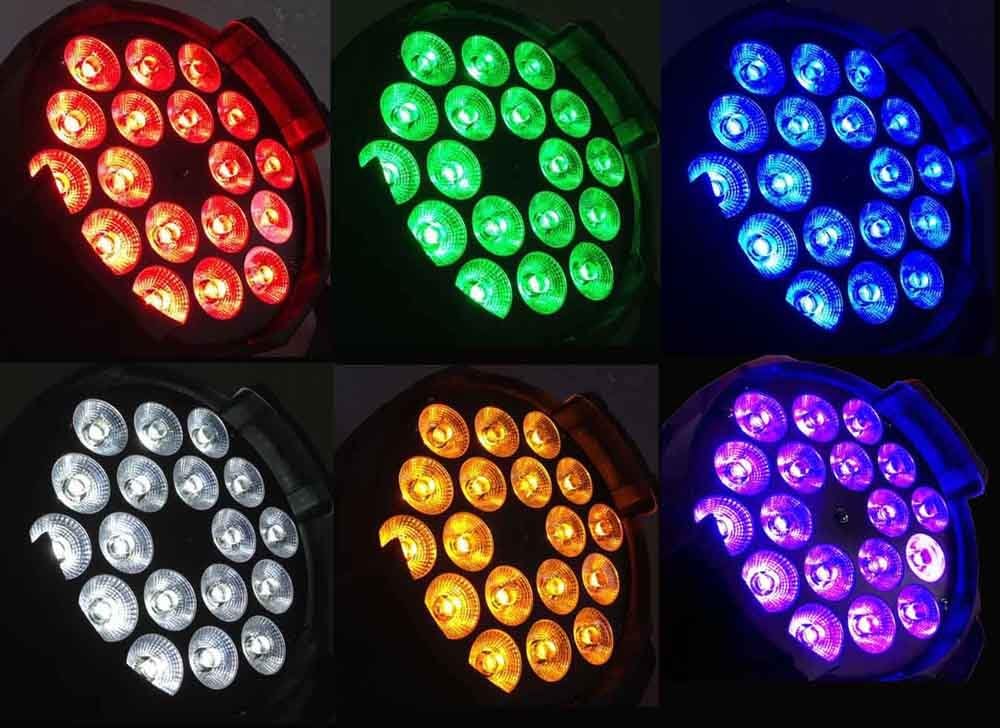
Figure 2: Rear view of the MAD OWL LED Par Light, illustrating the power input/output and DMX input/output ports. The image shows the robust cabling and connectors for daisy-chaining power and DMX signals.
4. Operation
4.1. Control Panel Overview
The fixture features a digital display and control buttons (Menu, Up, Down, Enter) on its rear panel for mode selection and parameter adjustment.
- MENU: Cycles through the main menu options.
- UP/DOWN: Navigates through sub-menu options or adjusts parameter values.
- ENTER: Confirms selection or saves changes.
4.2. Operating Modes
The MAD OWL LED Par Light supports several operating modes:
- Auto Mode: The fixture runs through pre-programmed light shows automatically. Use the control panel to select different auto programs and adjust speed.
- Sound-Activated Mode: The fixture reacts to sound/music via its built-in microphone. Adjust sensitivity as needed.
- Master/Slave Mode: Link multiple fixtures where one acts as the master (controlling unit) and others as slaves (following the master's program). Set the master unit to an auto or sound-activated mode, and slave units to slave mode.
- DMX Mode: For professional control using an external DMX controller. This mode allows precise control over each fixture's parameters.
4.3. DMX Control
The fixture offers multiple DMX channel modes (e.g., 6-channel and 11-channel modes) to suit different control requirements. Refer to the DMX chart in the appendix (or implied by the product's internal menu) for specific channel functions.
- Setting DMX Address: Use the control panel to set the unique DMX starting address for each fixture. Ensure no two fixtures on the same DMX chain have overlapping addresses.
- Channel Modes: Select the desired DMX channel mode (e.g., 6CH or 11CH) via the menu. The 11-channel mode typically offers more granular control over individual colors, dimming, strobe, and other effects.
- Color Mixing (RGBWA+UV): Dedicated DMX channels control the intensity of Red, Green, Blue, White, Amber, and UV LEDs, allowing for millions of color combinations.
- Dimming: A dedicated DMX channel controls the overall intensity (brightness) of the light output from 0% to 100%.
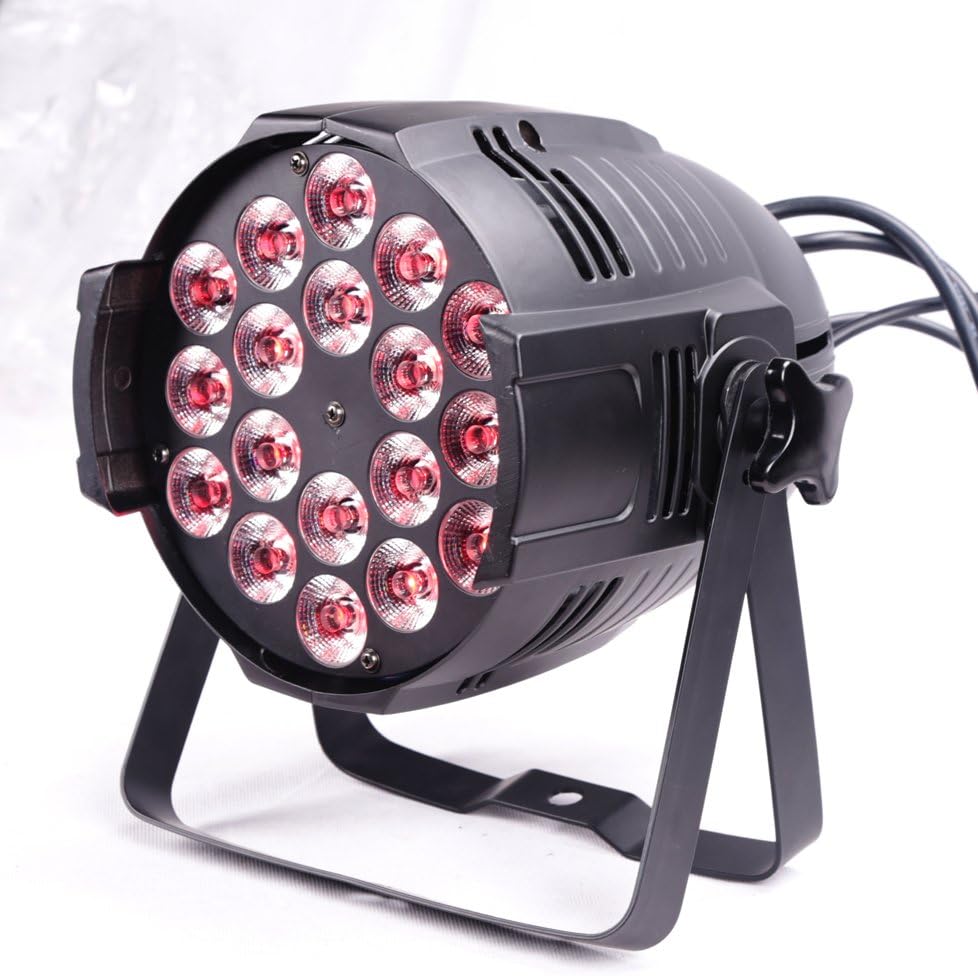
Figure 3: A MAD OWL LED Par Light showcasing its ability to produce a wide spectrum of colors, including vibrant reds, greens, blues, and purples, highlighting its RGBWA+UV capabilities.

Figure 4: The MAD OWL LED Par Light illuminated in a strong red color, demonstrating the intensity of its red LEDs.

Figure 5: The MAD OWL LED Par Light illuminated in a vivid green color, showcasing the output of its green LEDs.

Figure 6: The MAD OWL LED Par Light illuminated in a deep blue color, demonstrating the intensity of its blue LEDs.

Figure 7: The MAD OWL LED Par Light illuminated in a bright white color, showcasing the output of its white LEDs.
5. Maintenance
Regular maintenance ensures optimal performance and extends the lifespan of your MAD OWL LED Par Light.
- Cleaning: Periodically clean the exterior of the fixture, especially the lenses, with a soft, lint-free cloth. For stubborn dirt, use a mild glass cleaner applied to the cloth (not directly to the lens). Ensure the fixture is powered off and cool before cleaning.
- Inspection: Regularly inspect power cables, DMX cables, and mounting hardware for any signs of wear, damage, or loose connections. Replace damaged components immediately.
- Ventilation: Ensure ventilation openings are clear of dust and debris to maintain proper airflow and prevent overheating.
- Storage: When not in use, store the fixture in a dry, dust-free environment, preferably in its original packaging or a padded case to protect it from physical damage.
6. Troubleshooting
This section addresses common issues you might encounter. If the problem persists, contact customer support.
| Problem | Possible Cause | Solution |
|---|---|---|
| Fixture does not power on. | No power supply; faulty cable; internal fuse. | Check power connection and outlet. Test with a different cable. If fuse is accessible, check and replace (only by qualified personnel). |
| No DMX control / erratic behavior. | Incorrect DMX address; faulty DMX cable; missing terminator; incorrect channel mode. | Verify DMX address and channel mode settings. Check DMX cable connections. Ensure a DMX terminator is used on the last fixture. Try a different DMX cable. |
| Colors do not turn off completely (ghosting). | DMX signal issue; low-quality DMX controller; specific DMX channel mode behavior. | Ensure DMX signal is stable. Try a different DMX channel mode (e.g., 11-channel mode for more precise dimming control). Consider using a DMX opto-splitter for larger setups. |
| Fixture overheats. | Blocked ventilation; operating in high ambient temperature. | Ensure all ventilation openings are clear. Operate in a well-ventilated area. |
7. Specifications
| Feature | Detail |
|---|---|
| Model Number | WKP-1816 |
| Light Source | 18 x 15W 6-in-1 RGBWA+UV LEDs |
| Color Capabilities | Red, Green, Blue, White, Amber, Ultraviolet (UV) |
| Power Source | Corded Electric (AC 100-240V, 50/60Hz) |
| Wattage | 15 watts (per LED, total 270W per fixture) |
| Material | Aluminum |
| Finish Type | Aluminum |
| Mounting Type | Floor Mount (with integrated bracket for truss mounting) |
| Product Dimensions (L x W x H) | 19.29" x 19.29" x 12.99" (approximate, likely package dimensions) |
| Item Weight | 27.78 Pounds (for the pack of 4 units) |
| UPC | 602258011670 |
| First Available Date | February 25, 2016 |
8. Warranty and Support
For warranty information, technical support, or service inquiries, please contact MAD OWL customer service. Keep your purchase receipt as proof of purchase.
You can visit the official MAD OWL store on Amazon for more information: MAD OWL Store