
1. Introduction
Thank you for choosing the MAD OWL 54x3w RGBW Waterproof LED Par Light. This professional-grade lighting fixture is designed for outdoor and stage applications, featuring 54x3W RGBW LEDs, IP67 waterproof rating, and DMX512 control capabilities. This manual provides essential information for safe installation, operation, and maintenance of your device. Please read it thoroughly before use.

Figure 1: Front view of the MAD OWL 54x3w RGBW Waterproof LED Par Light with connection cables.
2. Safety Information
- Electrical Safety: Always connect the fixture to a grounded power outlet. Ensure the power supply voltage matches the specified requirements (240 Volts). Disconnect power before any service or maintenance.
- Water Resistance: This fixture is IP67 rated for outdoor use. Ensure all connections are properly sealed to maintain waterproof integrity. Do not submerge the fixture unless specifically designed for such use (e.g., music fountain applications as described in product features).
- Heat Dissipation: The fixture is designed with efficient heat dissipation. Do not block ventilation openings. Maintain adequate clearance around the unit for airflow.
- Mounting: Securely mount the fixture using appropriate hardware. Ensure the mounting surface can support the fixture's weight (approximately 14.57 pounds).
- Eye Safety: Do not stare directly into the LED light source, as it can cause eye strain or damage.
- Handling: The surface is covered with explosion-proof toughened glass. Handle with care to prevent damage.
3. Package Contents
Verify that all items are present upon unpacking:
- MAD OWL 54x3w RGBW Waterproof LED Par Light (WKP-F5403)
- Power Cable (Waterproof)
- DMX Signal Cables (Waterproof, In/Out)
- Mounting Bracket
- User Manual (this document)
4. Product Overview
The MAD OWL LED Par Light features a robust aluminum alloy housing, designed for durability and efficient heat management. The IP67 rating ensures protection against dust and water ingress, making it suitable for various outdoor environments.

Figure 2: Side view illustrating the blade-type heat dissipation design.
Key Features:
- High Brightness: Equipped with 54x3W RGBW LEDs for powerful and vibrant illumination.
- RGBW Color Mixing: Offers a wide spectrum of colors, including pure white, for versatile lighting effects.
- IP67 Waterproof Rating: Ensures reliable performance in rain and wet conditions.
- Efficient Heat Dissipation: Blade-type shell design increases surface area for optimal cooling, extending LED lifespan.
- DMX512 Control: Standard DMX protocol for professional lighting control.
- Multiple Operating Modes: Auto, Sound-Activated, Master-Slave, DMX512, Static Color, Strobe, Fade.
- Durable Construction: Aluminum alloy housing with explosion-proof toughened glass cover.
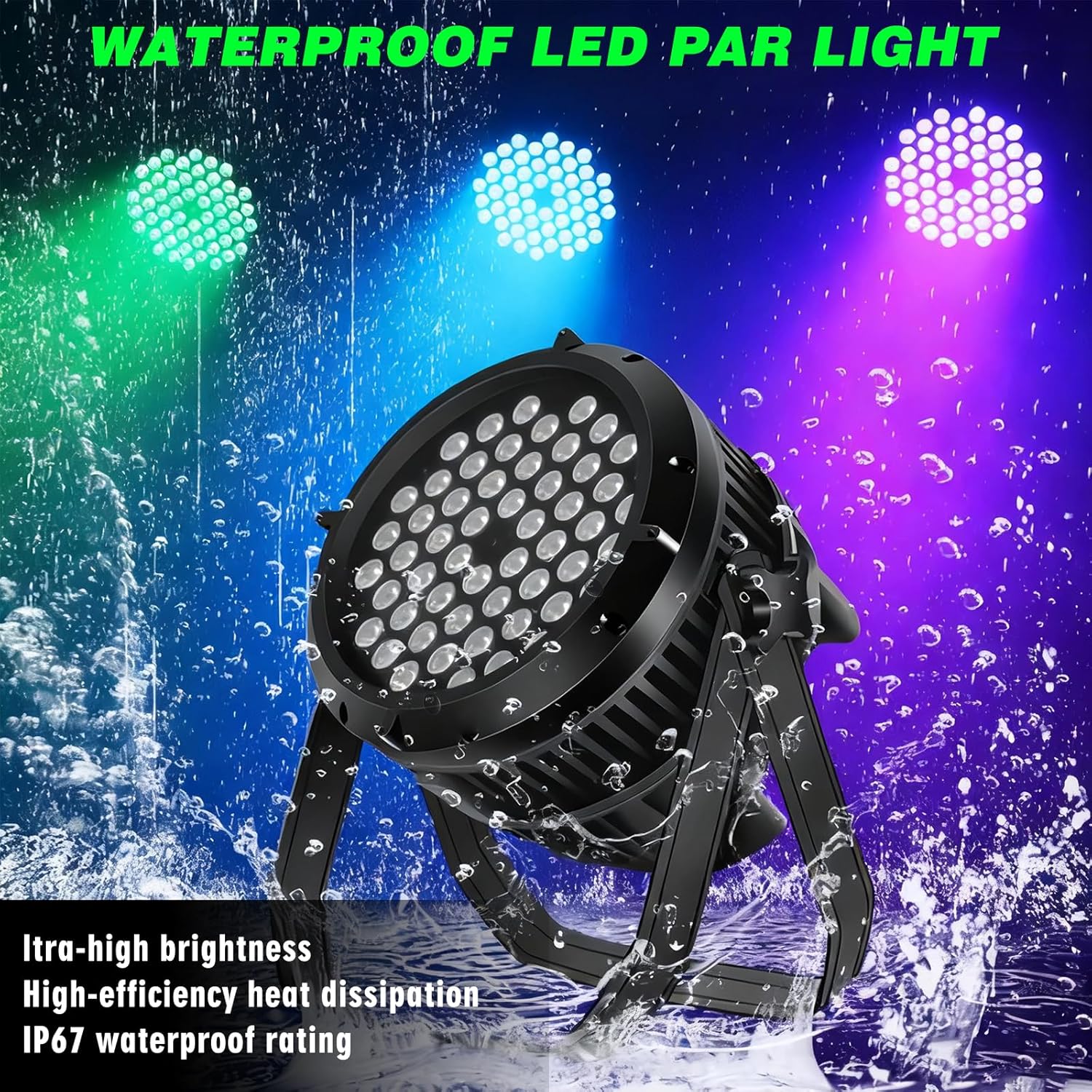
Figure 3: The IP67 waterproof design allows for use in wet environments.
5. Setup
5.1 Mounting
- Attach the included mounting bracket to the fixture using the provided screws.
- Securely fasten the fixture to a truss, wall, or floor using appropriate clamps or bolts (not included). Ensure the mounting point can safely support the fixture's weight.
- Adjust the angle of the light as needed and tighten the bracket knobs to lock it in position.
5.2 Connections
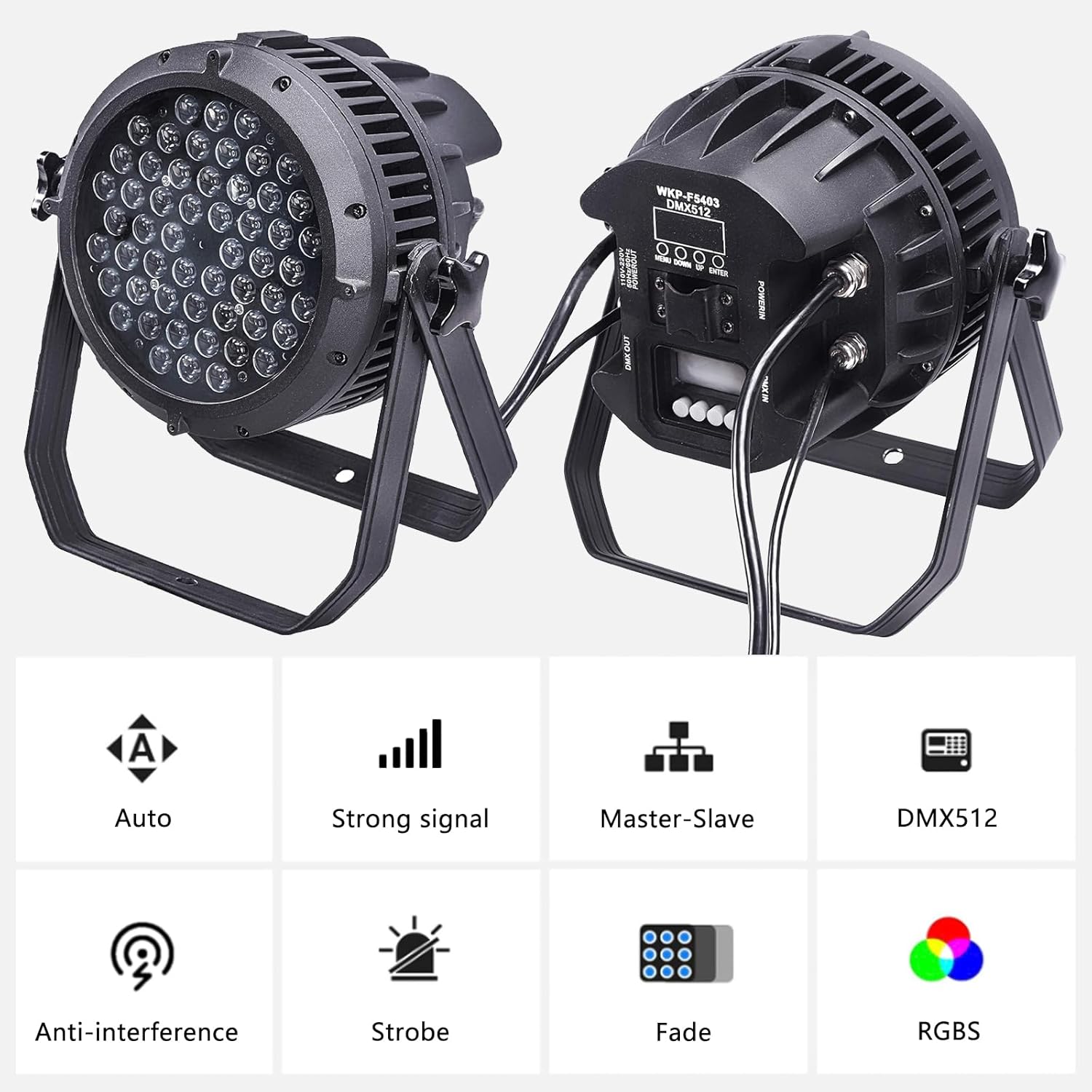
Figure 4: Rear panel with control buttons and waterproof connections.
- Power Connection: Connect the waterproof power cable to the 'POWER IN' port on the rear of the fixture. Plug the other end into a suitable grounded power outlet (AC 240V).
- DMX Connection (Optional): For DMX control, connect a DMX cable from your DMX controller's output to the 'DMX IN' port on the fixture. To daisy-chain multiple fixtures, connect a DMX cable from the first fixture's 'DMX OUT' port to the next fixture's 'DMX IN' port. Ensure all waterproof caps are securely tightened on unused ports.
- Series Connection: Multiple units can be connected in series for power and DMX signals. Ensure the total current draw does not exceed the circuit's capacity.
6. Operating Instructions
The fixture can be operated via its onboard control panel or an external DMX controller.
6.1 Control Panel
The rear panel features a digital display and four control buttons:
- MENU: Cycles through the main menu options.
- UP: Increases the value or navigates up through menu options.
- DOWN: Decreases the value or navigates down through menu options.
- ENTER: Confirms the selection or enters a submenu.
6.2 Operating Modes
Use the MENU and ENTER buttons to select the desired operating mode:
- DMX512 Mode: Allows external control via a DMX controller. Set the DMX address using the control panel. Refer to the DMX Channel Chart for specific functions.
- Auto Mode: The fixture cycles through pre-programmed light shows automatically. Speed can often be adjusted.
- Sound-Activated Mode: The light reacts to ambient sound, changing patterns and colors. Sensitivity may be adjustable.
- Master-Slave Mode: Connect multiple fixtures. Set one as 'Master' and others as 'Slave'. Slave units will mimic the Master's behavior.
- Static Color Mode: Select a fixed color (Red, Green, Blue, White, or mixed colors) and adjust its intensity.
- Strobe Mode: Creates a flashing effect. Strobe speed is typically adjustable.
- Fade Mode: Smoothly transitions between colors. Fade speed is typically adjustable.

Figure 5: Multiple fixtures demonstrating diverse color outputs.
6.3 DMX Channel Chart (Example - refer to actual product for precise channels)
A typical DMX channel assignment might include:
| Channel | Function | Value Range |
|---|---|---|
| 1 | Master Dimmer | 0-255 (0% - 100%) |
| 2 | Red Intensity | 0-255 (0% - 100%) |
| 3 | Green Intensity | 0-255 (0% - 100%) |
| 4 | Blue Intensity | 0-255 (0% - 100%) |
| 5 | White Intensity | 0-255 (0% - 100%) |
| 6 | Strobe Speed | 0-255 (Slow to Fast) |
| 7 | Operating Mode | Various values for Auto, Sound, etc. |
Table 1: Example DMX Channel Assignments. Consult the product's specific DMX chart for exact details.
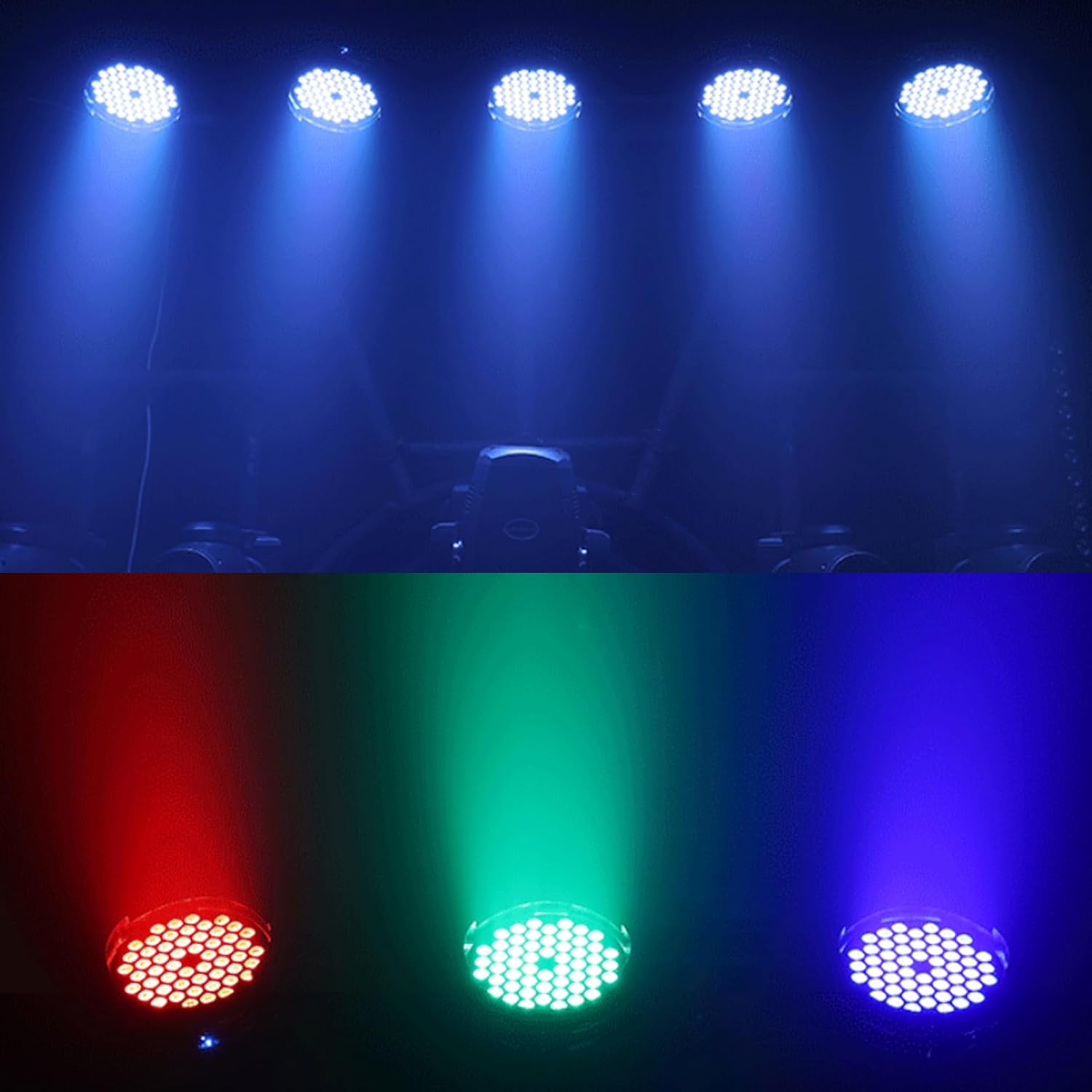
Figure 6: Examples of the light's output in various colors and configurations.
7. Maintenance
7.1 Cleaning
- Regularly clean the lens and housing with a soft, lint-free cloth to ensure optimal light output and prevent overheating.
- Do not use abrasive cleaners or solvents, as they may damage the finish or optical components.
- Ensure the fixture is powered off and cooled down before cleaning.
7.2 Storage
- When not in use, store the fixture in a dry, dust-free environment.
- If storing for extended periods, consider using the original packaging or a protective case.
8. Troubleshooting
If you encounter issues, refer to the following common problems and solutions:
| Problem | Possible Cause | Solution |
|---|---|---|
| Fixture does not power on | No power supply; faulty cable; internal fuse blown | Check power connection; test cable; consult qualified technician for fuse replacement. |
| No DMX control | Incorrect DMX address; faulty DMX cable; DMX controller issue; incorrect mode | Verify DMX address; test DMX cable; check DMX controller settings; ensure fixture is in DMX mode. |
| Light output is dim or inconsistent | Dirty lens; overheating; power fluctuation | Clean lens; ensure proper ventilation; check power supply stability. |
| Colors are not accurate | DMX channel values incorrect; internal calibration issue | Adjust DMX color channels; perform a factory reset if available (consult specific product instructions). |
Table 2: Common Troubleshooting Steps.
9. Specifications
| Feature | Detail |
|---|---|
| Model Number | WKP-F5403 |
| Light Source | 54 x 3W RGBW LEDs |
| Color | RGBW (Red, Green, Blue, White) |
| Voltage | 240 Volts (Corded Electric) |
| Wattage | 200 Watts (Maximum Compatible Light Source Wattage) |
| Material | Aluminum Alloy, Toughened Glass |
| Finish Type | Alloy, Glass |
| IP Rating | IP67 (Waterproof) |
| Control Modes | DMX512, Auto, Sound-Activated, Master-Slave, Static Color, Strobe, Fade |
| Beam Angle | 30 Degrees |
| Product Dimensions | 11.81"L x 11.81"W x 14.57"H |
| Item Weight | 14.57 pounds |
| Manufacturer | WecanLight |
| UPC | 602258011618 |
Table 3: Technical Specifications.
10. Warranty and Support
For warranty information and technical support, please refer to the purchase documentation or contact your retailer. MAD OWL offers various protection plans for extended coverage, which can be found on the product's retail page. For direct inquiries, please visit the official MAD OWL store or contact their customer service.
Visit the MAD OWL Store for more products and information.