
Introduction
Thank you for purchasing the HORI Nintendo Switch Wireless HORIPAD (Zelda). This controller is officially licensed by Nintendo and designed to enhance your gaming experience on the Nintendo Switch. This manual provides essential information for setting up, operating, and maintaining your new controller. Please read it thoroughly before use and keep it for future reference.
Product Features
- Bluetooth wireless connectivity with a 32-foot range.
- Built-in rechargeable lithium-ion battery offering up to 15 hours of playtime per charge.
- Lightweight and ergonomic design for comfortable extended play sessions.
- Equipped with accelerometer and gyroscope for full-motion control.
- Officially Licensed by Nintendo, ensuring compatibility and quality.
Package Contents
- HORI Nintendo Switch Wireless HORIPAD (Zelda) Controller
- USB-C Charging Cable
- Instruction Manual
Controller Layout
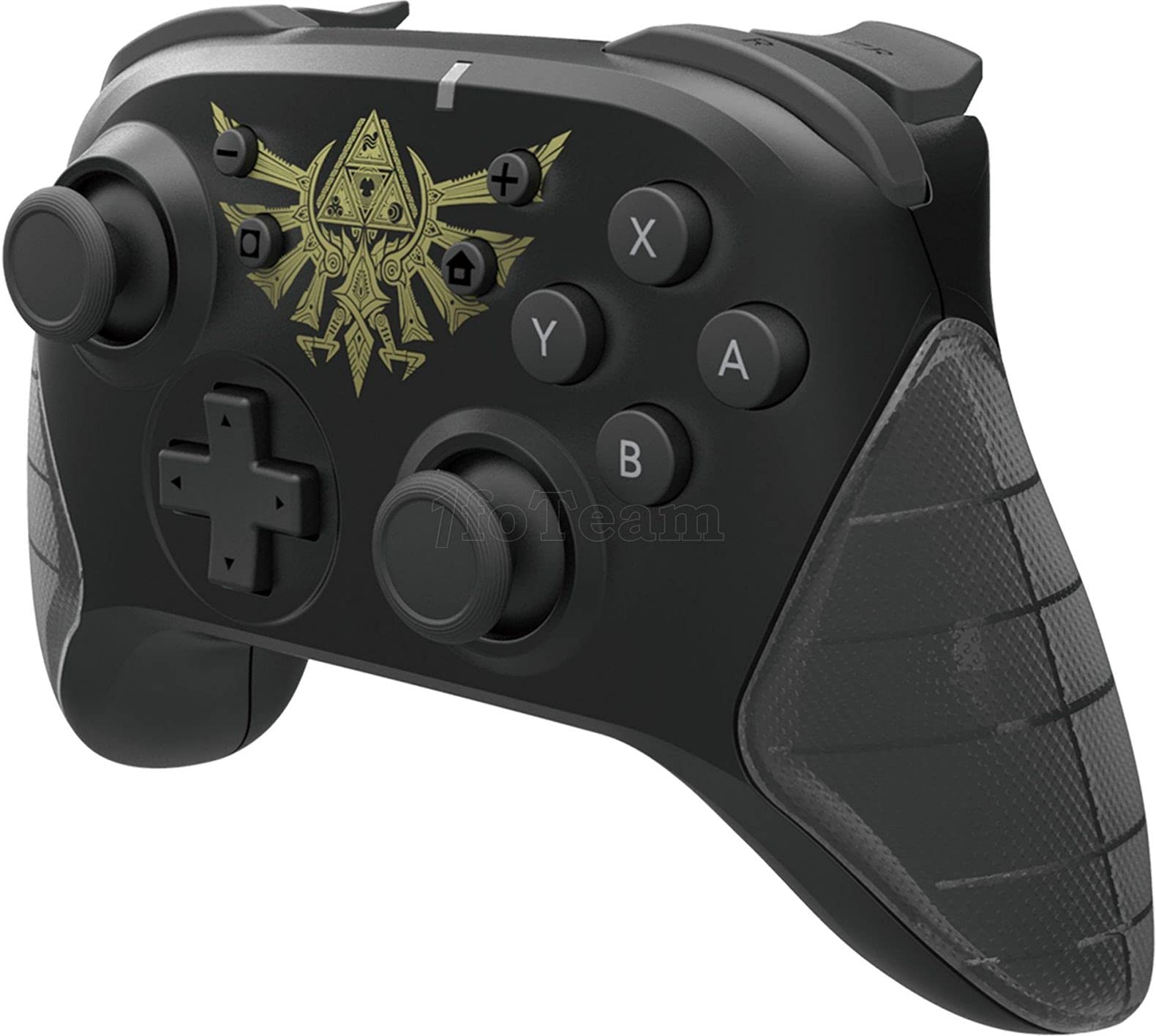
Figure 1: Front view of the HORI Nintendo Switch Wireless HORIPAD (Zelda) controller, featuring the Triforce emblem.

Figure 2: Side view of the HORI Nintendo Switch Wireless HORIPAD (Zelda) controller, showing shoulder buttons and ergonomic grip.
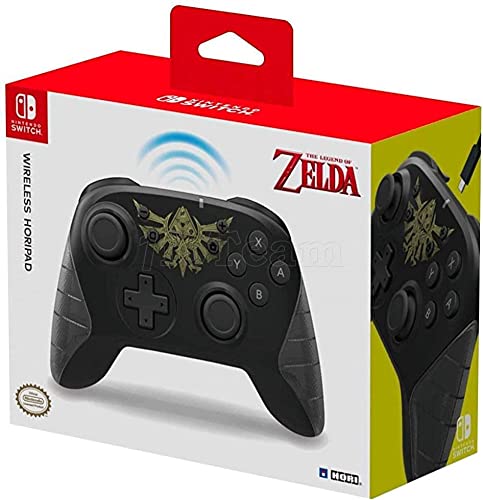
Figure 3: Back view of the HORI Nintendo Switch Wireless HORIPAD (Zelda) controller, showing the USB-C charging port.
The controller features standard Nintendo Switch button layouts, including two analog sticks, a D-pad, A/B/X/Y buttons, L/R/ZL/ZR shoulder buttons, and Home/Capture/Plus/Minus buttons. The USB-C charging port is located on the top edge of the controller.
Setup
Pairing with Nintendo Switch
- Ensure your Nintendo Switch console is powered on and updated to the latest system software.
- From the HOME Menu, select 'Controllers', then 'Change Grip/Order'.
- On the HORI Wireless HORIPAD, press and hold the SYNC Button (located on the top edge, next to the USB-C port) for a few seconds until the Player LED lights begin to flash.
- Once the controller is successfully paired, the Player LED corresponding to its player number will remain lit.
- Press the A button on the controller to confirm and exit the pairing screen.
Charging the Controller
The HORI Wireless HORIPAD features a built-in rechargeable battery. To charge:
- Connect the included USB-C charging cable to the USB-C port on the top of the controller.
- Connect the other end of the USB-C cable to a USB power source (e.g., Nintendo Switch Dock, USB wall adapter, computer USB port).
- The charging indicator LED on the controller will illuminate during charging and turn off when fully charged. A full charge typically takes approximately 2-3 hours and provides up to 15 hours of playtime.
Operating Instructions
Basic Controls
- Power On: Press the Home button.
- Power Off: Hold the Home button for several seconds until the controller powers down, or disconnect it from the Switch.
- Movement: Use the Left Analog Stick or D-pad.
- Camera/Aiming: Use the Right Analog Stick.
- Action Buttons: A, B, X, Y buttons for in-game actions.
- Shoulder Buttons: L, R, ZL, ZR for various in-game functions.
- System Buttons: Plus (+) for options, Minus (-) for menu, Home for HOME Menu, Capture for screenshots/video clips.
Motion Controls
The controller supports motion controls via its built-in accelerometer and gyroscope. These functions are automatically enabled for compatible games. Ensure the controller is held steadily for accurate motion input.
Maintenance
- Cleaning: Use a soft, dry cloth to clean the controller. Do not use liquid cleaners or solvents.
- Storage: Store the controller in a cool, dry place away from direct sunlight and extreme temperatures.
- Battery Care: To prolong battery life, avoid fully discharging the battery frequently. Charge the controller regularly, even if not in constant use.
- Avoid Impact: Do not drop or subject the controller to strong impacts, as this may damage internal components.
Troubleshooting
- Controller not connecting:
- Ensure the controller is charged.
- Verify the Nintendo Switch is updated to the latest system software.
- Attempt to re-pair the controller following the 'Pairing with Nintendo Switch' steps.
- Move closer to the Nintendo Switch console to ensure you are within the 32-foot Bluetooth range.
- Check for any wireless interference from other devices.
- Buttons or sticks not responding:
- Ensure the controller is properly connected and charged.
- Restart the Nintendo Switch console.
- Test the controller in a different game or application to determine if the issue is game-specific.
- Short battery life:
- Ensure the controller is fully charged before use.
- Battery performance may degrade over time with extensive use.
Specifications
| Brand | HORI |
| Model Name | Wireless HORIPAD |
| Compatible Devices | Nintendo Switch |
| Controller Type | Gamepad |
| Connectivity Technology | USB, Wireless (Bluetooth) |
| Additional Features | Ergonomic, Wireless, Accelerometer, Gyroscope |
| Button Quantity | 15 |
| Power Source | Battery Powered (Rechargeable Lithium-ion) |
| Item Weight | 305 Grams |
| Item Dimensions | 3.15 x 7.01 x 5.71 inches |
| Color | Black (Zelda design) |
Warranty and Support
For warranty information and customer support, please refer to the official HORI website or contact your retailer. Keep your proof of purchase for any warranty claims.


