
1. Introduction and Product Overview
Thank you for choosing the ITC Power IT-DG7800SE Silent Diesel Generator. This manual provides essential instructions for the safe and efficient operation, setup, and maintenance of your generator. Please read this manual thoroughly before operating the unit and keep it for future reference.
The IT-DG7800SE is a single-phase diesel generator with a maximum power output of 6300 W (6.3 kW) at 230 V. It features a robust 4-stroke, air-cooled, direct injection diesel engine. Designed for reliable power supply, it is suitable for various applications, including commercial use and supporting solar/photovoltaic installations. Key features include overload protection, an internal cooling fan for improved thermal management, and an automatic low oil level shutdown system to protect the engine.

Figure 1: Front view of the ITC Power IT-DG7800SE Silent Diesel Generator, showing the control panel and power outlets.
2. Safety Instructions
WARNING: Failure to follow these safety instructions can result in serious injury or death.
- Carbon Monoxide Hazard: Never operate the generator indoors or in poorly ventilated areas. Exhaust fumes contain carbon monoxide, a colorless, odorless, and deadly gas.
- Electrical Shock Hazard: Do not operate the generator in wet conditions. Ensure all electrical connections are secure and properly grounded. Use only approved extension cords.
- Fire Hazard: Diesel fuel is flammable. Refuel in a well-ventilated area with the engine off and cool. Do not smoke or use open flames near the generator. Store fuel in approved containers.
- Hot Surfaces: The generator engine and muffler become very hot during operation and remain hot for some time after shutdown. Avoid contact to prevent burns.
- Moving Parts: Keep hands, feet, and clothing away from moving parts to prevent injury.
- Children and Pets: Keep children and pets away from the generator at all times.
- Maintenance: Always disconnect the battery and allow the engine to cool before performing any maintenance or repairs.
- Grounding: Always properly ground the generator before operation to prevent electrical shock.
3. Product Components and Controls
Familiarize yourself with the main components and control panel of your IT-DG7800SE generator.

Figure 2: Detailed view of the control panel, showing the digital display, E-STOP button, circuit breakers, and power outlets.
- Digital Display: Shows voltage, frequency, and hour meter.
- E-STOP Button: Emergency stop button for immediate engine shutdown.
- Key Switch: For starting and stopping the engine.
- Circuit Breakers: Protect the generator and connected devices from overload.
- AC Outlets: For connecting electrical appliances (230V).
- Battery: Provides power for electric start.
- Fuel Tank: For diesel fuel.
- Oil Fill/Drain: Access point for engine oil.
- Air Filter: Filters air entering the engine.
- Wheels: For portability.
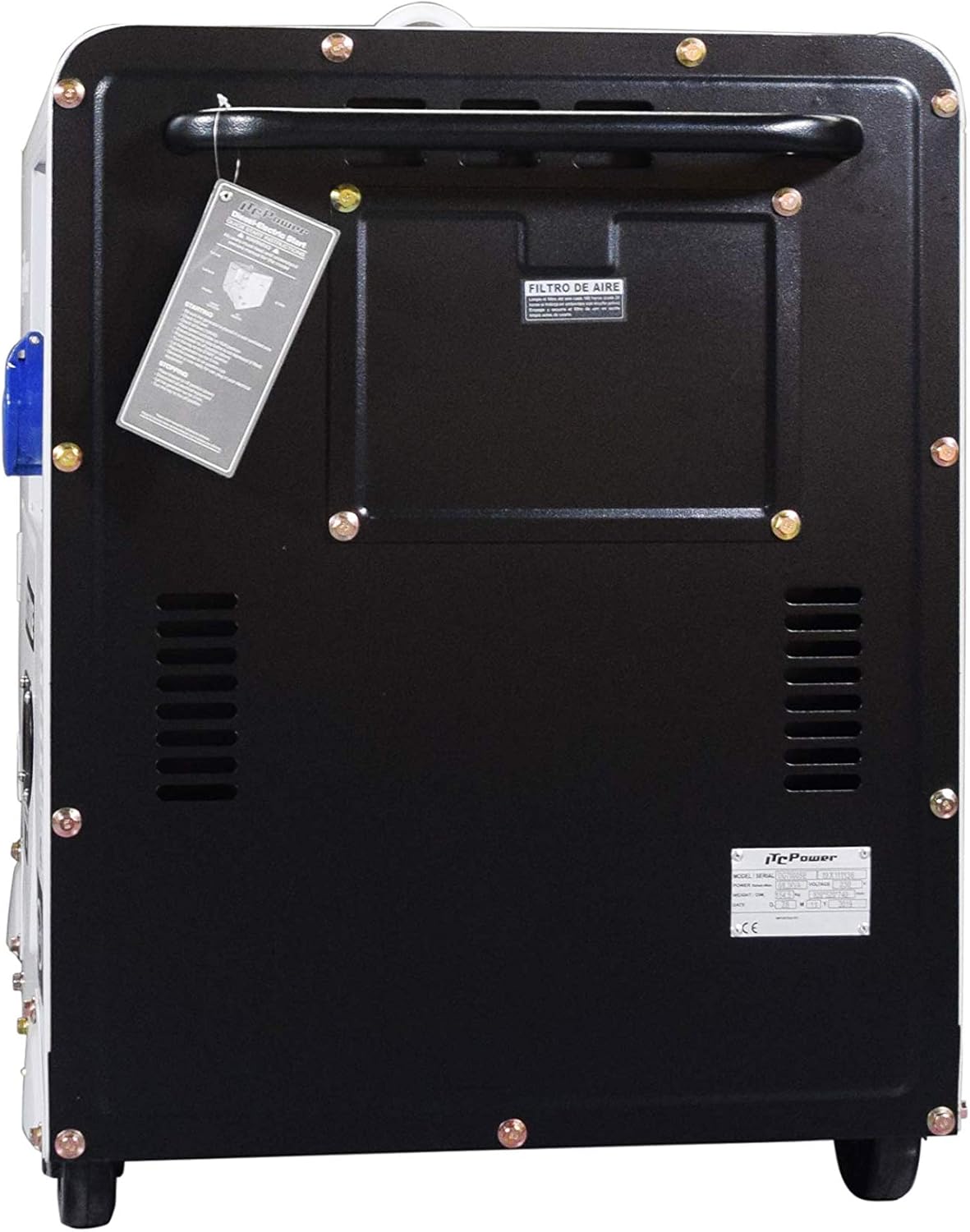
Figure 3: Rear view of the generator, highlighting the air filter access panel and general construction.
4. Setup
Before starting the generator for the first time, perform the following setup steps.
- Unpacking and Placement:
- Remove the generator from its packaging.
- Place the generator on a firm, level surface in a well-ventilated outdoor area, away from windows, doors, and vents.
- Ensure there is at least 1 meter (3 feet) of clear space around the generator for proper ventilation.
- Add Engine Oil:
- Locate the oil fill cap/dipstick.
- Add the recommended diesel engine oil (refer to specifications for type and capacity) until it reaches the upper mark on the dipstick. Do not overfill.
- Securely replace the oil fill cap.
- Add Diesel Fuel:
- Ensure the engine is off and cool.
- Open the fuel tank cap.
- Fill the fuel tank with clean, fresh diesel fuel. Do not overfill; leave some space for expansion.
- Securely replace the fuel tank cap.
- Connect Battery (if not pre-connected):
- Connect the positive (+) battery cable (red) to the positive (+) terminal on the battery.
- Connect the negative (-) battery cable (black) to the negative (-) terminal on the battery.
- Ensure connections are tight.
- Grounding:
- Connect a grounding wire from the generator's grounding terminal to a suitable earth ground (e.g., a ground rod).
5. Operating Instructions
Follow these steps for safe starting and stopping of your generator.
5.1. Starting the Engine
- Ensure all electrical loads are disconnected from the generator.
- Check engine oil and fuel levels.
- Turn the fuel valve to the "ON" position.
- If equipped, set the choke lever (if cold start is needed).
- Insert the key into the key switch and turn it to the "START" position. Release the key once the engine starts. Do not hold the key in the "START" position for more than 5 seconds.
- Allow the engine to warm up for a few minutes before connecting any loads.
- Once the engine is running smoothly, if the choke was used, gradually move it to the "OFF" position.
5.2. Connecting Electrical Loads
- Ensure the generator is running stably.
- Plug your appliances into the AC outlets.
- Do not exceed the generator's rated wattage (6000W continuous, 6300W max). Overloading will trip the circuit breakers.
- Connect appliances one at a time, starting with the largest load.
5.3. Stopping the Engine
- Disconnect all electrical loads from the generator.
- Allow the generator to run for a few minutes without load to cool down.
- Turn the key switch to the "OFF" position.
- Turn the fuel valve to the "OFF" position for storage.
- In an emergency, press the E-STOP button to immediately shut down the engine.
6. Maintenance
Regular maintenance is crucial for the longevity and reliable operation of your generator.
6.1. Daily/Before Each Use
- Check engine oil level.
- Check fuel level.
- Inspect for any visible damage, leaks, or loose fasteners.
6.2. Every 50 Hours or Monthly
- Change engine oil.
- Clean or replace air filter.
- Check battery terminals for corrosion and tightness.
6.3. Every 200 Hours or Annually
- Inspect and clean fuel filter.
- Inspect and adjust valve clearance (recommended to be done by qualified service personnel).
- Check fuel lines and connections for wear or damage.
- Clean spark plug (if applicable, though diesel engines use glow plugs for starting).
Always refer to the engine manufacturer's manual for detailed maintenance schedules and procedures.
7. Troubleshooting
If your generator experiences issues, consult the table below for common problems and solutions.
| Problem | Possible Cause | Solution |
|---|---|---|
| Engine does not start | No fuel Low oil level Battery discharged Fuel valve closed E-STOP engaged |
Add diesel fuel Add engine oil Charge/replace battery Open fuel valve Disengage E-STOP |
| No power output | Circuit breaker tripped Overload Loose connections |
Reset circuit breaker Reduce connected load Check and tighten connections |
| Engine runs rough | Stale or contaminated fuel Clogged air filter Incorrect oil type |
Drain and refill with fresh fuel Clean/replace air filter Use recommended oil |
| Excessive smoke | Overfilled oil Clogged air filter Engine malfunction |
Drain excess oil Clean/replace air filter Contact service center |
If you cannot resolve the issue using this guide, please contact customer support.
8. Specifications
Key technical specifications for the ITC Power IT-DG7800SE Silent Diesel Generator.
| Specification | Value |
|---|---|
| Model Number | IT-DG7800SE |
| Type | Silent Diesel Generator |
| Rated Power | 6.0 kW (6000 Watts) |
| Maximum Power | 6.3 kW (6300 Watts) |
| Voltage | 230 V |
| Rated Current | 28 A |
| Frequency | 50 Hz |
| Engine Type | 4-stroke, Air-cooled, Direct Injection Diesel |
| Engine Displacement | 498 CC |
| Engine Power (Rated) | 13 HP |
| Starting Mode | Electric Start |
| Fuel Type | Diesel |
| Run Time (50% Load) | 10 hours |
| Noise Level (at 7 meters) | 72 dBA |
| Dimensions (L x W x H) | 92 x 52 x 76 cm |
| Weight | 168 kg |
| Special Feature | Digital Display, Overload Protection, Low Oil Alarm |

Figure 4: Generator dimensions: 92cm (Length) x 52cm (Width) x 76cm (Height).
9. Warranty and Support
For warranty information, technical support, or to purchase replacement parts, please contact your authorized ITC Power dealer or visit the official ITC Power website. Keep your purchase receipt and generator serial number handy when contacting support.
Important: Unauthorized modifications or repairs will void the product warranty. Always use genuine ITC Power parts for maintenance and repairs.
