The Sony BDP-S6700 is a versatile 4K upscaling 3D Home Theater Streaming Blu-Ray DVD Player designed to enhance your home entertainment experience. It features built-in Wi-Fi for seamless streaming from various services and supports Dolby Digital TrueHD/DTS for immersive audio. This manual provides essential information for setting up, operating, and maintaining your player.
Figure 1: Front view of the Sony BDP-S6700 Blu-Ray DVD Player.
What's in the Box
Upon unboxing your Sony BDP-S6700, ensure all the following items are present:
Sony BDP-S6700 Blu-Ray DVD Player
Remote Control
Batteries (2 AAA)
Registration Card
User Manual (this document)
Warranty Information
Figure 2: Included accessories with the Sony BDP-S6700.
Product Overview Video
Video 1: An overview of the Sony BDP-S6700, highlighting its features and compact design.
Setup
Connecting to Your TV
The Sony BDP-S6700 connects to your television primarily via an HDMI cable (not included). Ensure your TV has an available HDMI input.
Connect one end of the HDMI cable to the HDMI OUT port on the back of the Blu-Ray player.
Connect the other end of the HDMI cable to an available HDMI input port on your television.
Plug the player's power cord into an electrical outlet.
Turn on your television and select the corresponding HDMI input using your TV remote.
Turn on the Blu-Ray player using the power button on the unit or the remote control.
Figure 3: Rear panel connections of the Sony BDP-S6700.
Network Connection (Wi-Fi/Ethernet)
For streaming services and software updates, connect your player to the internet.
Wi-Fi: The player has built-in Wi-Fi. Navigate to the Network Settings menu on your TV screen, select your Wi-Fi network, and enter the password.
Ethernet: For a stable wired connection, connect an Ethernet cable from your router to the LAN port on the back of the player.
Operating the Player
Disc Playback
The BDP-S6700 supports Blu-ray discs (including 3D Blu-ray), DVDs, and CDs. To play a disc:
Press the Eject button on the player or remote to open the disc tray.
Place the disc gently onto the tray with the label side facing up.
Press the Eject button again to close the tray. The player will automatically begin reading the disc.
Figure 4: Disc tray of the Sony BDP-S6700.
Streaming Services & 4K Upscaling
Access popular streaming apps like Netflix, YouTube, and Amazon Prime Video directly from the player's home screen. The player's 4K upscaling feature enhances the quality of Blu-ray movies and online content to near 4K resolution, providing a sharper and more detailed viewing experience on compatible 4K Ultra HD TVs. Note that 4K Ultra HD discs are not supported.
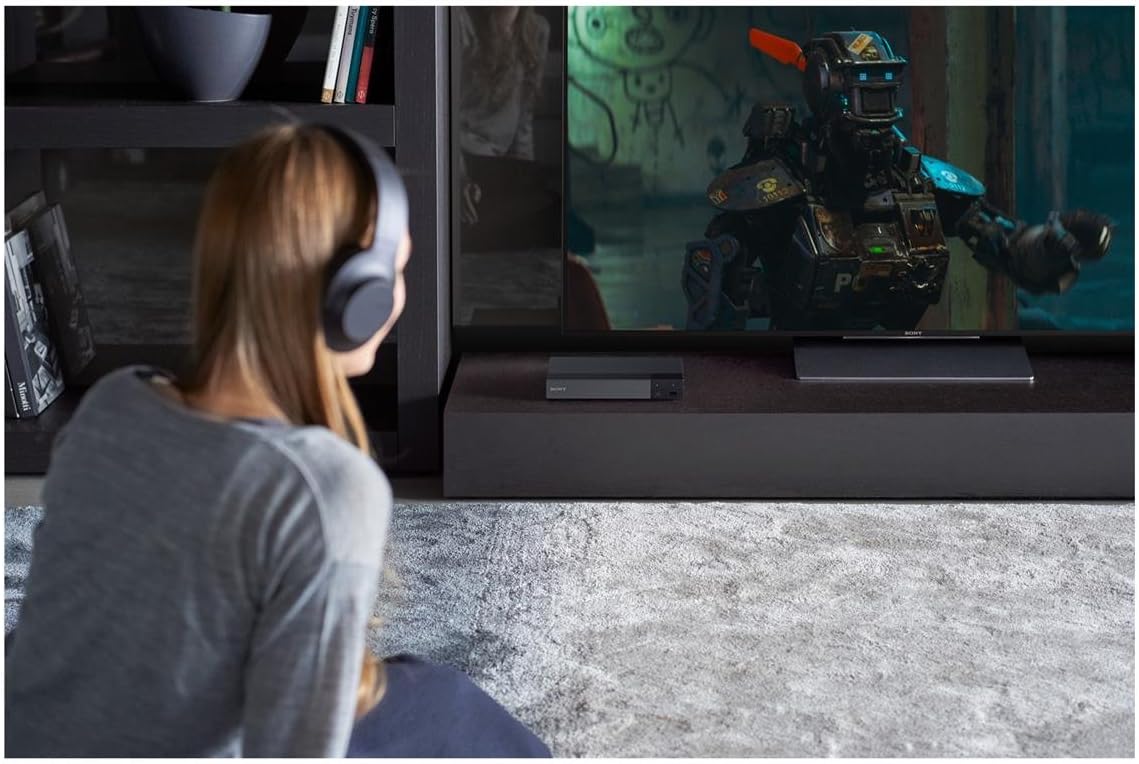
Figure 5: Enjoying content with the Sony BDP-S6700, including wireless audio via Bluetooth.
Screen Mirroring & USB Playback
Utilize Miracast screen mirroring technology to display content from your Android mobile devices directly on your TV. The front USB port allows you to play videos, photos, and digital music files from a USB storage device.
Audio Features
Experience high-definition sound with Dolby Digital TrueHD and DTS-Master Audio support. The player also offers multi-room streaming capabilities via SongPal Link Apps and Bluetooth connectivity for wireless listening with compatible headphones or speakers.
Maintenance
General Cleaning
To ensure optimal performance and longevity of your player, regularly clean its exterior with a soft, dry cloth. Avoid using liquid cleaners or abrasive materials. Keep the disc tray free of dust and debris.
Software Updates
Periodically check for software updates to ensure your player has the latest features and performance enhancements. Connect the player to the internet and navigate to the 'Setup' menu, then 'Software Update' to check for and install available updates.
Troubleshooting
If you encounter any issues with your Sony BDP-S6700, refer to the common troubleshooting tips below. For more detailed solutions, please consult the full User Guide PDF linked in the Warranty and Support section.
Problem
Possible Solution
No picture on TV
Ensure HDMI cable is securely connected to both the player and TV. Verify correct HDMI input is selected on your TV.
No sound
Check TV volume and mute settings. Ensure audio output settings on the player are correct. Verify sound system connections if applicable.
Disc not playing
Check if the disc is clean and free of scratches. Ensure the disc is inserted correctly. Verify disc format compatibility.
Network connection issues
Restart your router/modem. Re-enter Wi-Fi password. Check Ethernet cable connection.
Specifications
Feature
Detail
Brand
Sony
Model Number
BDPS6700
Dimensions (W x H x D)
10.83 x 11.5 x 2.76 inches
Weight
3.09 pounds
Media Type Supported
DVD, Blu-Ray Disc
Special Features
4K Upscaling, 3D Streaming, Built-in Wi-Fi, Bluetooth, Screen Mirroring, DLNA
Connectivity
HDMI, USB, Coaxial Audio Output, Ethernet
Audio Decoding
Dolby Digital TrueHD, DTS-Master Audio
Warranty and Support
For detailed warranty information and comprehensive support, please refer to the official User Guide PDF:
CALIFORNIA WARNING: This product may be subject to Prop 65 rules and regulations. For more information, visit www.P65Warnings.ca.gov.
Related Documents - BDPS6700
Sony BDP-S6700 Blu-ray Disc / DVD Player Operating Instructions This comprehensive operating manual for the Sony BDP-S6700 Blu-ray Disc™ and DVD Player covers essential setup, playback functions, network connectivity, software updates, and technical specifications. Discover how to connect, play various media, and utilize advanced features for an optimal home entertainment experience.
Sony Blu-ray Disc Player Troubleshooting Guide: HDMI, USB, Dolby Vision Comprehensive troubleshooting guide for Sony Blu-ray Disc players, covering HDMI audio/video issues, USB storage compatibility, app management, and Dolby Vision setup. Includes solutions for common problems and detailed specifications.
Простий посібник програвача дисків Sony Blu-ray Disc™ / DVD Посібник користувача для програвача дисків Sony Blu-ray Disc™ / DVD (моделі BDP-S1200, BDP-S3200, BDP-S4200, BDP-S5200), що містить інструкції з налаштування, експлуатації, відтворення контенту та технічні характеристики.
Sony BDP-S1200/BX120/S3200/BX320/S5200/BX520 Blu-ray Disc™ / DVD Player Simple Manual Get started with your Sony Blu-ray Disc™ and DVD Player (models BDP-S1200, BX120, S3200, BX320, S5200, BX520). This simple manual covers setup, playback, network connectivity, and online services. Find essential information for your home entertainment system.