
1. Introduction
This operator's manual provides comprehensive instructions for the safe and efficient operation and maintenance of your John Deere 312 Lawn & Garden Tractor. It is designed to assist owners and operators in understanding the tractor's functions, controls, and routine service requirements. Adhering to the guidelines within this manual will help ensure the longevity and optimal performance of your equipment.
This manual is a digitally enhanced reproduction of the original manufacturer-issued manual, featuring high-resolution scans, comb-binding for durability, and updated information where applicable. It includes valuable tractor data such as serial information, measurements, capacities, and specifications.
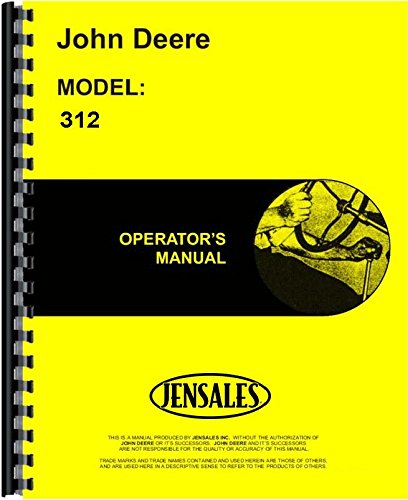
Image 1.1: Cover of the John Deere 312 Lawn & Garden Tractor Operator's Manual. This image displays the front cover of the manual, featuring the John Deere logo and the model number 312, indicating its specific application for this tractor model.
2. Safety Information
Always prioritize safety when operating or performing maintenance on your John Deere 312 Lawn & Garden Tractor. Read and understand all safety decals on the machine and all safety messages in this manual before operating or servicing the tractor. Failure to follow safety instructions can result in serious injury or death.
- Operator Training: Ensure all operators are familiar with the tractor's controls and safe operating procedures.
- Personal Protective Equipment (PPE): Wear appropriate safety gear, including eye protection, hearing protection, and sturdy footwear.
- Machine Inspection: Before each use, inspect the tractor for any damage, loose parts, or fluid leaks.
- Safe Operating Environment: Operate on level ground when possible. Be aware of bystanders, especially children and pets.
- Maintenance Safety: Always turn off the engine, remove the key, and allow components to cool before performing any maintenance or adjustments.
3. Setup and Pre-Operation Checks
Before starting your John Deere 312, perform the following checks to ensure safe and efficient operation:
- Fluid Levels: Check engine oil, coolant, and hydraulic fluid levels. Refer to the "Maintenance" section for specific capacities and recommended fluid types.
- Tire Pressure: Verify that all tires are inflated to the recommended pressure. Incorrect tire pressure can affect stability and cutting performance.
- Battery Condition: Ensure battery terminals are clean and connections are secure.
- Control Levers and Pedals: Confirm that all control levers and pedals move freely and return to their neutral positions.
- Safety Interlocks: Test all safety interlock systems, such as the seat switch and PTO engagement switch, to ensure they are functioning correctly.
- Attachment Installation: If using attachments, ensure they are securely mounted and properly connected according to their specific instructions.
4. Operating Instructions
This section details the procedures for starting, operating, and stopping your John Deere 312 Lawn & Garden Tractor, including shift patterns and control usage.
4.1 Starting the Engine
- Ensure the transmission is in neutral and the parking brake is engaged.
- Sit firmly in the operator's seat to engage the safety switch.
- Turn the ignition key to the "START" position. Release the key once the engine starts.
- Allow the engine to warm up for a few minutes before engaging any attachments or beginning work.
4.2 Driving and Shifting
The John Deere 312 features a specific shift pattern. Always refer to the decal near the gear selector for the correct pattern. Depress the clutch fully before shifting gears. Engage the PTO (Power Take-Off) only when the engine is running at a low idle and the attachment is clear of obstructions.
4.3 Stopping the Engine
- Disengage all attachments and lower them to the ground.
- Place the transmission in neutral and engage the parking brake.
- Turn the ignition key to the "OFF" position.
- Remove the key to prevent unauthorized use.
5. Maintenance
Regular maintenance is crucial for the performance and longevity of your John Deere 312. This section outlines routine service tasks and adjustment procedures.
5.1 Scheduled Maintenance Chart
| Service Item | Interval | Procedure |
|---|---|---|
| Engine Oil | Every 50 hours or Annually | Check level, change oil and filter. |
| Air Filter | Every 100 hours or Annually | Inspect and clean/replace as needed. |
| Spark Plugs | Every 200 hours or Annually | Inspect, clean, and adjust gap or replace. |
| Brake Adjustment | As needed | Adjust brake pedal free play. |
| Lubrication | Every 25 hours | Grease all specified points. |
5.2 Fluid Capacities
- Engine Oil: Refer to engine manufacturer's specifications (typically 1.5 - 2 quarts).
- Coolant: Approximately 4 quarts (check radiator and overflow tank).
- Fuel Tank: 3.5 gallons (13.2 liters).
- Hydraulic System: Consult specific model specifications for exact capacity.
6. Troubleshooting
This section provides solutions to common operational issues you might encounter with your John Deere 312 Lawn & Garden Tractor.
| Problem | Possible Cause | Solution |
|---|---|---|
| Engine Fails to Start | No fuel, dead battery, faulty spark plug, safety interlock engaged. | Check fuel level, charge/replace battery, inspect/replace spark plug, ensure operator is seated and PTO is disengaged. |
| Loss of Power | Clogged air filter, dirty fuel filter, incorrect engine speed. | Clean/replace air filter, replace fuel filter, ensure throttle is set correctly. |
| Uneven Cut | Dull blades, incorrect tire pressure, deck not level. | Sharpen/replace blades, adjust tire pressure, level mower deck. |
7. Specifications
This section provides key technical data and measurements for the John Deere 312 Lawn & Garden Tractor.
- Model: John Deere 312
- Engine Type: (Refer to specific engine model in your tractor for details)
- Horsepower: (Varies by engine, typically around 12 HP)
- Transmission: Gear-driven (specific number of forward/reverse gears varies)
- Fuel Type: Unleaded Gasoline
- Weight: (Approximate, varies with attachments)
- Dimensions (L x W x H): (Approximate, varies with attachments)
- Serial Number Location: Typically found on the frame near the right rear wheel or under the seat.
Note: For precise specifications, always refer to the data plate on your specific tractor unit.
8. Customer Support
For further assistance, parts inquiries, or service, please contact your authorized John Deere dealer. When contacting support, please have your tractor's model and serial number available.
- John Deere Official Website: www.deere.com
- Dealer Locator: Visit the official website to find your nearest authorized dealer.
Warranty information is typically provided with the original purchase documentation of the tractor. Please refer to those documents for details regarding your specific warranty coverage.


