
Introduction to Your Operators Manual
This Operators Manual is a comprehensive guide designed for owners and operators of the John Deere 2040 Tractor, covering serial numbers 10001 through 349999. It provides critical information necessary for the proper operation, routine maintenance, and basic adjustments of your tractor. This manual is a digitally enhanced reproduction of the original manufacturer-issued document, ensuring clarity and accuracy.
Key topics covered include operating procedures, shift patterns, fluid capacities (such as anti-freeze and crankcase oil), and adjustment procedures for components like brakes and clutch. Refer to this manual to ensure safe and efficient use of your John Deere 2040 Tractor.
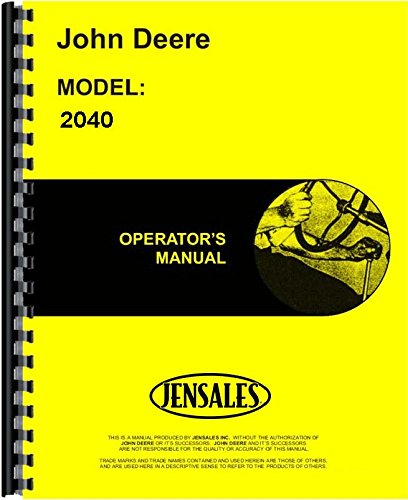
Figure 1: Cover of the John Deere 2040 Tractor Operators Manual. This image displays the front cover of the manual, featuring the John Deere logo and tractor model information.
Setup and Pre-Operation Checks
Before operating the John Deere 2040 Tractor, perform essential pre-operation checks to ensure safety and optimal performance. This includes inspecting tire pressure, checking fluid levels (engine oil, coolant, hydraulic fluid), and verifying the functionality of lights and safety devices.
- Fluid Levels: Confirm engine oil, coolant, and hydraulic fluid are at recommended levels.
- Tire Pressure: Ensure all tires are inflated to the correct pressure as specified in the manual.
- Safety Devices: Check that all safety guards, shields, and warning decals are in place and legible.
- Controls: Verify that all controls, including the steering, brakes, and clutch, operate smoothly and correctly.
Operating Procedures
This section outlines the correct procedures for starting, operating, and stopping your John Deere 2040 Tractor. Adhering to these guidelines is crucial for safe and efficient operation.
Starting the Engine
- Ensure the transmission is in neutral and the parking brake is engaged.
- Turn the ignition key to the "ON" position and wait for indicator lights to cycle.
- Turn the key to the "START" position. Release the key once the engine starts.
- Allow the engine to warm up for a few minutes before engaging in heavy work.
Gear Shifting and Driving
The John Deere 2040 Tractor features specific shift patterns. Always refer to the decal near the gear shift lever for the correct pattern. Engage the clutch fully when shifting gears to prevent transmission damage. Select the appropriate gear for the task and terrain to maintain engine efficiency and control.
Stopping the Tractor
- Reduce engine speed and disengage any implements.
- Apply the brakes smoothly to bring the tractor to a complete stop.
- Shift the transmission into neutral and engage the parking brake.
- Turn the ignition key to the "OFF" position to shut down the engine.
Maintenance Schedule and Procedures
Regular maintenance is vital for the longevity and reliable performance of your John Deere 2040 Tractor. This manual details recommended service intervals and procedures for various components.
Daily Checks
- Check engine oil level.
- Inspect coolant level.
- Verify hydraulic fluid level.
- Clean air intake screen.
Periodic Maintenance
- Engine Oil and Filter: Change at specified intervals (e.g., every 100-200 hours).
- Fuel Filters: Replace as recommended to ensure clean fuel delivery.
- Air Filter: Inspect and clean or replace as needed, especially in dusty conditions.
- Brake and Clutch Adjustments: Follow procedures for proper pedal free play and engagement.
- Lubrication: Grease all fittings according to the lubrication chart.
Refer to the detailed maintenance schedule within the manual for specific intervals and procedures for all components, including capacities for various fluids.
Troubleshooting Common Issues
This section provides guidance on identifying and resolving common operational issues you might encounter with your John Deere 2040 Tractor. For complex problems, consult a qualified service technician.
| Symptom | Possible Cause | Solution |
|---|---|---|
| Engine fails to start | Low fuel, dead battery, clogged fuel filter | Check fuel level, charge/replace battery, replace fuel filter |
| Loss of hydraulic power | Low hydraulic fluid, clogged hydraulic filter, faulty pump | Check fluid level, replace filter, consult service manual for pump diagnostics |
| Overheating engine | Low coolant, clogged radiator, faulty thermostat | Check coolant level, clean radiator fins, test/replace thermostat |
Always ensure the tractor is safely parked and shut down before attempting any troubleshooting or maintenance.
Specifications
The following specifications are provided for the John Deere 2040 Tractor. For detailed technical data, refer to the complete manual.
- ASIN: B01BQV51D2
- Publication Date: January 1, 2015
- Print Length: 68 pages
- Release Date: January 1, 2015
Note: This manual is an operator's guide and may not contain all detailed service specifications found in a dedicated service manual.
Warranty Information
Specific warranty information for the John Deere 2040 Tractor is not provided within this Operators Manual. For details regarding product warranty, please refer to the original purchase documentation or contact an authorized John Deere dealer.
Support and Further Assistance
For technical support, parts inquiries, or advanced service requirements not covered in this Operators Manual, it is recommended to contact an authorized John Deere service center or dealer. They can provide expert assistance and access to specialized tools and information.
This manual focuses on operational and routine maintenance guidance. For in-depth repair procedures, a dedicated Service Manual (SVC) is required. For detailed parts diagrams and ordering information, a Parts Manual (PTS) is recommended.


