
1. Product Overview
The Ossur Post-Op Knee Brace, Model 403100, is designed to provide adjustable support and controlled range of motion for the knee following surgery or injury. It is suitable for conditions such as ACL, MCL, PCL, meniscus tears, and other orthopedic rehabilitation needs. The brace features a hinged design for precise control over knee flexion and extension.
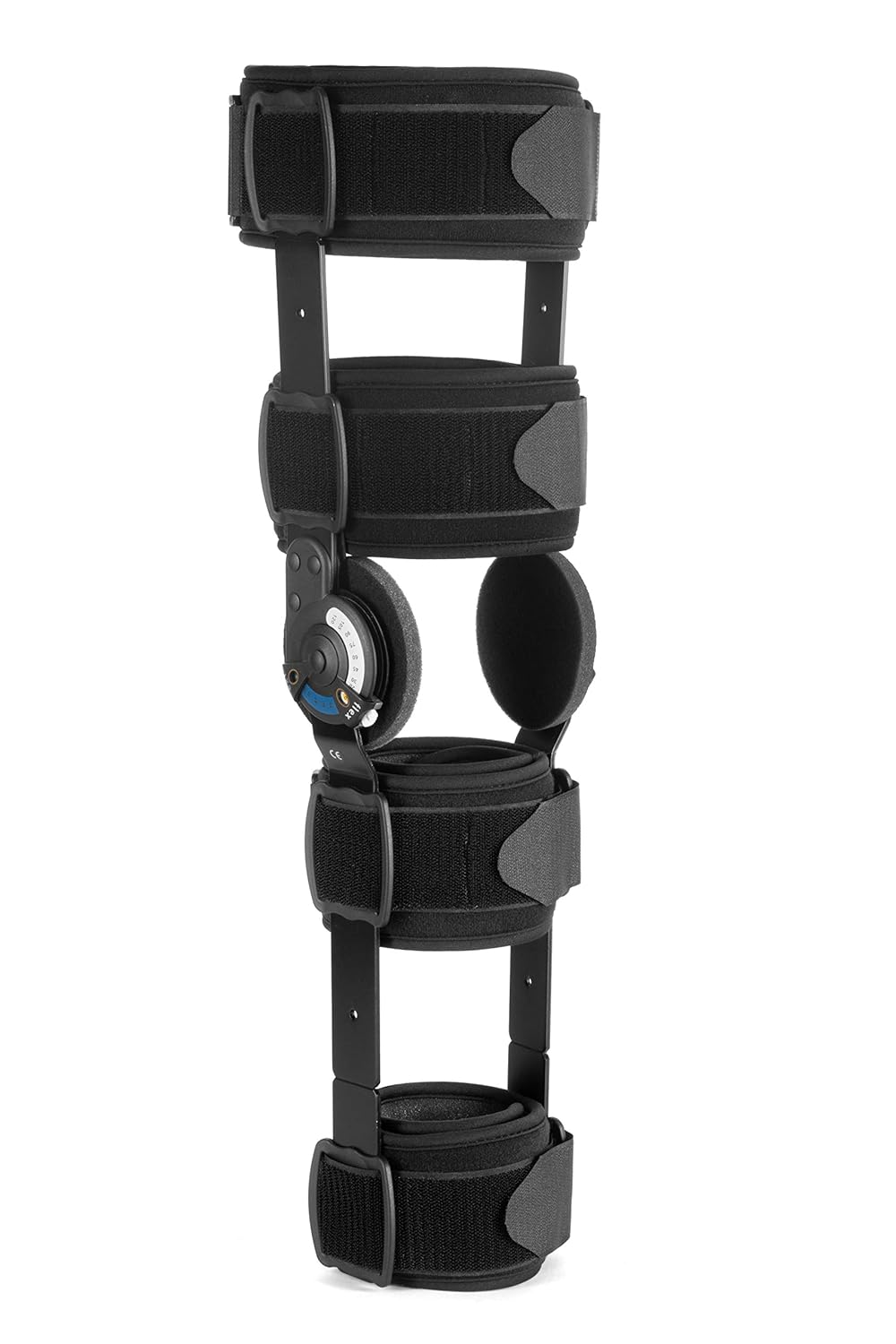
Figure 1: Front view of the Ossur Post-Op Knee Brace.
Key Features:
- Adjustable Range of Motion (ROM) Hinges: Allows for controlled flexion and extension settings.
- Adjustable Frame: Telescoping uprights to accommodate various leg lengths.
- Padded Straps: Ensures comfortable and secure fit.
- Lightweight Design: Constructed for patient comfort during recovery.

Figure 2: Detailed view of brace components and features, including the Innovator Hinge and strap system.
Included Components:
The Ossur Post-Op Knee Brace package typically includes the main brace frame with hinges, a set of soft goods (pads and straps), and additional accessories such as zip ties for tamper-proof ROM settings and extra hook-and-loop fasteners.

Figure 3: Included accessories for the Ossur Post-Op Knee Brace.
2. Safety Information
Important: This device is intended for use under the guidance of a healthcare professional. Improper application or adjustment may result in injury or discomfort. Always consult your doctor or therapist regarding the appropriate use, fit, and range of motion settings for your specific condition.
- Do not overtighten straps, as this may restrict circulation or cause skin irritation.
- Discontinue use and consult a healthcare professional if you experience increased pain, numbness, swelling, or skin discoloration.
- Keep out of reach of children.
- Inspect the brace regularly for wear and tear. Do not use if components are damaged.
3. Setup and Application
3.1 Sizing and Initial Adjustment
Before applying the brace, ensure it is correctly sized for your leg. The brace features an adjustable frame to accommodate various leg lengths. Measure your thigh circumference; this brace is designed for thigh circumferences up to 27 inches. Adjust the telescoping uprights to match your leg length, ensuring the hinges align with your knee joint.

Figure 4: Illustration of brace length adjustment and thigh circumference measurement.
3.2 Applying the Brace
- Position the Brace: Sit or lie down comfortably. Place the brace on your leg, ensuring the hinges are aligned with the center of your knee joint. The pads should rest comfortably against your skin.
- Secure the Straps: Starting from the straps closest to the knee, wrap and secure each strap firmly but not too tightly. Ensure the D-ring strap system is snug. Work your way up and down the leg, securing all straps.
- Check Fit: The brace should feel secure and stable without causing discomfort, pinching, or restricting circulation. You should be able to slide one finger under each strap.

Figure 5: Proper application of the knee brace.
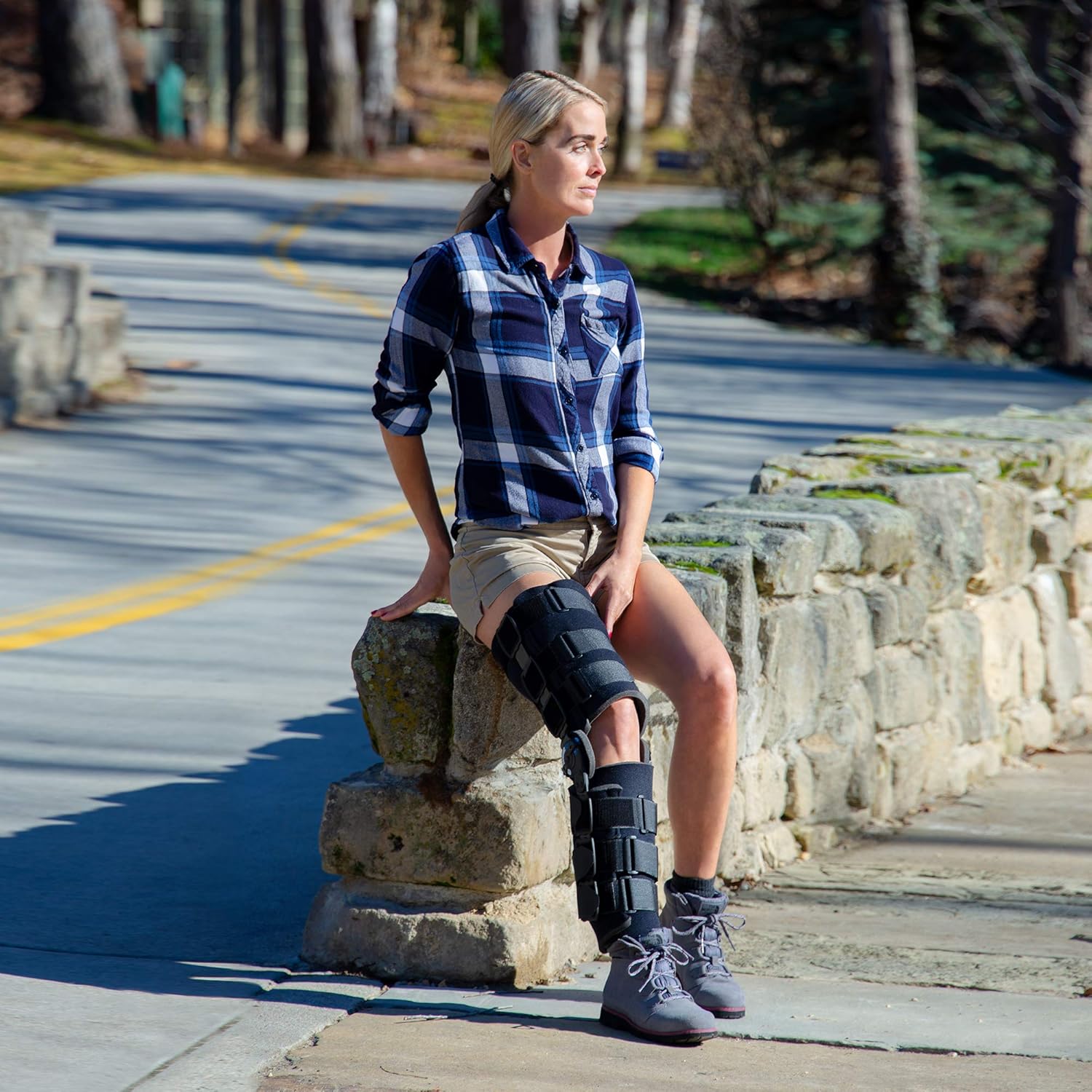
Figure 6: The brace correctly worn on the leg.
4. Operating the Range of Motion (ROM) Hinges
The Ossur Post-Op Knee Brace features Innovator Hinges that allow for precise control of knee flexion (bending) and extension (straightening). Your healthcare professional will provide specific ROM settings for your recovery plan.
- Adjusting Extension: To set the extension limit, locate the extension adjustment button on the hinge. Press the button and rotate the dial to the desired degree of extension (e.g., 0°, 10°, 20°). Release the button to lock the setting.
- Adjusting Flexion: To set the flexion limit, locate the flexion adjustment button on the hinge. Press the button and rotate the dial to the desired degree of flexion (e.g., 90°, 100°, 110°). Release the button to lock the setting.
- Locking the Brace: If full immobilization is required, set both flexion and extension to 0° or as instructed by your healthcare provider. The hinges can be locked with zip ties for tamper-proof settings, if necessary (refer to Figure 2 for zip tie location).
Always follow your healthcare professional's instructions for ROM settings.
5. Maintenance
5.1 Cleaning Instructions
- Remove all soft goods (pads and straps) from the rigid frame.
- Hand wash the soft goods in cold water with mild soap.
- Rinse thoroughly and air dry completely before reattaching to the brace. Do not machine wash, tumble dry, iron, or bleach.
- Wipe the rigid frame and hinges with a damp cloth. Do not immerse the frame in water.
5.2 Storage
Store the brace in a clean, dry place away from direct sunlight and extreme temperatures.
6. Troubleshooting
| Problem | Possible Cause | Solution |
|---|---|---|
| Brace feels too tight or causes discomfort. | Straps are overtightened; brace is misaligned. | Loosen straps and readjust. Ensure hinges are aligned with the knee joint. If discomfort persists, consult your healthcare professional. |
| Brace slips down the leg. | Straps are too loose; brace is not properly sized. | Tighten straps evenly. Recheck brace length adjustment. Ensure pads are clean and not oily. |
| Hinges are difficult to adjust or lock. | Debris in hinge mechanism; incorrect adjustment procedure. | Ensure buttons are fully pressed before rotating dials. Clean hinges if necessary. Do not force adjustments. If issues persist, contact customer support. |
| Skin irritation or redness. | Brace rubbing; straps too tight; allergic reaction to material. | Readjust brace for proper fit. Ensure skin is clean and dry. Consult a healthcare professional if irritation continues. |
If you experience any issues not listed here or if troubleshooting steps do not resolve the problem, please contact your healthcare provider or Ossur customer support.
7. Specifications
| Model Number | 403100 |
| Brand | Ossur |
| Product Dimensions | 5.7 x 5.7 x 28.1 inches |
| Item Weight | 2.1 pounds |
| Specific Uses | ACL, Patella, PCL, Meniscus Tear, Rehabilitation, LCL, MCL, Tendon, Locking |
| Use For | Knee |
| Age Range | Adult |
8. Warranty and Support
8.1 Warranty Information
Specific warranty details for the Ossur Post-Op Knee Brace, Model 403100, should be obtained directly from the manufacturer, Ossur, or the authorized retailer from whom the product was purchased. Please refer to your purchase documentation or the official Ossur website for the most current warranty policy.
8.2 Customer Support
For technical assistance, product inquiries, or to report any issues, please contact Ossur customer support. Contact information can typically be found on the product packaging or the official Ossur website. Always have your model number (403100) and purchase date available when contacting support.
