
1. General Information
This manual provides essential information for the safe and correct handling, installation, and maintenance of the Indesit Oven/Cooker Terminal Block, model C00271142. This component is designed to facilitate the electrical connection for compatible Indesit ovens and cookers.
1.1. Product Overview
The terminal block serves as a crucial electrical junction point, connecting the main power supply to the internal wiring of your appliance. It ensures a secure and stable electrical connection.

Image 1: Top view of the Indesit Oven/Cooker Terminal Block C00271142. This image displays the overall structure of the terminal block, including the main housing and screw terminals for electrical connections.
1.2. Safety Instructions
- Electrical Hazard: Always disconnect the appliance from the main power supply before attempting any installation, maintenance, or troubleshooting. Failure to do so can result in electric shock, injury, or death.
- Professional Installation Recommended: Due to the electrical nature of this component, installation should ideally be performed by a qualified electrician or appliance service technician.
- Use Correct Tools: Ensure you use appropriate insulated tools for electrical work.
- Inspect for Damage: Before installation, visually inspect the terminal block for any signs of damage. Do not install a damaged component.
- Compatibility: Ensure this terminal block (Model C00271142) is compatible with your specific Indesit oven or cooker model. Refer to your appliance's service manual.
2. Setup and Installation
This section outlines the general steps for installing the Indesit Oven/Cooker Terminal Block. Always refer to your specific appliance's service manual for detailed, model-specific instructions.
2.1. Preparation
- Disconnect Power: Turn off the main power supply to the oven/cooker at the circuit breaker or fuse box. Verify power is off using a voltage tester.
- Access Terminal Block: Depending on your appliance model, you may need to remove a rear panel or access cover to reach the existing terminal block.
- Document Connections: Take clear photographs or make a diagram of how the existing wires are connected to the old terminal block. Note wire colors and their corresponding terminal positions.
2.2. Removal of Old Terminal Block
- Carefully loosen the screws holding the electrical wires to the old terminal block.
- Disconnect all wires, ensuring they do not touch each other or any metal parts of the appliance.
- Remove any mounting screws or clips securing the old terminal block to the appliance chassis.
2.3. Installation of New Terminal Block
- Position the new Indesit C00271142 terminal block in the same location as the old one.
- Secure the new terminal block using the appropriate mounting screws or clips. Ensure it is firmly in place.
- Refer to your documented connections (photos/diagram) and carefully connect each electrical wire to its corresponding terminal on the new block. Ensure wires are fully inserted and screws are tightened securely to prevent loose connections, which can cause overheating or arcing.
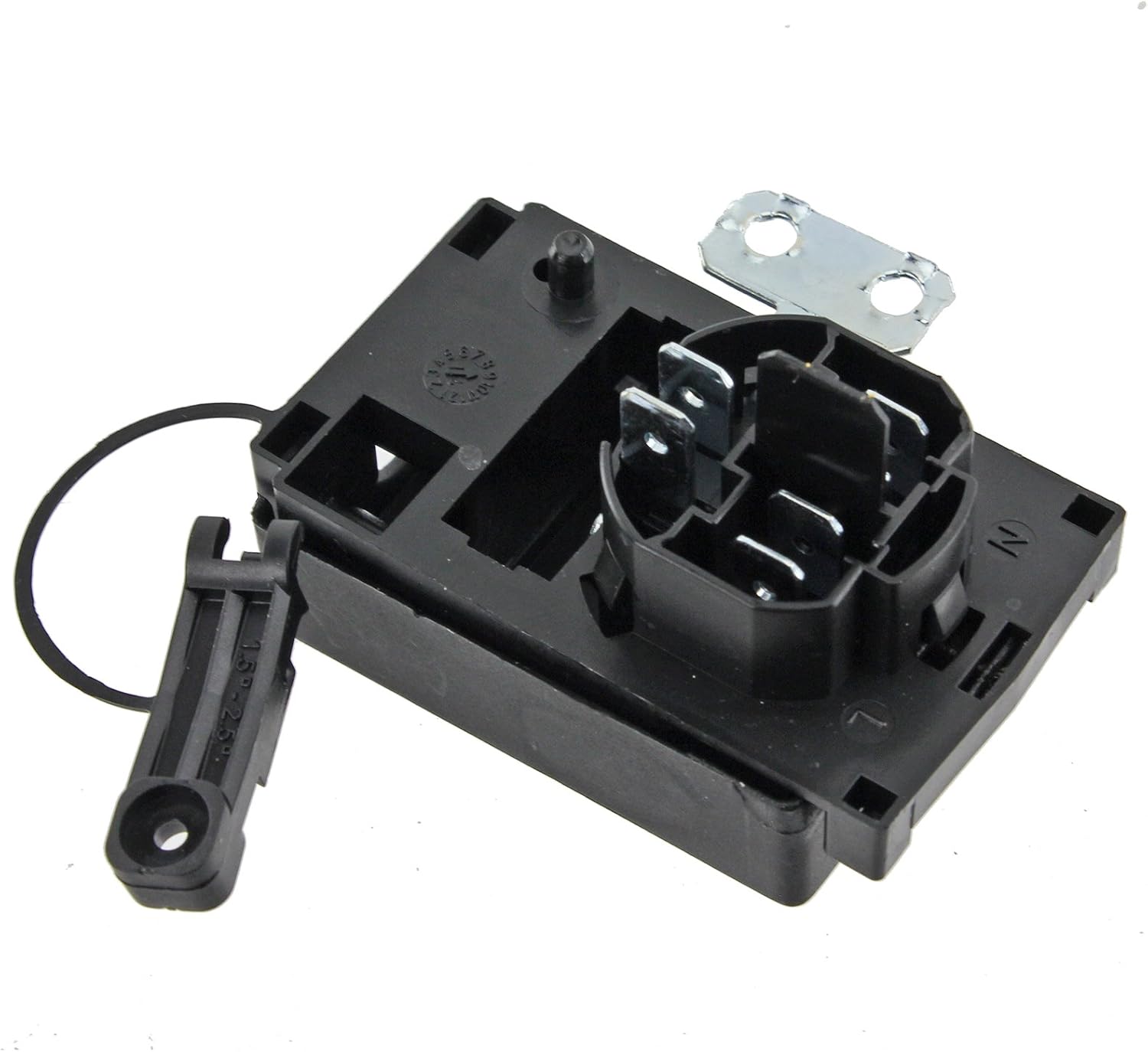
Image 2: Angled view of the Indesit Oven/Cooker Terminal Block C00271142. This image highlights the various connection points and terminals where electrical wires are secured.
2.4. Post-Installation Check
- Double-check all wire connections for tightness and correct placement.
- Ensure no bare wires are exposed or touching other components.
- Replace any access covers or panels removed during installation.
- Restore Power: Turn the main power supply back on at the circuit breaker.
- Test Appliance: Test the oven/cooker to ensure it functions correctly.
3. Operating the Terminal Block
The Indesit Oven/Cooker Terminal Block C00271142 is a passive electrical component. It does not have user-operable controls. Its 'operation' is its continuous function of safely distributing electrical power within the appliance once correctly installed.
Proper installation ensures the terminal block operates as intended, providing a reliable electrical connection for your oven or cooker.
4. Maintenance
Regular maintenance of the terminal block is not typically required, but periodic inspection can help ensure its longevity and safe operation.
4.1. Inspection
- Frequency: It is advisable to inspect the terminal block during any other appliance servicing or if you suspect an electrical issue.
- Procedure:
- Disconnect Power: Always disconnect the appliance from the main power supply before inspection.
- Visual Check: Look for signs of overheating (discoloration, melting plastic), corrosion on terminals, loose wires, or physical damage to the block itself.
- Tightness Check: Gently check if the wire screws are still tight. Do not overtighten.
4.2. Cleaning
- If dust or debris has accumulated, gently clean the terminal block with a dry, soft brush or compressed air.
- Do not use liquid cleaners or solvents, as these can damage the component or create an electrical hazard.
4.3. Replacement
If the terminal block shows any signs of damage, overheating, or corrosion, it must be replaced immediately by a qualified technician to prevent potential hazards.
5. Troubleshooting
If your oven or cooker is experiencing electrical issues, the terminal block could be a potential cause. Always ensure power is disconnected before any inspection.
5.1. Common Symptoms of a Faulty Terminal Block
- No power to the appliance.
- Intermittent power or flickering lights/displays.
- Burning smell emanating from the rear of the appliance.
- Visible signs of scorching or melting around the terminal block area.
5.2. Diagnostic Steps (Professional Assistance Recommended)
- Power Disconnection: Ensure the appliance is completely disconnected from the power supply.
- Visual Inspection: Carefully inspect the terminal block and surrounding wiring for any visible damage, loose connections, or signs of overheating (discoloration, melted plastic).
- Continuity Test: A qualified technician can use a multimeter to test for continuity across the terminals to identify any internal breaks or faulty connections within the block.
5.3. Solution
If the terminal block is identified as faulty, it must be replaced with a genuine Indesit C00271142 replacement part. Attempting to repair a damaged terminal block is not recommended and can be dangerous.
6. Specifications
The following specifications apply to the Indesit Oven/Cooker Terminal Block, Model C00271142.
| Specification | Detail |
|---|---|
| Brand | Indesit |
| Model Number | C00271142 |
| ASIN | B01BLC7QHU |
| Weight | 150 grams |
| Voltage Rating | 450V~ |
| Current Rating | 24A |
| Ingress Protection (IP) Rating | IP30 |
| Temperature Rating | T125 |
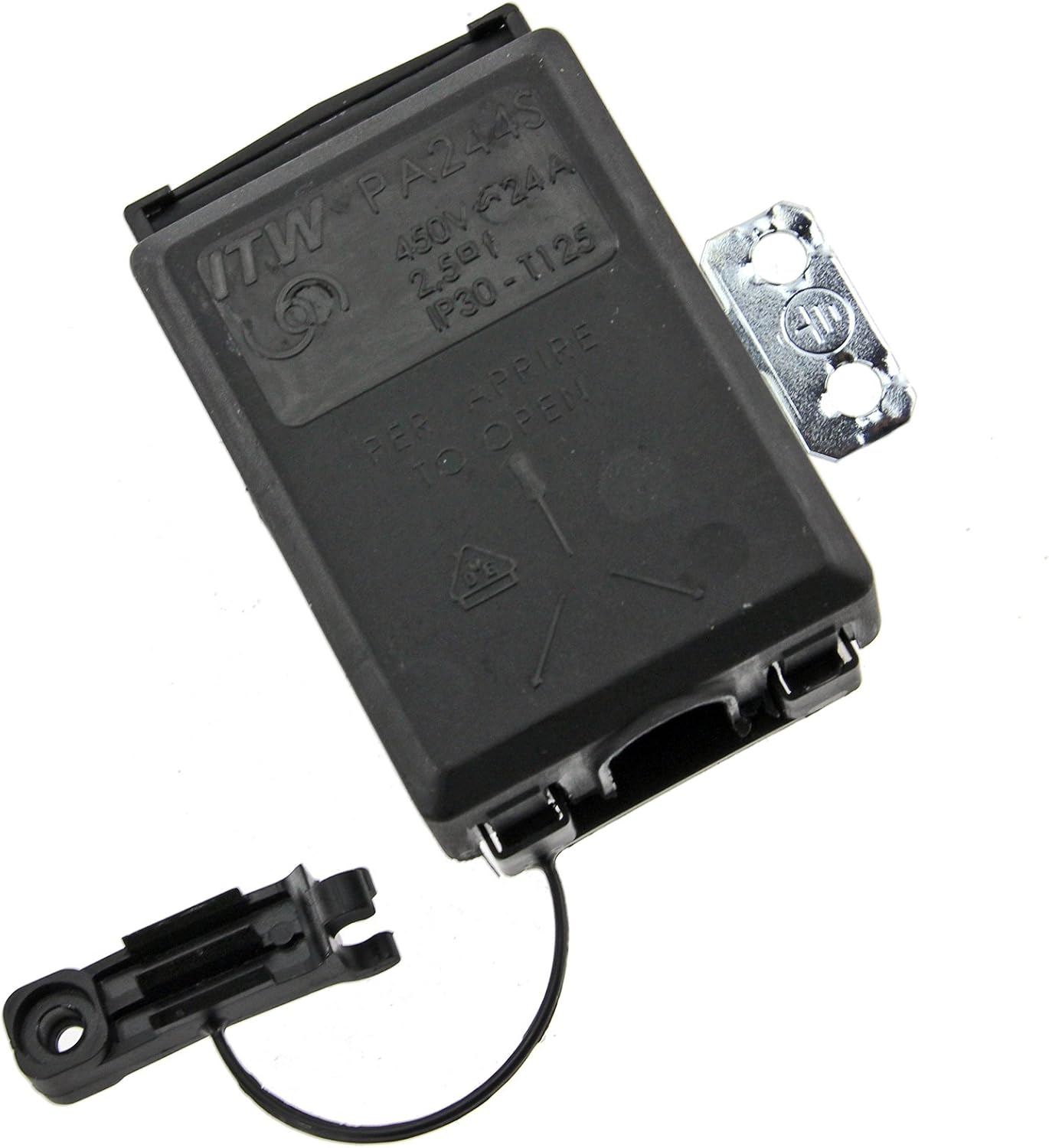
Image 3: Bottom view of the Indesit Oven/Cooker Terminal Block C00271142. This image clearly shows the product label with technical specifications such as voltage, current, and temperature ratings.