
Introduction
Thank you for purchasing the SoundLogic AWS-12/2970L Bluetooth Shower Speaker. This device is designed to provide high-quality audio entertainment in wet environments, featuring Bluetooth connectivity, FM radio, and hands-free calling. Please read this manual carefully before use to ensure proper operation and maintenance.
Package Contents
- SoundLogic AWS-12/2970L Bluetooth Shower Speaker
- USB Charging Cable
- Carabiner Clip
- User Manual (this document)
Product Overview
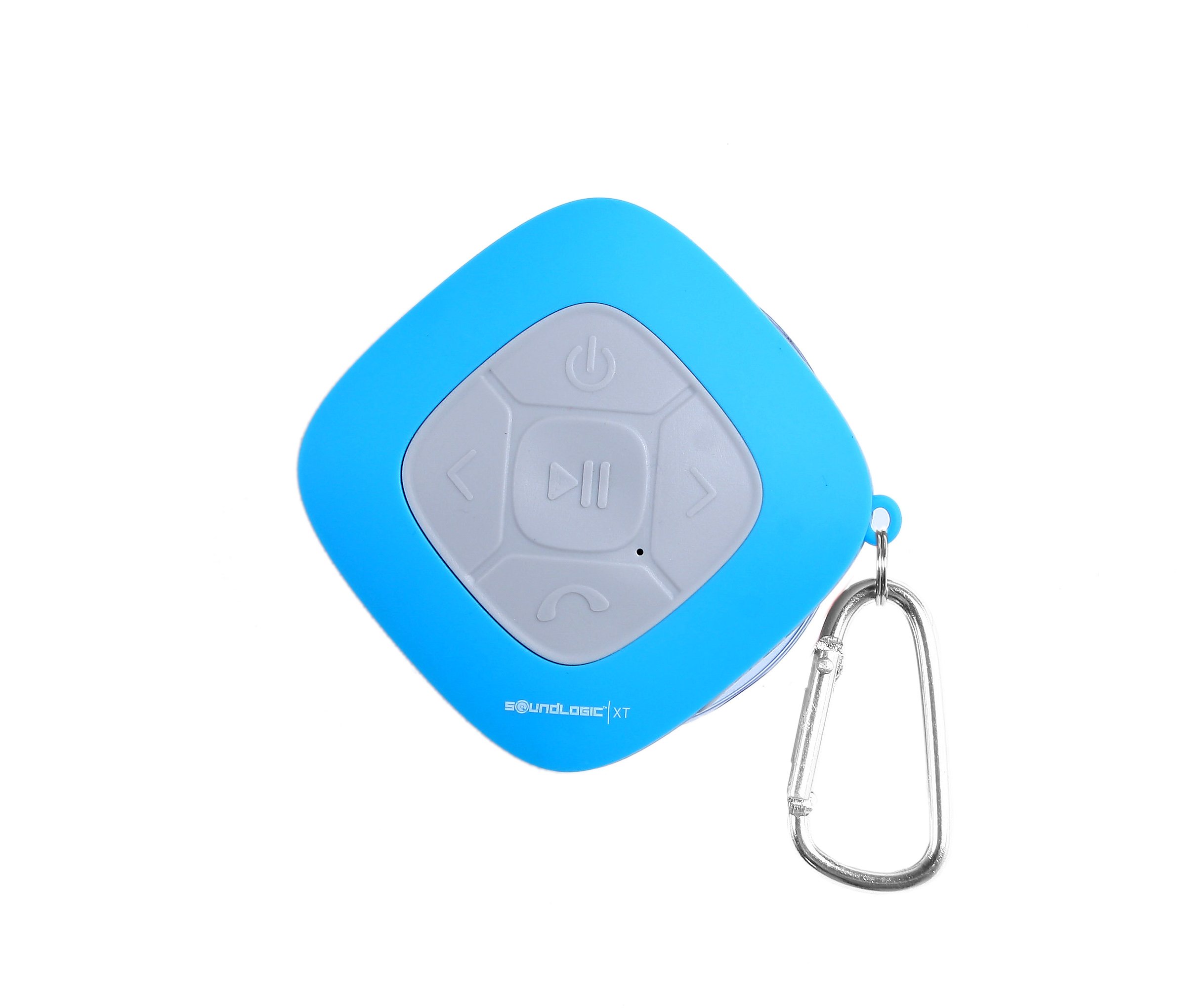
Image: The SoundLogic AWS-12/2970L Bluetooth Shower Speaker in blue, featuring a central control panel with power, play/pause, track skip, and call answer buttons. A USB port is visible on the side, and a silver carabiner clip is attached for portability. The speaker has a suction cup base.
Key Features:
- Waterproof Design for shower and outdoor use
- Bluetooth Connectivity for wireless music streaming
- Built-in FM Radio for local broadcasts
- Integrated Microphone for hands-free calls
- Convenient Carabiner Clip for easy attachment
Setup
1. Charging the Speaker
Before first use, fully charge the speaker. Connect the supplied USB charging cable to the speaker's USB port and the other end to a USB power adapter (not included) or a computer's USB port. The LED indicator will illuminate during charging and turn off when fully charged.
2. Power On/Off
Press and hold the Power button (usually marked with a power symbol) for approximately 3 seconds to turn the speaker ON or OFF. A tone will indicate the power status.
3. Bluetooth Pairing
- Ensure the speaker is ON and in Bluetooth pairing mode (LED indicator will flash rapidly).
- On your mobile device, enable Bluetooth and search for available devices.
- Select "AWS-12/2970L" or similar from the list of devices.
- Once paired, the speaker will emit a confirmation tone, and the LED indicator will stop flashing and remain solid.
4. FM Radio Tuning
To switch to FM radio mode, press the Mode button (if available, or the Play/Pause button might cycle modes). In FM mode, press and hold the Play/Pause button to automatically scan and save available FM stations. Use the Previous/Next track buttons to navigate between saved stations.
Operating Instructions
Bluetooth Music Playback
- Play/Pause: Press the Play/Pause button once.
- Next Track: Press the Next Track button (usually marked with > or >>).
- Previous Track: Press the Previous Track button (usually marked with < or <<).
FM Radio Operation
- Switch Mode: Press the Mode button to enter FM radio mode.
- Auto Scan: In FM mode, press and hold the Play/Pause button to automatically scan and save stations.
- Change Station: Use the Previous/Next Track buttons to cycle through saved stations.
Call Handling
- Answer/End Call: Press the Call button (usually marked with a phone icon) once.
- Reject Call: Press and hold the Call button for 2 seconds.
- Redial Last Number: Double-press the Call button.
Volume Control
Press and hold the Next Track button to increase volume. Press and hold the Previous Track button to decrease volume.
Maintenance
Cleaning
Wipe the speaker with a soft, damp cloth. Do not use abrasive cleaners or solvents. Ensure the USB port cover is securely closed before cleaning or exposing to water.
Water Resistance
This speaker is designed to be waterproof for shower use. However, it is not intended for submersion in water. Ensure the USB port cover is tightly sealed to maintain water resistance.
Storage
Store the speaker in a cool, dry place away from direct sunlight and extreme temperatures when not in use for extended periods.
Troubleshooting
| Problem | Possible Cause | Solution |
|---|---|---|
| Speaker does not power on. | Low battery. | Charge the speaker fully. |
| Cannot pair via Bluetooth. | Speaker not in pairing mode; device Bluetooth off; too far apart. | Ensure speaker is in pairing mode. Turn Bluetooth on your device. Move devices closer. |
| Poor FM radio reception. | Weak signal; interference. | Relocate the speaker. Perform an auto-scan again. |
| No sound. | Volume too low; device not connected. | Increase speaker and device volume. Re-establish Bluetooth connection. |
Specifications
- Model Number: AWS-12/2970L
- Brand: SOUNDLOGIC
- Connectivity Technology: Bluetooth
- Special Features: Built-in microphone, FM Radio, Waterproof
- Tuner Type: FM
- Radio Bands Supported: FM
- Frequency: 108 MHz (FM)
- Power Source: Battery Powered
- Hardware Interface: USB
- Color: Blue
- UPC: 044902029721
Warranty and Support
For warranty information or technical support, please refer to the warranty card included with your purchase or contact SoundLogic customer service directly. Keep your proof of purchase for warranty claims.


