
1. Introduction
Thank you for choosing the Helect H1001 Standard Function Desktop Calculator. This manual provides detailed instructions for the proper setup, operation, and maintenance of your calculator. Please read this manual thoroughly before use to ensure optimal performance and longevity of your device.
2. Safety Information
- Keep the calculator away from water and high humidity.
- Avoid dropping the calculator or subjecting it to strong impacts.
- Do not attempt to disassemble or repair the calculator yourself. Contact qualified personnel for service.
- Dispose of batteries according to local regulations. Do not mix old and new batteries, or different types of batteries.
- Keep out of reach of small children.
3. Package Contents
Ensure all items are present in the package:
- Helect H1001 Desktop Calculator (Black)
- User Manual (this document)
Note: 1 AA battery is required and not included in the package.
4. Product Overview
The Helect H1001 calculator features a 12-digit display and an ergonomic design for comfortable use. It operates on dual power sources: solar and battery.

Figure 4.1: Front view of the Helect H1001 Desktop Calculator, showing the 12-digit display and keypad layout.

Figure 4.2: Side and top views illustrating the ergonomic design and dimensions (145mm x 120mm x 40mm) of the Helect H1001 Calculator.
Key Features:
- 12-Digit Display: Large, clear display for easy reading of numbers.
- Dual Power: Operates on solar power in well-lit environments and switches to AA battery power in low light.
- Large Buttons: Designed for comfortable and accurate input.
- Memory Functions: M+, M-, MRC for advanced calculations.
- Special Functions: GT (Grand Total), % (Percentage), MU (Mark Up), Tax conversion.
- Backspace Key: Corrects entry errors easily.
5. Setup
5.1 Battery Installation
The calculator requires one (1) AA battery (not included) for operation in low-light conditions. The solar panel provides power in bright light.
- Turn the calculator over to access the battery compartment.
- Slide the battery compartment cover downwards to open it.
- Insert one AA battery, ensuring the correct polarity (+/-) as indicated inside the compartment.
- Replace the battery compartment cover by sliding it back into place until it clicks securely.
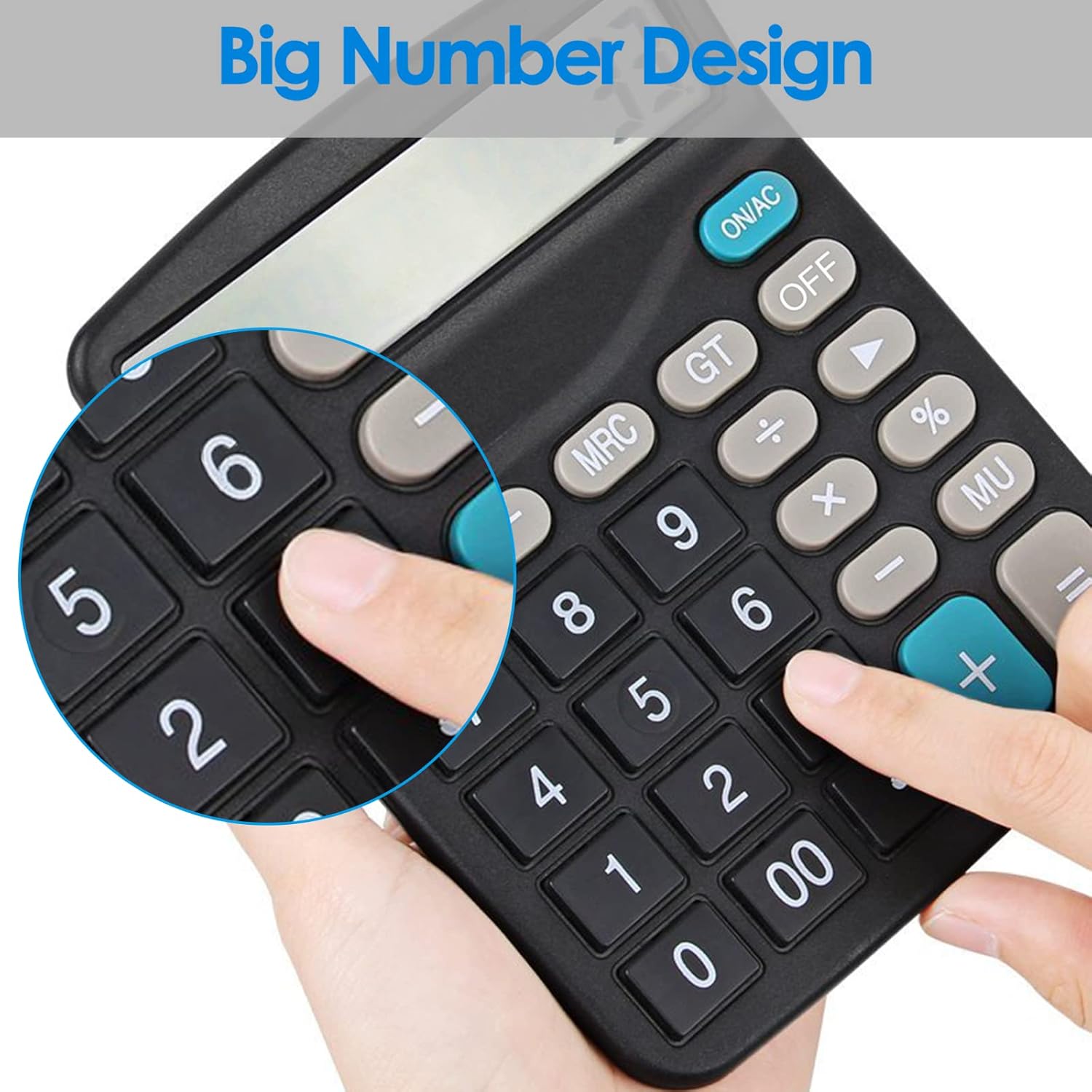
Figure 5.1: Back view of the calculator showing the battery compartment and anti-slip mats.

Figure 5.2: Illustration of the dual power system, showing the AA battery slot and the solar panel for emergency use.
5.2 Powering On/Off
- To turn on the calculator, press the ON/AC button.
- To turn off the calculator, press the OFF button. The calculator will also automatically power off after a period of inactivity to conserve battery life.
6. Operating Instructions
6.1 Basic Calculations
Perform standard arithmetic operations:
- Addition (+): Enter first number, press +, enter second number, press =.
- Subtraction (-): Enter first number, press -, enter second number, press =.
- Multiplication (X): Enter first number, press X, enter second number, press =.
- Division (÷): Enter first number, press ÷, enter second number, press =.
- Clear Entry (CE/C): The ON/AC button also functions as Clear All (AC) when pressed once, and Clear Entry (C) if pressed after an operation.
- Backspace (►): Press this button to delete the last digit entered.
6.2 Memory Functions
The calculator includes three memory keys:
- M+ (Memory Plus): Adds the displayed value to the memory.
- M- (Memory Minus): Subtracts the displayed value from the memory.
- MRC (Memory Recall/Clear):
- Press once to recall the value stored in memory.
- Press twice to clear the memory.
6.3 Percentage (%)
To calculate percentages:
- Example: Calculate 15% of 200.
Enter 200 X 15 %. The result (30) will be displayed. - Example: Add 15% to 200.
Enter 200 + 15 %. The result (230) will be displayed.
6.4 Grand Total (GT)
The GT key accumulates the results of all calculations performed using the = key. Press GT to display the grand total. Press ON/AC to clear the grand total memory.
6.5 Mark Up (MU)
The MU key is used for calculating selling price, cost, and profit margin. Consult specific examples for detailed usage.
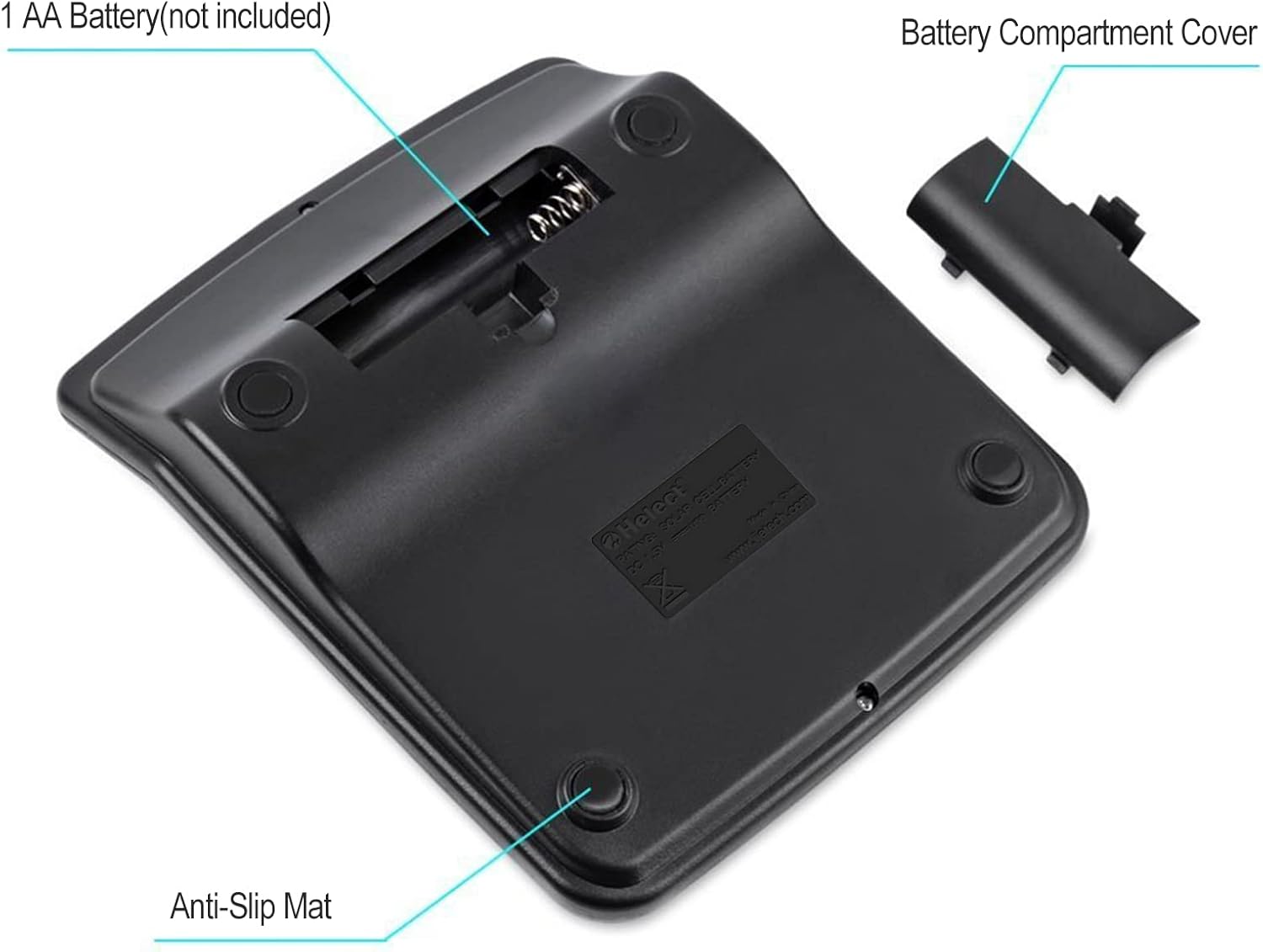
Figure 6.1: Overview of key functions including 12-digit display, Memory Recall (MR), General Total (GT), Percentage (%), and Backspace key.

Figure 6.2: Close-up of the calculator's keypad, highlighting the large number design for improved usability.
7. Maintenance
- Cleaning: Wipe the calculator with a soft, dry cloth. Do not use liquid cleaners or abrasive materials.
- Storage: Store the calculator in a cool, dry place away from direct sunlight and extreme temperatures.
- Battery Replacement: If the display becomes dim or unresponsive in low light, replace the AA battery.
8. Troubleshooting
| Problem | Possible Cause | Solution |
|---|---|---|
| Calculator does not turn on. | Insufficient light for solar power, or dead/missing battery. | Ensure adequate lighting for the solar panel. Install a fresh AA battery with correct polarity. |
| Display is dim or flickering. | Low battery power. | Replace the AA battery. Ensure sufficient light for solar operation. |
| Incorrect calculation results. | Incorrect input or function usage. | Review operating instructions. Press ON/AC to clear all previous calculations and start fresh. |
9. Specifications
| Feature | Detail |
|---|---|
| Model Number | H1001 |
| Brand | Helect |
| Display Digits | 12 Digits |
| Display Size | 10.5 cm (diagonal) |
| Power Source | Dual Power (Solar & 1x AA Battery) |
| Battery Type | AA Alkaline (not included) |
| Material | Plastic |
| Color | Black |
| Product Dimensions | 14.5L x 12W cm |
10. Warranty and Support
Information regarding specific warranty terms and customer support contact details is not available in the provided product data. For warranty claims or technical assistance, please refer to the product packaging or contact the retailer where the product was purchased.