
ThermoPro TP09B Wireless Thermometer
ThermoPro TP09B Wireless Meat Thermometer User Manual
Model: TP09B Wireless Thermometer
Brand: ThermoPro
Product Overview
The ThermoPro TP09B Wireless Meat Thermometer is designed to monitor the internal temperature of your meat from a distance, providing convenience and precision for grilling, smoking, and cooking. It features a wireless receiver that alerts you when your food reaches the desired temperature, ensuring perfectly cooked meals every time.
Key features include a 300-foot wireless range, preprogrammed temperature settings for various meats, a wide temperature measurement range, and a durable stainless steel probe.
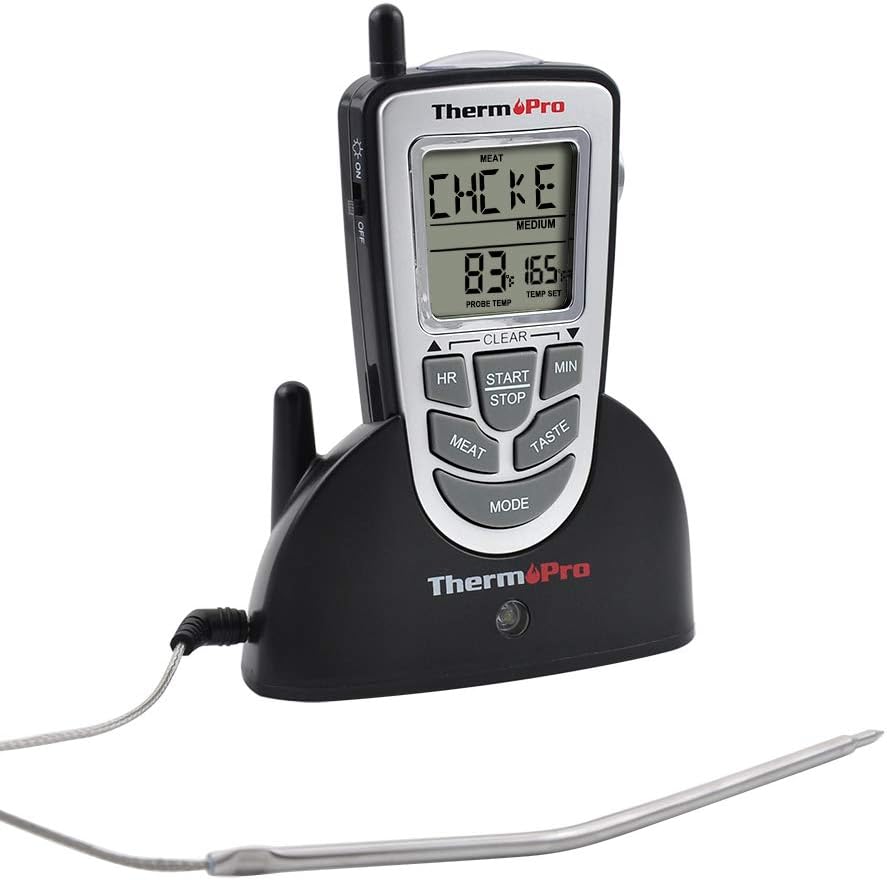
Image: The ThermoPro TP09B wireless meat thermometer system, showing the main receiver unit, the separate transmitter base, and the stainless steel temperature probe. The receiver displays "CHCKC" (Chicken) and a temperature of 83 degrees Fahrenheit, with a target temperature of 165 degrees Fahrenheit.
Package Contents
- 1 x Thermometer Receiver
- 1 x Thermometer Transmitter
- 1 x Stainless Steel Temperature Probe
- 4 x AAA Batteries (included)
Setup and Initial Use
1. Battery Installation
Insert the included AAA batteries into both the receiver and the transmitter units. Ensure correct polarity as indicated in the battery compartments.
2. Probe Connection
Plug the stainless steel temperature probe into the designated port on the transmitter unit. Ensure the connection is secure.
3. Power On and Synchronization
Turn on both the receiver and the transmitter. The units should automatically synchronize. If they do not sync, turn the remote off, then start the flashing of the base using the side button, and turn the remote back on within 30 seconds. This typically resolves synchronization issues.
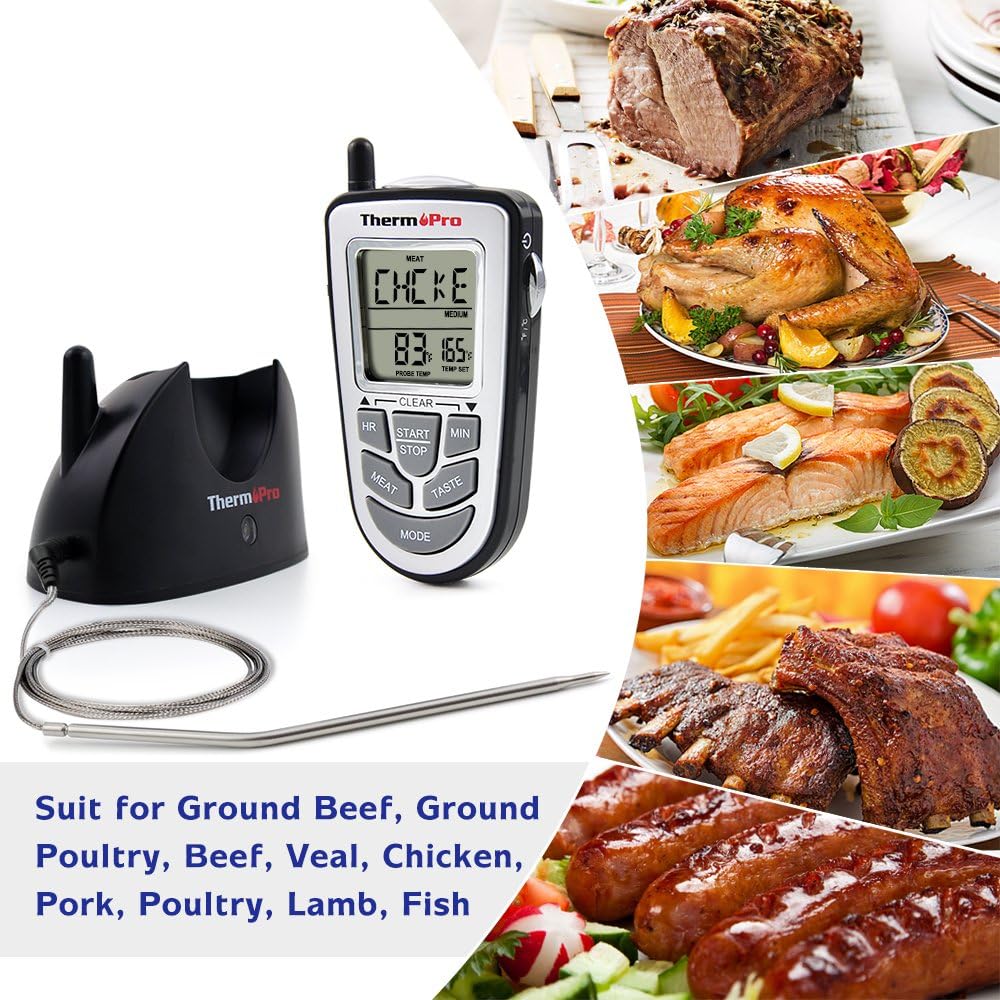
Image: A collage showing the ThermoPro TP09B thermometer and probe alongside various cooked meats such as roast beef, whole chicken, salmon, ribs, sausages, and lamb, illustrating its versatility for different food types.
Operating Instructions
Temperature Monitoring
Insert the probe into the thickest part of the meat, avoiding bone or gristle. The current internal temperature will be displayed on the receiver.
Setting Target Temperature
The TP09B comes with preprogrammed temperatures for 9 types of meat and poultry. You can also customize these settings to your preference.
- MEAT Button: Press to cycle through preprogrammed meat types (e.g., Ground Beef, Ground Poultry, Beef, Veal, Chicken, Pork, Poultry, Lamb, Fish).
- TASTE Button: Press to select the desired doneness level (e.g., Rare, Medium Rare, Medium, Medium Well, Well Done).
- Custom Temperature: Use the HR (Hour) and MIN (Minute) buttons to manually adjust the target temperature if needed.

Image: A diagram illustrating the functions of the MEAT and TASTE buttons on the ThermoPro TP09B receiver. The MEAT button allows selection of various meat types (PROG, GBEEF, GPOUL, BEEF, VEAL, CHCKC, PORK, POULT, LAMB, FISH), while the TASTE button allows selection of doneness levels (RARE, MED RARE, MEDIUM, MED WELL, WELL DONE).
Timer Function
The unit includes a count-up and count-down timer for timed cooking. Use the HR and MIN buttons to set the timer, and START/STOP to control it.
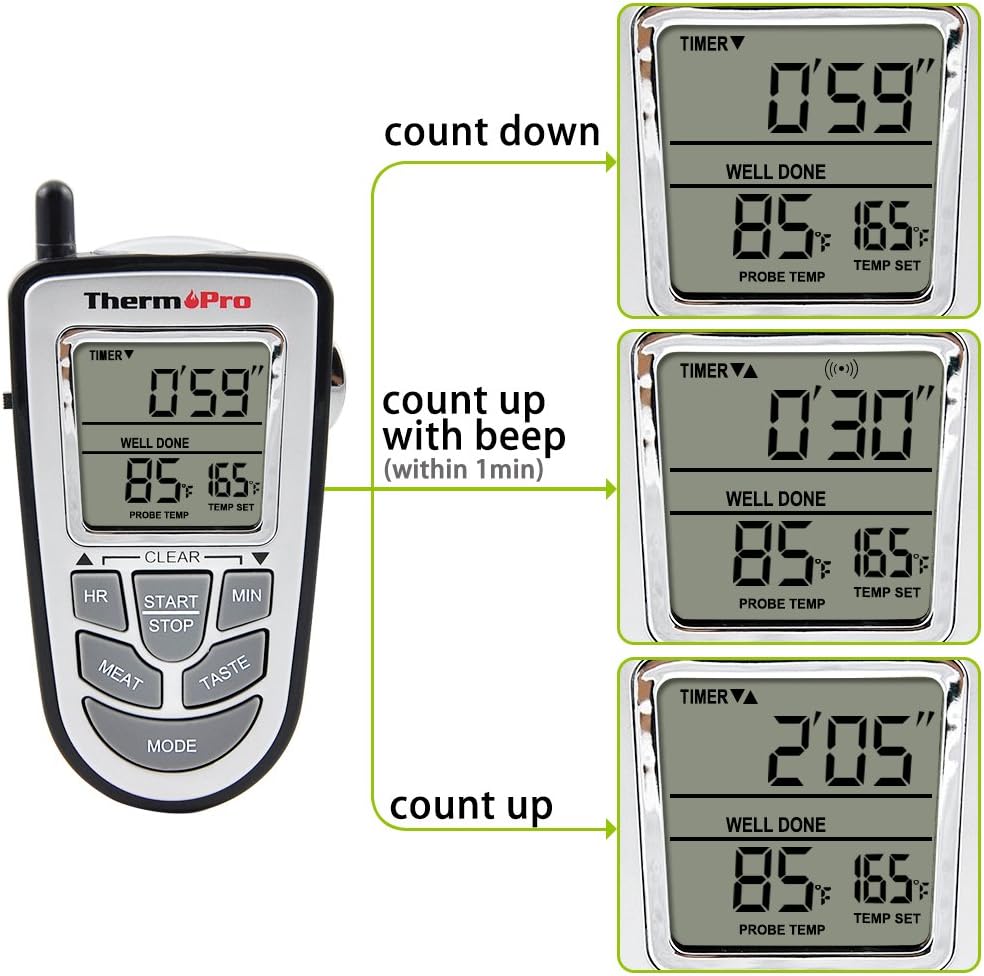
Image: A sequence of three displays from the ThermoPro TP09B receiver, demonstrating the timer functions. The first shows a countdown timer (0'59"), the second shows a count-up timer with a beep (0'30"), and the third shows a continuous count-up timer (2'05").
Wireless Range
The wireless remote allows you to monitor your meat from up to 300 feet away. The receiver will beep when the meat temperature reaches your programmed target.

Image: A person chopping vegetables on a cutting board, with the ThermoPro TP09B receiver in the foreground displaying "CHCKC" and a temperature of 158 degrees Fahrenheit. In the background, an oven with a roasting chicken is visible, illustrating the 300-foot wireless monitoring capability.
Maintenance
Cleaning
The stainless steel probe can be wiped clean. The main unit and transmitter should be wiped with a damp cloth. Do not immerse the main unit or transmitter in water. The probe and wire are oven safe up to 716°F (380°C).
Battery Replacement
Replace batteries when the low battery indicator appears on the display. Use 4 AAA batteries.
Storage
Store the thermometer in a dry place when not in use. Avoid kinking the probe wire to prolong its lifespan.
Troubleshooting
- No Signal/Synchronization Issues: Ensure both units are powered on and within range. Try turning the receiver off, then activate the base's flashing mode (usually a side button), and turn the receiver back on within 30 seconds to re-sync.
- Inaccurate Readings: Perform an ice bath test (should read close to 32°F/0°C) and a boiling water test (should read close to 212°F/100°C at sea level) to check probe accuracy. If readings are consistently off, the probe may need replacement.
- Slow Temperature Updates: The unit updates the remote with the current temperature approximately every 10-11 seconds. This is normal operation and not a defect.
- Short Battery Life: Ensure both units are turned off completely when not in use. If the base unit's light is blinking, it is still transmitting and consuming power.
Specifications
| Brand | ThermoPro |
| Model Name | TP09B Wireless Thermometer |
| Temperature Range | 16°F to 572°F (-9°C to 300°C) |
| Accuracy | ±1.8°F / 1°C |
| Probe Length | 6.5 inches |
| Wireless Range | Up to 300 feet |
| Power Source | 4 x AAA batteries (included) |
| Material | Stainless Steel (probe) |
Warranty and Support
ThermoPro offers a lifetime warranty on the temperature probe, covering wear and tear. For any issues or support, please refer to the official ThermoPro website or contact their customer service.
Additional user guides and support documents may be available on the manufacturer's website. A PDF user manual is also available for download: User Manual (PDF).
Related documentsTP09B Wireless Thermometer


Ask a question about this manual
Ask about setup, troubleshooting, compatibility, parts, safety, or missing instructions. Manuals+ will review the question and use this page’s manual context to help answer it.