
First Alert P1210CP2
First Alert 10 Year Photoelectric Smoke Alarm
Model: P1210CP2 (UPC: 029054012944)
Introduction
This manual provides essential information for the proper installation, operation, and maintenance of your First Alert 10-Year Photoelectric Smoke Alarm. Designed for maximum protection, this slim-design alarm offers reliable smoke detection with a sealed, long-life battery, eliminating the need for battery replacements for 10 years.
Key Features:
- 10-Year Sealed Battery: Provides continuous power for a decade without battery changes.
- Photoelectric Sensor: Optimized for detecting slow, smoldering fires.
- Patented Smoke Entry System: Engineered to reduce false alarms.
- End-of-Life Warning: Alerts you when the alarm needs to be replaced after 10 years.
- No Low Battery Chirps: Eliminates nuisance chirps associated with traditional battery-powered alarms.
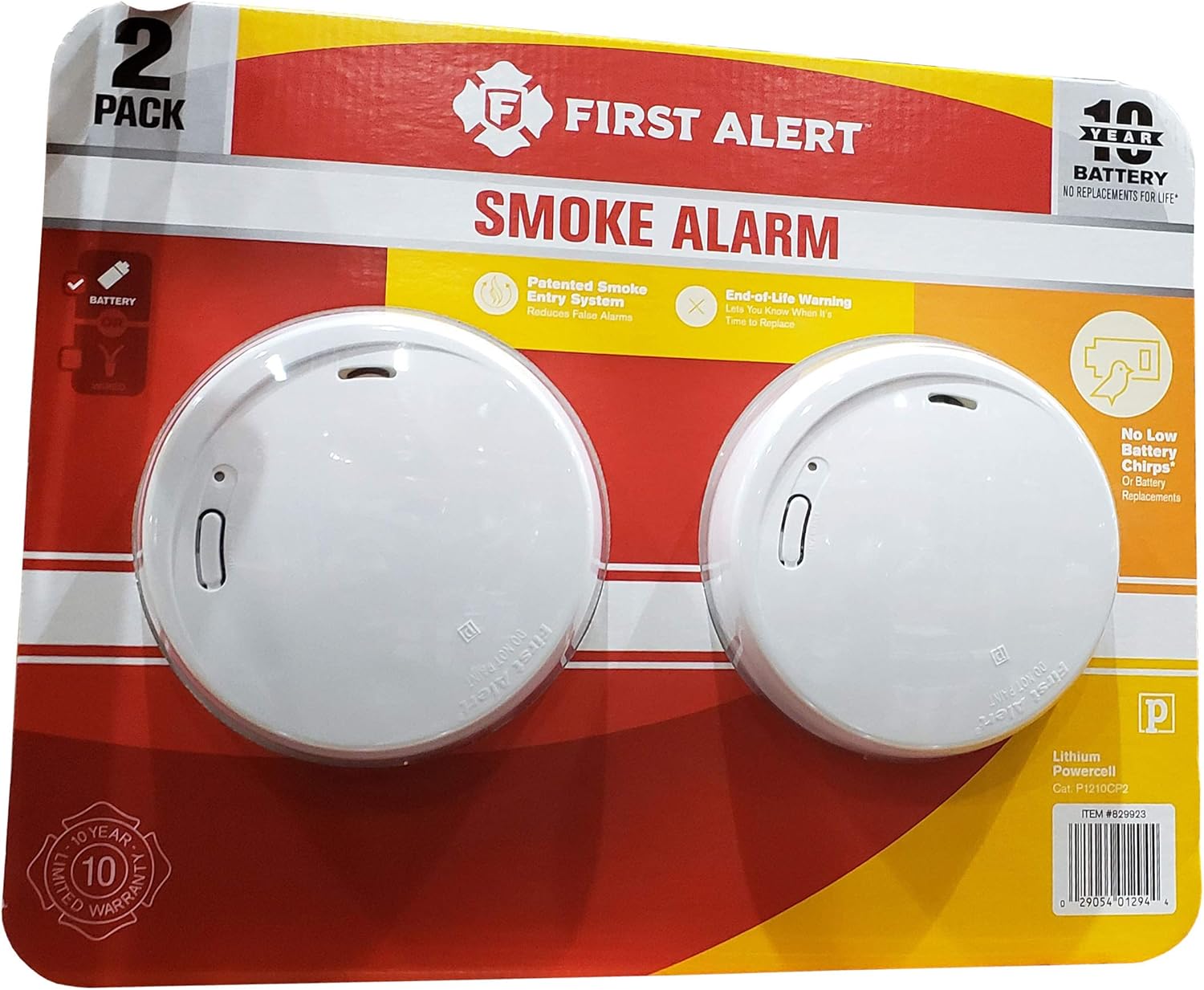
Image: Two First Alert 10-Year Photoelectric Smoke Alarms in their retail packaging, highlighting key features like the 10-year battery and patented smoke entry system.
Setup and Installation
Proper placement and installation are crucial for optimal performance. Refer to local building codes for specific requirements.
Recommended Locations:
- Install at least one smoke alarm on every level of your home, including basements.
- For best protection, install a smoke alarm in every sleeping room and outside each separate sleeping area.
- Mount alarms on the ceiling or high on a wall (within 4-6 inches of the ceiling).
Locations to Avoid:
- Near windows, doors, or vents where drafts could interfere with smoke reaching the alarm.
- In dusty, dirty, or insect-infested areas.
- In areas with high humidity, such as bathrooms.
- Within 20 feet of a furnace or cooking appliance.
Installation Steps:
- Prepare Mounting Location: Choose a suitable location on the ceiling or wall.
- Mounting Bracket: Secure the mounting bracket to the ceiling or wall using the provided screws. Ensure it is firmly attached.
- Activate Alarm: Twist the smoke alarm onto the mounting bracket. This action will automatically activate the sealed 10-year battery. The alarm will chirp once to indicate activation.
- Test Alarm: Press and hold the Test/Silence button on the alarm until it sounds. The alarm will emit three loud beeps, pause, and then three loud beeps again. This confirms the alarm is functioning correctly.
Operation
Normal Operation:
The alarm is continuously monitoring for smoke. A small red LED light will flash approximately once every 60 seconds to indicate that the alarm is receiving power and functioning correctly.
Alarm Condition:
When smoke is detected, the alarm will sound a loud, pulsating horn pattern (three long beeps, a pause, three long beeps, etc.). The red LED will flash rapidly during the alarm condition.
Test/Silence Button:
- Testing: Press and hold the Test/Silence button for a few seconds until the alarm sounds. Release the button. The alarm will stop sounding after the test sequence. Test your alarm weekly.
- Silencing: If the alarm sounds due to a non-emergency condition (e.g., cooking fumes), press the Test/Silence button to temporarily silence the alarm for approximately 10 minutes. The alarm will automatically reset after this period if the smoke has cleared. If smoke is still present, the alarm will reactivate.
End-of-Life Warning:
After approximately 10 years of operation, the alarm will begin to chirp once every 60 seconds, and the red LED will flash twice every 60 seconds, indicating that the unit has reached the end of its useful life and needs to be replaced. This feature ensures you are always protected by a fully functional alarm.
Maintenance
Regular maintenance ensures your smoke alarm remains in optimal working condition.
Weekly Testing:
Test your smoke alarm at least once a week by pressing and holding the Test/Silence button until the alarm sounds. A working alarm will produce a loud, clear sound.
Monthly Cleaning:
Clean your smoke alarm at least once a month to remove dust and debris that can interfere with its operation. Use a soft brush attachment on your vacuum cleaner to gently vacuum around the alarm's vents. Do not paint the alarm.
Battery Replacement:
This alarm features a sealed 10-year lithium-ion battery that does not require replacement. When the alarm reaches its end-of-life (approximately 10 years from activation), it will chirp to indicate it needs to be replaced. Do not attempt to replace the battery.
Troubleshooting
| Problem | Possible Cause | Solution |
|---|---|---|
| Alarm chirps once every 60 seconds. | End-of-life warning (after 10 years). | Replace the smoke alarm immediately. |
| Alarm sounds frequently without smoke. | Dust or debris in the alarm chamber; high humidity; alarm too close to cooking appliances or furnace. | Clean the alarm (see Maintenance); relocate the alarm if necessary; ensure proper ventilation. |
| Alarm does not sound during test. | Alarm not activated; unit malfunction. | Ensure alarm is twisted fully onto mounting bracket to activate battery. If still no sound, replace the alarm. |
| Red LED not flashing. | Alarm not activated; unit malfunction. | Ensure alarm is twisted fully onto mounting bracket. If still no flash, replace the alarm. |
If troubleshooting steps do not resolve the issue, contact First Alert Customer Support.
Specifications
- Model: P1210CP2
- UPC: 029054012944
- Brand: First Alert
- Sensor Type: Photoelectric
- Power Source: Sealed 10-Year Lithium Ion Battery (included, non-replaceable)
- Alarm Type: Visual and Audible (Loud Horn)
- Color: White
- Item Weight: Approximately 0.01 Ounces (per unit)
- Product Dimensions: Approximately 5 x 8 x 12 inches (packaging)
- Compliance: Complies with National standards set by NFPA, HUD, and FHA.
Warranty and Support
Warranty Information:
This First Alert smoke alarm comes with a 10-year limited warranty. For specific warranty terms and conditions, please refer to the documentation included with your product or visit the official First Alert website. The warranty covers defects in material and workmanship under normal use and service.
Customer Support:
For technical assistance, troubleshooting, or warranty claims, please contact First Alert Customer Support. You can often find contact information on the product packaging or the manufacturer's official website.
For additional resources, you may refer to the official user guide PDF: First Alert Smoke Alarm User Guide (PDF)
Related documentsP1210CP2


Ask a question about this manual
Ask about setup, troubleshooting, compatibility, parts, safety, or missing instructions. Manuals+ will review the question and use this page’s manual context to help answer it.