
FOXWELL BT100 PRO
FOXWELL BT100 PRO 12V Car Battery Tester User Manual
Model: BT100 PRO | Brand: FOXWELL
Introduction
The FOXWELL BT100 PRO 12V Car Battery Tester is a reliable and accurate tool designed for analyzing the health and performance of 12V lead-acid batteries, including AGM, EFB, GEL, and flooded types. It provides essential information such as battery health, charge level, cold cranking amps (CCA), and internal resistance, helping users make informed decisions about battery maintenance and replacement.
Backed by FOXWELL's extensive automotive diagnostic expertise, the BT100 PRO offers lab-grade 99.6% accuracy with a simple one-button design, making it suitable for daily drivers, DIY enthusiasts, mechanics, and fleet owners.

Image: FOXWELL BT100 PRO Battery Tester emphasizing high accuracy and brand reliability.

Image: Compatibility of FOXWELL BT100 PRO with various 12V vehicles including cars, motorcycles, SUVs, trucks, and marine vessels.
Video: An overview of the FOXWELL BT100 Pro battery tester, demonstrating its ease of use and ability to analyze battery health.
Setup
The BT100 PRO is designed for quick and intuitive setup. No external power source is required as it draws power directly from the battery being tested.
Connecting the Tester
- Ensure the battery terminals are clean and free of corrosion for accurate readings.
- Connect the red positive (+) clamp of the BT100 PRO to the positive (+) battery terminal.
- Connect the black negative (-) clamp of the BT100 PRO to the negative (-) battery terminal.
- The device will automatically power on once connected.
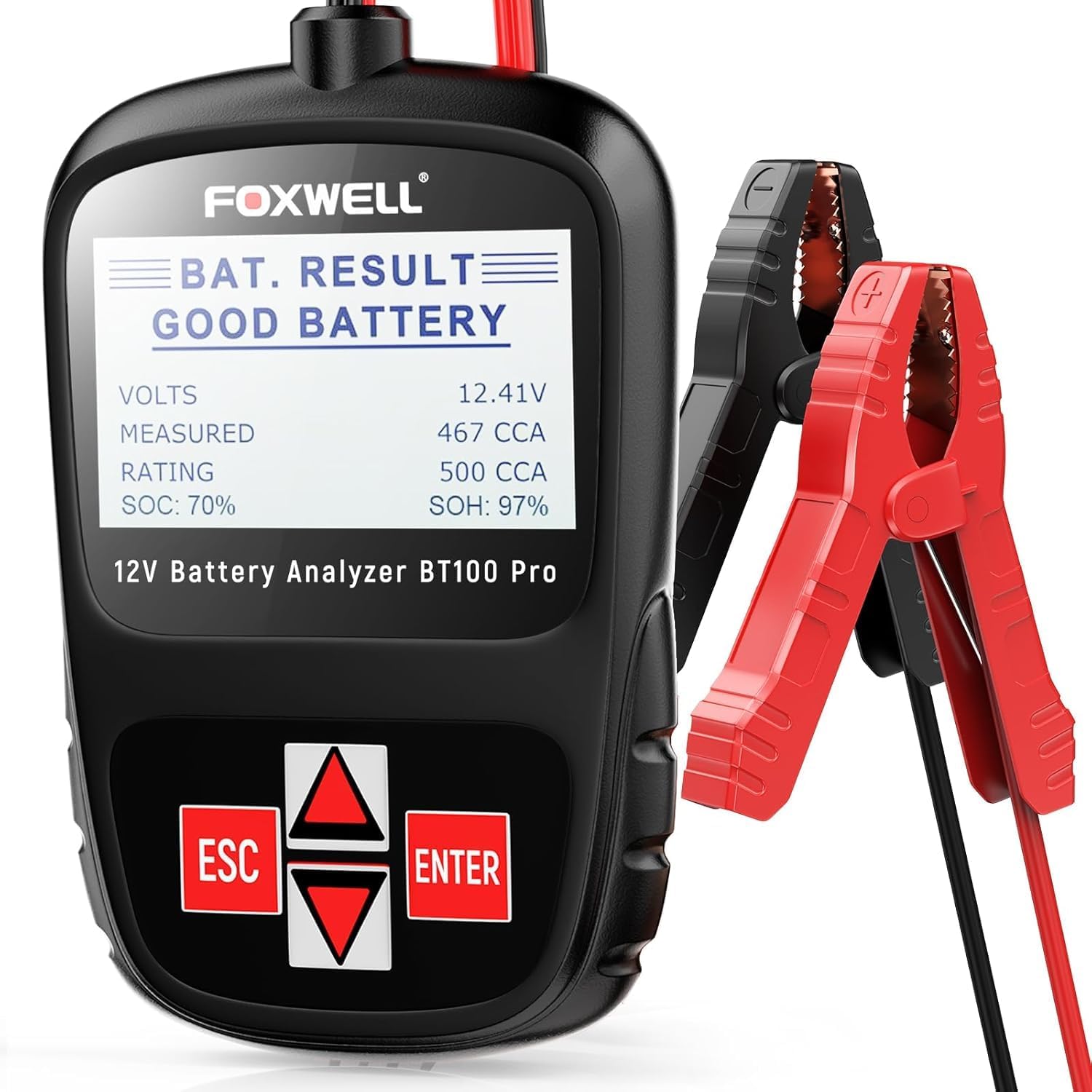
Image: The FOXWELL BT100 PRO connected to a 12V car battery, ready for testing.
Operating Instructions
The BT100 PRO features a simple interface with a large backlit LCD screen and intuitive buttons for navigation.
Performing a Battery Test
- Once powered on, the main menu will appear. Use the UP/DOWN arrow buttons to navigate and the ENTER button to select.
- Select "Battery Test" from the main menu.
- Choose the battery location: "In Vehicle" or "Out of Vehicle".
- Select the battery type: "Regular Flooded", "AGM", or "GEL".
- Select the battery standard (e.g., CCA, CA, MCA, JIS, DIN, IEC, EN, SAE). Most common is CCA.
- Enter the rated CCA (Cold Cranking Amps) of your battery. This information is usually found on the battery label. Use the UP/DOWN arrows to adjust the value and ENTER to confirm.
- The tester will then perform the analysis and display the results.

Image: The BT100 PRO displaying various test parameters such as Voltage, Rating CCA, Measured CCA, Internal Resistance, State of Charge, and State of Health.
Interpreting Test Results
The BT100 PRO provides clear results and suggestions:
- GOOD BATTERY: Battery is in good condition.
- GOOD - RECHARGE: Battery is healthy but low on charge. Fully charge before use.
- CHARGE & RETEST: Charge fully and retest. Incomplete charge may cause errors. If message persists, replace battery.
- REPLACE BATTERY: Battery failing/poor connection. Replace & retest; or disconnect cables, retest via out-of-vehicle test before replacement.
- BAD CELL - REPLACE: The battery may be damaged by a broken cell/short circuit. Replace & Retest.
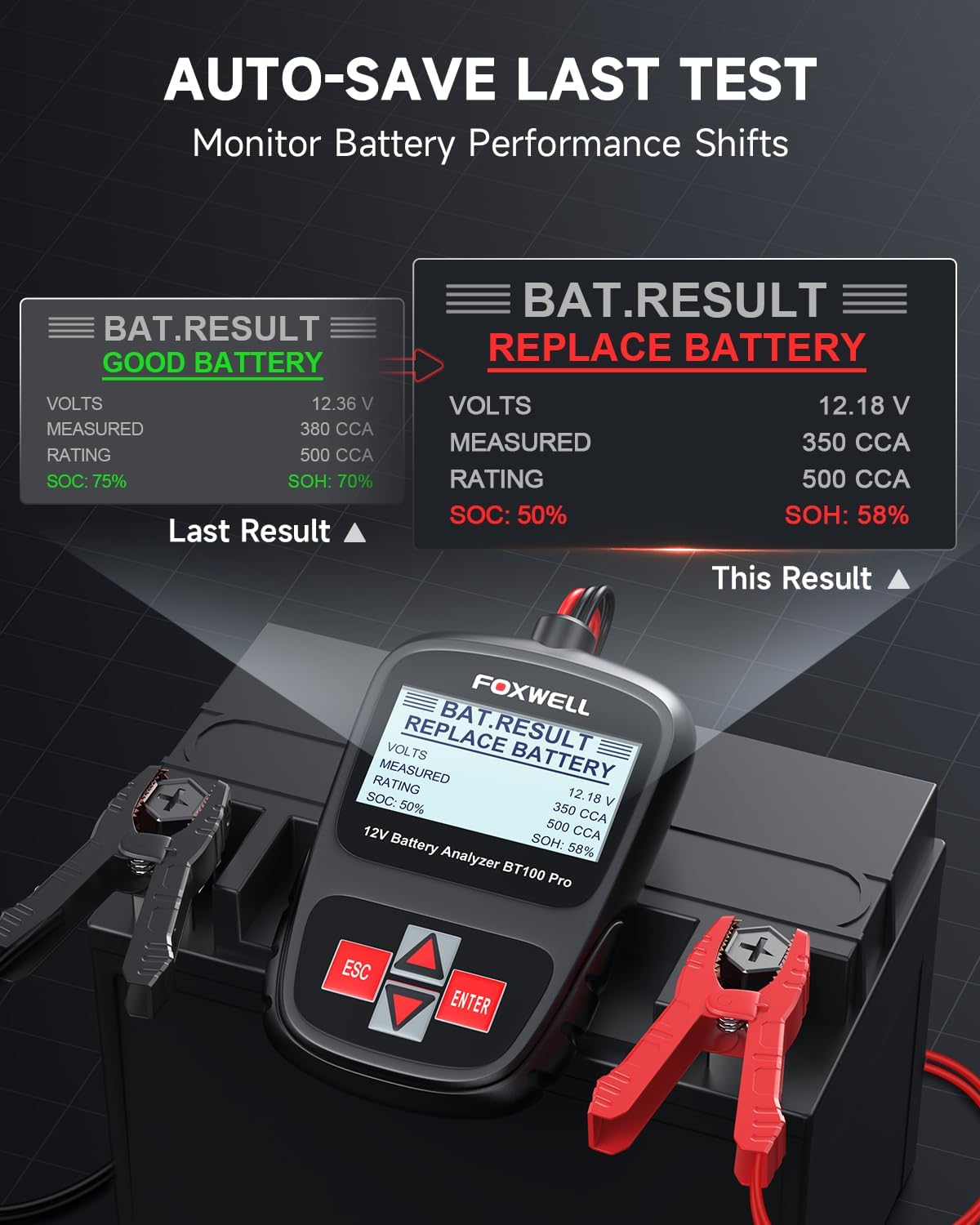
Image: The BT100 PRO showing different battery diagnostic results and suggested actions.
Video: Demonstrates how the FOXWELL BT100 Pro helps users understand battery conditions to prevent unexpected failures.
Language Settings
The BT100 PRO supports nine languages for clear and accurate insights.
- From the main menu, select "Language".
- Use the UP/DOWN arrow buttons to scroll through the available languages (English, Español, Français, Deutsch, Italiano, Português, Türk, Nederlands, Русский).
- Press ENTER to select your desired language.
Video: A short demonstration on how to change the language setting on the FOXWELL BT100 Pro.
Adjusting CCA Quickly
To quickly adjust the CCA rating during a test:
- When the "RATING" screen appears, long-press the UP or DOWN arrow button.
- The CCA value will quickly adjust, allowing for faster input.
- Release the button when near the desired value and use short presses for fine-tuning.
Video: A quick guide on how to rapidly adjust the CCA setting on the FOXWELL BT100 Pro.
Maintenance
Proper maintenance ensures the longevity and accuracy of your BT100 PRO.
Safety Protection
The device is built with comprehensive safety features:
- Reverse Polarity Protection: Prevents damage if clamps are connected incorrectly.
- Short Circuit Protection: Safeguards against electrical shorts.
- Overcurrent and Overvoltage Protection: Protects the device from excessive electrical flow.
- Durable ABS Housing: Enhances impact resistance and corrosion protection.

Image: Visual representation of the safety features integrated into the FOXWELL BT100 PRO, including reverse polarity, short circuit, and ABS shell protection.
Cleaning and Storage
- Wipe the device with a soft, dry cloth after each use.
- Do not use abrasive cleaners or solvents.
- Store the tester in a cool, dry place, away from direct sunlight and extreme temperatures.
Troubleshooting
If you encounter issues, refer to the following common problems and solutions:
- Device does not power on:
- Ensure clamps are securely connected to the correct battery terminals.
- Check for corrosion on battery terminals and clean if necessary.
- Verify the battery has sufficient voltage (above 8V) for the tester to power on.
- Inaccurate readings:
- Ensure battery terminals are clean.
- Verify correct battery type and CCA rating input.
- Ensure the battery is fully charged before testing for most accurate results.
- Perform a "CHARGE & RETEST" if suggested by the device.
- "REPLACE BATTERY" or "BAD CELL - REPLACE" message persists after recharge:
- The battery may be at the end of its lifespan or have internal damage. Consider professional assessment or replacement.

Image: The BT100 PRO's auto-save feature allows monitoring of battery performance shifts over time, aiding in early detection of decline.
Specifications
| Feature | Specification |
|---|---|
| Brand | FOXWELL |
| Model | BT100 PRO |
| Power Source | Battery Powered (from tested battery) |
| Voltage | 12 Volts |
| Measurement Type | CCA, Volts, SOC (State of Charge), SOH (State of Health), Internal resistance |
| CCA Range | 100-1100 CCA |
| Operating Temperature | 32°F to 140°F (0°C to 60°C) |
| Item Weight | 6 ounces (170 Grams) |
| Product Dimensions | 6.69 x 1.97 x 6.69 inches |
What's in the Box
- 1 x FOXWELL BT100 Pro Battery Tester
Warranty and Support
FOXWELL ensures your product arrives in perfect condition. If there's any issue with the item upon delivery, simply reach out for quick resolution and priority replacement.
The BT100 PRO comes with a 12-month maintenance period. For reliable support, visit the official FOXWELL store or contact their professional client support team.
For more information or assistance, please visit the FOXWELL Store on Amazon.
Related documentsBT100 PRO


Ask a question about this manual
Ask about setup, troubleshooting, compatibility, parts, safety, or missing instructions. Manuals+ will review the question and use this page’s manual context to help answer it.