
Product Overview
The Victorinox Lexicon Professional Lasalle 15 is a durable briefcase designed for daily commutes, offering organized storage for electronic devices and documents. It features a robust construction with high-quality materials, ensuring longevity and protection for your essentials.
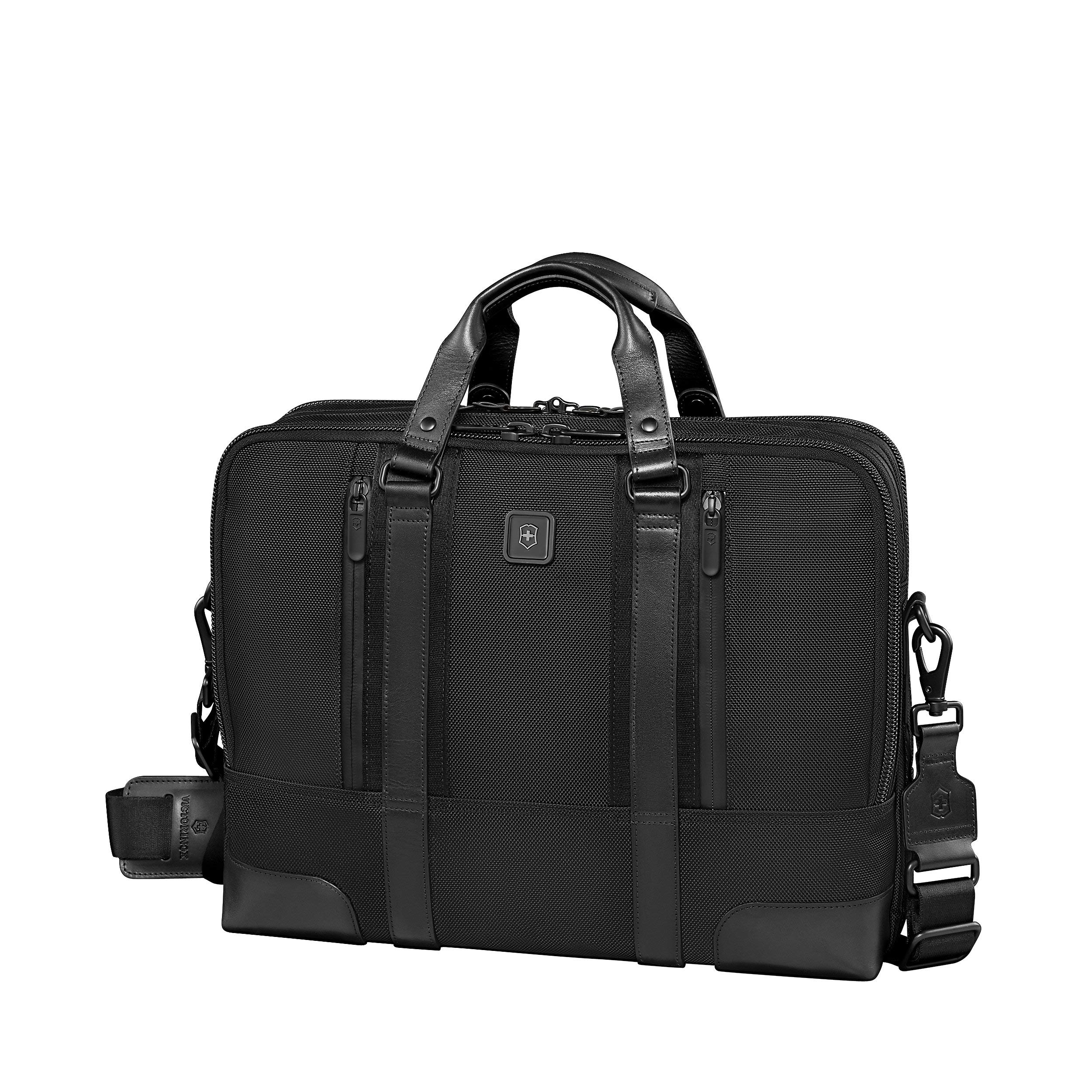
Image: The Victorinox Lexicon Professional Lasalle 15 Briefcase, showcasing its sleek black design and a laptop and tablet stored within its main compartment.
Key Features
- Padded compartment for laptops up to 15.6 inches, featuring lockable zipper sliders and Swiss-engineered protection with Lanidur fiber.
- Padded tablet/e-reader pocket with premium twill lining.
- Water-resistant zippers on laptop and accessories compartments.
- Interior organization: file divider, full-length zippered pocket, electronic device pockets, business card pockets, and pen loops.
- Exterior organization: two quick-access front pockets and a full-length rear zippered pocket that converts into a sleeve for wheeled luggage handles.
- Removable, adjustable padded shoulder strap.
- Custom YKK zipper pulls with Swiss Army Knife-inspired thumb groove.
- Premium twill lining in select interior pockets.
- Leather haul handles.
- Swiss Tracker Bag Tracking Program for lost bags.
- Global Lifetime Plus Limited Warranty.
Video: An overview of the Victorinox Lexicon Professional series, highlighting its design and features.
Setup
Attaching the Shoulder Strap
Locate the D-rings on each side of the briefcase. Attach the clasps of the adjustable shoulder strap to these D-rings securely.
Adjusting the Shoulder Strap
Use the buckle on the shoulder strap to adjust its length for comfortable carrying. Ensure the strap is not twisted and sits comfortably on your shoulder.
Registering for Swiss Tracker Bag Tracking Program
Locate the metal tag inside the briefcase. This tag contains a unique ID number. Register this ID number online with Victorinox to utilize the Swiss Tracker Bag Tracking Program, which assists in reuniting you with your bag if it is lost. Follow the instructions provided on the Victorinox website for registration.
Operating Instructions
Laptop and Tablet Storage
The main compartment features a padded section designed to hold laptops up to 15.6 inches. A separate padded pocket is available for tablets or e-readers. For larger 15.6-inch laptops, the internal protective corner pieces may need to be removed (they are secured with Velcro) to ensure a proper fit and prevent strain on the zippers.
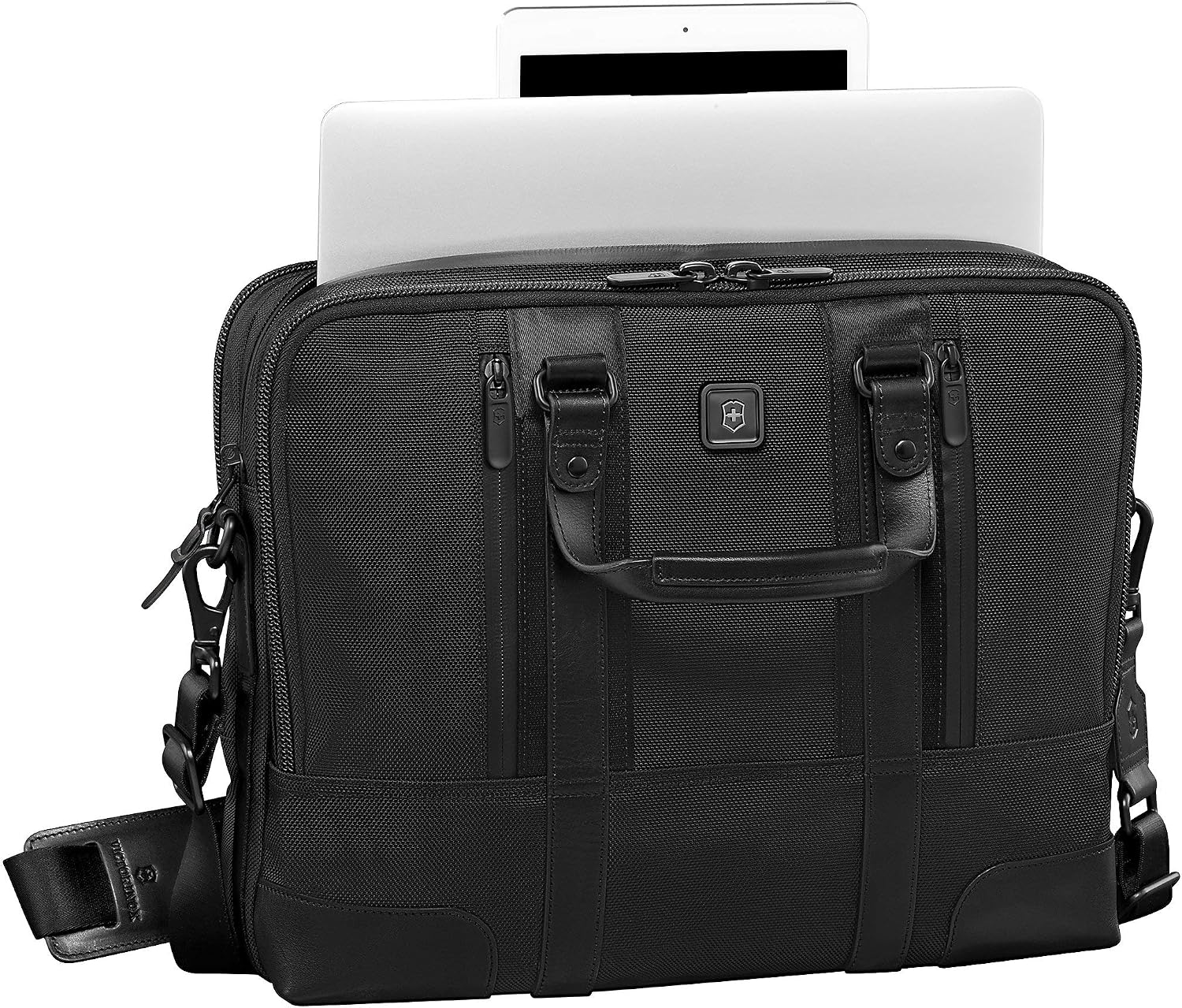
Image: A close-up view of the briefcase's main compartment, showing a laptop and tablet securely stored in their dedicated padded sleeves.
Utilizing Pockets and Organization
- Front Pockets: Two quick-access zippered pockets on the front are suitable for small items like cell phone chargers, earbuds, keys, or other small accessories that require easy retrieval.
- Interior Organizer Panel: The front main compartment includes a comprehensive organizer panel with various pockets for pens, business cards, electronic devices, and a full-length zippered pocket for documents or other essentials, keeping them neatly arranged.
- Rear Pocket / Luggage Sleeve: The full-length zippered pocket on the rear of the briefcase can be used for additional storage. Unzipping both the top and bottom zippers allows it to convert into a sleeve, enabling the briefcase to slide securely over the handle system of wheeled luggage for convenient transport.

Image: The briefcase positioned on top of a wheeled luggage, with its rear sleeve securely attached to the luggage handle.
Water-Resistant Zippers
The zippers on the laptop and accessories compartments are designed to be water-resistant, providing an extra layer of protection for your belongings against moisture. While they offer resistance, it is not fully waterproof, so avoid prolonged exposure to heavy rain.

Image: A detailed view of the custom YKK zipper pulls and the water-resistant zipper design on the briefcase.
Maintenance
Cleaning
For general cleaning, wipe the exterior of the briefcase with a damp cloth. For tougher stains, use a mild soap solution and a soft brush, then rinse thoroughly with a clean, damp cloth and air dry completely. Avoid harsh chemicals or abrasive cleaners as they may damage the material.
Leather Care
The leather haul handles can be maintained with a leather conditioner to keep them supple and prevent drying or cracking over time. Apply conditioner sparingly and buff gently with a soft cloth.
Troubleshooting
Laptop Does Not Fit
If a 15.6-inch laptop feels too tight in the padded compartment, check for removable protective corner pieces. These are typically secured with Velcro and can be removed to accommodate slightly larger devices, providing a more comfortable fit.
Lost Bag
If your briefcase is lost, utilize the Swiss Tracker Bag Tracking Program. The unique ID number found on the metal tag inside the bag can be used to help recover your item. Contact Victorinox support with the ID number for assistance.
Specifications
- Product Dimensions: 3.94 x 15.55 x 11.42 inches
- Item Weight: 2.5 pounds
- Item Model Number: 601112

Image: A side profile of the briefcase, illustrating its compact yet spacious design and overall dimensions.
Warranty and Support
Global Lifetime Plus Limited Warranty
The Victorinox Lexicon Professional Lasalle 15 Briefcase is covered by a Global Lifetime Plus Limited Warranty. This warranty covers manufacturing defects in materials and workmanship. For detailed information on warranty coverage and claims, please refer to the official Victorinox website or contact their customer service.
Customer Support
For any questions, assistance, or to utilize the Swiss Tracker Bag Tracking Program, please visit the official Victorinox website or contact their customer support channels. Contact information can typically be found in the 'Support' or 'Contact Us' section of their website.


