
1. Product Overview
This manual provides instructions for the BLACK+DECKER OEM 477831-00 Power Scrubber Replacement Brushes. These brushes are designed for use with compatible BLACK+DECKER Power Scrubbers to facilitate effective cleaning across various surfaces. The brushes are genuine replacement parts, ensuring proper fit and performance with your BLACK+DECKER tool.
2. Package Contents
- 5 x BLACK+DECKER Power Scrubber Brushes (PKSBB)
Please inspect the package contents upon receipt to ensure all items are present and undamaged.
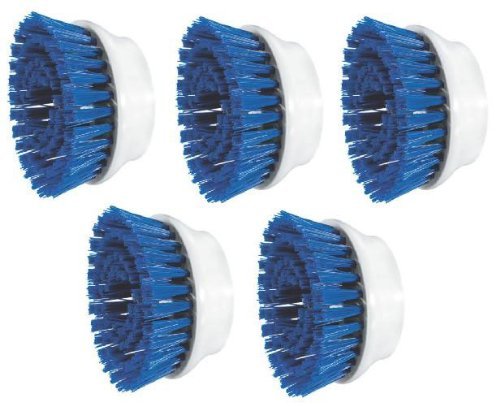
Figure 1: Five BLACK+DECKER Power Scrubber Replacement Brushes. These brushes feature a circular design with bristles, ready for attachment to a power scrubber tool.
3. Compatibility
These replacement brushes are compatible with the following BLACK+DECKER Power Scrubber models:
- PKS100
- PSK150
- PKS150D
- PKS160
- PKS175
- PKS200
- PKS200G
- PKS210
- PKS210B
Always consult your power scrubber's owner's manual for specific part number identification and compatibility verification before installation.
4. Safety Information
Before installing or using these brushes, always ensure your power scrubber is disconnected from its power source (unplugged or battery removed). Wear appropriate personal protective equipment, such as safety glasses, to protect against splashes or debris. Keep hands and loose clothing away from moving parts during operation. Do not use damaged brushes; replace them immediately.
5. Setup and Installation
- Ensure Power Scrubber is Off: Disconnect the power scrubber from its power source to prevent accidental activation.
- Remove Old Brush (if applicable): If replacing an existing brush, follow the instructions in your power scrubber's owner's manual to detach the worn brush. Typically, this involves a twist-and-lock or snap-on mechanism.
- Align New Brush: Align the new BLACK+DECKER replacement brush with the attachment point on your power scrubber. Ensure the brush is oriented correctly according to your scrubber's design.
- Attach Brush: Securely attach the brush by pushing, twisting, or snapping it into place until it is firmly seated. Verify that the brush is locked and will not detach during operation.
- Reconnect Power: Once the brush is securely installed, reconnect the power scrubber to its power source.
Refer to your specific BLACK+DECKER Power Scrubber owner's manual for detailed installation instructions and diagrams.
6. Operating Instructions
These brushes are designed for effective scrubbing on various surfaces. Always follow the operating instructions provided in your BLACK+DECKER Power Scrubber's owner's manual.
- Surface Application: These brushes are suitable for cleaning floors, glass, grout, metal, plastic, porcelain, stone, tile, vinyl, and wood surfaces.
- Cleaning Agents: Use with appropriate cleaning solutions as recommended for your power scrubber and the surface being cleaned.
- Gentle Pressure: Apply light to moderate pressure. Excessive force is generally not required and can reduce brush life or damage surfaces.
- Test Area: Always test the brush and cleaning solution on an inconspicuous area first to ensure compatibility and prevent damage.
7. Maintenance
Proper maintenance extends the life of your brushes and ensures optimal performance.
- Cleaning: After each use, remove the brush from the power scrubber and rinse it thoroughly under running water to remove dirt, debris, and cleaning solution residue.
- Drying: Allow the brush to air dry completely before storing. Do not store wet brushes, as this can lead to mildew or damage.
- Inspection: Regularly inspect brushes for wear, damage, or excessive bristle deformation. Replace brushes when bristles become worn, bent, or ineffective.
- Storage: Store brushes in a clean, dry place away from direct sunlight and extreme temperatures.
8. Troubleshooting
- Brush Does Not Fit: Ensure you have the correct replacement brush model (PKSBB) for your BLACK+DECKER Power Scrubber. Refer to the compatibility list in Section 3 and your scrubber's owner's manual.
- Brush Wears Quickly: Excessive pressure during scrubbing or use on highly abrasive surfaces can accelerate wear. Ensure you are using appropriate pressure and the correct brush type for the task.
- Ineffective Cleaning: If the brush is not cleaning effectively, it may be worn out and require replacement. Ensure the brush is clean and free of debris.
9. Specifications
| Feature | Specification |
|---|---|
| Brand | BLACK+DECKER |
| Model Number (Manufacturer Part Number) | PKSBB-5PK |
| Material | Plastic |
| Number of Items | 5 |
| Product Firmness | Medium |
| Item Weight | 0.27 g (per brush, approximate) |
| Reusable | Yes |
| Compatible Scrubber Models | PKS100, PSK150, PKS150D, PKS160, PKS175, PKS200, PKS200G, PKS210, PKS210B |
| Surface Recommendation | Floor, Glass, Grout, Metal, Plastic, Porcelain, Stone, Tile, Vinyl, Wood |
10. Warranty and Support
For warranty information or technical support regarding your BLACK+DECKER Power Scrubber or these replacement brushes, please refer to the documentation included with your original power scrubber tool or visit the official BLACK+DECKER website. You may also contact BLACK+DECKER customer service directly for assistance.