
1. Introduction and Product Overview
The Einhell TC-CD 18-2 Li is a versatile cordless drill/screwdriver designed for a wide range of drilling and screwdriving applications in domestic, workshop, and garage environments. This tool offers convenience and efficiency without the need for a power cord.
Key features include:
- Ergonomic design with a soft grip for comfortable handling.
- 2-speed gearbox for powerful screwdriving and efficient drilling.
- Automatic spindle lock for quick and easy bit changes.
- Integrated bright LED light to illuminate the work area.
- Supplied with two 18V Lithium-Ion batteries, a charger, and a robust carrying case.

Figure 1: Einhell TC-CD 18-2 Li Cordless Drill with battery installed.
2. Safety Instructions
Always observe the following safety precautions when operating the cordless drill/screwdriver to prevent electric shock, injury, and fire.
General Power Tool Safety Warnings
- Work Area Safety: Keep your work area clean and well-lit. Cluttered or dark areas invite accidents. Do not operate power tools in explosive atmospheres, such as in the presence of flammable liquids, gases, or dust.
- Electrical Safety: Avoid body contact with earthed or grounded surfaces such as pipes, radiators, ranges, and refrigerators. There is an increased risk of electric shock if your body is earthed or grounded.
- Personal Safety: Always wear eye protection. Use safety equipment such as dust masks, non-skid safety shoes, hard hats, or hearing protection when appropriate. Dress properly; do not wear loose clothing or jewelry. Keep hair, clothing, and gloves away from moving parts.
- Tool Use and Care: Do not force the power tool. Use the correct power tool for your application. Do not use the power tool if the switch does not turn it on and off. Disconnect the battery pack from the power tool before making any adjustments, changing accessories, or storing power tools.
- Battery Tool Use and Care: Recharge only with the charger specified by the manufacturer. Use power tools only with specifically designated battery packs. When battery pack is not in use, keep it away from other metal objects.
- Service: Have your power tool serviced by a qualified repair person using only identical replacement parts. This will ensure that the safety of the power tool is maintained.
3. Product Components
Familiarize yourself with the parts of your Einhell TC-CD 18-2 Li cordless drill/screwdriver.
- Keyless Chuck
- Torque Setting Ring
- Gear Selector Switch (2-speed)
- Forward/Reverse Rotation Switch
- Trigger Switch (with electronic speed control)
- Soft Grip Handle
- LED Work Light
- Battery Pack
- Battery Charger
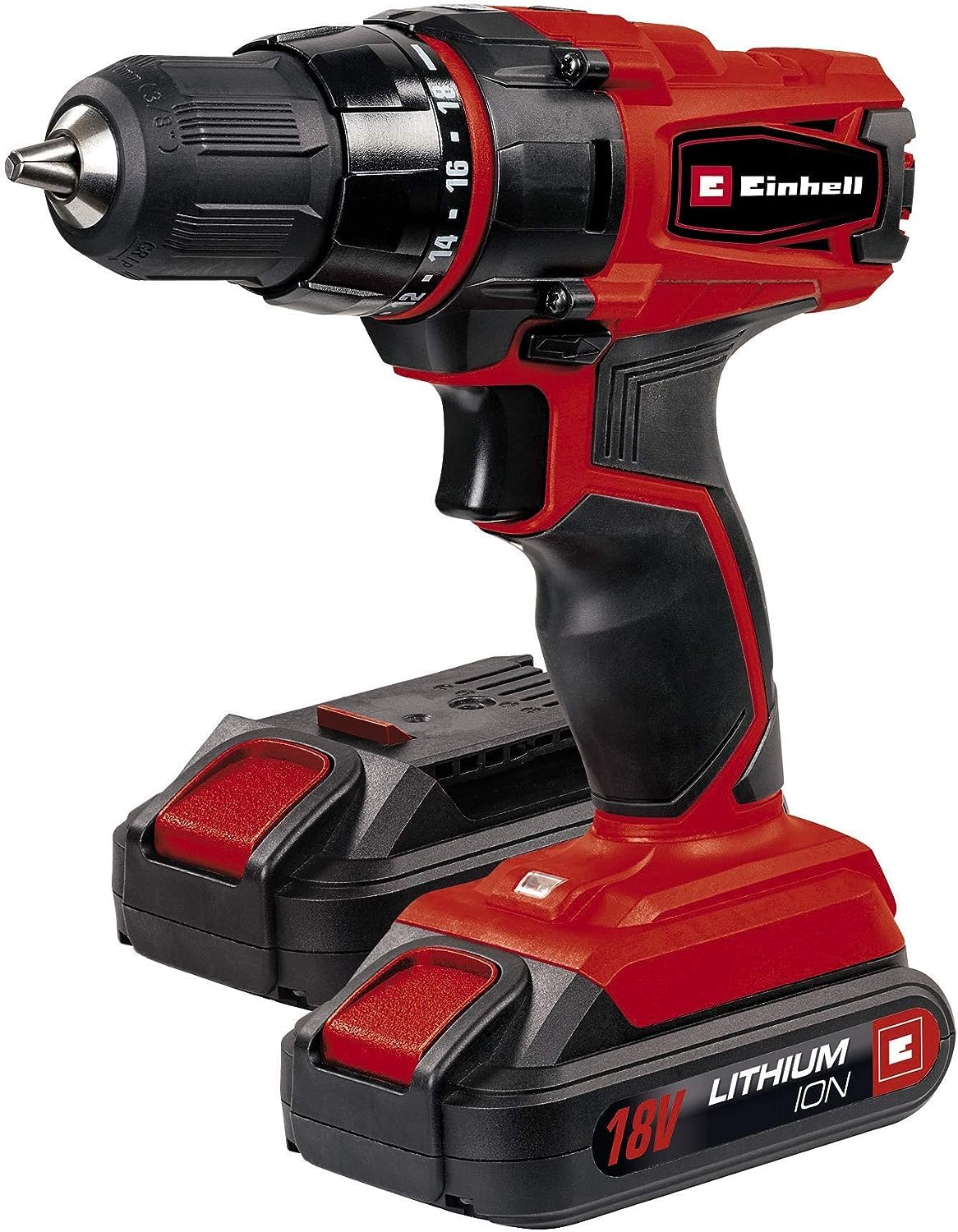
Figure 2: Two 18V Lithium-Ion batteries and charger.

Figure 3: Ergonomic soft grip handle for comfortable operation.
4. Setup
4.1 Charging the Battery
Before first use, fully charge the battery pack. Connect the charger to a suitable power outlet. Insert the battery pack into the charger. The charging indicator lights on the charger will show the charging status. Once fully charged, disconnect the battery from the charger.

Figure 4: Typical charging time for a 1.5 Ah battery is 3-5 hours.
4.2 Installing and Removing the Battery Pack
- Installation: Slide the charged battery pack into the base of the drill until it clicks securely into place.
- Removal: Press the release button on the battery pack and slide it out from the drill.
4.3 Installing and Removing Drill/Screwdriver Bits
The drill features a keyless chuck for easy bit changes.
- Installation: Rotate the chuck counter-clockwise until the jaws are open wide enough to insert the bit. Insert the bit fully and then rotate the chuck clockwise to tighten it securely. The automatic spindle lock assists in this process.
- Removal: Rotate the chuck counter-clockwise to loosen the jaws and remove the bit.
5. Operating Instructions
5.1 Speed Selection
The drill has a 2-speed gearbox. Use the gear selector switch on top of the drill to choose between:
- Gear 1 (Low Speed, High Torque): Ideal for screwdriving and drilling large diameters.
- Gear 2 (High Speed, Low Torque): Suitable for drilling small diameters and faster work.

Figure 5: The drill features a 2-speed gearbox.
5.2 Torque Setting
The torque setting ring allows you to adjust the amount of torque applied before the clutch disengages. This prevents overtightening screws or damaging the workpiece.
- Select a lower setting for smaller screws and softer materials.
- Select a higher setting for larger screws and harder materials.
- For drilling, set the ring to the drill symbol for maximum torque.

Figure 6: The drill provides up to 38 Nm of torque.
5.3 Forward/Reverse Rotation
The forward/reverse switch located above the trigger controls the direction of rotation. Push the switch to the left for forward rotation (screwing in/drilling) and to the right for reverse rotation (unscrewing).
5.4 Trigger Switch and LED Work Light
Press the trigger switch to start the drill. The electronic speed control allows you to vary the speed by applying more or less pressure to the trigger. The integrated LED work light automatically illuminates the work area when the trigger is pressed, improving visibility in dimly lit spaces.

Figure 7: Electronic speed control for precise operation.
6. Maintenance
6.1 Cleaning
Keep the ventilation slots of the drill clean to prevent overheating. Wipe the tool housing with a soft, damp cloth. Do not use abrasive cleaners or solvents. Regularly clean the chuck jaws to ensure proper gripping of bits.
6.2 Battery Care and Storage
- Store batteries in a cool, dry place away from direct sunlight and extreme temperatures.
- Do not store fully discharged batteries for extended periods. Charge them periodically.
- If the battery pack is not used for a long time, recharge it every 3-6 months.
6.3 General Inspection
Periodically inspect the tool for any signs of damage, loose screws, or worn parts. If any damage is found, have the tool repaired by a qualified service technician before further use.
7. Troubleshooting
| Problem | Possible Cause | Solution |
|---|---|---|
| Drill does not start. | Battery discharged or not properly inserted. | Charge the battery. Ensure battery is securely clicked into place. |
| Insufficient power during operation. | Battery low or incorrect gear/torque setting. | Recharge battery. Select a lower gear (Gear 1) or higher torque setting. |
| Bit slips in chuck. | Chuck not tightened sufficiently or bit shank is dirty/damaged. | Tighten chuck firmly. Clean or replace the bit. |
| Overheating. | Blocked ventilation slots or continuous heavy use. | Clean ventilation slots. Allow tool to cool down. Reduce load. |
8. Specifications
| Model | TC-CD 18-2 Li |
| Manufacturer | Einhell |
| Model Number | 4513820 |
| Voltage | 18 Volts |
| Battery Type | Lithium-Ion |
| Battery Capacity | 1300 mAh (1.3 Ah) |
| Number of Gears | 2 |
| Max Torque | 38 Newton-Meters (Nm) |
| Max Rotation Speed | 180 RPM |
| Product Weight | 980 g |
| Product Dimensions (L x W x H) | 31 x 9.63 x 29.3 cm |
| Special Features | Integrated LED work light, Automatic spindle lock |

Figure 8: The product includes two 18V Lithium-Ion batteries.
9. Warranty and Support
For warranty information and customer support, please refer to the official Einhell website or contact your local Einhell service center. Keep your purchase receipt as proof of purchase for any warranty claims.
Online Support: Visit www.einhell.com for product registration, FAQs, and service contact details.


