
Introduction
This manual provides comprehensive instructions for the assembly, safe operation, and proper maintenance of your Soundsation FMS20-3 Triple Guitar and Bass Stand. Please read this manual thoroughly before using the product to ensure correct setup and to maximize the lifespan of your stand. Keep this manual for future reference.
Setup Instructions
Follow these steps to correctly assemble and set up your Soundsation FMS20-3 stand:
- Unpack Components: Carefully remove all parts from the packaging. Verify that all components are present and undamaged.
- Unfold the Frame: Gently unfold the main frame of the stand until it forms a stable, open structure. Ensure all hinges and joints are fully extended.
- Secure Support Arms: Position the instrument support arms and neck holders into their designated slots. Ensure they are firmly seated and aligned.
- Tighten Adjustment Knobs: Locate any adjustment knobs or locking mechanisms (as shown in the detail image below) and tighten them securely to prevent movement and ensure the stand's stability. Do not overtighten.
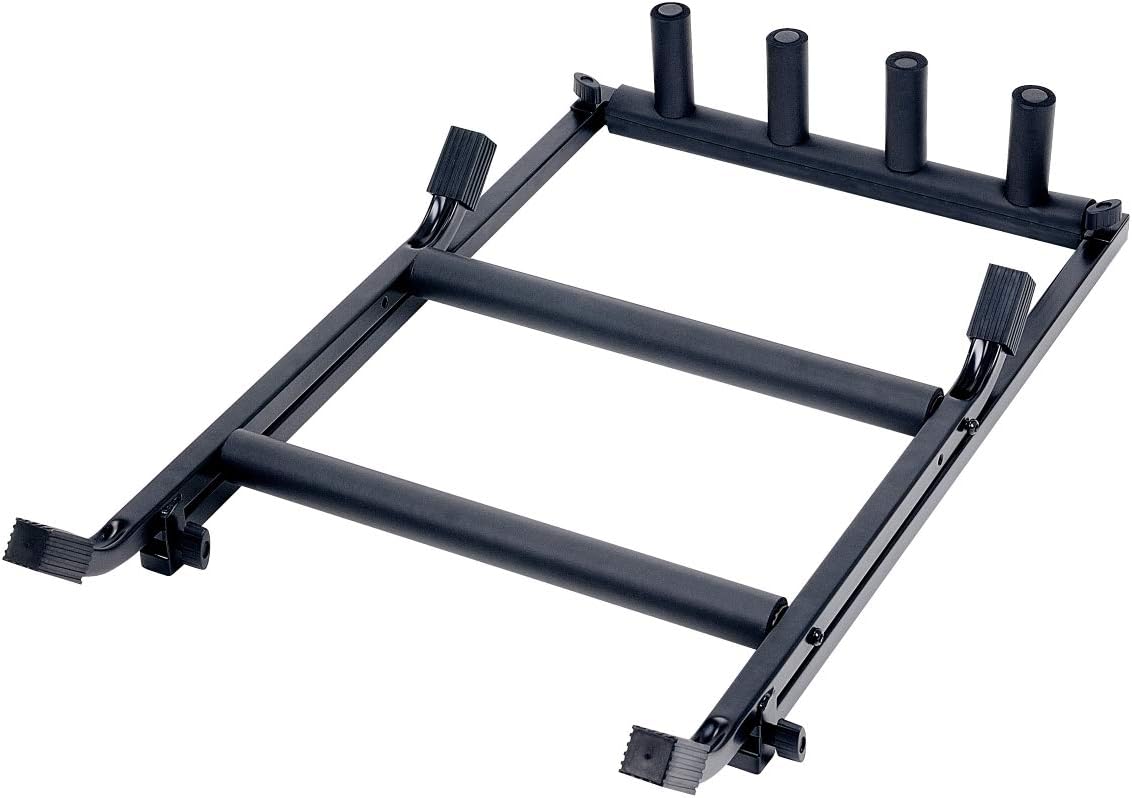
Image 1: The Soundsation FMS20-3 stand in a partially folded or unassembled state, showing its main frame and support components.
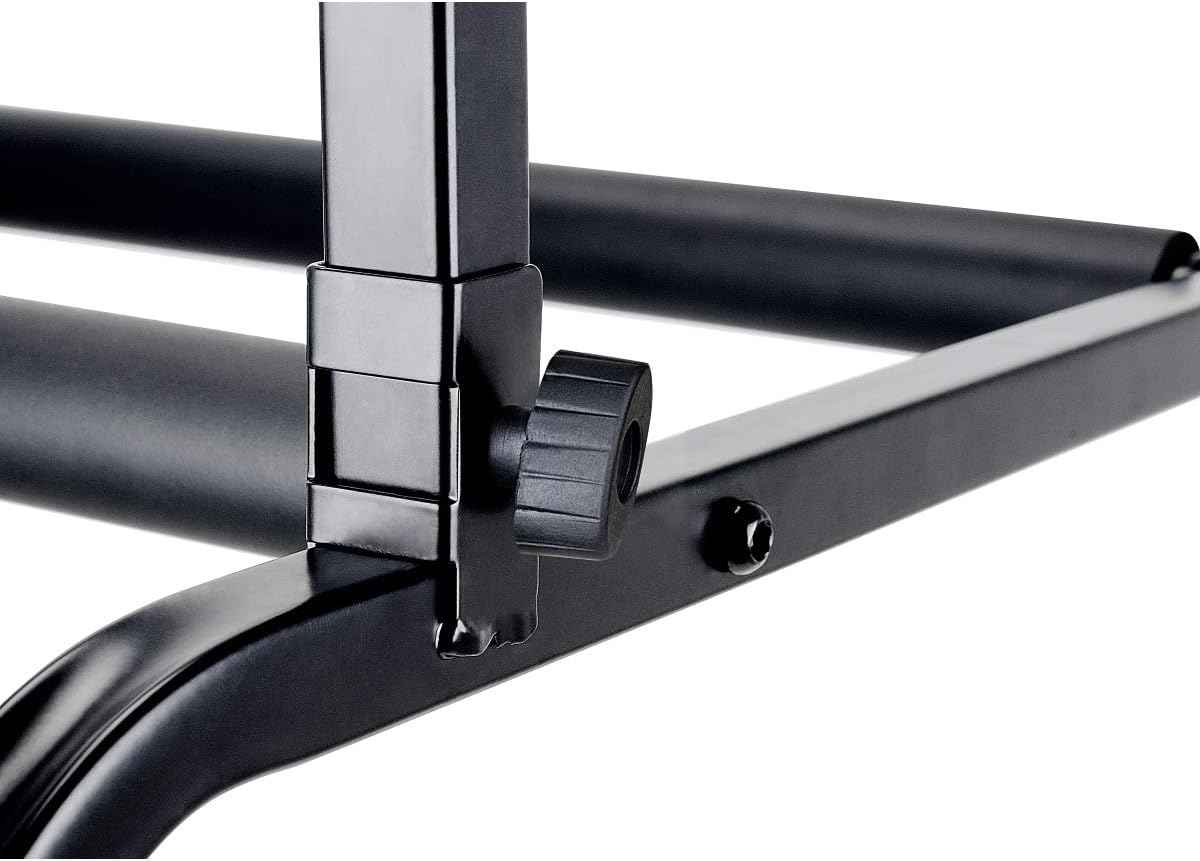
Image 2: A close-up view of an adjustment knob on the stand, used for securing components and ensuring stability.
After assembly, place the stand on a flat, level surface to ensure maximum stability before placing any instruments.
Operating Instructions
The Soundsation FMS20-3 stand is designed to hold up to three guitars or basses. Follow these guidelines for safe operation:
- Instrument Placement: Carefully place each instrument onto the stand, ensuring that the body rests securely on the padded lower supports and the neck is cradled by the padded neck holders.
- Balance: Distribute the weight of the instruments evenly across the stand. Avoid placing all instruments on one side if the other side is empty, as this may compromise stability.
- Capacity: Do not exceed the stand's maximum capacity of three instruments. Overloading can lead to instability and potential damage to your instruments or the stand.
- Environment: Place the stand in a location where it is unlikely to be bumped or knocked over. Keep it away from high-traffic areas, pets, and small children.
Maintenance
Regular maintenance will help prolong the life of your Soundsation FMS20-3 stand:
- Cleaning: Wipe the stand with a soft, dry cloth to remove dust and dirt. For stubborn marks, a slightly damp cloth can be used, followed by immediate drying. Avoid abrasive cleaners or solvents.
- Inspect Padding: Periodically check the foam padding on the support arms and neck holders for any signs of wear, tears, or deterioration. Damaged padding should be replaced to protect your instruments.
- Check Connections: Regularly inspect all screws, bolts, and adjustment knobs to ensure they are tight. Re-tighten any loose connections to maintain the stand's structural integrity.
- Storage: When not in use for extended periods, the stand can be folded for compact storage. Store it in a dry environment away from extreme temperatures.
Troubleshooting
If you encounter issues with your Soundsation FMS20-3 stand, consider the following:
- Stand Instability:
- Ensure the stand is placed on a completely flat and level surface.
- Verify that all adjustment knobs and screws are securely tightened.
- Check that the main frame is fully extended and locked into position.
- Instruments Slipping:
- Inspect the padded supports and neck holders for wear or damage. Replace if necessary.
- Ensure instruments are properly seated and balanced on the stand.
- Difficulty Folding/Unfolding:
- Check for any obstructions in the hinges or joints.
- Ensure no components are bent or damaged, preventing smooth movement.
If problems persist, contact your retailer or Soundsation customer support for further assistance.
Specifications
| Model Number | FMS20-3 |
| Manufacturer | SOUNDSATION |
| Capacity | 3 Guitars or Basses |
| Item Weight | 3 Kilograms |
| Package Dimensions | 63 x 12 x 12 cm |
Warranty and Support
For information regarding product warranty, returns, or technical support, please refer to the documentation provided at the time of purchase or contact your authorized Soundsation retailer. You may also visit the official Soundsation website for customer service contact details.


