
Introduction
This manual provides detailed instructions and essential information for the safe and efficient operation, maintenance, and repair of your Nissan Micra, covering models produced from 2003 to 2010. Familiarizing yourself with this manual will help you understand your vehicle's features, ensure its longevity, and maintain its performance.
Please read all sections carefully before operating or performing any maintenance on your vehicle. Keep this manual in your vehicle for future reference.
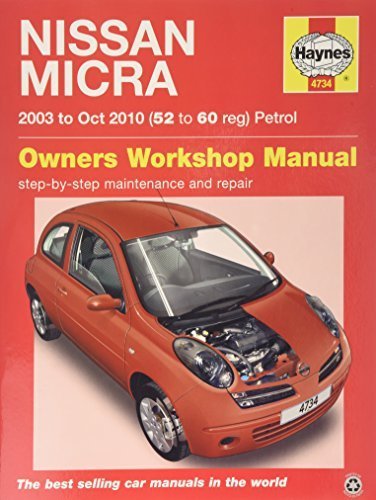
Image: Front cover of the Nissan Micra Owner's Workshop Manual, depicting the vehicle model. This manual serves as a comprehensive guide for owners.
Setup and Initial Adjustments
Before driving your Nissan Micra, ensure all initial adjustments are made for comfort and safety.
1. Seat Position
- Adjust the seat forward or backward until your feet can comfortably reach the pedals.
- Adjust the seatback angle for optimal posture and comfort.
- Ensure the headrest is positioned correctly to support the back of your head.
2. Steering Wheel Adjustment
Locate the lever beneath the steering column. Pull it down to unlock, adjust the steering wheel to a comfortable height and reach, then push the lever up to lock it in place.
3. Mirror Adjustment
- Adjust the interior rearview mirror to provide a clear view of the rear window.
- Use the control switch on the driver's door panel to adjust the exterior side mirrors for maximum rearward visibility.
Image description: An illustration or photograph showing the driver's seat and steering wheel adjustment levers. This visual aid would demonstrate the correct method for adjusting these components.
Operating Your Nissan Micra
This section covers the basic operation of your vehicle's controls and driving procedures.
1. Starting the Engine
- Ensure the parking brake is engaged.
- For manual transmission, depress the clutch pedal fully. For automatic transmission, ensure the gear selector is in 'P' (Park) or 'N' (Neutral).
- Insert the key into the ignition switch and turn it to the 'START' position. Release the key once the engine starts.
- Allow the engine to idle for a few moments before driving, especially in cold weather.
2. Dashboard Indicators
Familiarize yourself with the warning lights and indicators on your dashboard. Consult the manual immediately if any critical warning light illuminates during operation.
| Indicator | Meaning |
|---|---|
| Oil Pressure Warning Light | Indicates low engine oil pressure. Stop immediately and check oil level. |
| Battery Charge Warning Light | Indicates a problem with the charging system. |
| Brake System Warning Light | Indicates low brake fluid or a brake system malfunction. |
Image description: A detailed diagram of the Nissan Micra dashboard, highlighting various gauges, warning lights, and control buttons. This image would help users identify and understand each indicator.
Maintenance Schedule and Procedures
Regular maintenance is crucial for the safety, reliability, and longevity of your Nissan Micra. Adhere to the recommended service intervals.
1. Daily/Weekly Checks
- Check tire pressure and condition.
- Verify all exterior lights are functioning (headlights, tail lights, turn signals, brake lights).
- Check fluid levels: engine oil, coolant, brake fluid, windshield washer fluid.
- Inspect wiper blades for wear.
2. Scheduled Maintenance
Refer to the detailed maintenance schedule in your full workshop manual for specific intervals (e.g., every 10,000 km or 6 months).
| Interval | Service Item |
|---|---|
| Every 10,000 km / 6 months | Engine oil and filter change, tire rotation, general inspection. |
| Every 20,000 km / 12 months | Air filter replacement, cabin filter replacement, brake inspection. |
| Every 40,000 km / 24 months | Spark plug replacement (if applicable), fuel filter replacement, transmission fluid check. |
Image description: A diagram illustrating the location of key fluid reservoirs (engine oil, coolant, brake fluid) under the hood of a Nissan Micra, with labels for easy identification.
Troubleshooting Common Issues
This section provides guidance on addressing common operational problems. For complex issues, consult a qualified technician.
1. Engine Will Not Start
- Check Battery: Ensure battery terminals are clean and tight. If the battery is dead, jump-start the vehicle.
- Check Fuel Level: Confirm there is sufficient fuel in the tank.
- Immobilizer System: Ensure you are using the correct key. If the security indicator light is flashing rapidly, the immobilizer may be active.
- Starter Motor: Listen for clicking sounds when turning the key. This may indicate a faulty starter motor.
2. Warning Light Illuminated
- Check Engine Light: This indicates an emission control system malfunction. It is advisable to have the vehicle inspected by a service center.
- Low Tire Pressure Warning: Check all tire pressures and inflate to the recommended levels.
- Brake Warning Light: Stop the vehicle safely and check brake fluid level. Do not drive if the light remains on after checking fluid.
Image description: A flowchart illustrating common troubleshooting steps for a "car won't start" scenario, guiding the user through checks like battery, fuel, and ignition.
Technical Specifications
Key technical specifications for the Nissan Micra (K12 series, 2003-2010 models). Note that specifications may vary slightly based on year, trim level, and region.
| Category | Specification |
|---|---|
| Engine Options | 1.0L, 1.2L, 1.4L, 1.6L Petrol; 1.5L Diesel |
| Transmission | 5-speed Manual, 4-speed Automatic, CVT |
| Fuel Tank Capacity | Approx. 46 Liters (12.2 US Gallons) |
| Dimensions (L x W x H) | Approx. 3715 x 1660 x 1525 mm |
| Curb Weight | Approx. 940 - 1090 kg |
Image description: A technical drawing or blueprint of the Nissan Micra (K12), showing key dimensions and structural components.
Warranty Information
Your Nissan Micra is covered by a comprehensive warranty provided by Nissan. The specific terms and duration of your warranty may vary based on your region and the vehicle's purchase date.
- New Vehicle Limited Warranty: Typically covers basic components for a specified period or mileage (e.g., 3 years/60,000 km).
- Powertrain Limited Warranty: Covers engine, transmission, and drivetrain components for a longer period (e.g., 5 years/100,000 km).
- Corrosion Perforation Limited Warranty: Covers rust-through on body panels.
- Roadside Assistance: Often included for the duration of the new vehicle warranty.
For complete details regarding your vehicle's warranty coverage, exclusions, and claims procedures, please refer to the separate Warranty Information Booklet provided with your vehicle or contact your authorized Nissan dealer.
Customer Support and Service
Should you require assistance, service, or have questions regarding your Nissan Micra, several resources are available.
- Authorized Nissan Dealers: Your primary resource for maintenance, repairs, genuine parts, and warranty service. Locate your nearest dealer via the official Nissan website.
- Nissan Customer Service: For general inquiries, feedback, or assistance, contact Nissan's customer service line. Contact details are typically available on the official Nissan website for your region.
- Official Nissan Website: www.nissan.ca (or your regional equivalent) provides access to owner's manuals, service information, and dealer locators.
- Roadside Assistance: If your vehicle is covered by roadside assistance, keep the contact number readily available in case of an emergency.
When contacting support, please have your vehicle's Vehicle Identification Number (VIN) and current mileage available.


