
SINGCALL SC-R16 160 1-2
SINGCALL Home Caring Alarm System User Manual
Model: SC-R16 160 1-2
Brand: SINGCALL
1. Product Overview
The SINGCALL Home Caring Alarm System is a wireless caregiver pager and nurse calling alert system designed for elderly, senior patients, and children. It provides a convenient and reliable way to signal for assistance, ensuring peace of mind for both caregivers and those in need of care. The system includes a plug-in receiver and two portable call buttons.

Image 1.1: The SINGCALL Home Caring Alarm System, showing the main receiver unit and two call buttons with lanyards.
Key Features:
- SC-R16 Receiver: Features a red indicator light that blinks with a loud beep prompt, lasting up to 15 seconds (or until canceled). It can adapt to up to ten SINGCALL call pagers.
- External Antenna: Provides an ultra-long receiving distance for reliable communication.
- Compact Design: Small-sized and exquisite receiver with 'Initialize' and 'Register;Cancel' buttons.
- APE160 Call Buttons: Rounded and lightweight for comfortable wear.
- Dual Hanging Options: Can be hung around the neck or fastened on the waist using the included lanyard and clasp.
- Marked Button: Features a prominent orange button for easy and convenient calling, suitable for various users including the elderly, patients, children, and patrol officers.
- Stable Signal: Ensures long-distance reception and reliable performance.
2. Components
The SINGCALL Home Caring Alarm System package typically includes the following components:
- 1 x SC-R16 Plug-in Receiver Unit
- 2 x APE160 Call Buttons (with lanyards)
- 1 x Power Adapter for Receiver
- User Manual (this document)

Image 2.1: The SC-R16 Plug-in Receiver Unit, showing the 'Initialize', 'Register', and 'Cancel' buttons, and the external antenna.

Image 2.2: An APE160 Call Button with its orange lanyard, highlighting the large red call button.
3. Setup Instructions
Follow these steps to set up your SINGCALL Home Caring Alarm System:
- Unpack Components: Carefully remove all components from the packaging.
- Power the Receiver: Plug the SC-R16 receiver into a standard 100-240VAC 50/60Hz wall outlet using the provided power adapter. The receiver will power on.
- Install Call Button Batteries: The APE160 call buttons require 2 x 12V batteries. Open the battery compartment on the back of each call button and insert the batteries, ensuring correct polarity.
- Pairing Call Buttons with Receiver:
- Press the 'Register' button on the SC-R16 receiver. The indicator light will start blinking rapidly.
- Within 10 seconds, press the red call button on one of the APE160 units. The receiver will beep and the indicator light will stop blinking, confirming successful pairing.
- Repeat the process for the second APE160 call button.
- To pair additional call buttons (up to 10 total), repeat the 'Register' process for each new button.
- Placement:
- Place the SC-R16 receiver in a central location where the alert can be easily heard by the caregiver. Ensure it is within range of the call buttons.
- The call buttons can be worn by the user around the neck using the lanyard or fastened to the waist.

Image 3.1: Illustrative diagram of the wireless system's range within a home environment, showing the receiver and call button communicating.
4. Operating Instructions
Using the SINGCALL Home Caring Alarm System is straightforward:
- Initiating a Call: When assistance is needed, the user simply presses the large red button on the APE160 call button.
- Receiver Alert: Upon receiving the signal, the SC-R16 receiver will emit a loud beep and its red indicator light will blink. The alert will continue for approximately 15 seconds.
- Canceling the Alert: To stop the alert on the receiver, press the 'Cancel' button on the SC-R16 receiver.
- Testing the System: It is recommended to regularly test the system to ensure proper functionality. Press a call button and verify that the receiver alerts.
Demonstration Videos:
SC-R16 Receiver and Call Button APE160 Demonstration
Video 4.1: This video demonstrates the basic operation of the SC-R16 receiver and the APE160 call button, showing how pressing the call button triggers an alert on the receiver.
SC-R16 Match with 160, 510, 520, 520C
Video 4.2: This video illustrates the compatibility and pairing process of the SC-R16 receiver with various SINGCALL call buttons, including the APE160.
5. Maintenance
To ensure the longevity and optimal performance of your SINGCALL Home Caring Alarm System, follow these maintenance guidelines:
- Cleaning: Wipe the receiver and call buttons with a soft, dry cloth. Do not use abrasive cleaners or immerse units in water.
- Battery Replacement (Call Buttons): The APE160 call buttons are powered by 12V batteries. If the signal range decreases or the button becomes unresponsive, replace the batteries. Refer to Section 3 for battery installation.
- Receiver Power: Ensure the receiver remains plugged into a reliable power source.
- Environmental Conditions: Keep the units away from extreme temperatures, direct sunlight, and high humidity. The call buttons are designed to be waterproof, sun-protection, dustproof, and shockproof, but prolonged exposure to harsh conditions should be avoided.
6. Troubleshooting
If you encounter issues with your SINGCALL Home Caring Alarm System, refer to the following troubleshooting tips:
| Problem | Possible Cause | Solution |
|---|---|---|
| Receiver does not alert when button is pressed. |
|
|
| Receiver alerts intermittently or falsely. |
|
|
| Alert sound is too quiet. |
|
|
7. Specifications

Image 7.1: Detailed product parameter diagram for the SC-R16 receiver, showing dimensions and key features.
| Feature | Detail |
|---|---|
| Model Number | SC-R16 160 1-2 |
| Brand | SINGCALL |
| Receiver Power Input | 100-240VAC 50/60Hz |
| Call Button Battery | 2 x 12V batteries (required) |
| Receiver Prompt Time | 15 seconds |
| Frequency | 433.92MHz |
| Maximum Range | 1600 Feet (approx. 487 meters) |
| Receiver Dimensions (L x W x T) | 3.39 x 1.69 x 0.59 inches (86 x 43 x 15 mm) |
| Receiver Weight | 0.352 ounces (approx. 10 grams) |
| Material Type | ABS |
| Color | Orange (Receiver), White/Orange (Call Buttons) |
8. Safety Warnings
Please read and adhere to the following safety warnings to prevent injury or damage:
- CHOKING HAZARD: Small parts are not for children under 3 years or any individuals who have a tendency to place inedible objects in their mouths. Keep call buttons and their lanyards out of reach of small children to prevent strangulation or choking.
- Battery Safety: Do not mix old and new batteries. Do not mix alkaline, standard (carbon-zinc), or rechargeable (nickel-cadmium) batteries. Dispose of used batteries properly according to local regulations.
- Water Exposure: While call buttons are designed to be waterproof, avoid prolonged submersion. The receiver unit is not waterproof and should be kept dry.
- Electrical Safety: Only use the provided power adapter with the receiver. Do not attempt to open or repair the receiver or call buttons yourself. Refer all servicing to qualified personnel.
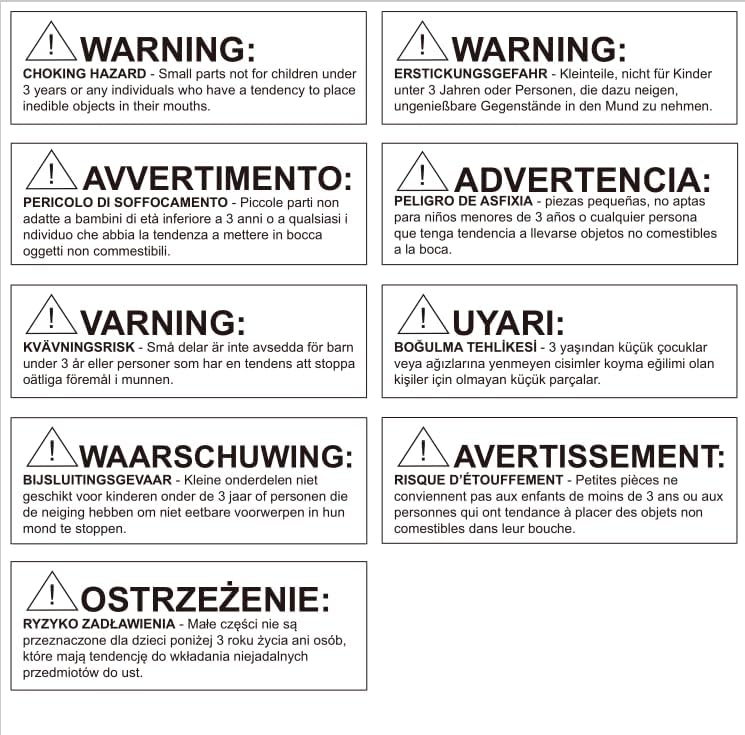
Image 8.1: Multi-language warning labels indicating choking hazard for small parts, emphasizing the importance of keeping the product away from young children.
9. Warranty and Support
For warranty information and customer support, please contact SINGCALL directly through their official website or the retailer from whom you purchased the product.
For additional resources, you may visit the SINGCALL Store on Amazon.
Related documentsSC-R16 160 1-2

Ask a question about this manual
Ask about setup, troubleshooting, compatibility, parts, safety, or missing instructions. Manuals+ will review the question and use this page’s manual context to help answer it.