
Introduction
The iRobot Roomba Dual Mode Virtual Wall Barrier is an accessory designed to provide greater control over your Roomba robotic vacuum's cleaning path. This device creates an invisible barrier that your Roomba will not cross, allowing you to confine cleaning to specific rooms or protect certain areas within a room.
This Virtual Wall Barrier is compatible with iRobot Roomba 600, 700, 800, and 900 Series robots, as well as Scooba 400 Series robots.
Package Contents
- 1 Dual Mode Virtual Wall Barrier
- 2 AA Batteries (may be included or sold separately depending on packaging)
Setup
- Install Batteries: Open the battery compartment on the back of the Virtual Wall Barrier. Insert two AA batteries, ensuring correct polarity. Close the compartment securely.
- Placement: Place the Virtual Wall Barrier on a flat surface in the area where you wish to create a boundary. Ensure the device is upright and unobstructed.
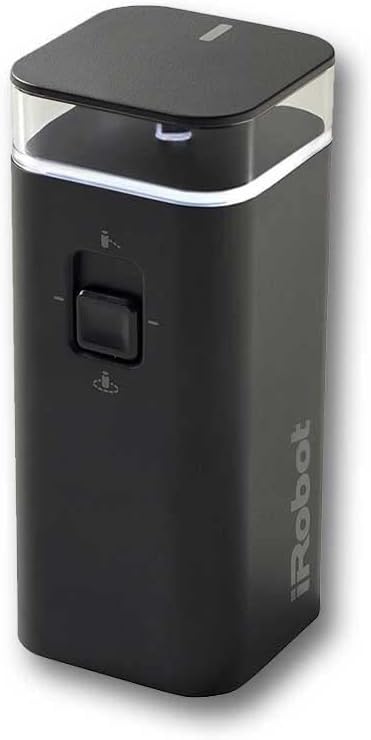
Image: The iRobot Roomba Dual Mode Virtual Wall Barrier. This device is a black, rectangular unit with a clear top section and a switch on the front for mode selection.
Operating Modes
The Dual Mode Virtual Wall Barrier features two distinct operating modes, selectable via the switch on the front of the device:
- Virtual Wall Mode: When the switch is in the 'up' position (indicated by a wall icon), the device creates a linear, invisible barrier up to 10 feet (3 meters) long. This mode is ideal for blocking off doorways or larger open areas to prevent your Roomba from entering. The Roomba will detect this barrier and turn away.
- Halo Mode: When the switch is in the 'down' position (indicated by a circle icon), the device creates a circular, protective zone with a radius of approximately 2 feet (0.6 meters). This mode is suitable for protecting specific items within a room, such as pet food bowls, delicate furniture, or floor plants, by keeping the Roomba out of the designated circular area.
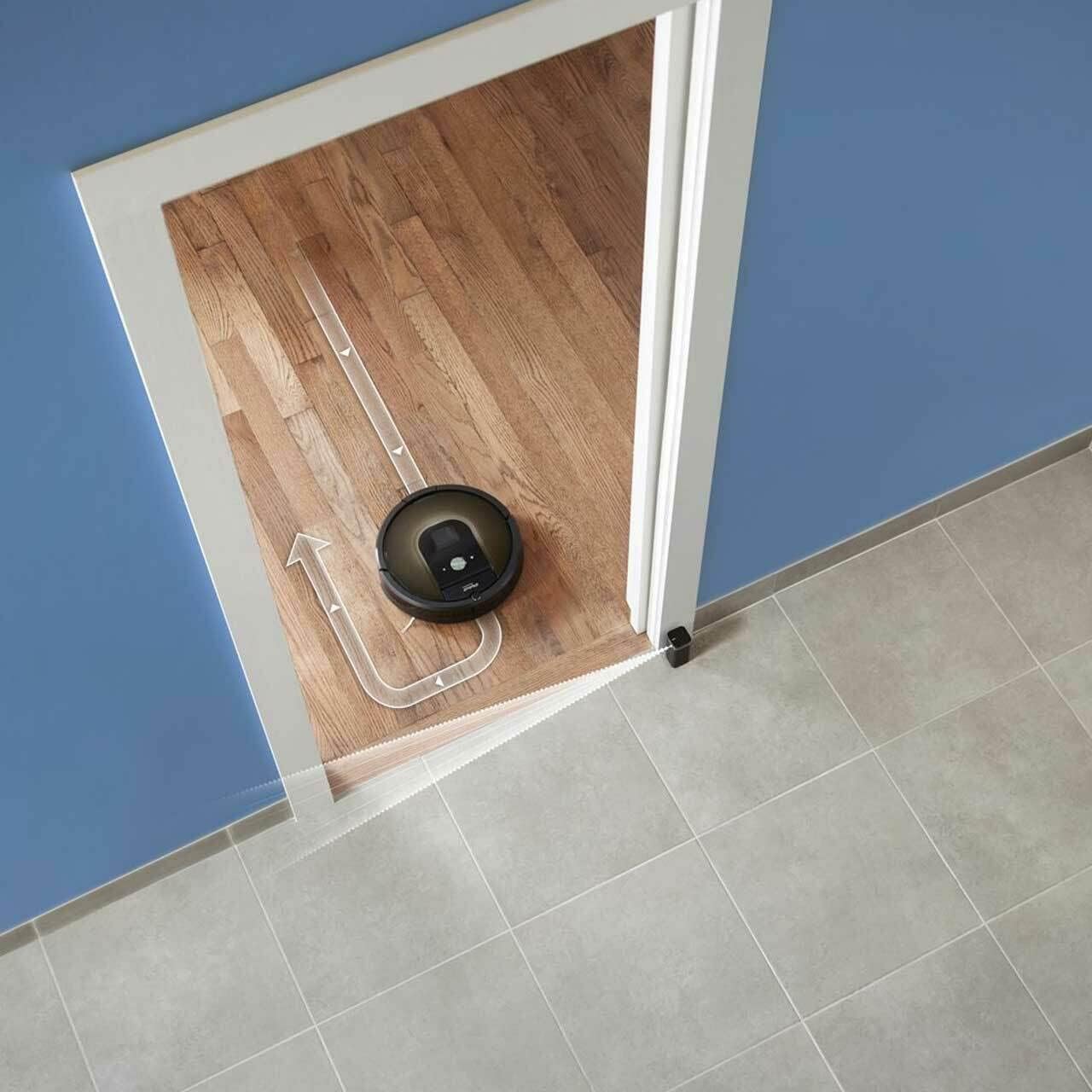
Image: A Roomba robotic vacuum is shown turning away from a doorway where a Virtual Wall Barrier is placed. An arrow graphic illustrates the Roomba's path being redirected by the invisible barrier.

Image: A Roomba robotic vacuum is shown cleaning near a Virtual Wall Barrier placed next to pet food and water bowls. A circular graphic indicates the protective 'halo' zone around the bowls, preventing the Roomba from entering that area.
To activate the device, slide the mode switch to your desired setting. A small indicator light on the top of the unit will illuminate briefly to confirm activation.
Maintenance
- Battery Replacement: The Virtual Wall Barrier requires two AA batteries. When the battery level is low, the indicator light on the device may flash or remain off. Replace both batteries simultaneously for optimal performance.
- Cleaning: Wipe the exterior of the Virtual Wall Barrier with a clean, dry cloth as needed to remove dust. Do not use abrasive cleaners or immerse the device in water.
Troubleshooting
- Roomba crosses the barrier: Ensure the Virtual Wall Barrier is turned on and the batteries are not depleted. Check that the device is placed correctly and not obstructed. If using Virtual Wall Mode, ensure the barrier is not exceeding its maximum range (approximately 10 feet).
- Indicator light not illuminating: Replace the batteries. If the issue persists, ensure the batteries are inserted with correct polarity.
- Device not turning on: Verify battery installation and charge. If the device still does not power on after replacing batteries, contact iRobot customer support.
Specifications
| Brand | iRobot |
| Model Name | Two Modes |
| Model Number | 4469425 |
| Product Dimensions | 1.8"L x 1.8"W x 4.4"H (4.57 cm L x 4.57 cm W x 11.18 cm H) |
| Item Weight | 6 ounces (170 grams) |
| Power Source | Battery Powered (2 AA batteries) |
| Control Method | Touch (via mode switch) |
| Compatibility | Roomba 600, 700, 800, 900 Series; Scooba 400 Series |
Warranty and Support
This iRobot product is manufactured by iRobot. For specific warranty information, please refer to the documentation included with your purchase or visit the official iRobot website. For technical support or further assistance, please contact iRobot customer service.
You can find more information and support resources on the iRobot Store.


