1. Introduction
The GENNEL G104 Thermal Grease Paste is a high-performance thermal compound designed to enhance heat transfer between electronic components and their cooling solutions. This manual provides instructions for proper application, product features, and specifications to ensure optimal performance and longevity of your devices.
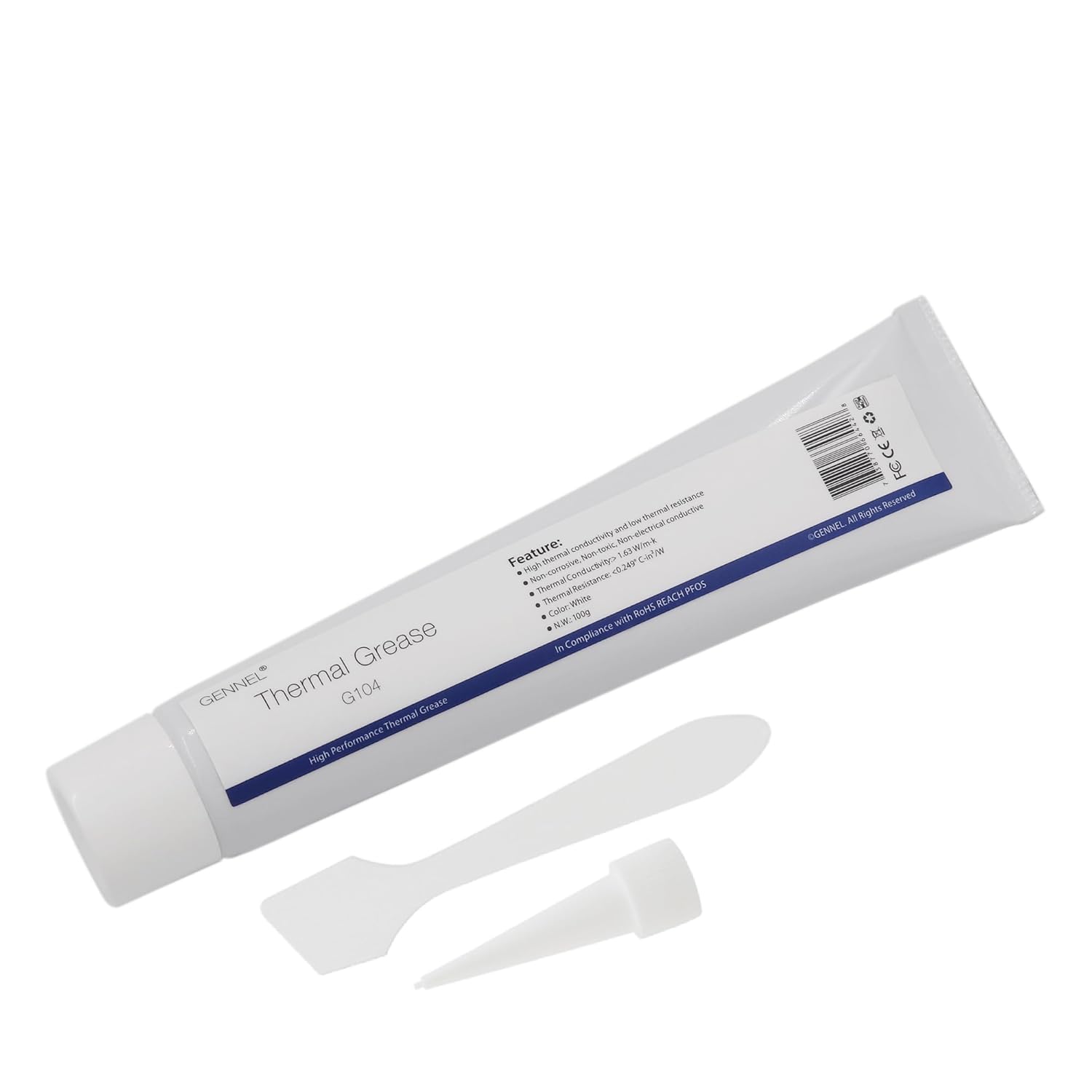
Figure 1: GENNEL G104 Thermal Grease Paste package contents.
2. Safety Information
- Keep out of reach of children.
- Avoid contact with skin and eyes. In case of contact, rinse thoroughly with water.
- Do not ingest. If swallowed, seek medical attention immediately.
- Use in a well-ventilated area.
- Store in a cool, dry place away from direct sunlight.
- This product is non-electrical conductive, non-toxic, and non-corrosive.

Figure 2: The thermal paste is non-electrical conductive, ensuring safety for electronic components.
3. Product Features
- High Thermal Conductivity: Designed to efficiently transfer heat.
- Non-Electrical Conductive: Safe for use with sensitive electronic components.
- High Temperature Resistance: Maintains performance under varying thermal loads.
- Non-Toxic & Non-Corrosive: Ensures safety and component longevity.
- Wide Application Range: Suitable for CPUs, GPUs, heatsinks, chipsets, and high-power LEDs.
- Net Weight: 100 grams.
4. Package Contents
- 1 x GENNEL G104 100g White Thermal Grease Paste tube
- 1 x Thermal paste spatula
- 1 x Screw-on nozzle applicator

Figure 3: The included spatula for spreading thermal paste.
5. Application Instructions
Follow these steps for proper application of GENNEL G104 thermal grease paste to ensure optimal thermal performance.
- Prepare the Surface: Ensure the surfaces of both the heating element (e.g., CPU/GPU) and the cooling device (heatsink) are clean and free from any old thermal paste, dust, or debris. Use a lint-free cloth and isopropyl alcohol for best results.

Figure 4: Cleaning the CPU surface before thermal paste application.
- Apply the Thermal Paste:
There are several common methods for applying thermal paste. Choose the method that best suits your component and heatsink design.
- Pea-sized Dot Method: Apply a small, pea-sized dot of paste directly onto the center of the CPU/GPU integrated heat spreader (IHS). The pressure from the heatsink will spread it evenly.
- Line Method: For rectangular IHS, apply one or two thin lines of paste across the center.
- Spreading Method: Apply a small amount of paste and use the included spatula to spread a thin, even layer across the entire surface of the IHS.

Figure 5: Various methods for applying thermal paste to a CPU.

Figure 6: Spreading thermal paste evenly with the provided spatula.
Note: A thin, even layer is generally more effective than a thick one. Avoid applying too much paste, as this can reduce thermal performance.
- Install the Heatsink: Carefully place the heatsink onto the component, ensuring it is properly aligned. Apply even pressure as you secure the heatsink according to its manufacturer's instructions. Avoid twisting or lifting the heatsink once it makes contact, as this can create air bubbles and reduce effectiveness.

Figure 7: Properly installed heatsink over a CPU with thermal paste.
6. Operating Principles
Thermal grease works by filling the microscopic air gaps and imperfections between the heating element (like a CPU or GPU) and the cooling device (heatsink). Air is a poor conductor of heat, so these gaps hinder efficient heat transfer. By replacing the air with a thermally conductive material like GENNEL G104 paste, the contact area for heat transfer is maximized, allowing heat to dissipate more effectively from the component to the heatsink and then into the ambient environment.

Figure 8: Illustration of thermal grease filling the interface between a CPU and its cooler.
7. Maintenance and Storage
- Storage: Store the thermal paste tube in a cool, dry place with the cap securely tightened to prevent drying out.
- Reapplication: Thermal paste typically lasts for several years. However, it is recommended to inspect and reapply thermal paste when reinstalling a heatsink, or if you notice a significant increase in component temperatures.
- Cleaning: Always clean off old thermal paste completely before applying new paste to ensure optimal performance.
8. Troubleshooting
| Problem | Possible Cause | Solution |
|---|---|---|
| High component temperatures after application |
|
|
| Paste appears dry or cracked |
|
|
9. Specifications
- Model: G104
- Brand: GENNEL
- Color: White
- Net Weight: 100 grams
- Thermal Conductivity: >1.63 W/m-k
- Thermal Resistance: <0.249 °C-in²/W
- Electrical Conductivity: Non-electrical conductive
- Corrosivity: Non-corrosive
- Toxicity: Non-toxic
- Product Dimensions: Approximately 2.56 x 2.56 x 2.17 inches (tube)
- Item Weight: 0.26 Pounds (approx. 118 grams including packaging)
- UPC: 0738770664428
10. Warranty and Support
For warranty information or technical support, please refer to the GENNEL official website or contact your retailer. Keep your purchase receipt for warranty claims.


