
Introduction
This manual provides essential information for the safe and efficient operation, maintenance, and care of your KitchenAid 5KHM9212-9 Speed Corded Hand Mixer. Please read all instructions carefully before using the appliance. The KitchenAid 9-Speed Hand Mixer is designed for various mixing tasks, from whipping cream to kneading dough, offering precise electronic control and a soft start feature to prevent splattering.
Important Safeguards
When using electrical appliances, basic safety precautions should always be followed, including the following:
- Read all instructions.
- To protect against risk of electrical shock, do not immerse the mixer body, cord, or electrical plug in water or other liquid.
- Close supervision is necessary when any appliance is used by or near children.
- Unplug from outlet when not in use, before putting on or taking off parts, and before cleaning.
- Avoid contact with moving parts. Keep hands, hair, and clothing, as well as spatulas and other utensils, away from beaters during operation to prevent injury and/or damage to the mixer.
- Do not operate any appliance with a damaged cord or plug, or after the appliance malfunctions or has been dropped or damaged in any manner. Return appliance to the nearest authorized service facility for examination, repair, or electrical or mechanical adjustment.
- The use of attachments not recommended or sold by KitchenAid may cause fire, electric shock, or injury.
- Do not use outdoors.
- Do not let cord hang over edge of table or counter.
- Do not let cord contact hot surfaces, including the stove.
- Remove beaters from mixer before washing.
Getting Started (Setup)
Before first use, ensure all packaging materials are removed and clean the attachments as described in the "Care and Cleaning" section.
Attaching Accessories
- Ensure the hand mixer is unplugged and the speed control is set to "O" (Off).
- Insert the desired attachments (beaters, whisk, dough hooks, or liquid blender rod) into the openings on the underside of the mixer. Push firmly and rotate slightly until they click into place. The attachments are designed to fit only one way.
- For the Turbo Beaters, ensure the collar on the beater without the gear is inserted into the larger opening. The beater with the gear goes into the smaller opening.
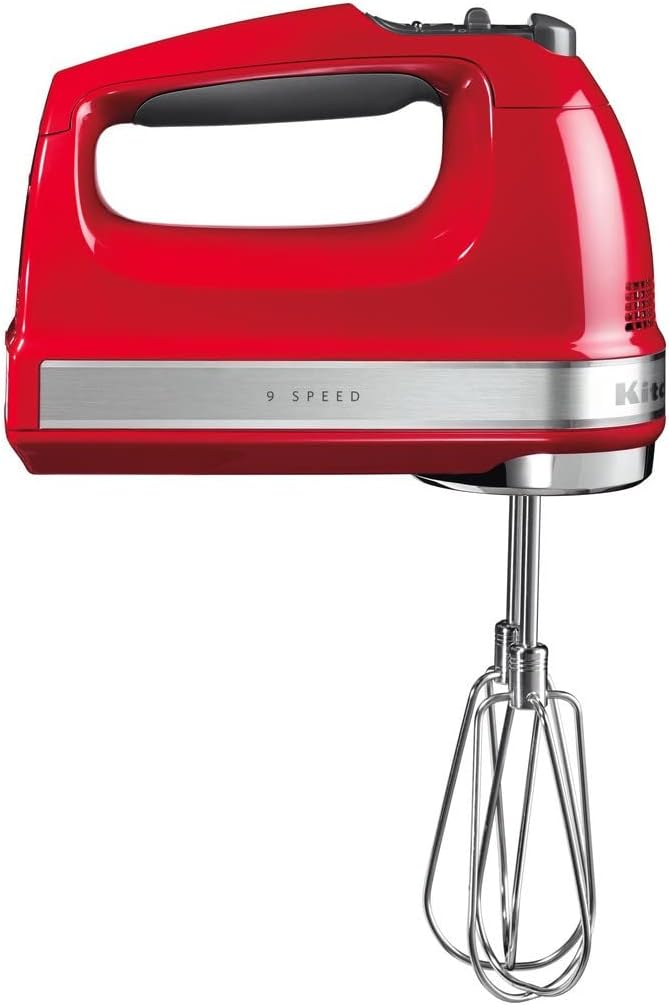
Image: The KitchenAid 9-Speed Hand Mixer in Empire Red with its stainless steel Turbo Beaters attached, ready for use.

Image: The KitchenAid Hand Mixer displayed with its full set of accessories, including Turbo Beaters, whisk, and dough hooks.
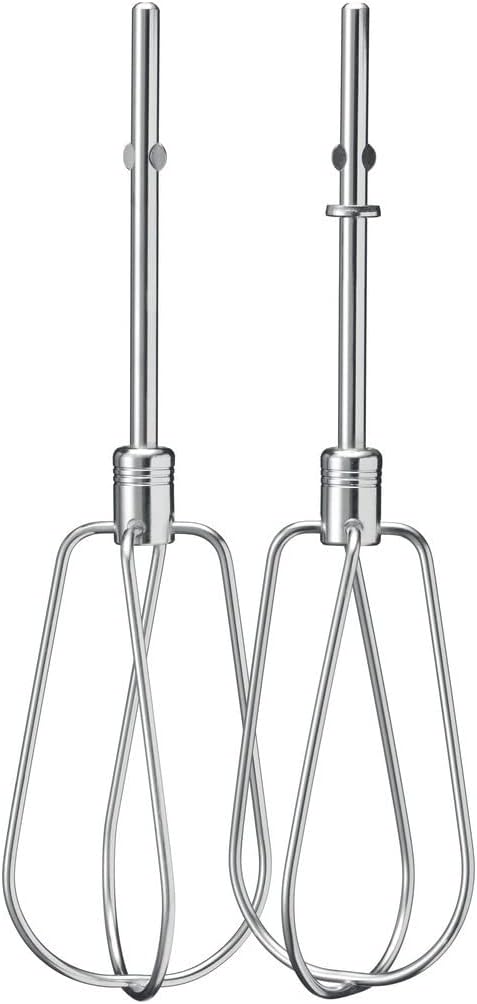
Image: A pair of stainless steel Turbo Beaters, designed for efficient mixing of various ingredients.

Image: A single stainless steel whisk attachment, ideal for aerating ingredients like egg whites or cream.

Image: A pair of stainless steel dough hooks, suitable for mixing and kneading yeast doughs.
Power Connection
Plug the power cord into a suitable electrical outlet. Ensure the voltage matches the appliance's requirements (220 Volts).
Operating the Hand Mixer
Your KitchenAid Hand Mixer features 9 speeds and a Soft Start™ control to gradually bring the beaters up to the selected speed, preventing ingredients from splattering.
Speed Control
- With the attachments securely in place and the mixer plugged in, position the beaters into the ingredients.
- Slide the speed control switch to the desired speed setting (1-9). The LED speed indicator will show the selected speed.
- The mixer will gradually increase to the chosen speed.
- To turn off the mixer, slide the speed control switch to "O" (Off).

Image: Top view of the hand mixer highlighting the 9-speed control panel with up/down arrows and an LED indicator.

Image: A close-up view of the KitchenAid Hand Mixer, showcasing its ergonomic soft-grip handle for comfortable use.
Recommended Speed Settings
| Speed Setting | Task / Ingredients |
|---|---|
| 1-2 (Stir/Fold) | Combining dry ingredients, folding in nuts or chocolate chips, starting batters. |
| 3-4 (Blend/Mix) | Mixing cake batters, cookie dough, mashing potatoes. |
| 5-6 (Beat) | Beating eggs, creaming butter and sugar, preparing frostings. |
| 7-9 (Whip/Aerating) | Whipping cream, egg whites, meringues, making mousses. |
Note: These are general guidelines. Adjust speed based on the consistency of ingredients and desired results. The efficient and powerful DC Motor adjusts to the resistance of what you're mixing.
Care and Cleaning (Maintenance)
Proper cleaning and maintenance will ensure the longevity and optimal performance of your hand mixer.
Cleaning the Mixer Body
- Always unplug the hand mixer before cleaning.
- Wipe the mixer body with a damp cloth. Do not immerse the mixer body in water or other liquids.
- Do not use abrasive cleaners or scouring pads, as they may scratch the surface.
Cleaning Attachments
- Remove all attachments from the mixer before cleaning.
- The stainless steel Turbo Beaters, whisk, and dough hooks are dishwasher-safe. They can also be washed by hand in warm, soapy water and rinsed thoroughly.
- Dry all attachments completely before storing.

Image: Top-down view of the KitchenAid Hand Mixer, showing the openings where attachments are inserted, with the attachments removed for cleaning.
Storage
Store the hand mixer and its accessories in a dry place. The convenient accessory bag (if included) can be used to keep all attachments together.
Troubleshooting
If your hand mixer experiences issues, consult the following table for common problems and solutions.
| Problem | Possible Cause | Solution |
|---|---|---|
| Mixer does not turn on. | Not plugged in; power outlet not working; speed control not set. | Ensure mixer is securely plugged into a working outlet. Check that the speed control is set to a speed other than "O" (Off). |
| Attachments are difficult to insert or remove. | Attachments not aligned correctly; food residue in openings. | Ensure attachments are aligned with the correct openings. Clean any residue from the openings. Ensure mixer is unplugged before inserting/removing. |
| Mixer splatters ingredients. | Speed setting too high for initial mixing; bowl too full. | Utilize the Soft Start™ feature by starting at a lower speed (1-2) and gradually increasing. Reduce the amount of ingredients in the bowl. |
| Mixer seems to struggle with heavy mixtures. | Mixture is too thick; incorrect attachment used. | Ensure you are using the appropriate attachment (e.g., Turbo Beaters or Dough Hooks for heavy mixtures). If the mixture is extremely thick, consider adding a small amount of liquid or processing in smaller batches. The powerful DC Motor is designed to handle resistance. |
If the problem persists after trying these solutions, please contact KitchenAid Customer Service for assistance.
Specifications
Key technical specifications for the KitchenAid 5KHM9212-9 Speed Corded Hand Mixer:
- Model: 5KHM9212-9 (also referred to as 700005853)
- Brand: KitchenAid
- Colour: Empire Red
- Material: Stainless Steel (attachments)
- Output Wattage: 85 Watts
- Voltage: 220 Volts
- Number of Speeds: 9
- Controls: Knob Control with LED speed indicator
- Product Dimensions: 26 x 40 x 45 cm; 1.71 kg (approximate)
- Dishwasher-Safe Parts: Yes (attachments)
- Special Features: Soft Start™ Control, Efficient and powerful DC Motor, Soft grip handle.
Warranty and Support
KitchenAid products are manufactured to high-quality standards and are backed by a manufacturer's warranty. For specific warranty details, registration, or to locate authorized service centers, please refer to the warranty card included with your product or visit the official KitchenAid website.
For customer support, product registration, or to purchase additional accessories, please visit: www.kitchenaid.com


