Introduction
The SEIKO Melodies in Motion Wall Clock, Nighttime City Skyline, is an enchanting timepiece designed to bring a dynamic visual and auditory experience to your home. This clock features a unique dial that opens on the hour to reveal a turning decorative wheel adorned with Swarovski crystals, accompanied by one of eighteen high-quality melodies. Encased in glass with a metallic brown finish, it includes a rotating pendulum with Swarovski crystals, a demonstration button, and volume control for a personalized experience.
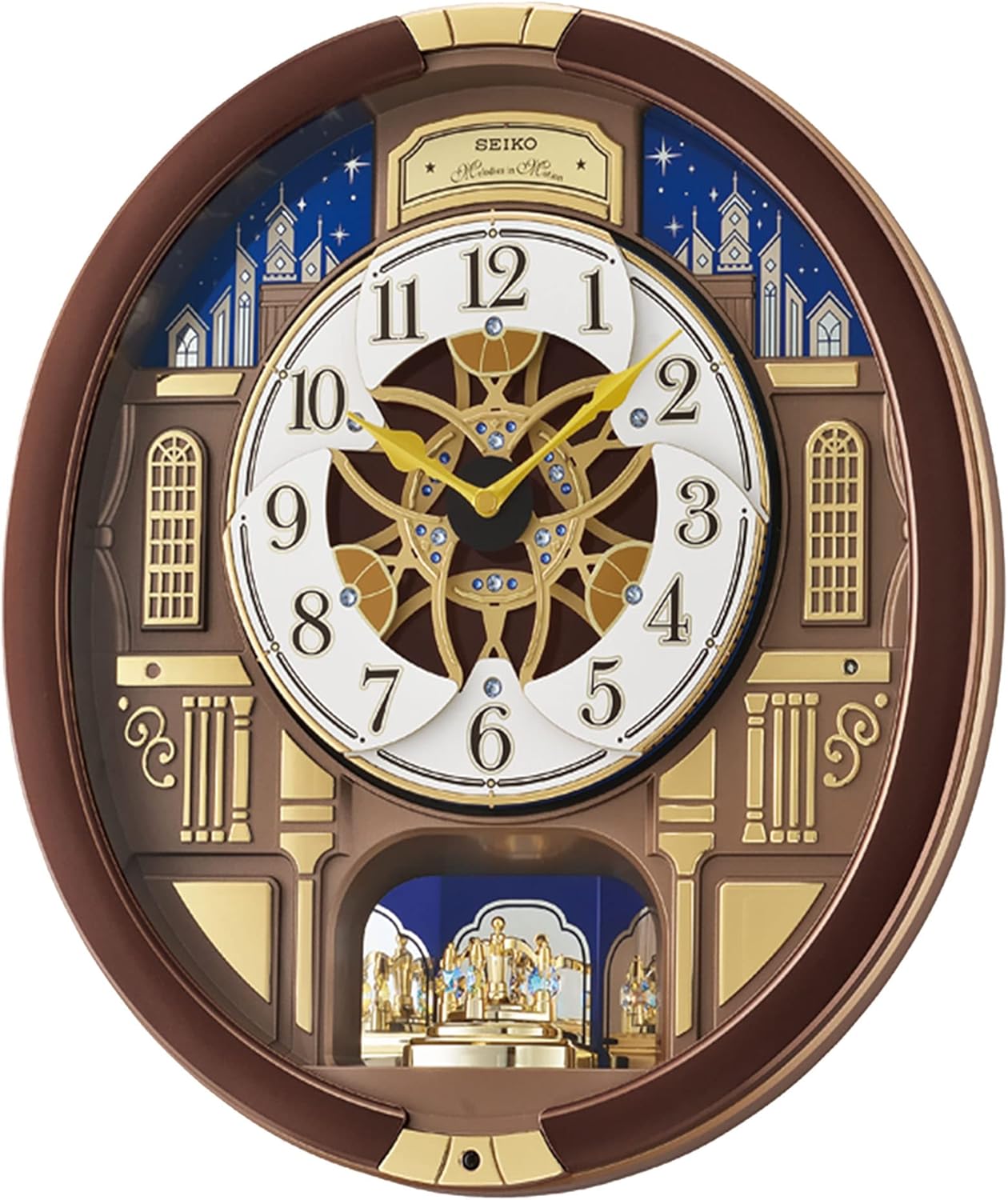
Figure 1: Front view of the SEIKO Melodies in Motion Wall Clock, showcasing its intricate design and the main clock face.
Setup
1. Battery Installation
Your SEIKO Melodies in Motion Wall Clock requires 4 C batteries for operation. These batteries are included with your purchase. For optimal performance and to prevent potential issues like rust, it is recommended to replace the batteries with a good brand within a few months of initial use.
- Locate the battery compartment on the back of the clock.
- Open the battery compartment cover.
- Insert 4 C batteries, ensuring correct polarity (+/-) as indicated inside the compartment.
- Close the battery compartment cover securely.

Figure 2: Rear view of the clock, highlighting the battery compartment and wall mounting point.
2. Setting the Time
To set the correct time on your clock:
- Locate the time setting knob or wheel on the back of the clock mechanism.
- Gently turn the knob/wheel clockwise to advance the hands to the current time.
- Ensure the clock is set to the correct AM/PM if it has a light sensor feature, as this can affect the melody playback.
3. Wall Mounting
The clock is designed for wall mounting.
- Choose a suitable location on a sturdy wall.
- Use an appropriate wall anchor and screw (not included) for secure installation.
- Hang the clock using the integrated hanging slot on the back.

Figure 3: The clock displayed in a typical home setting, demonstrating its wall-mounted appearance.
Operating Instructions
Melodies in Motion Feature
On the hour, the clock's dial will open to reveal a turning decorative wheel adorned with Swarovski crystals. Simultaneously, one of eighteen pre-programmed melodies will play. This sequence is designed to occur automatically at the top of each hour.

Figure 4: The clock's dial in its open position, showcasing the intricate turning mechanism and Swarovski crystals.
The clock features a light sensor that automatically silences the melodies when the room becomes dark, ensuring undisturbed sleep during nighttime hours. The melodies will resume when the room is illuminated again.
Demonstration Button
To preview the Melodies in Motion feature and hear a melody at any time, locate the demonstration button, typically found on the side or front bottom of the clock. Press this button to activate the hourly sequence manually.
Volume Control
Adjust the melody volume using the volume control knob or switch, usually located on the side or back of the clock. You can set it to a lower volume for a subtle effect or turn it off completely using the off/on switch if desired.
Off/On Switch
An off/on switch is provided to disable the hourly melodies and motion feature while the clock continues to keep time. This is useful if you prefer silence or wish to conserve battery life when the musical feature is not needed.
Maintenance
Cleaning
To maintain the appearance of your clock, simply wipe it clean with a soft, dry cloth. Avoid using abrasive cleaners or solvents, as these may damage the finish or internal components.
Battery Replacement
It is recommended to replace all 4 C batteries every few months, even if the clock appears to be functioning. This proactive measure helps prevent battery leakage and potential damage to the clock's internal mechanisms. If the tunes or motion stop but the clock is still ticking, this is a strong indication that the batteries need to be replaced.
Troubleshooting
- Problem: The melodies or motion feature has stopped, but the clock hands are still moving.
Solution: This typically indicates that the batteries are low. Replace all 4 C batteries with new, high-quality batteries. - Problem: The melodies are not playing at night or in a dark room.
Solution: This is a normal function of the clock's light sensor. The clock is designed to automatically silence melodies in low-light conditions to prevent disturbance. Melodies will resume when the room is sufficiently lit. - Problem: The clock is not playing melodies or moving at all.
Solution:- Check if the off/on switch for the musical feature is in the "On" position.
- Ensure the volume control is not set to minimum.
- Verify that the batteries are correctly installed and have sufficient charge. Replace them if necessary.
- Problem: The clock is not lighting up.
Solution: This specific model, the SEIKO Melodies in Motion Wall Clock, Nighttime City Skyline (Model: QXM362BRH), does not feature an internal lighting function. The "Nighttime City Skyline" refers to the visual design, not an illuminated feature.
Specifications
| Feature | Detail |
|---|---|
| Brand | SEIKO |
| Model Number | QXM362BRH |
| Color | Nighttime City Skyline |
| Display Type | Analog |
| Style | Musical |
| Special Feature | Musical clock |
| Product Dimensions | 15"W x 3.5"H |
| Power Source | Battery Powered |
| Batteries Required | Yes, 4 C batteries (included) |
| Mounting Type | Wall Mount |
| Item Weight | 6.61 Pounds |
| Material | Plastic |
| Watch Movement | Quartz |
| UPC | 029665183446 |
Warranty and Support
Warranty Information
SEIKO guarantees this product's workmanship and material quality for one year from the date of purchase, assuming normal use. Please retain your proof of purchase for warranty claims.
Customer Support
For further assistance, troubleshooting, or warranty inquiries, please visit the official SEIKO Store or contact SEIKO customer service. You can find more information and support resources at the SEIKO Store on Amazon.


