
Makita BL1016
Makita BL1016 Lithium Ion Battery 1.5Ah 12V CXT Instruction Manual
Model: BL1016 | Brand: Makita
Introduction
The Makita BL1016 is a 1.5Ah Lithium-Ion battery designed for Makita's 12-Volt CXT series power tools. This battery offers a compact and lightweight design, making it suitable for various applications. It features low self-discharge and no memory effect, allowing for charging at any time without impacting battery life. This manual provides essential information for safe and effective use, maintenance, and troubleshooting of your BL1016 battery.
Key Features:
- Compact and lightweight slide-in design for 12-Volt CXT tools.
- 1.5 Amp-hour (Ah) capacity, 10.8-Volt to 12-Volt (Max.), 17Wh.
- Lithium-Ion technology for low self-discharge and no memory effect.
- Average recharge cycles: 400 cycles.
- Approximately 43% more compact and 37% lighter than Makita's 9.6V Ni-Cd batteries.

Image: The Makita BL1016 12V Max 1.5Ah Lithium-Ion battery, showcasing its compact design.
Important Safety Information
WARNING: Read all safety warnings and instructions before using this battery.
- Always use the battery with a compatible Makita charger (e.g., DC10SB, DC10WD).
- Do not expose the battery to water or rain.
- Do not store the battery in temperatures exceeding 10°C-40°C (50°F-104°F).
- Do not incinerate or destroy the battery.
- Keep the battery away from children.
- Do not short-circuit the battery terminals.
- Do not attempt to disassemble or modify the battery.
- If the battery is damaged, discontinue use immediately and dispose of it properly according to local regulations.
- Only use the battery for its intended purpose with Makita 12V CXT tools.
Setup and Initial Use
1. Charging the Battery:
Before first use, fully charge the battery. Use only genuine Makita chargers compatible with 12V CXT Lithium-Ion batteries.
- Connect the charger to a power outlet.
- Slide the battery into the charger until it clicks into place.
- The charger's indicator lights will show the charging status. Refer to your charger's manual for specific light patterns.
- Once fully charged, remove the battery from the charger.
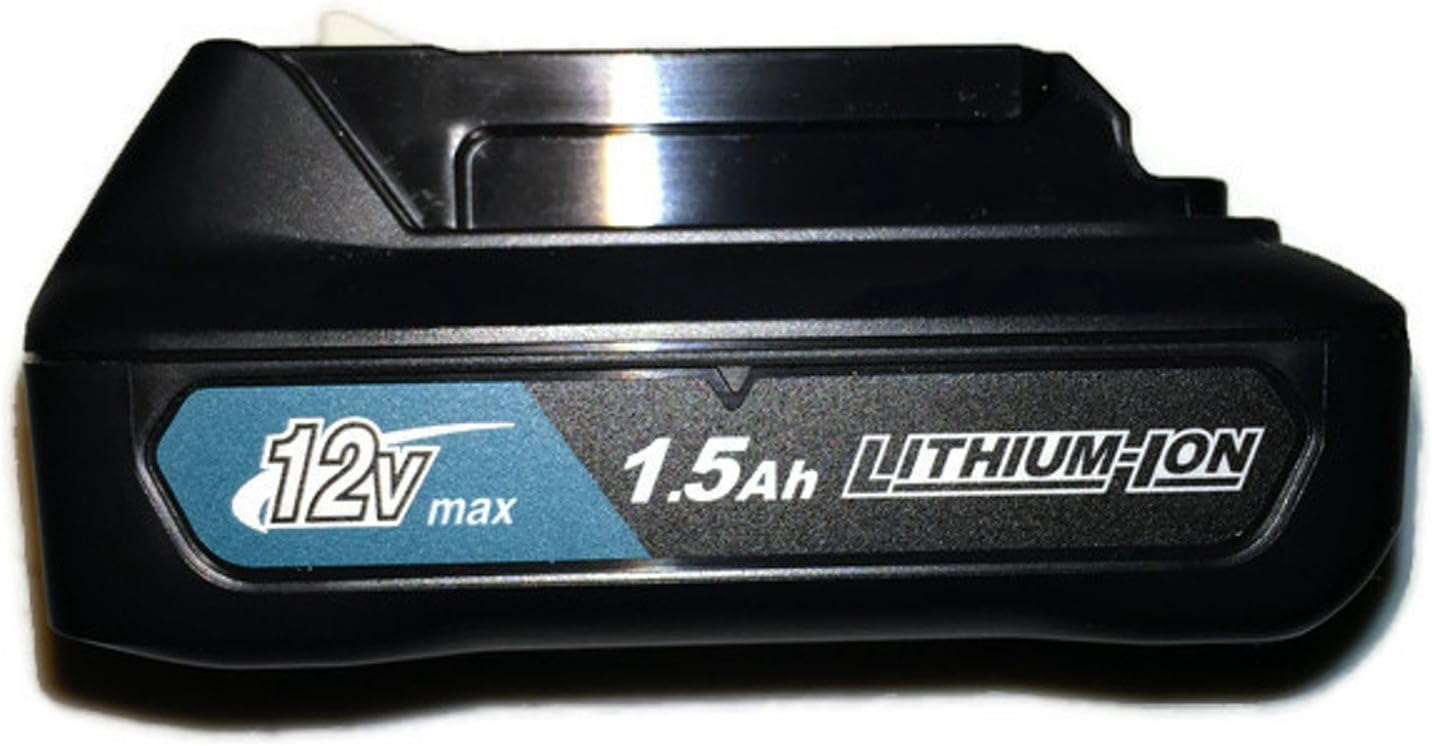
Image: Makita BL1016 battery inserted into a compatible Makita charger for charging.
2. Installing the Battery into a Tool:
Ensure the tool is switched off before installing or removing the battery.
- Align the battery with the battery slot on your Makita 12V CXT tool.
- Slide the battery into the tool until it locks securely in place with a click.
- To remove, press the release button(s) on the battery and slide it out.

Image: Makita BL1016 battery being slid into the base of a Makita 12V CXT power tool.
Operating Instructions
The Makita BL1016 battery powers your 12V CXT cordless tools. Its compact size is particularly beneficial for tasks requiring maneuverability and reduced weight.
General Usage Tips:
- For optimal performance, ensure the battery is fully charged before starting a task.
- This 1.5Ah battery is ideal for lighter-duty applications, extended overhead work, or tasks in confined spaces where tool weight is a critical factor.
- For heavy-duty applications or prolonged use, consider having spare batteries or higher capacity batteries (if compatible with your tool) to minimize downtime.
- Always refer to your specific Makita tool's instruction manual for detailed operating procedures and safety guidelines.
Maintenance and Storage
Charging:
- Charge the battery when its power decreases or before prolonged storage.
- The battery can be charged at any time without developing a "memory effect."
- Avoid charging in direct sunlight or in extremely hot or cold environments. The ideal charging temperature is 10°C-40°C (50°F-104°F).
Storage:
- Store the battery in a cool, dry place, away from direct sunlight and moisture.
- For long-term storage, it is recommended to store the battery at approximately 50% charge.
- Do not store the battery with metal objects that could short-circuit the terminals.
Cleaning:
- Keep the battery terminals clean. Use a dry cloth to wipe off any dust or debris.
- Do not use water or chemical cleaners on the battery.
Troubleshooting
| Problem | Possible Cause | Solution |
|---|---|---|
| Battery not charging. | Charger not plugged in; battery not properly seated; battery or charger is faulty. | Check power connection; re-seat battery; try another battery/charger if available. |
| Tool not operating with battery. | Battery not charged; battery not properly installed; tool is faulty. | Charge battery fully; ensure battery is clicked into place; test with another battery or tool. |
| Reduced run time. | Battery is old/worn; operating in extreme temperatures; heavy-duty application. | Replace battery if significantly degraded (average 400 cycles); ensure proper operating temperature; use higher capacity battery for demanding tasks. |
| Battery gets hot during charging/use. | Normal during heavy use/charging; faulty battery/charger. | Allow to cool down; if excessively hot or smoking, discontinue use immediately and contact support. |
Specifications
| Feature | Detail |
|---|---|
| Model Number | BL1016 |
| Battery Type | Lithium-Ion |
| Voltage | 10.8V - 12V (Max.) |
| Capacity | 1.5 Ah (17Wh) |
| Average Recharge Cycles | 400 Cycles |
| Product Dimensions | 3.5 x 2.5 x 1.5 inches |
| Item Weight | 0.6 ounces |
| Date First Available | December 7, 2015 |
Warranty and Support
For warranty information and customer support, please refer to the official Makita website or contact your local Makita service center. Keep your purchase receipt as proof of purchase for any warranty claims.
You can visit the official Makita Store for more information and product registration:
Related documentsBL1016


Ask a question about this manual
Ask about setup, troubleshooting, compatibility, parts, safety, or missing instructions. Manuals+ will review the question and use this page’s manual context to help answer it.