
Introduction
This manual provides instructions for the safe and effective operation and maintenance of your INSIZE 1108-150 Electronic Caliper. Please read this manual thoroughly before use and retain it for future reference.

Figure 1: Front view of the INSIZE 1108-150 Electronic Caliper, showing the digital display, measurement jaws, and control buttons.
Product Overview
The INSIZE 1108-150 is a precision electronic caliper designed for accurate dimensional measurements. It features a clear digital display and is constructed from durable stainless steel.
Key Features:
- Measurement Range: 0-6 inches / 0-150 mm
- Resolution: 0.0005 inches / 0.01 mm
- Accuracy: ±0.0008 inches
- Automatic power off function
- Inch/millimeter conversion
- Zero setting at any position
- Data output capability
- Stainless steel construction
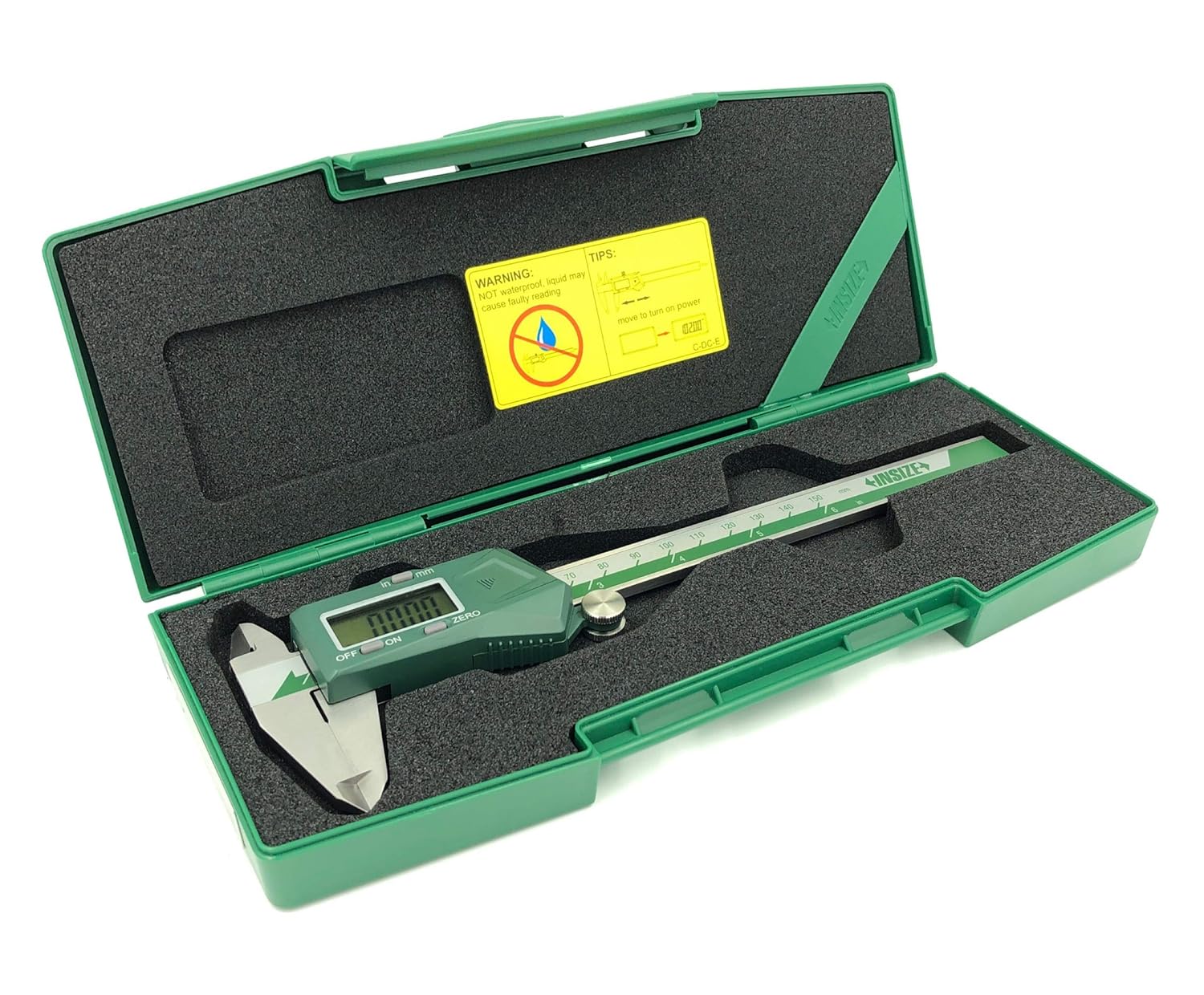
Figure 2: Technical diagram illustrating the INSIZE 1108-150 Electronic Caliper's dimensions and key specifications.

Figure 3: Back view of the INSIZE 1108-150 Electronic Caliper, displaying the serial number and the battery compartment location.
Package Contents
Upon opening the package, verify that all items are present and undamaged:
- INSIZE 1108-150 Electronic Caliper (Main Unit)
- CR2032 Battery (pre-installed or included separately)
- Hard Plastic Storage Case
- Operation Instruction Manual
- Inspection Certificate

Figure 4: The INSIZE 1108-150 Electronic Caliper, its instruction manual, and inspection certificate neatly stored within its protective hard plastic case.
Setup
Battery Installation
The caliper uses one CR2032 battery. If the display does not turn on or shows a low battery indicator, replace the battery.
- Locate the battery compartment cover on the digital unit (refer to Figure 3).
- Slide the cover open or use a small tool to gently pry it open.
- Remove the old battery, noting its polarity.
- Insert a new CR2032 battery with the positive (+) side facing up.
- Close the battery compartment cover securely.

Figure 5: The INSIZE 1108-150 Electronic Caliper alongside a CR2032 battery, indicating the battery type required for operation.
Operating Instructions
Turning On/Off
- To Turn On: Press the "ON/OFF" button or simply move the digital unit along the beam.
- To Turn Off: Press the "ON/OFF" button. The caliper will also automatically power off after a period of inactivity.
Zero Setting
The zero point can be set at any position, allowing for incremental measurements.
- Close the measuring jaws completely for absolute zero, or position the jaws at your desired reference point.
- Press the "ZERO" button. The display will show "0.00" or "0.000".
Inch/Millimeter Conversion
To switch between inch and millimeter units:
- Press the "INCH/MM" button. The display will toggle between the two units.
Taking Measurements
- Ensure the caliper is clean and the jaws are free of debris.
- Turn on the caliper and set the zero point as needed.
- Gently open the jaws and position the workpiece between the appropriate measuring surfaces (outside jaws for external dimensions, inside jaws for internal dimensions, or depth rod for depth measurements).
- Close the jaws until they make firm, but not excessive, contact with the workpiece.
- Read the measurement directly from the digital display.

Figure 6: A user demonstrating the measurement of an external diameter on a cylindrical metal part using the INSIZE 1108-150 Electronic Caliper.
Maintenance
Cleaning
- Regularly clean the measuring surfaces and the beam with a clean, dry, lint-free cloth.
- Avoid using solvents or abrasive cleaners, as these can damage the display or measuring surfaces.
- Keep the digital unit dry. While the caliper is made of stainless steel, the electronic components are not waterproof.
Storage
- Store the caliper in its protective hard plastic case when not in use to prevent damage.
- Store in a dry environment, away from direct sunlight and extreme temperatures.
- Slightly open the jaws before storing to relieve tension on the measuring surfaces.

Figure 7: The INSIZE 1108-150 Electronic Caliper resting securely within its custom-fit hard plastic storage case, ready for protection when not in use.
Troubleshooting
| Problem | Possible Cause | Solution |
|---|---|---|
| Display does not turn on. | Dead or incorrectly installed battery. | Replace the CR2032 battery, ensuring correct polarity. |
| Inaccurate or fluctuating readings. | Dirt/debris on measuring surfaces or beam; low battery; damaged sensor. | Clean the caliper thoroughly. Replace battery. If problem persists, contact support. |
| "ZERO" button not responding. | Button malfunction or electronic issue. | Ensure battery is fully charged. If problem persists, contact support. |
| Automatic power off not working. | Electronic malfunction. | Contact support. |
Specifications
| Feature | Detail |
|---|---|
| Model Number | 1108-150 |
| Measurement Range | 0-6 inches / 0-150 mm |
| Resolution | 0.0005 inches / 0.01 mm |
| Accuracy | ±0.0008 inches |
| Material | Stainless Steel |
| Battery Type | CR2032 (1 included) |
| Functions | ON/OFF, ZERO, Inch/mm conversion, Data Output |
| Automatic Power Off | Yes |
| Product Dimensions | 10.28" L x 4.09" W x 1.3" H |
| Weight | 13.67 ounces |

Figure 8: A detailed view of the INSIZE Inspection Certificate, confirming the calibration and accuracy of the Digital Caliper model 1108-150.
Warranty and Support
INSIZE products are manufactured to high standards and undergo strict quality control. For warranty information, technical support, or service, please refer to the contact details provided in the included warranty certificate or visit the official INSIZE website.
INSIZE Contact Information:
- INSIZE USA: www.insize.com
- Refer to your product's specific warranty card for regional contact details.


