
ECTIVE SSI104
ECTIVE SSI 10 Pure Sine Wave Inverter User Manual
Model: SSI104 | Brand: ECTIVE
1. Introduction
The ECTIVE SSI 10 is a sophisticated all-in-one power solution designed to provide reliable and high-quality AC power from a DC source. This device integrates a pure sine wave inverter, an advanced MPPT solar charge controller, a multi-stage battery charger, and a network priority switch (NVS) with Uninterruptible Power Supply (UPS) functionality. It is engineered to convert 24V DC power into stable 230V AC, making it suitable for a wide range of sensitive electronic devices and household appliances.
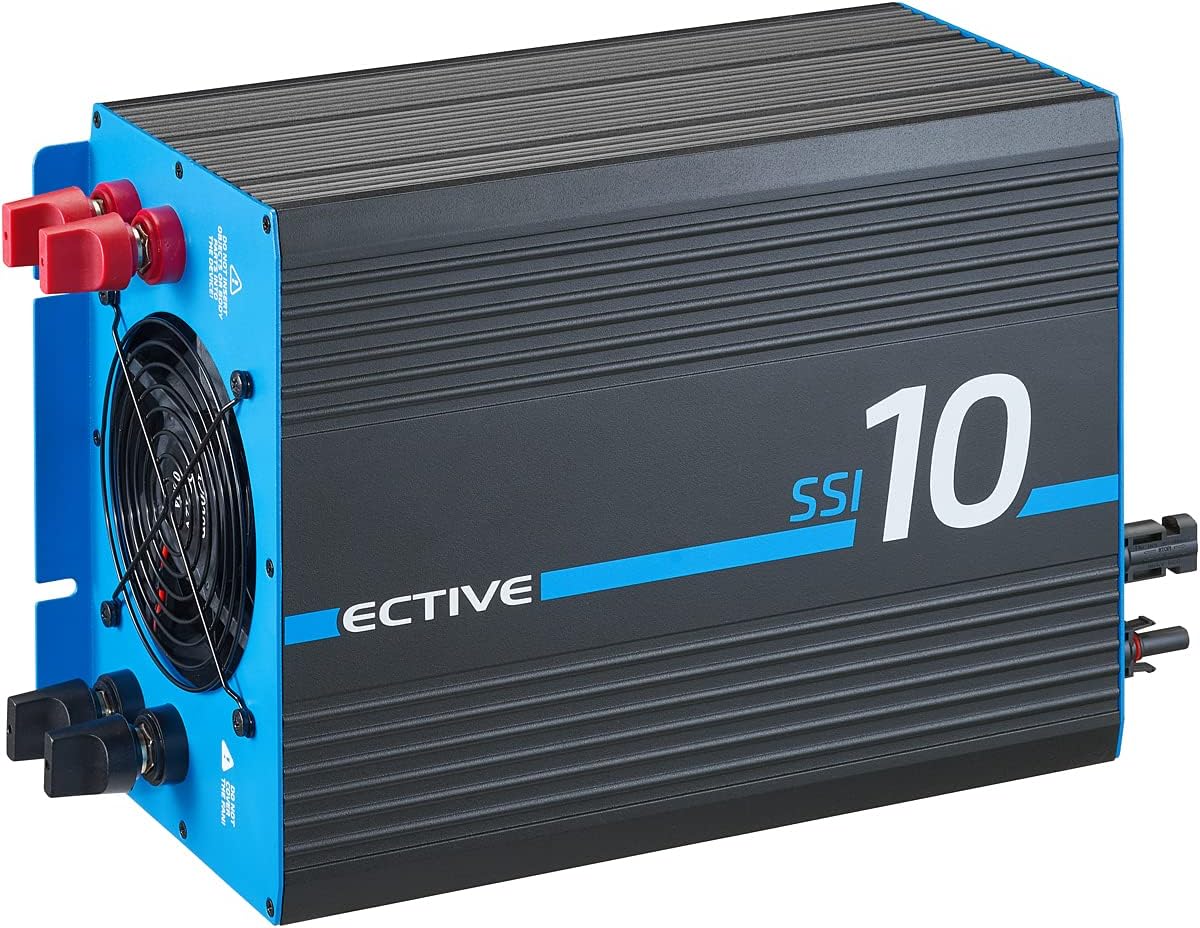
Figure 1.1: Front view of the ECTIVE SSI 10 Pure Sine Wave Inverter. This image shows the main casing of the inverter, highlighting its compact and robust design, with cooling fins visible on the top surface.
Key features include:
- Pure Sine Wave Output: Provides clean and stable AC power, ideal for sensitive electronics.
- High Power Capability: Delivers 1000W continuous power, with surge capabilities of 1500W for 10 seconds and 2000W for 2 seconds, accommodating high-startup current devices.
- Integrated MPPT Solar Charge Controller: Maximizes power harvest from solar panels with over 97% efficiency, ensuring optimal battery charging.
- Multi-Stage Battery Charger: Supports various battery types (AGM, GEL, LiFePo4 with BMS) with intelligent IUoU charging up to 14.4V.
- Network Priority Switching (NVS) / UPS Function: Automatically switches to grid power when available, providing uninterrupted power supply and simultaneously charging batteries.
- Battery Priority Circuit (BVS) / ECO Mode: Allows prioritization of battery power for off-grid or self-consumption setups, with an ECO mode to disable the charger when running solely on battery.
2. Safety Instructions
Please read all safety instructions carefully before installation and operation. Failure to follow these instructions may result in electric shock, fire, or serious injury.
- Ensure proper ventilation around the inverter to prevent overheating.
- Do not expose the inverter to water, rain, snow, or spray.
- Do not operate the inverter if it has been damaged in any way.
- All electrical installations must comply with local and national electrical codes.
- Only qualified personnel should perform installation and maintenance.
- Disconnect all power sources (battery, solar, AC input) before performing any wiring or maintenance.
- Ensure correct polarity when connecting batteries to prevent damage to the unit and batteries.
- Keep children away from the inverter.
3. Installation and Setup
Proper installation is crucial for the safe and efficient operation of your ECTIVE SSI 10 inverter. Follow these steps carefully:
3.1. Mounting the Inverter
Choose a dry, well-ventilated location away from direct sunlight, heat sources, and flammable materials. Ensure sufficient clearance around the unit for airflow. The inverter can be mounted vertically or horizontally.

Figure 3.1: Dimensions of the ECTIVE SSI 10 Inverter. This diagram provides the length, width, and height measurements (380mm x 220mm x 150mm) of the inverter, essential for planning installation space.
3.2. Wiring Connections
Refer to the connection diagram below for proper wiring. Always connect the battery first, then solar panels, and finally AC input/output.

Figure 3.2: Rear panel connections of the ECTIVE SSI 10 Inverter. This image details the various ports and terminals on the back of the unit, including solar inputs, AC input/output, battery terminals, and control switches.
- Battery Connection: Connect the 24V battery bank to the DC input terminals (red for positive, black for negative). Ensure tight and secure connections.
- Solar Panel Connection: Connect your solar panels to the dedicated MPPT solar input terminals. Ensure the solar array voltage and current are within the inverter's specifications.
- AC Output Connection: Connect your 230V AC loads to the AC output socket or terminals.
- AC Input Connection (for NVS/UPS): If using the NVS/UPS function, connect an external 230V AC source (grid or generator) to the AC input terminals.

Figure 3.3: System diagram illustrating the connections for the ECTIVE SSI 10 Inverter. This diagram shows how solar energy, battery power, and grid/generator input are integrated with the inverter to supply 230V AC to consumers.
4. Operating Instructions
4.1. Powering On/Off
After all connections are secure, switch on the inverter using the main power switch. The display will illuminate, indicating operational status.
4.3. Network Priority Switching (NVS) / UPS Mode
When an external 230V AC source is connected to the AC input, the inverter will automatically prioritize this source to power your loads. Simultaneously, the integrated IUoU charger will charge your batteries. If the external AC source is disconnected or fails, the inverter will seamlessly switch to battery power, providing an Uninterruptible Power Supply (UPS).
4.4. Battery Priority Circuit (BVS) / ECO Mode
For off-grid applications or when you wish to maximize self-consumption from your batteries and solar, activate the ECO mode. In this mode, the inverter will primarily draw power from the battery. The integrated charger will be deactivated to prevent unnecessary grid consumption. The inverter will only switch to the external AC source if the battery voltage drops below a critical level.
4.5. Remote Control (Optional)
The ECTIVE SSI 10 is compatible with the optional RC4 remote control (sold separately). This remote allows you to monitor and control the inverter's parameters from a distance.
5. Maintenance
Regular maintenance ensures the longevity and optimal performance of your inverter.
- Cleaning: Periodically clean the exterior of the inverter with a dry, soft cloth. Ensure ventilation openings are free from dust and debris. Do not use liquid cleaners.
- Connections: Annually check all electrical connections for tightness and corrosion. Loose connections can cause overheating and damage.
- Battery Health: Monitor your battery bank's health according to the battery manufacturer's guidelines.
- Environment: Ensure the operating environment remains within the specified temperature and humidity ranges.
6. Troubleshooting
This section provides solutions to common issues you might encounter. For more complex problems, contact customer support.
| Problem | Possible Cause | Solution |
|---|---|---|
| Inverter not turning on. | No battery power; loose battery connections; main switch off. | Check battery voltage; tighten connections; ensure main switch is ON. |
| No AC output. | Overload; short circuit; low battery voltage; inverter fault. | Reduce load; check for short circuits; charge battery; restart inverter. |
| Battery not charging. | Solar panels not connected/producing; AC input not present (in NVS mode); charger fault. | Check solar connections/output; verify AC input; consult manual for error codes. |
7. Technical Specifications
| Feature | Specification |
|---|---|
| Brand | ECTIVE |
| Item Model Number | SSI104 |
| Continuous Power | 1000W |
| Peak Power (10s) | 1500W |
| Peak Power (2s) | 2000W |
| Input Voltage | 24V DC |
| Output Voltage | 230V AC |
| Wave Type | Pure Sine Wave |
| MPPT Charge Controller Efficiency | > 97% |
| Max Charge Voltage | 14.4V |
| Supported Battery Types | AGM, GEL, LiFePo4 (with BMS) |
| ASIN | B018ZVAELA |
| Date First Available on Amazon.com.be | 24 April 2022 |
| Discontinued by Manufacturer | No |
8. Warranty Information
ECTIVE offers a three-year manufacturer's warranty for the SSI 10 Pure Sine Wave Inverter. This warranty covers defects in materials and workmanship under normal use. Please retain your proof of purchase for warranty claims. For detailed warranty conditions, refer to the official ECTIVE website or contact customer support.
9. Customer Support
If you have any questions, require technical assistance, or need to make a warranty claim, please contact ECTIVE customer support through their official website or the retailer from whom you purchased the product. Have your model number (SSI104) and purchase details ready when contacting support.
For more information, visit the official ECTIVE website: www.ective.de
Related documentsSSI104


Ask a question about this manual
Ask about setup, troubleshooting, compatibility, parts, safety, or missing instructions. Manuals+ will review the question and use this page’s manual context to help answer it.