
Global Industrial 240346GY
Global Industrial Interion Office Desk
Model 240346GY Instruction Manual
Product Overview
This manual provides instructions for the assembly, operation, and maintenance of your Global Industrial Interion Office Desk, Model 240346GY. This rectangular desk features a durable laminate work surface, a sturdy steel frame, and adjustable leveling glides, designed for office and computer use.
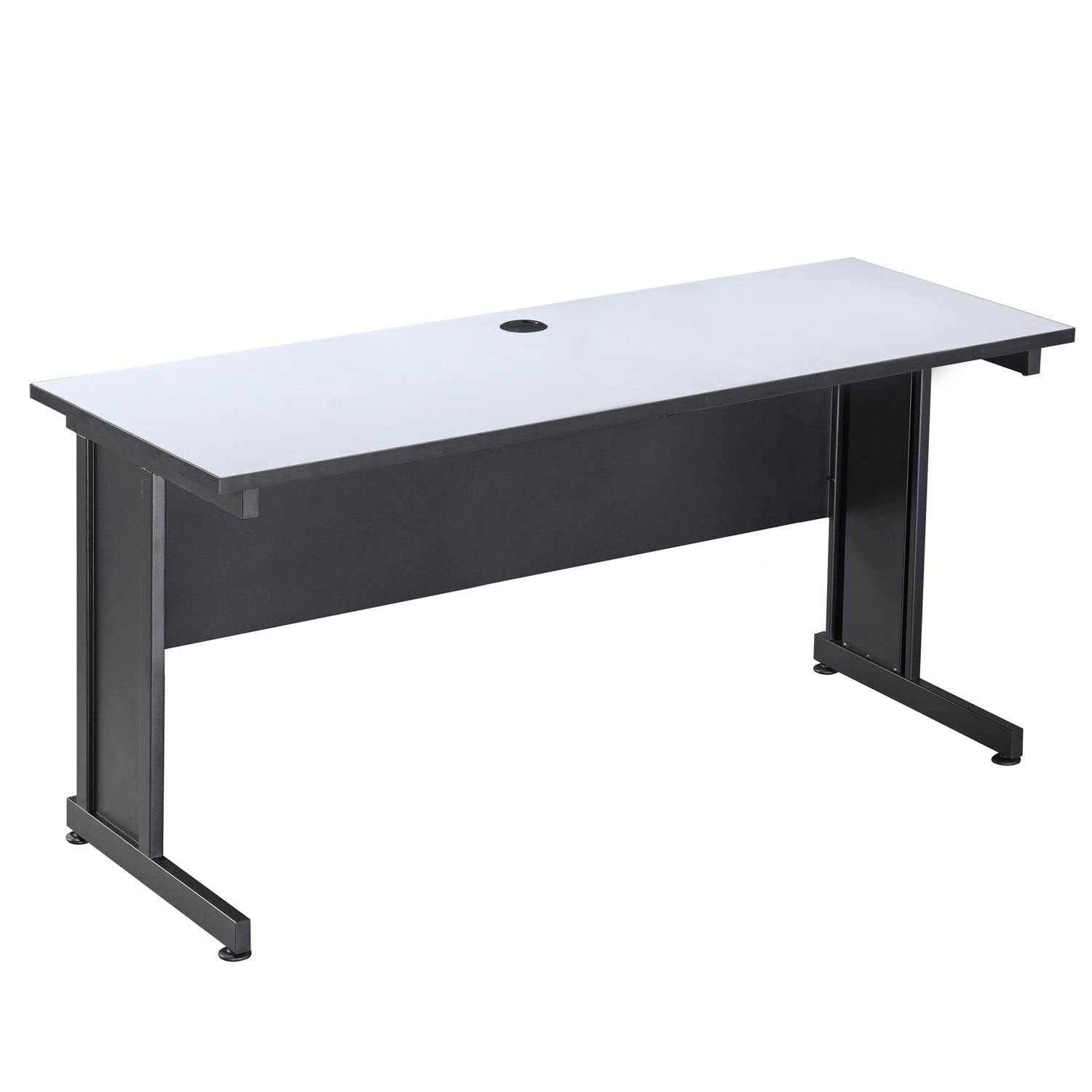
Figure 1: Global Industrial Interion Office Desk. This image shows the complete desk from a front-angle view, highlighting its gray top and black metal frame.
Setup and Assembly
The Global Industrial Interion Office Desk requires assembly. Please follow these general steps. Refer to the included assembly guide for detailed, step-by-step instructions and diagrams specific to your model.
- Unpack Components: Carefully remove all parts from the packaging. Verify that all components listed in the assembly guide are present and undamaged.
- Identify Hardware: Separate and identify all screws, bolts, and other hardware.
- Assemble Frame: Attach the desk legs to the support beams using the provided hardware. Ensure all connections are secure but do not fully tighten until the desk is upright.
- Attach Modesty Panel: Secure the modesty panel to the desk frame.
- Mount Desktop: Carefully place the desktop onto the assembled frame and secure it using the designated screws.
- Install Leveling Glides: Screw the adjustable leveling glides into the bottom of each leg.
- Final Tightening: Once the desk is upright and in its desired position, fully tighten all screws and bolts.
Tools Required: Typically, a Phillips head screwdriver and an Allen wrench (often included) are needed for assembly.

Figure 2: Desk Dimensions. This diagram illustrates the desk's dimensions: 72 inches wide, 24 inches deep, and 30 inches high.
Operating Instructions
The Global Industrial Interion Office Desk is designed for general office and computer use. Its robust construction supports a weight capacity of 440 lbs.
- Work Surface: The 1-inch thick scratch-resistant laminate work surface provides a durable area for your computer, documents, and other office essentials.
- Cable Management: The desktop includes a 2-3/16 inch diameter cable management grommet opening. Use this grommet to route power cords and data cables neatly, reducing clutter and improving safety.

Figure 3: Cable Management Grommet. A close-up view of the black circular grommet on the gray desktop, designed for organizing cables.
Maintenance
Proper maintenance ensures the longevity and appearance of your desk.
- Cleaning the Surface: Wipe the laminate desktop with a soft, damp cloth. For stubborn marks, use a mild, non-abrasive cleaner. Avoid harsh chemicals or abrasive materials that can damage the finish.
- Cleaning the Frame: The black metal frame can be cleaned with a damp cloth. Dry immediately to prevent water spots.
- Adjusting Leveling Glides: Periodically check the adjustable leveling glides. If the desk wobbles, turn the glides clockwise or counter-clockwise to achieve a stable, level surface.

Figure 4: Adjustable Leveling Glide. A close-up image showing the threaded adjustable foot at the base of a desk leg, used for leveling the desk on uneven floors.
Troubleshooting
This section addresses common issues you might encounter with your desk.
- Desk Wobbles: If the desk is unstable, check that all assembly hardware is securely tightened. Adjust the leveling glides on the bottom of each leg to compensate for uneven floor surfaces.
- Surface Scratches: While the laminate surface is scratch-resistant, heavy or sharp objects can still cause damage. Use desk pads or coasters to protect the surface from potential scratches and spills.
- Loose Connections: Over time, screws and bolts may loosen. Periodically inspect all connections and tighten them as needed to maintain desk stability.
Specifications
| Feature | Detail |
|---|---|
| Model Number | 240346GY |
| Brand | Global Industrial |
| Shape | Rectangular |
| Product Dimensions (D x W x H) | 24"D x 72"W x 30"H |
| Color | Gray (Top), Black (Frame) |
| Style | Industrial |
| Base Material | Alloy Steel |
| Finish Type | Steel (Frame), Laminate (Top) |
| Item Weight | 85.5 Pounds |
| Weight Capacity | 440 lbs |
| Desktop Thickness | 1 inch |
| Cable Grommet Diameter | 2-3/16 inches |
| Assembly Required | Yes |
| Included Components | Assembly Guide |
Warranty and Support
For warranty information, returns, or customer support, please refer to the documentation provided at the time of purchase or contact the seller directly. The seller, IndustrialSupplies, offers 30-day easy returns and customer support.
Seller Contact: For specific inquiries, please contact IndustrialSupplies through your Amazon order history or their seller page.
Ask a question about this manual
Ask about setup, troubleshooting, compatibility, parts, safety, or missing instructions. Manuals+ will review the question and use this page’s manual context to help answer it.