
1. Product Overview
The Legrand 138074 is a manual call point designed for fire alarm systems. It features a white housing, two contacts, and an integrated LED indicator. This device allows for manual activation of a fire alarm in emergency situations, providing a clear visual and tactile indication of activation.
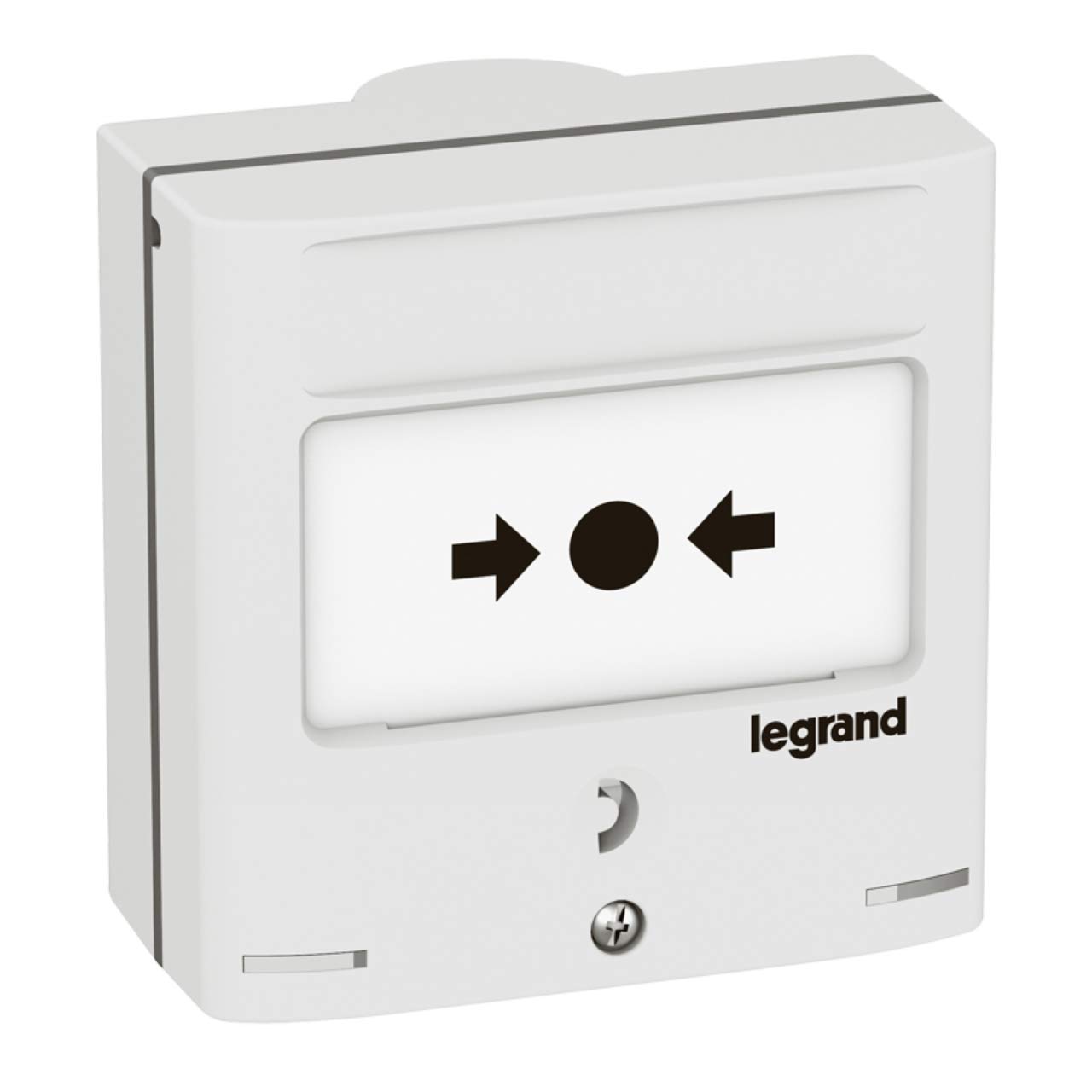
Figure 1: Front view of the Legrand 138074 Manual Call Point.
2. Safety Information
Please read and understand all safety instructions before installing or operating this device. Failure to follow these instructions may result in property damage, injury, or death.
- Professional Installation: Installation must be performed by qualified personnel in accordance with all local and national electrical codes and fire safety regulations.
- Power Disconnection: Always disconnect power to the circuit before performing any installation, maintenance, or troubleshooting.
- Voltage Check: Verify that the power supply voltage matches the device's specifications.
- Environmental Conditions: Do not install in areas with excessive moisture, extreme temperatures, or corrosive environments.
- Component Integrity: Do not use the device if any part is damaged.
3. Package Contents
Verify that all components are present and undamaged upon opening the package:
- Legrand 138074 Manual Call Point (1 unit)
- Mounting Screws (quantity as supplied)
- Instruction Manual (this document)
4. Setup and Installation
The Legrand 138074 Manual Call Point is designed for surface or flush mounting. Ensure the chosen location complies with local fire safety regulations regarding accessibility and visibility.
4.1. Mounting
- Prepare the Mounting Surface: Ensure the surface is clean, dry, and flat.
- Mark Drilling Points: Use the call point's base as a template to mark the positions for mounting screws.
- Drill Holes: Drill pilot holes appropriate for the mounting screws.
- Secure the Base: Attach the call point's base securely to the wall using the provided screws.
4.2. Wiring
Refer to the wiring diagram below and your fire alarm control panel's documentation for correct connection. This device features 2 contacts and an LED indicator.
- Connect the alarm circuit wires to the designated terminals (typically NO/NC contacts).
- Connect the LED indicator wires to the appropriate power source and signaling circuit as per your system's requirements.
- Ensure all connections are secure and properly insulated.

Figure 2: Internal view and wiring terminals of the Legrand 138074 Manual Call Point.
4.3. Final Assembly
- Carefully place the front cover onto the mounted base, ensuring all wires are tucked away and not pinched.
- Secure the cover with any retaining screws or clips provided.
- Restore power to the circuit and test the device according to your fire alarm system's testing procedures.
5. Operating Instructions
In the event of a fire or other emergency requiring immediate alarm activation:
- Locate the Call Point: Identify the nearest Legrand 138074 Manual Call Point.
- Activate the Alarm: Firmly press the designated activation area on the call point. This action will typically break a frangible element or activate a switch.
- Verify Activation: The integrated LED indicator should illuminate, confirming that the call point has been activated and the signal sent to the fire alarm control panel.
- Evacuate: Follow your building's emergency evacuation procedures.
Note: Resetting the call point typically requires a special key or tool to return the activation mechanism to its original state after an alarm. Consult your fire alarm system administrator for reset procedures.
6. Maintenance
Regular maintenance ensures the reliable operation of your manual call point.
- Visual Inspection: Periodically inspect the call point for any signs of physical damage, tampering, or obstruction. Ensure the LED is functional during system tests.
- Cleaning: Clean the exterior of the call point with a soft, damp cloth. Do not use abrasive cleaners or solvents.
- Functional Testing: Conduct regular functional tests as required by local fire safety regulations and your fire alarm system's maintenance schedule. This should be performed by qualified personnel.
- Component Replacement: If the frangible element is broken or the device is damaged, it must be replaced by a qualified technician.
7. Troubleshooting
If you encounter issues with your Legrand 138074 Manual Call Point, refer to the table below. For problems not listed, contact qualified service personnel.
| Problem | Possible Cause | Solution |
|---|---|---|
| LED not illuminating upon activation | Incorrect wiring for LED; LED faulty; No power to LED circuit. | Check LED wiring connections; Test LED circuit for power; Replace call point if LED is faulty. |
| Alarm not activating when call point is pressed | Incorrect wiring for contacts; Contacts faulty; Issue with fire alarm control panel. | Verify contact wiring; Test continuity of contacts; Consult fire alarm control panel manual or technician. |
| Call point appears damaged | Physical impact; Vandalism. | Replace the damaged call point immediately. |
8. Specifications
| Feature | Detail |
|---|---|
| Manufacturer | Legrand |
| Model Number | 138074 |
| Product Type | Manual Call Point |
| Color | White |
| Contacts | 2 contacts |
| Indicator | Integrated LED |
| Product Weight | 0.05 g |
| ASIN | B018PB4SP8 |
| First Available Date | 19 May 2016 |
9. Warranty Information
Legrand products are manufactured to high standards and are typically covered by a limited warranty against defects in materials and workmanship. The specific warranty period and terms may vary by region and product type. Please retain your proof of purchase. For detailed warranty information, refer to the official Legrand website or contact Legrand customer support in your region.
10. Support and Contact
For technical assistance, product inquiries, or to report issues, please contact Legrand customer support. You can find contact information, including phone numbers and online support portals, on the official Legrand website:
When contacting support, please have your product model number (138074) and any relevant purchase details ready.
