
Introduction
This manual provides essential information for the setup, operation, and maintenance of your BestOffice 13-gallon automatic touchless stainless steel trash can. Designed with advanced infrared sensor technology, this trash can offers a hygienic and convenient solution for waste disposal in various environments. Its sealed lid helps contain odors, and the fingerprint-resistant brushed stainless steel surface ensures easy cleaning. The modern oval design allows it to fit seamlessly into kitchens, bathrooms, offices, or bedrooms.
Key Features
- Automatic & Hygienic: The touchless sensor lid opens and closes automatically, providing a hands-free and sanitary waste disposal experience.
- Modern & Durable Design: Constructed from premium stainless steel with a fingerprint-resistant finish, featuring a sleek oval body and sloping lid.
- Battery Powered: Operates on 4 C-cell batteries (not included), supporting over 40,000 openings for extended use. Alkaline batteries are recommended.
- Odor Control & Easy Care: The sealed lid minimizes odors, and the stainless steel surface is easily maintained with a dry towel.
- Large Capacity: Designed to fit standard 13-gallon trash bags, suitable for various household and office needs.
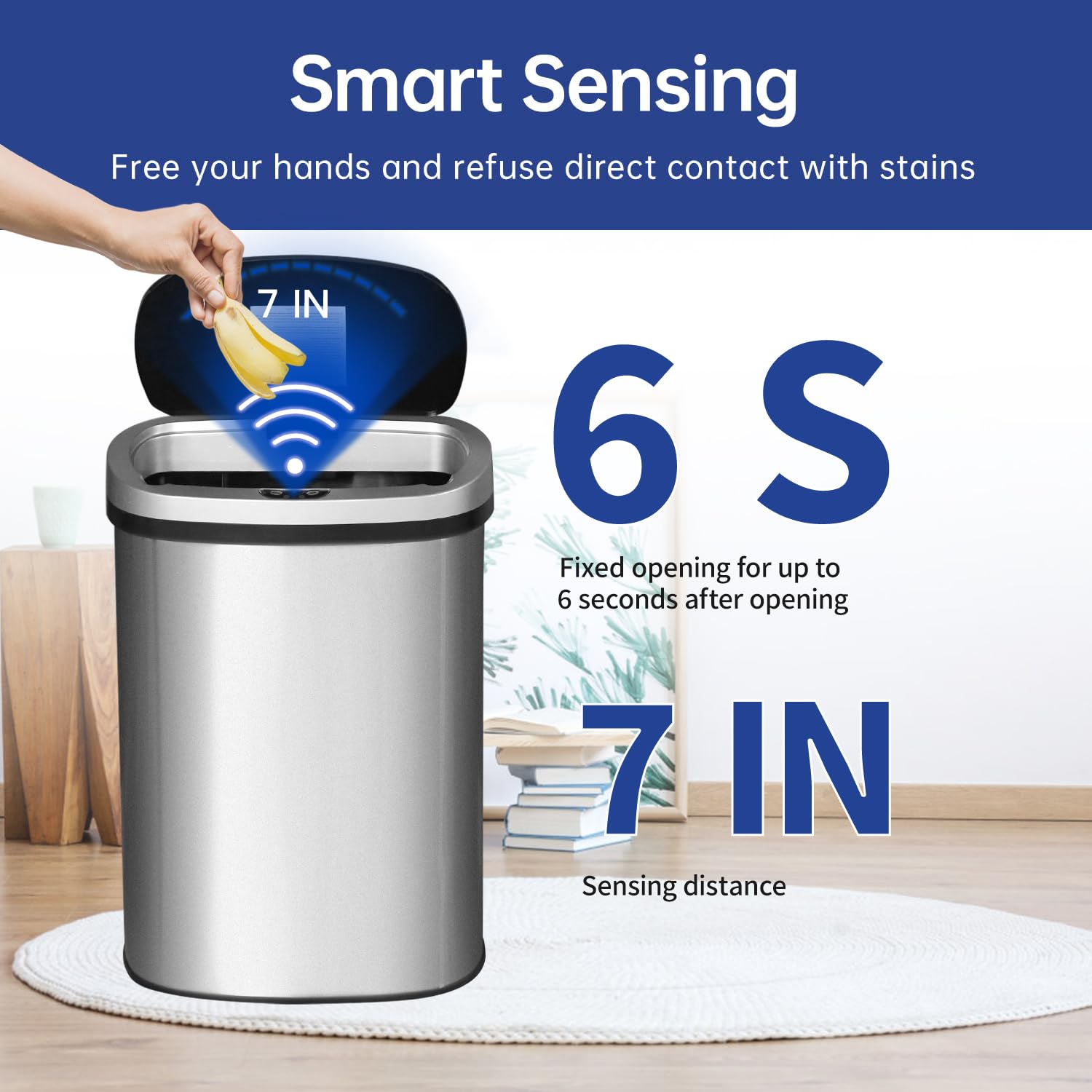
Figure 1: Smart Sensing feature for hands-free operation.
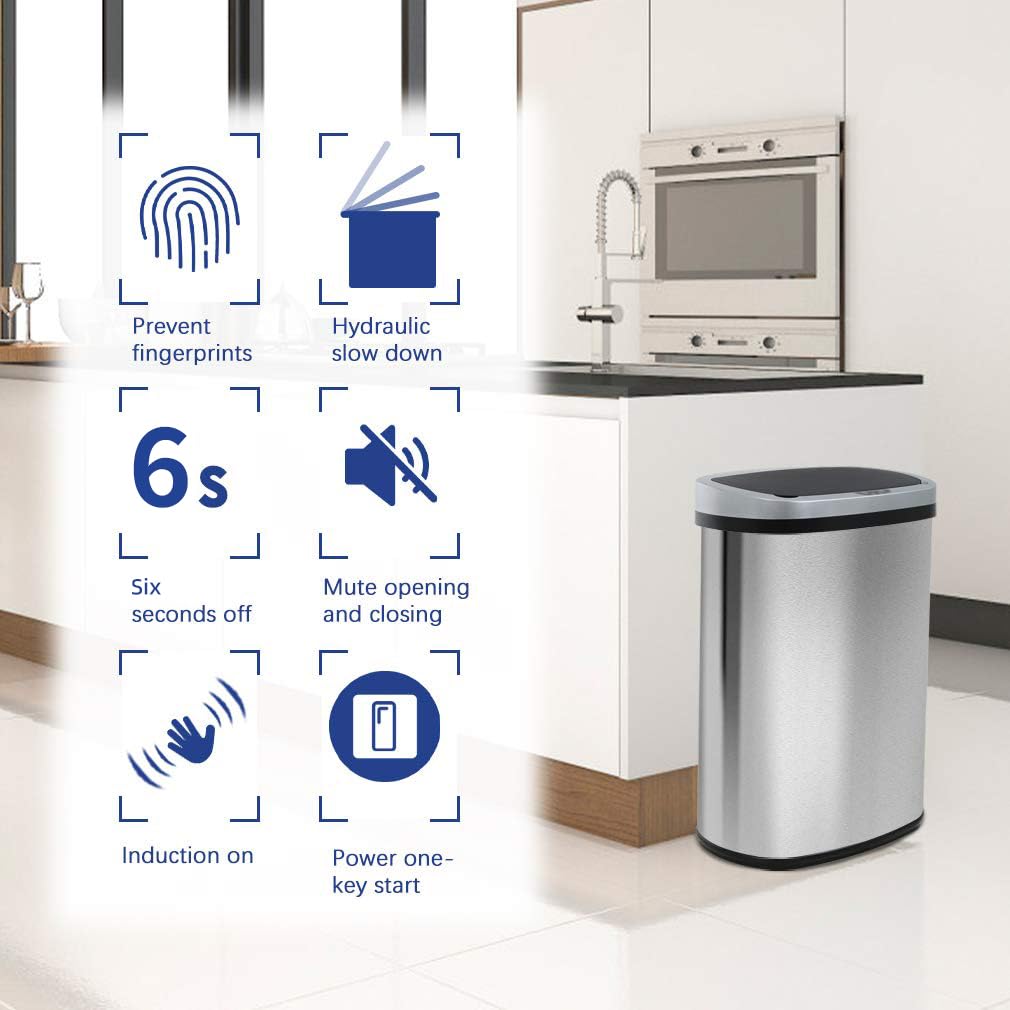
Figure 2: Overview of the trash can's advanced features.
Setup Instructions
- Unpack the Unit: Carefully remove all components from the packaging. Ensure all parts are present: the stainless steel body, the sensor lid, and the bag retaining ring.
- Install Batteries: Locate the battery compartment on the underside of the sensor lid. Insert 4 C-cell alkaline batteries (not included) according to the polarity indicators.
- Power On: Locate the ON/OFF switch on the back of the sensor lid. Flip the switch to the 'ON' position. The sensor will perform a brief self-test.
- Insert Trash Bag: Place a standard 13-gallon trash bag into the can. Secure the bag by placing the retaining ring over the top edge of the bag and fitting it snugly inside the can's rim. This prevents the bag from slipping.
- Attach Lid: Carefully place the sensor lid onto the trash can body, ensuring it is properly aligned and seated.
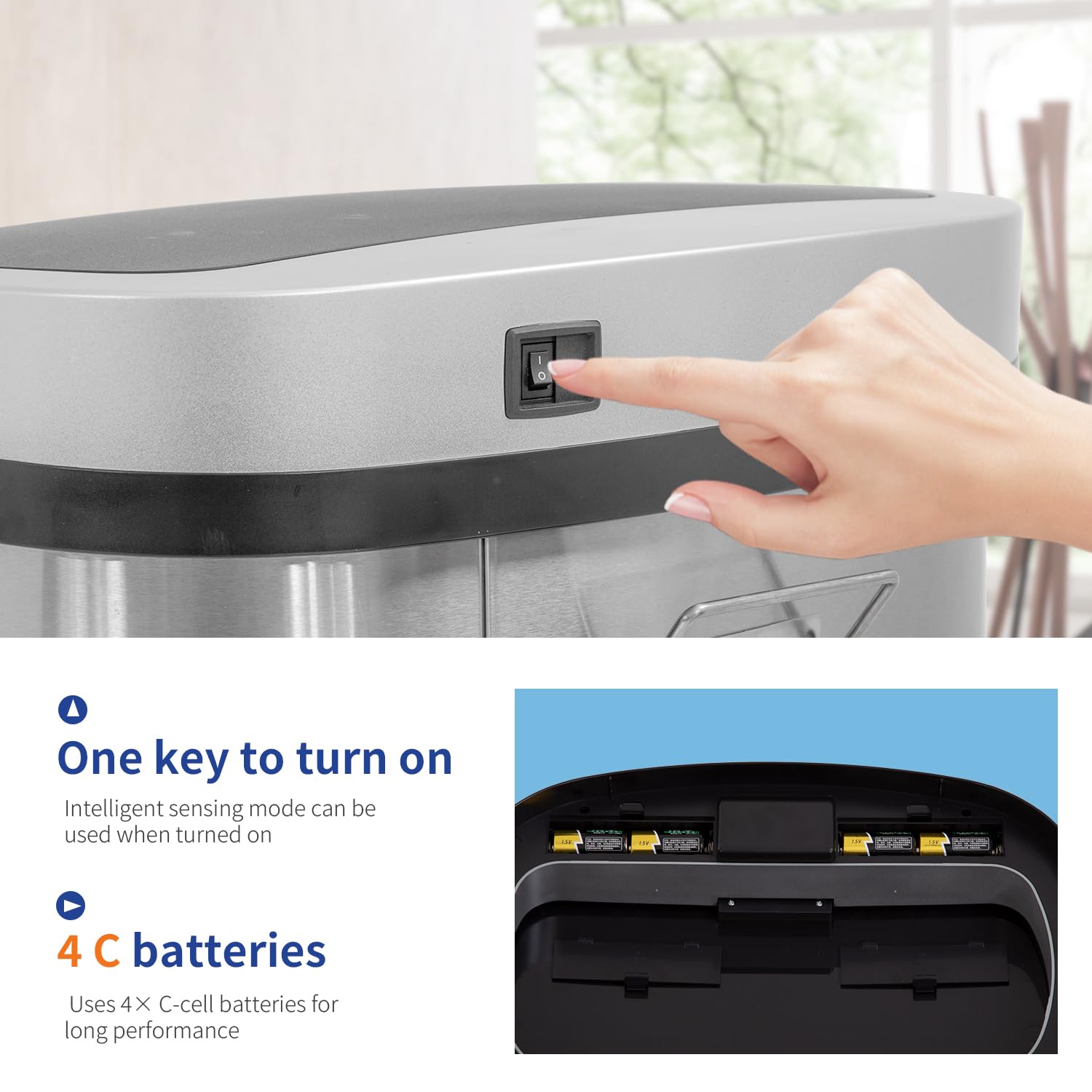
Figure 3: Battery installation and power switch location.
Video 1: Demonstrates the simple process of installing a trash bag and securing it with the retaining ring, ensuring a neat and mess-free setup.
Operating Instructions
Automatic Sensor Mode
Once powered on, the trash can is in automatic sensor mode. Simply wave your hand or an object within 6-7 inches above the sensor located on the lid. The lid will open automatically and remain open for approximately 6 seconds, allowing you to dispose of waste without physical contact. After 6 seconds, or if no motion is detected, the lid will close softly and silently.
Manual Operation
For extended opening or specific tasks, you can use the manual control buttons on the lid:
- OPEN Button: Press the 'OPEN' button to keep the lid open indefinitely.
- CLOSE Button: Press the 'CLOSE' button to close the lid when it is in the manual open state.
Video 2: A demonstration of the automatic touchless lid operation, showcasing its responsiveness and convenience in a kitchen setting.
Video 3: Illustrates the smooth and quiet opening and closing mechanism of the trash can lid, highlighting its hands-free functionality.
Maintenance
Cleaning the Exterior
The brushed stainless steel surface is fingerprint-resistant and easy to clean. Wipe the exterior with a soft, dry cloth for regular maintenance. For tougher spots, use a damp cloth with a mild, non-abrasive cleaner, then dry thoroughly. Avoid harsh chemicals or abrasive pads that could damage the finish.
Cleaning the Interior
To clean the interior, remove the lid and the trash bag. Wipe the inside of the can with a damp cloth and a mild disinfectant. Ensure the interior is completely dry before replacing the trash bag and lid.
Battery Replacement
When the lid's operation becomes slow or inconsistent, it's time to replace the batteries. Follow the battery installation steps in the Setup section. Always replace all 4 C-cell batteries at once with new alkaline batteries for optimal performance.
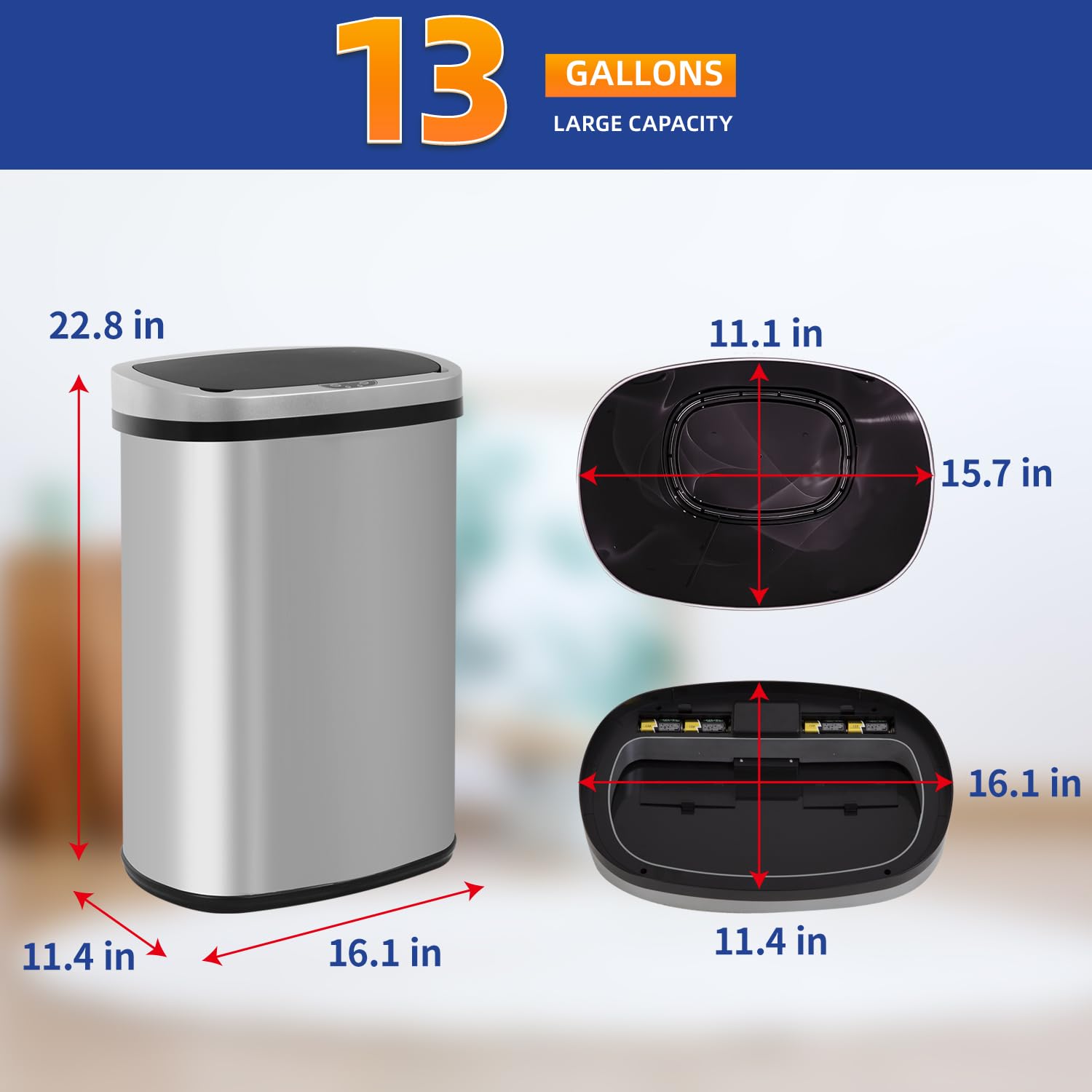
Figure 4: The brushed stainless steel finish is designed for easy cleaning and durability.
Troubleshooting
| Problem | Possible Cause | Solution |
|---|---|---|
| Lid does not open automatically. | 1. Batteries are dead or incorrectly installed. 2. Power switch is off. 3. Sensor is obstructed or dirty. | 1. Replace batteries with new C-cell alkaline batteries; ensure correct polarity. 2. Flip the power switch to 'ON'. 3. Clean the sensor window with a soft, dry cloth. Ensure no objects are blocking the sensor. |
| Lid opens slowly or closes with difficulty. | Batteries are low. | Replace all 4 C-cell batteries with new alkaline batteries. |
| Lid opens too frequently or unexpectedly. | Sensor is too sensitive or in a high-traffic area. | Relocate the trash can to an area with less foot traffic or away from direct sunlight/strong light sources. |
| Odor is escaping the trash can. | Lid is not fully sealed or trash bag is overfilled. | Ensure the lid is properly seated and the trash bag is not overfilled. Consider using odor-absorbing liners or changing the bag more frequently. |
Specifications
- Brand: BestOffice
- Model: B018LNFQWE
- Capacity: 13 Gallons
- Color: Stainless Steel
- Opening Mechanism: Motion-Sensor
- Material: Stainless Steel
- Finish Type: Brushed
- Shape: Oval
- Item Dimensions (L x W x H): 16"L x 11"W x 22"H
- Item Weight: 8 Pounds
- Power Source: 4 x C-cell batteries (not included)
- Recommended Uses: Indoor (Kitchen, Bathroom, Office, Bedroom)

Figure 5: Product dimensions for proper placement and fit.
Warranty and Support
For warranty information or technical support, please refer to the documentation included with your product or visit the official BestOffice website. Keep your purchase receipt for any warranty claims.
