
Welcome
Thank you for choosing the SBS TEEARSETBT200 Bluetooth Earset. This manual provides essential information for the safe and efficient use of your device. Please read it carefully before use and keep it for future reference.
Package Contents
- SBS TEEARSETBT200 Bluetooth Earset
- Micro USB Charging Cable
- User Manual
Product Overview
The SBS TEEARSETBT200 Bluetooth Earset features a rounded design and an optimally positioned answer key for ease of use. It offers a standby time of up to 100 hours and approximately 4 hours of usage time. This earset supports stereo function and multipoint connection, allowing it to connect to two devices simultaneously. A microphone is integrated for hands-free communication.
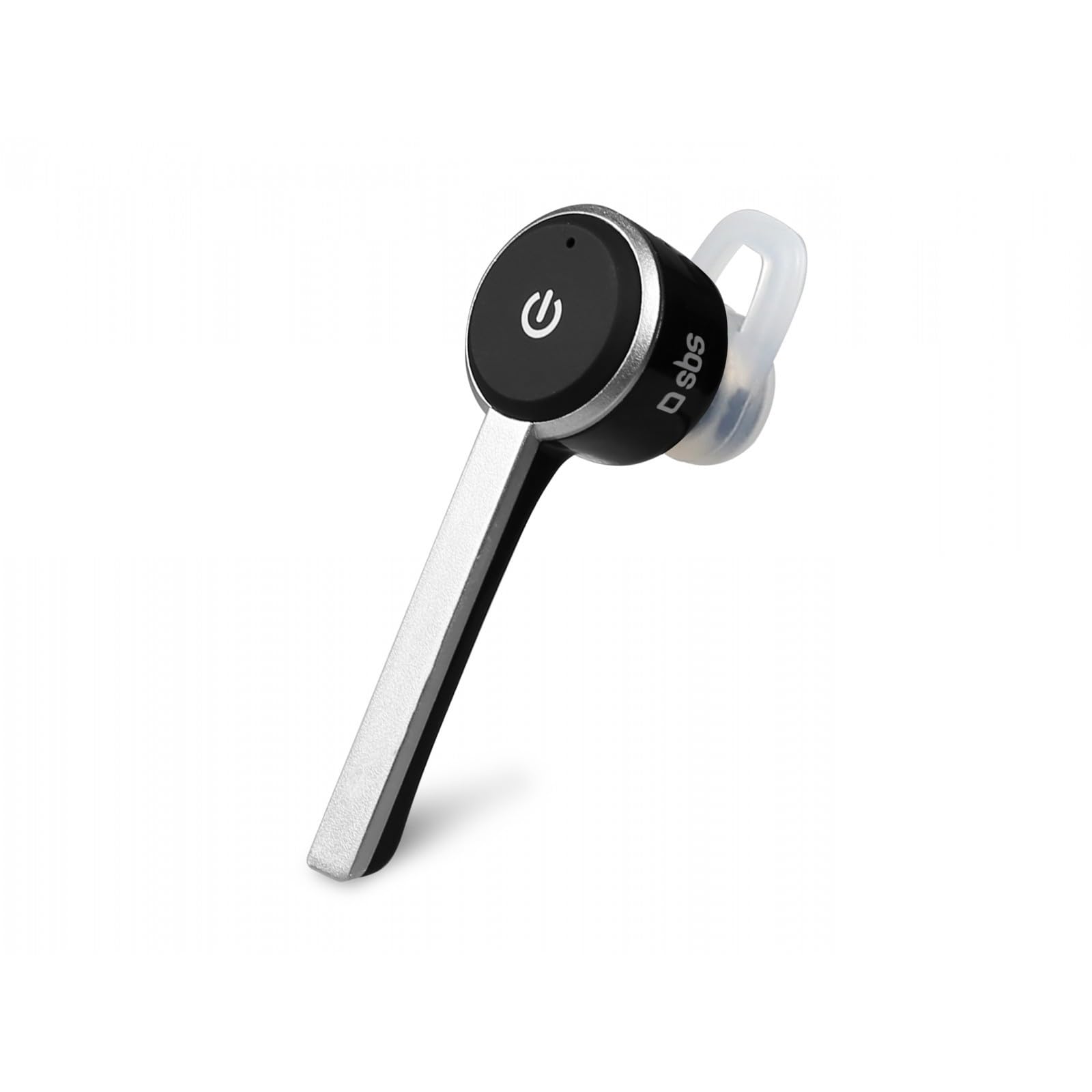
Image showing the SBS TEEARSETBT200 Bluetooth Earset, a compact wireless earphone with a power button visible on its side, designed for comfortable in-ear use.
Charging the Earset
Before first use, fully charge the earset. To charge, connect the supplied micro USB cable to the earset's micro USB port and the other end to a compatible USB power source (e.g., computer USB port or USB wall adapter).
- A red indicator light typically signifies that the earset is charging.
- The indicator light will usually turn blue or off once charging is complete.
- Charging time may vary.
Setup and Bluetooth Pairing
Initial Pairing
- Ensure the earset is fully charged.
- Power On: Press and hold the power button (often the main function button) on the earset until you hear an audible prompt or see an indicator light flash (e.g., blue and red alternating) indicating pairing mode.
- Activate Bluetooth: On your mobile device (smartphone, tablet, etc.), go to the Bluetooth settings and ensure Bluetooth is turned on.
- Search for Devices: Your device will scan for available Bluetooth devices. Look for "TEEARSETBT200" or a similar name in the list.
- Connect: Select "TEEARSETBT200" to connect. Once connected, you should hear a confirmation tone or see a steady blue light on the earset.
Multipoint Connection
The TEEARSETBT200 supports multipoint connection, allowing it to be connected to two Bluetooth devices simultaneously. To use this feature:
- Pair the earset with the first device as described above.
- Disable Bluetooth on the first device.
- Put the earset back into pairing mode and pair it with the second device.
- Re-enable Bluetooth on the first device. The earset should now be connected to both devices.
Operating Instructions
Power On/Off
- Power On: Press and hold the main function button for approximately 3-5 seconds until the indicator light flashes and you hear a power-on prompt.
- Power Off: Press and hold the main function button for approximately 3-5 seconds until the indicator light turns off and you hear a power-off prompt.
Call Management
- Answer Call: Press the main function button once when a call comes in.
- End Call: Press the main function button once during a call.
- Reject Call: Press and hold the main function button for approximately 2 seconds when a call comes in.
- Redial Last Number: Double-press the main function button.
Music Playback
(Functionality may vary based on connected device and earset controls. Typically, the main function button controls playback.)
- Play/Pause: Press the main function button once.
- Next Track: (If available) Press and hold a specific button or double-press the main function button. Refer to device-specific controls.
- Previous Track: (If available) Press and hold a specific button or triple-press the main function button. Refer to device-specific controls.
Maintenance and Care
- Cleaning: Use a soft, dry cloth to clean the earset. Do not use harsh chemicals or abrasive materials.
- Storage: Store the earset in a cool, dry place away from direct sunlight and extreme temperatures.
- Battery Care: To prolong battery life, avoid fully discharging the earset frequently. Charge it regularly, even if not in use for extended periods.
- Water Exposure: This earset is not waterproof. Avoid exposure to water or excessive moisture.
Troubleshooting
| Problem | Possible Cause | Solution |
|---|---|---|
| Earset does not power on. | Low battery. | Charge the earset fully. |
| Cannot pair with device. | Bluetooth is off on the device; earset not in pairing mode; too far from device. | Ensure Bluetooth is on. Put earset in pairing mode. Keep devices within 10 meters. |
| No sound or poor sound quality. | Volume too low; earset not properly connected; interference. | Adjust volume. Re-pair the earset. Move away from other wireless devices. |
| Multipoint connection issues. | Incorrect pairing sequence. | Follow the multipoint pairing instructions carefully. |
Technical Specifications
- Model: TEEARSETBT200
- Connectivity: Wireless Bluetooth
- Charging Port: Micro USB
- Special Features: Microphone included, Multipoint connection
- Rechargeable Battery: Yes (1 Lithium-polymer)
- Standby Time: Up to 100 hours
- Usage Time: Up to 4 hours
- Form Factor: In-Ear
- Color: Black/Silver
Important Safety Information
- Do not disassemble or modify the earset. This may cause damage, electric shock, or fire.
- Keep the earset away from extreme temperatures, humidity, and corrosive substances.
- Avoid listening at high volume levels for extended periods to prevent hearing damage.
- Dispose of the earset and its battery responsibly according to local regulations.
- Keep out of reach of children and pets.
Warranty and Support
This product is covered by a standard manufacturer's warranty. For detailed warranty terms, please refer to the documentation provided at the time of purchase or contact your retailer. For technical support or service inquiries, please visit the official SBS website or contact their customer service.
