
1. Introduction
This manual provides detailed instructions for the safe and efficient operation of your UNIC UC50 Mini Projector. Please read this manual thoroughly before using the device and retain it for future reference.
The UNIC UC50 is a compact DLP projector designed for various multimedia applications, offering portability and ease of use.
2. Package Contents
Verify that all items listed below are included in your package. If any items are missing or damaged, please contact your retailer.
- 1x UNIC UC50 Projector
- 1x User Manual (this document)
- 1x Power Adaptor
- 1x Cable
- 1x Remote Control

Figure 2.1: UNIC UC50 Mini Projector and included accessories. The image displays the compact projector unit along with its power adapter, remote control, and connecting cables, all neatly arranged.
3. Product Overview
Familiarize yourself with the various components and ports of your UNIC UC50 Mini Projector.
3.1 Front View

Figure 3.1.1: Front view of the UNIC UC50 Mini Projector with the lens cover open. This view highlights the projection lens and the sliding lens cover mechanism.

Figure 3.1.2: Front view of the UNIC UC50 Mini Projector with the lens cover closed. The sliding cover protects the lens when the projector is not in use.
3.2 Side Views (Input/Output Ports)

Figure 3.2.1: Side view of the UNIC UC50 Mini Projector, displaying the USB port and SD card slot for media input.

Figure 3.2.2: Opposite side view of the UNIC UC50 Mini Projector, featuring the HDMI input, AV input, and 3.5mm earphone output jack.
3.3 Rear View

Figure 3.3.1: Rear view of the UNIC UC50 Mini Projector. This side includes the focus adjustment wheel and the DC 5V 2A power input port.
3.4 Top View
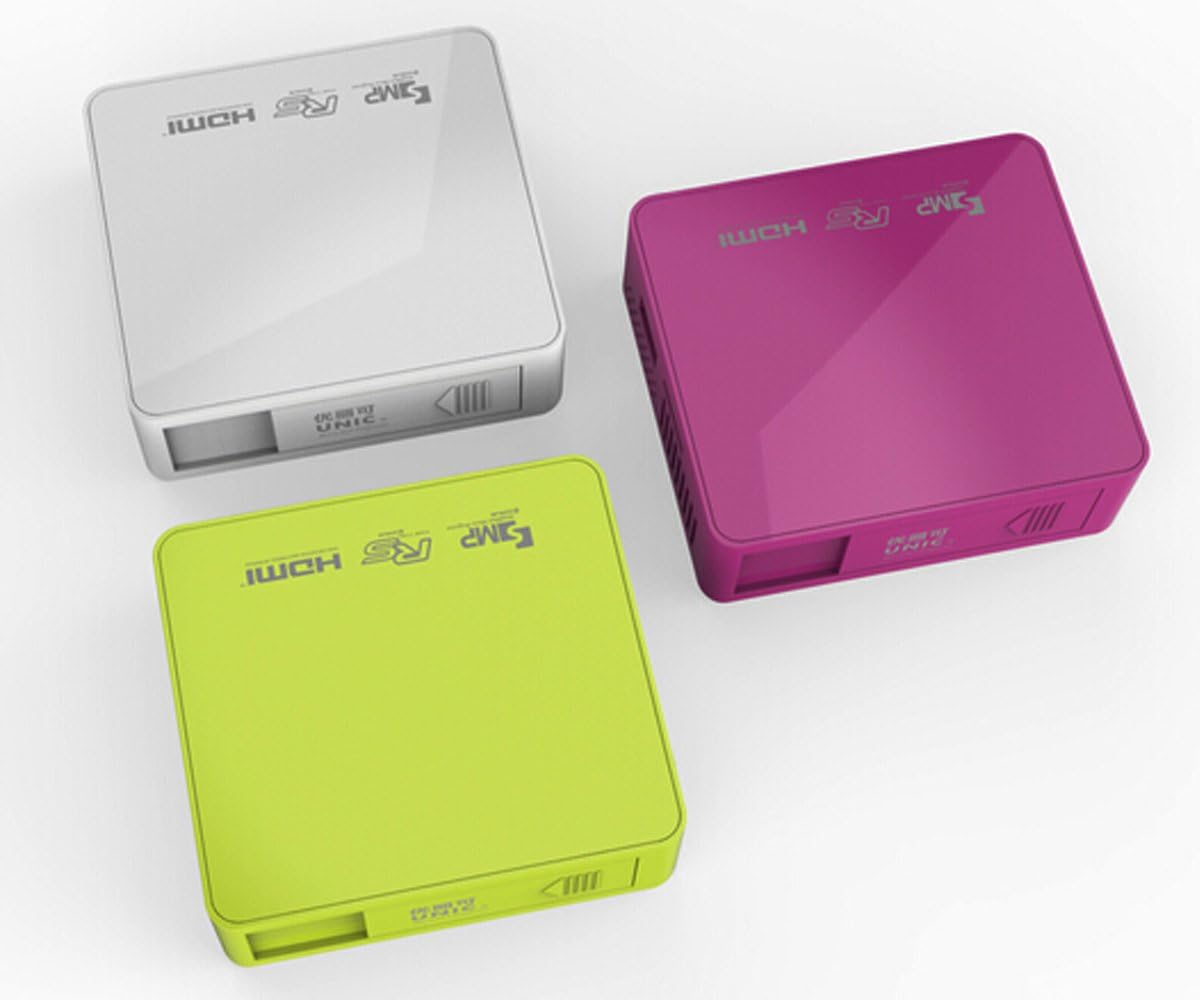
Figure 3.4.1: Top view of the UNIC UC50 Mini Projector, showing the minimalist design and branding.
4. Setup
4.1 Power Connection
- Connect the provided power adaptor to the DC 5V 2A input port on the rear of the projector.
- Plug the power adaptor into a standard electrical outlet (AC 100-240V, 50/60Hz).
- The projector will power on automatically or can be turned on using the remote control.
4.2 Placement and Projection
- Place the projector on a stable, flat surface.
- Ensure the projection surface (screen or wall) is clean and smooth.
- Adjust the projection distance between 35.5 cm and 430 cm to achieve the desired image size (14-150 inches).
- For optimal viewing, operate the projector in a dimly lit room.
5. Operating Instructions
5.1 Adjusting Focus
Rotate the focus adjustment wheel located on the rear of the projector until the projected image appears clear and sharp.
5.2 Input Source Selection
The UNIC UC50 supports multiple input sources:
- USB: Insert a USB flash drive into the USB port.
- SD: Insert an SD card into the SD card slot.
- AV: Connect an AV cable to the AV input port.
- HDMI: Connect an HDMI cable to the HDMI input port.
Use the remote control to navigate the on-screen menu and select the desired input source.
5.3 Multimedia Playback
When a USB drive or SD card is inserted, the projector's UNIC Multimedia OS will allow you to browse and play supported file formats:
- Video Formats: MP4, AVI, MOV, VOB, DAT, MPEG, MPG, RM, RMVB (Video encoding: MPEG1/MPEG2/MPEG4/DivX/Xvid)
- Audio Formats: MP3, WMA, WAV, AAC, OGG, ASF
- Image Formats: JPG, BMP, PNG
- Document Format: TXT
Navigate through the files using the remote control and select the desired content for playback.
5.4 Audio Output
The projector has built-in speakers (1.0W *2). For private listening or connecting external audio systems, use the 3.5mm earphone output jack.
6. Maintenance
6.1 Cleaning the Lens
Use a soft, lint-free cloth specifically designed for optical lenses to gently wipe the projector lens. Avoid using abrasive cleaners or excessive force, as this can scratch the lens.
6.2 Cleaning the Projector Body
Wipe the exterior of the projector with a soft, dry cloth. Do not use liquid cleaners or solvents.
6.3 Storage
When not in use, store the projector in a cool, dry place, away from direct sunlight and extreme temperatures. Ensure the lens cover is closed to protect the lens from dust.
7. Troubleshooting
| Problem | Possible Cause | Solution |
|---|---|---|
| No image projected |
|
|
| Image is blurry |
|
|
| No sound |
|
|
| Remote control not working |
|
|
8. Specifications
| Feature | Detail |
|---|---|
| Image System | DLP |
| Lamp Type | LED |
| Native Resolution | 854 x 480 pixels |
| Supported Resolution | Up to 1920 x 1080 pixels (1080P) |
| Aspect Ratio | 4:3 / 16:9 |
| Operating System | UNIC Multimedia OS |
| Brightness | 800 Lumens |
| Contrast Ratio | 800:1 |
| Lens | F=125 |
| Focus | Manual |
| Lamp Working Hours | 20,000 hours |
| Image Size | 14-150 Inches |
| Projection Distance | 35.5 cm - 430 cm |
| Projection Mode | Front Projection |
| Operation Mode | Manual / Remote Control |
| Output Ports | 3.5mm Earphone |
| Input Ports | USB, SD, AV, HDMI, IR |
| Power Input | AC 100-240V, 50/60Hz |
| Power Output | DC 5V 2A |
| Power Consumption | 10W |
| Speaker | 1.0W x 2 |
| Weight | 130g |
| Dimensions (L x W x H) | 78 x 71 x 24.5 mm |
| OS Language | English, Polski, Russian, Deutsch, Spanish, Czech, etc. (23 Languages) |
| Special Features | 3D-Ready |
9. Warranty and Support
The UNIC UC50 Mini Projector comes with a standard manufacturer's warranty. Please refer to the warranty card included in your package for specific terms and conditions, including warranty period and coverage details.
For technical support, troubleshooting assistance beyond this manual, or warranty claims, please contact your original point of purchase or visit the official UNIC support website (if available).
Note: Specific warranty details and support contact information may vary by region and retailer.