
Introduction
This manual provides detailed instructions for the safe installation, operation, and maintenance of the Packard PR382 Fan Relay. Please read this manual thoroughly before attempting to install or operate the device. Retain this manual for future reference.
Safety Information
WARNING: Electrical shock hazard. Always disconnect power before installing, servicing, or removing this device. Installation should only be performed by qualified personnel in accordance with all local and national electrical codes.
- Ensure all wiring connections are secure and properly insulated.
- Do not exceed the specified voltage and current ratings.
- Keep the device away from moisture and extreme temperatures.
- Wear appropriate personal protective equipment (PPE) when working with electrical systems.
Product Overview
The Packard PR382 is a robust 120V Single-Pole, Double-Throw (SPDT) Heavy Duty (HD) enclosed fan relay. It is designed for reliable switching applications in heating, ventilation, and air conditioning (HVAC) systems, as well as other general-purpose electrical control circuits. This relay features both Normally Open (NO) and Normally Closed (NC) contacts, providing versatility for various control schemes.
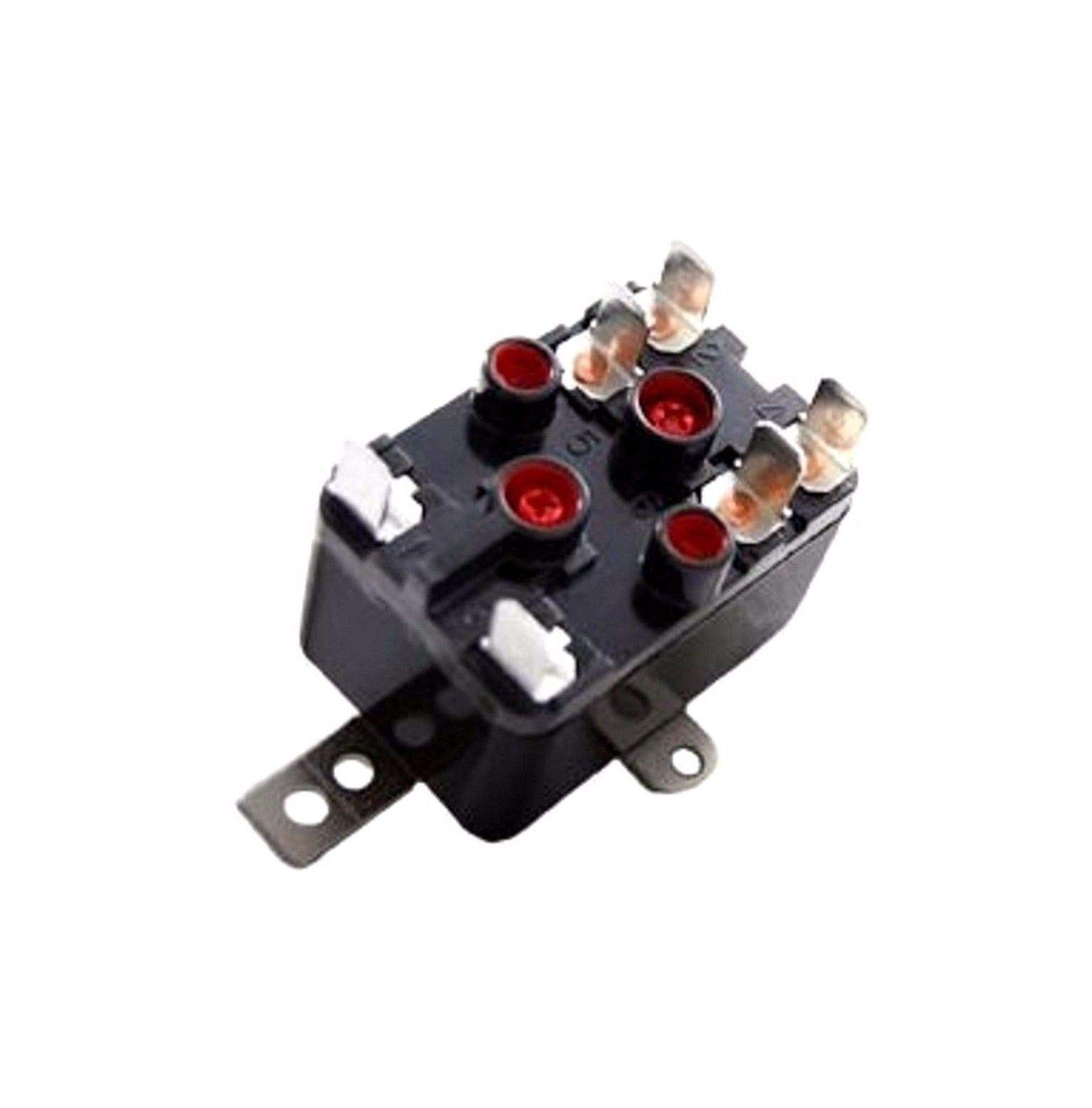
Image of the Packard PR382 Fan Relay, showcasing its compact, enclosed design suitable for various applications.
Installation Instructions
Follow these steps for proper installation:
- Disconnect Power: Ensure that the main power supply to the circuit where the relay will be installed is completely disconnected at the breaker or fuse box. Verify with a voltage tester.
- Mounting: Securely mount the PR382 relay in a suitable enclosure or panel using appropriate fasteners. Ensure the mounting location is stable, dry, and free from excessive vibration.
- Wiring Connections: Refer to the specific wiring diagram for your application. Connect the coil terminals to the control circuit (120 VAC). Connect the NO and NC contact terminals to the load circuit (e.g., fan motor, pump) as required by your system design.
- Verify Connections: Double-check all wiring connections for tightness and correct polarity. Ensure no bare wires are exposed.
- Restore Power: Once all connections are verified and secure, restore power to the circuit.
- Test Operation: Test the relay's operation to ensure it functions correctly according to your system's design.
Operating Instructions
The Packard PR382 fan relay operates automatically based on the control signal applied to its coil. When the 120 VAC coil is energized, the relay contacts switch state. When the coil is de-energized, the contacts return to their original state.
- Normally Open (NO) Contacts: These contacts are open when the coil is de-energized and close when the coil is energized, completing the circuit to the connected load.
- Normally Closed (NC) Contacts: These contacts are closed when the coil is de-energized and open when the coil is energized, breaking the circuit to the connected load.
The relay's operation is typically controlled by a thermostat, timer, or other control device that provides the 120 VAC signal to the relay coil.
Maintenance
The Packard PR382 fan relay is designed for long-term, reliable operation with minimal maintenance. However, periodic inspection is recommended to ensure optimal performance and safety.
- Visual Inspection: Periodically inspect the relay for any signs of physical damage, discoloration, or corrosion.
- Connection Check: Ensure all wiring connections remain tight and secure. Loose connections can lead to overheating or intermittent operation.
- Environmental Conditions: Verify that the operating environment remains within the specified temperature and humidity ranges. Protect the relay from excessive dust and moisture.
- Cleaning: If necessary, gently clean the exterior of the relay with a dry, soft cloth. Do not use liquid cleaners or solvents.
Troubleshooting Guide
This section provides solutions to common issues you might encounter with the PR382 fan relay.
| Problem | Possible Cause | Solution |
|---|---|---|
| Relay coil does not energize. | No power to coil; faulty control circuit; damaged coil. | Check 120 VAC supply to coil terminals. Inspect control circuit wiring. Replace relay if coil is damaged. |
| Load (e.g., fan) does not turn ON/OFF. | Incorrect wiring of contacts; faulty contacts; load issue. | Verify contact wiring against diagram. Test continuity of contacts. Check the load device independently. |
| Relay makes clicking sound but load doesn't operate. | Contacts are switching but not making good connection; load circuit open. | Inspect contacts for pitting or damage. Check wiring to the load for breaks or loose connections. |
Technical Specifications
| Feature | Value |
|---|---|
| Model Number | PR382 |
| Brand | Packard |
| Contact Type | SPDT (Single-Pole, Double-Throw) |
| Coil Voltage | 120 Volts AC |
| Maximum Switching Voltage | 120 Volts AC |
| Operation Mode | Automatic |
| Item Weight | 1 Pound |
| UPC | 785577073120 |
| ASIN | B018A1X51Q |
Warranty Information
For detailed warranty information regarding the Packard PR382 Fan Relay, please refer to the official Packard website or the warranty documentation included with your purchase. Warranty terms and conditions may vary.
Customer Support
If you require technical assistance, have questions about installation, or need further support for your Packard PR382 Fan Relay, please visit the official Packard website or contact their customer service department through the contact information provided on their website.


