
1. Introduction
This manual provides essential information for the safe and efficient operation of your Roadstar CLR-2615 Portable FM PLL Clock Radio. Please read these instructions carefully before using the device and retain them for future reference.
The Roadstar CLR-2615 is a compact clock radio featuring a large 1.8-inch white LCD display, FM PLL radio with 20 preset stations, dual alarm functionality (radio or buzzer), and convenient sleep and snooze functions. It operates on AC power with a battery backup for time and alarm settings during power outages.
2. Safety Information
- Do not expose the unit to rain or moisture to prevent fire or electric shock.
- Ensure proper ventilation; do not block any ventilation openings.
- Only use attachments/accessories specified by the manufacturer.
- Disconnect the apparatus during lightning storms or when unused for long periods.
- Refer all servicing to qualified service personnel.
- Dispose of used batteries responsibly according to local regulations.
3. Package Contents
Please check that the following items are included in your package:
- Roadstar CLR-2615 Clock Radio Unit
- AC/DC Power Adapter
- Instruction Manual
4. Product Overview
Front Panel and Display
The front panel features a large 1.8-inch white LCD display for clear visibility of time and radio information.

Image: Front view of the Roadstar CLR-2615 clock radio, highlighting the 1.8-inch white digital display showing '23:59'.
Top Panel Controls
The top panel houses various control buttons for easy access to functions:
- SNOOZE/SLEEP Button: Activates snooze during an alarm or sets the sleep timer.
- M (Memory) Button: Used for storing and recalling radio presets.
- << / >> Buttons: Used for tuning radio frequencies or adjusting time/alarm settings.
- + / - Buttons: Used for volume control or adjusting time/alarm values.

Image: Close-up view of the top panel of the Roadstar CLR-2615, showing the 'SNOOZE/SLEEP' button and other control buttons.
Rear Panel and Connections
The rear panel includes the power input and the FM antenna.

Image: Rear view of the Roadstar CLR-2615 clock radio, showing the integrated stand, power input, and FM antenna wire.
5. Setup
5.1 Power Connection
- Insert the DC plug of the supplied AC/DC adapter into the DC IN jack located on the rear of the unit.
- Plug the AC adapter into a standard wall outlet (AC 230V~50Hz).
- The unit will power on, and the display will illuminate.
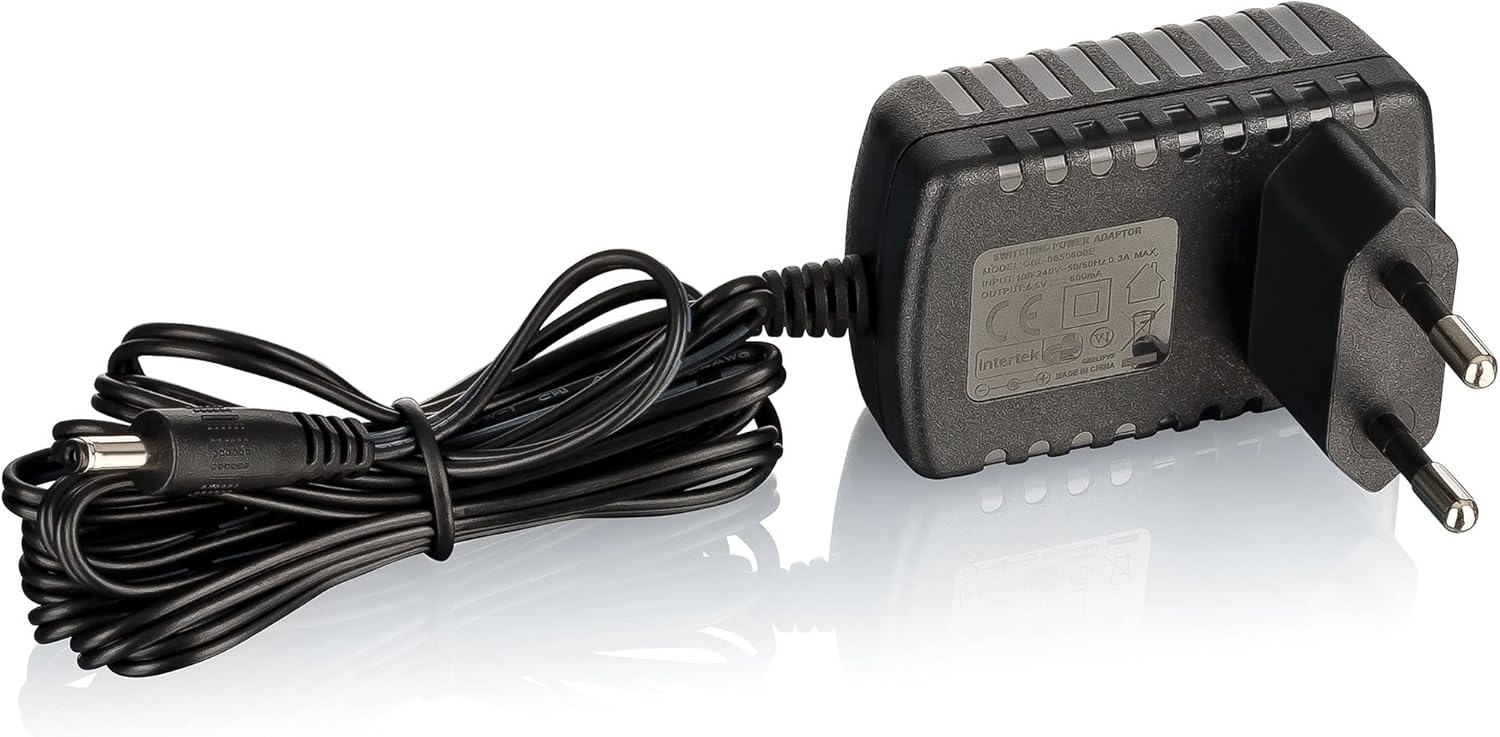
Image: The AC/DC power adapter with its cable and plug.
5.2 Battery Backup Installation
The CLR-2615 uses a CR-2025 button cell battery (not always included) for backup power. This battery preserves time and alarm settings during a power outage.
- Locate the battery compartment on the bottom or rear of the unit.
- Open the battery compartment cover.
- Insert one CR-2025 battery, ensuring the correct polarity (+/-).
- Close the battery compartment cover securely.
5.3 FM Antenna
Extend the wire antenna located at the rear of the unit for optimal FM radio reception. Adjust its position for the best signal quality.
6. Operating Instructions
6.1 Setting the Clock
- In standby mode, press and hold the TIME SET button (if available, otherwise refer to specific button combination in your unit's quick start guide, often a combination of 'M' and '+/-').
- The hour digits will flash. Use the + or - buttons to adjust the hour.
- Press TIME SET again to confirm the hour. The minute digits will flash.
- Use the + or - buttons to adjust the minutes.
- Press TIME SET once more to save the time.
6.2 Radio Operation
- Press the POWER button to turn on the radio.
- Press the MODE button (if available) to select FM radio mode.
- Automatic Tuning: Press and hold the >> or << buttons to automatically scan for the next available station.
- Manual Tuning: Briefly press the >> or << buttons to fine-tune the frequency step-by-step.
- Volume Adjustment: Use the + or - buttons to adjust the volume level.
Storing and Recalling Presets (20 Stations)
- Tune to your desired radio station.
- Press and hold the M (Memory) button until the preset number flashes on the display.
- Use the >> or << buttons to select the desired preset number (1-20).
- Press M again to confirm and save the station.
- To recall a preset station, briefly press the M button repeatedly to cycle through the stored stations.
6.3 Alarm Functions (Dual Alarm)
The CLR-2615 features two independent alarms (Alarm 1 and Alarm 2).
Setting an Alarm
- In standby mode, press and hold the ALARM 1 or ALARM 2 button.
- The alarm hour digits will flash. Use the + or - buttons to set the desired alarm hour.
- Press the ALARM button again to confirm the hour. The minute digits will flash.
- Use the + or - buttons to set the desired alarm minutes.
- Press the ALARM button again to select the alarm source (Radio or BEEP). Use + or - to choose.
- Press the ALARM button once more to save the alarm setting.
Activating/Deactivating Alarms
Briefly press the ALARM 1 or ALARM 2 button to toggle the respective alarm on or off. An alarm icon will appear/disappear on the display.
Snooze Function
When an alarm sounds, press the SNOOZE/SLEEP button to temporarily silence the alarm for approximately 9 minutes. The alarm will sound again after this period.
Sleep Function
When the radio is playing, press the SNOOZE/SLEEP button repeatedly to set a sleep timer (e.g., 90, 60, 30, 15 minutes, or OFF). The radio will automatically turn off after the selected time.
7. Maintenance
7.1 Cleaning
Wipe the unit with a soft, dry cloth. Do not use abrasive cleaners, waxes, or solvents as they may damage the surface.
7.2 Battery Replacement
If the clock or alarm settings are lost during a power outage, the CR-2025 backup battery may need replacement. Follow the instructions in section 5.2 to replace the battery.
8. Troubleshooting
| Problem | Possible Cause | Solution |
|---|---|---|
| Unit does not power on. | Power adapter not connected or faulty. | Ensure the AC adapter is securely plugged into the unit and a working wall outlet. |
| No sound from radio. | Volume is too low or muted. | Increase the volume using the + button. |
| Poor radio reception. | FM antenna not extended or positioned incorrectly. | Fully extend the FM wire antenna and adjust its position for better reception. Move the unit away from other electronic devices that may cause interference. |
| Alarm does not sound. | Alarm is not activated or set incorrectly. | Verify that the alarm is set and activated (alarm icon visible on display). Check alarm time and source. |
| Time/alarm settings lost after power outage. | Backup battery is dead or missing. | Replace the CR-2025 backup battery. |
| Display is too bright. | Brightness setting is high. | Refer to the quick start guide for specific instructions on adjusting display brightness, if available. This model typically has a fixed brightness. |
9. Specifications

Image: Detailed specifications table for the Roadstar CLR-2615.
| Feature | Detail |
|---|---|
| Model Number | CLR-2615 |
| Brand | Roadstar |
| Display Type | Digital LCD, 1.8-inch, White |
| Radio Type | FM PLL Radio |
| Preset Stations | 20 |
| Alarm Functions | Dual Alarm (Radio or Buzzer), Snooze, Sleep Timer |
| Power Supply | AC 230V~50Hz / DC 6.5V (via adapter) |
| Battery Backup | CR-2025 (for time/alarm memory) |
| Max. Music Power | 6 W |
| Dimensions (H x W x D) | 180 x 95 x 25 mm (approx. 7.09 x 3.74 x 0.98 inches) |
| Weight | 0.28 kg (approx. 0.62 lbs) |
| Color | Black/Silver |
| Country of Origin | P.R.C. |
10. Warranty and Support
Roadstar products are designed and manufactured to the highest quality standards. For warranty information and customer support, please refer to the warranty card included with your product or visit the official Roadstar website. Keep your proof of purchase for any warranty claims.


