
Introduction
This instruction manual provides essential information for the safe and proper operation, maintenance, and care of your Jamara Mercedes Arocs 2.4 GHz RC Dump Truck, model 404940. Please read this manual thoroughly before using the product and keep it for future reference.
The Mercedes Arocs dump truck is a highly realistic remote-controlled model featuring a 2.4 GHz radio control system, realistic engine sounds, a horn, LED signal lights, and a functional dump bed. It is designed for users aged 6 years and older.
Safety Information
WARNING: Not suitable for children under 6 years. Adult supervision is recommended during operation. Keep small parts away from young children to prevent choking hazards.
- Always operate the model in a safe environment, away from people, pets, and obstacles.
- Do not operate near water or in wet conditions to prevent electrical damage.
- Ensure all batteries are correctly installed and charged before use.
- Turn off the model and remote control when not in use.
- Do not attempt to modify or disassemble the product, as this may void the warranty and cause damage.
Package Contents
Verify that all items are present in the package:
- 1x Jamara Mercedes Arocs RC Dump Truck (Model 404940)
- 1x 2.4 GHz Remote Control
- 1x Instruction Manual

Image: The Jamara Mercedes Arocs RC Dump Truck shown in its retail packaging.
Setup
Battery Installation
The Jamara Mercedes Arocs RC Dump Truck and its remote control require AA batteries (not included).
- For the RC Dump Truck:
Locate the battery compartment on the underside of the truck. Open the battery cover. Insert 4x AA 1.5V alkaline batteries, ensuring correct polarity (+/-). Close the battery cover securely.

Image: Underside view of the truck with the battery compartment open, showing four AA batteries.
- For the Remote Control:
Locate the battery compartment on the back of the remote control. Open the battery cover. Insert 2x AA 1.5V alkaline batteries, ensuring correct polarity (+/-). Close the battery cover securely.
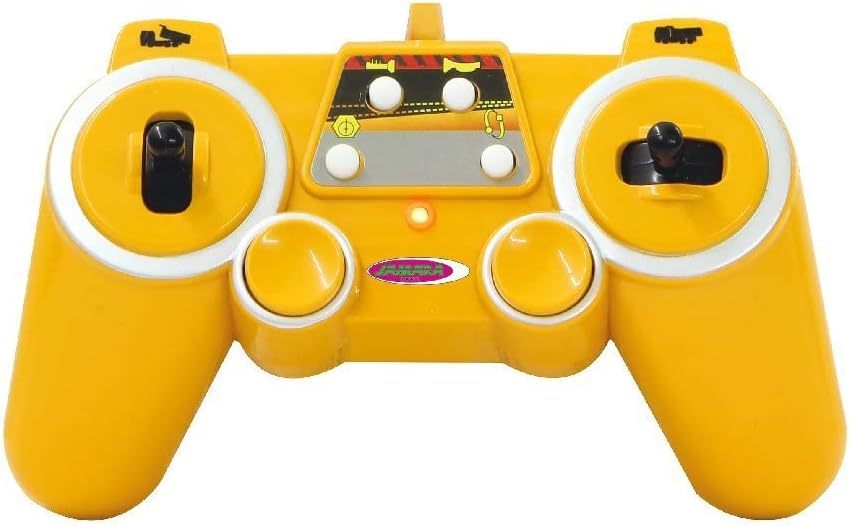
Image: Rear view of the remote control, indicating the battery compartment.
Pairing the Remote Control
The 2.4 GHz remote control should automatically pair with the truck upon first use. If pairing issues occur:
- Ensure both the truck and remote control have fresh batteries.
- Turn on the truck first, then the remote control.
- The indicator light on the remote control should become solid, indicating a successful connection.
Operating Instructions
Familiarize yourself with the remote control layout and functions:
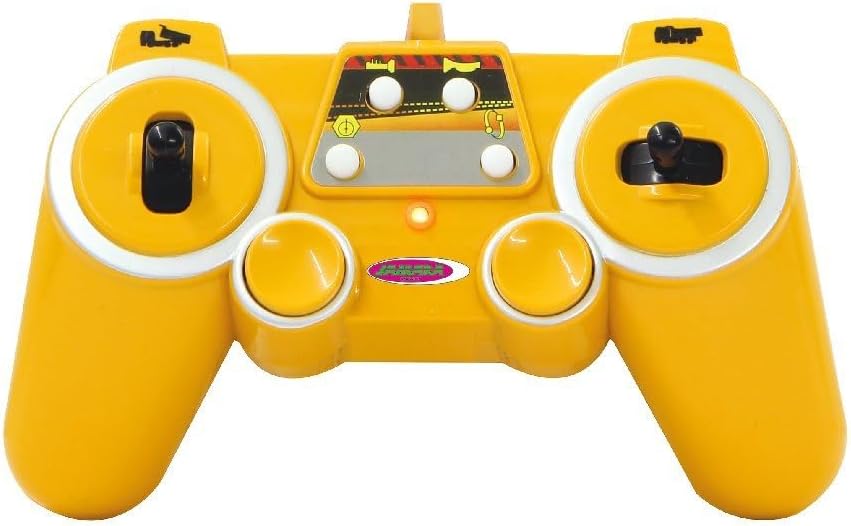
Image: Remote control diagram showing buttons for power, horn, dump bed control, demo, and memory functions.
Basic Driving Functions
- Forward/Backward: Use the left joystick to move the truck forward or backward.
- Left/Right: Use the right joystick to steer the truck left or right.
- Stop: Release the joysticks to bring the truck to a stop.
Special Functions
- Engine Sound: The truck features realistic engine sounds. This function can be activated or deactivated.
- Horn: Press the horn button on the remote control to sound the horn.
- Dump Bed Up/Down: Use the dedicated buttons on the remote control to raise or lower the dump bed.

Image: The dump truck with its bed fully raised, simulating unloading.
- Programmable Functions: The truck has programmable functions with recall capability. Refer to the remote control diagram for specific buttons (Demo Function, Memory Function).
- Automatic Stop Function: The truck is equipped with an automatic stop function for safety.
- Reverse Warning Sound: A warning sound will activate when the truck is moving in reverse.
- LED Signal Lights: The truck features yellow LED signal lights for enhanced realism.
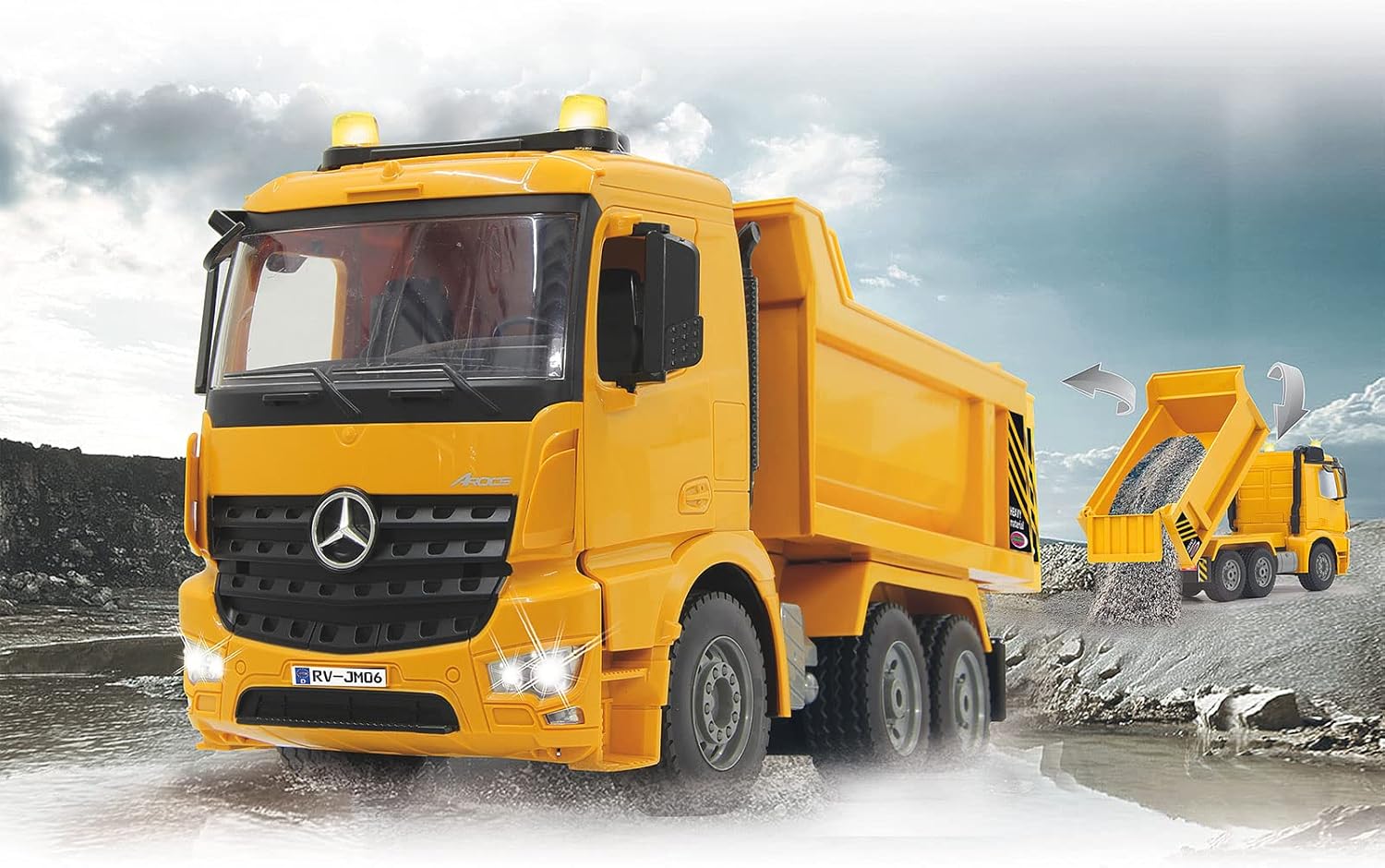
Image: The RC dump truck in action, showcasing its headlights and overall design.
Maintenance
- Clean the truck and remote control with a soft, dry cloth. Do not use chemical cleaners or water.
- Remove batteries from both the truck and remote control if storing for extended periods to prevent leakage.
- Store the product in a cool, dry place, away from direct sunlight and extreme temperatures.
- Regularly check for any loose parts or damage. Do not operate if damaged.
Troubleshooting
| Problem | Possible Cause | Solution |
|---|---|---|
| Truck does not respond to remote control. |
|
|
| Dump bed not moving. |
|
|
| Truck moves slowly or erratically. |
|
|
Specifications
| Feature | Detail |
|---|---|
| Model Number | 404940 |
| Brand | Jamara |
| Scale | 1:20 |
| Frequency | 2.4 GHz |
| Dimensions (L x W x H) | ~370 mm x ~150 mm x ~190 mm (14.57 x 5.91 x 7.48 inches) |
| Weight | ~1083.6 g (2.39 lbs) |
| Truck Battery Requirement | 4x AA 1.5V Alkaline batteries (not included) |
| Remote Control Battery Requirement | 2x AA 1.5V Alkaline batteries (not included) |
| Recommended Age | 6 - 18 years |
| Material | Acrylic, Plastic |
| Color | Yellow |
Official Product Video
Watch the official product video for a visual guide on the features and operation of the Jamara Mercedes Arocs RC Dump Truck.
No official product video from the seller "Jamara" is available for this specific model in the provided data.
Warranty and Support
For warranty information and technical support, please refer to the contact details provided in the original product packaging or visit the official Jamara website. Keep your proof of purchase for any warranty claims.
Spare parts availability: 2 Years from the date of purchase.


