
1. Introduction
Thank you for purchasing the Monoprice LED Stage Wash Light Bar. This manual provides essential information for the safe and efficient operation of your device. Please read this manual thoroughly before use and retain it for future reference.
2. Safety Information
To ensure safe operation, always follow these basic precautions:
- Read all instructions before operating the device.
- Do not expose the device to rain or moisture.
- Ensure proper ventilation to prevent overheating.
- Disconnect from power before cleaning or servicing.
- Do not attempt to repair the device yourself. Refer all servicing to qualified personnel.
- Avoid direct eye exposure to the light source.
3. Package Contents
Please verify that your package contains the following items:
- 1x Monoprice LED Stage Wash Light Bar (Model 612601)
- 1x AC Power Cable
- Mounting Brackets (pre-attached or included)
- This Instruction Manual
4. Product Overview
The Monoprice LED Stage Wash Light Bar is a 42-inch lighting fixture designed for stage and event applications. It features 252 10mm LEDs (84 red, 84 green, 84 blue) housed within a durable aluminum case. The unit offers various control options, including built-in automatic programs, sound activation, and DMX512 control.

Figure 1: Front view of the Monoprice LED Stage Wash Light Bar, showcasing the RGB LEDs.
Control Panel and Connections
The rear panel of the light bar provides access to the control interface and various input/output connections.

Figure 2: Close-up view of the control panel, DMX input/output, and power connection.

Figure 3: Rear view of the light bar, highlighting the digital display and control buttons.
5. Setup
Mounting
The light bar can be mounted using its integrated brackets. Common mounting options include ceiling mount or truss mount. Ensure the mounting surface or truss system can safely support the weight of the fixture.
Power Connection
Connect the provided AC power cable to the power input on the rear of the light bar and then to a standard electrical outlet. Ensure the power source matches the voltage requirements of the device (100-240V, 50/60Hz).
DMX Connection (Optional)
For DMX control, connect a DMX controller to the DMX IN port using a 3-pin DMX cable. If daisy-chaining multiple units, connect the DMX OUT of the first unit to the DMX IN of the next unit.
6. Operating Instructions
The light bar can be operated using its onboard control panel or via an external DMX512 controller.
Onboard Control Panel
The control panel features a digital display and four buttons: UP, DOWN, INC (Increase), and DEC (Decrease). These buttons are used to navigate menus, select programs, and adjust parameters such as speed or sensitivity.
Built-in Programs
The light bar includes 13 pre-programmed automatic modes and a sound-activated mode:
- Strobe: Operates with manual color selection.
- Program 1: Color Scan
- Program 2: Color Scan with Block Build
- Program 3: 2-Way Color Scan
- Program 4: Multicolor Scan Middle Out
- Program 5: RGB Stretch
- Program 6: Split Bar Color Jump
- Program 7: All Color Scan
- Program 8: Color Fade In/Out
- Program 9: Color Mix
- Program 10: 8-Way Color Fade
- Program 11: Multicolor Scan Block Build
- Program 12: 8-Way Color Mix/Fade
- Program 13: Pattern Mix Sound Activated Pattern Mix
Sound Activated Mode
This mode allows the light bar to react to ambient sound. Use the control panel to adjust the sensitivity of the sound activation.
DMX Control
The light bar supports six DMX512 control modes (2, 3, 4, 7, 14, and 26-channels). Refer to your DMX controller's manual for specific channel assignments and programming instructions. For optimal control, consider using a compatible DMX controller such as the Monoprice 612120 DMX512 Controller.

Figure 4: The light bar displaying a red wash effect.
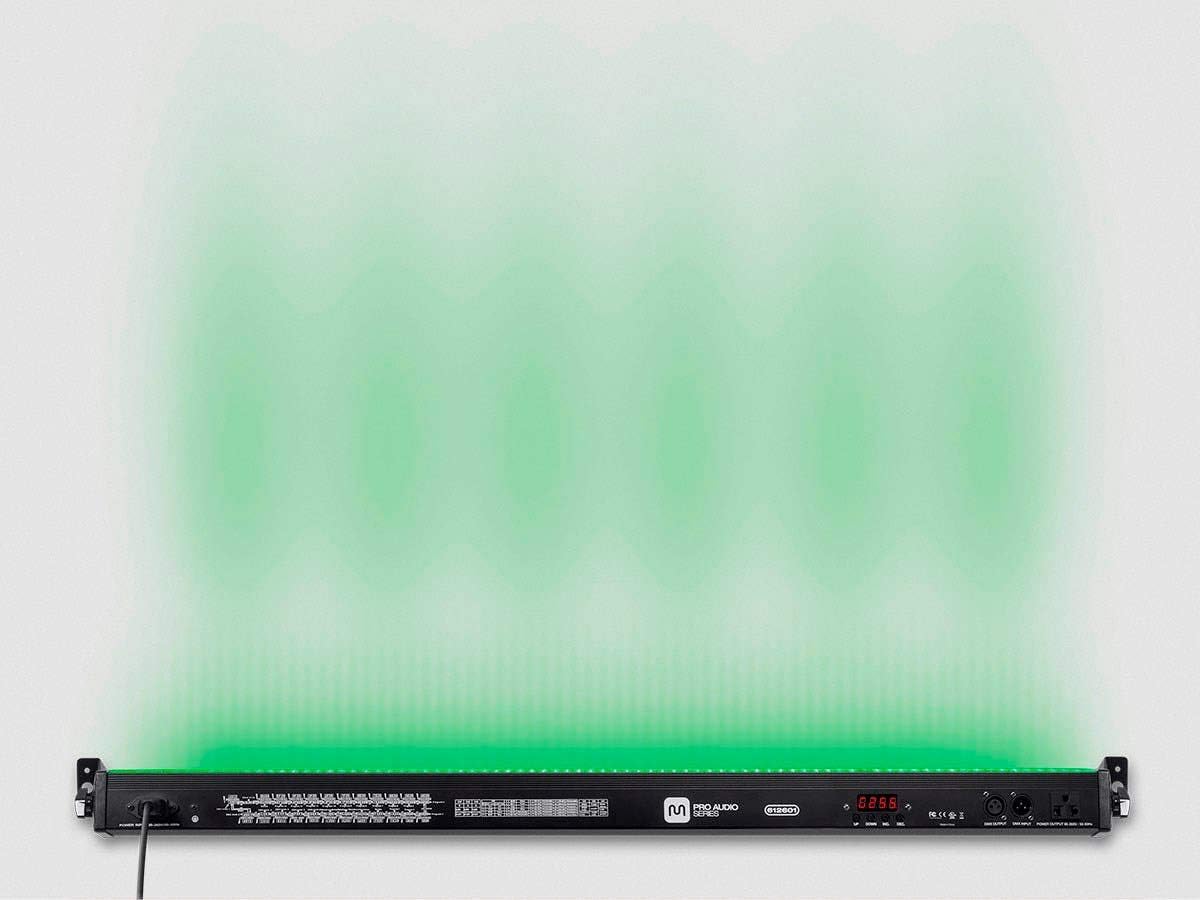
Figure 5: The light bar displaying a green wash effect.

Figure 6: The light bar displaying a blue wash effect.
7. Maintenance
Regular maintenance ensures the longevity and optimal performance of your light bar.
- Cleaning: Use a soft, dry cloth to clean the exterior of the unit. Do not use abrasive cleaners or solvents. Ensure the device is unplugged before cleaning.
- Storage: When not in use, store the light bar in a cool, dry place, away from direct sunlight and extreme temperatures.
- Inspection: Periodically check the power cable and DMX connections for any signs of damage.
8. Troubleshooting
If you encounter issues with your light bar, refer to the following common troubleshooting steps:
- No Power: Ensure the power cable is securely connected to both the light bar and a working electrical outlet. Check the power source.
- No Light Output: Verify that a program or DMX signal is active. Check the brightness settings.
- Incorrect DMX Behavior: Ensure DMX cables are correctly connected and the DMX address on the light bar matches your controller's settings. Check for proper DMX termination if using a long chain of fixtures.
- Unresponsive Controls: Disconnect power for a few seconds and then reconnect to reset the unit.
If problems persist, contact Monoprice Customer Support for assistance.
9. Specifications
| Feature | Specification |
|---|---|
| Model Number | 612601 |
| Color | Black |
| Material | Aluminum |
| Light Source Type | LED |
| Number of Light Sources | 252 (84 Red, 84 Green, 84 Blue) |
| Light Source Wattage | 24 Watts |
| Total Wattage | 36 Watts |
| Brightness | High Lumen |
| Bulb Features | Color Changing, Strobe Effect |
| Power Source | Corded Electric |
| Amperage | 0.2 Amps |
| Product Dimensions | 42"L x 42"W x 42"H |
| Item Weight | 4.7 Ounces |
| Mounting Type | Ceiling Mount or Truss Mount |
| DMX Control Modes | 2, 3, 4, 7, 14, 26-channels |
10. Warranty and Support
Monoprice products are backed by a commitment to customer satisfaction. If you have questions or require technical assistance, Monoprice offers a full team of friendly and knowledgeable technicians ready to help.
For support, please visit the official Monoprice website or contact their customer service department directly. Details regarding specific warranty terms and conditions can be found on the Monoprice website or by contacting support.