
Introduction
The Bulbrite 701211-11S14TA is an 11-watt S14 sign bulb with a transparent amber finish. This incandescent bulb is designed to operate with standard 110-120 volt household electrical systems, while being rated for 130 volts. The 130-volt rating provides an advantage by protecting the incandescent filament from power spikes, which are a common cause of bulb failures. While slightly less bright than a 120-volt equivalent, this design significantly extends the bulb's operational life.
Key Features:
- Bulb Type: S14 Sign Bulb (1.75" Diameter)
- Wattage: 11 Watts
- Voltage: 130 Volts
- Base Type: Medium
- Color: Transparent Amber
Safety Information
Always ensure the power supply is turned off before installing or removing the bulb. Do not exceed the maximum wattage rating of your fixture. Avoid touching the bulb with bare hands during operation or immediately after turning off, as it can become very hot. Use only in dry locations unless the fixture is specifically rated for damp or wet environments. If the bulb breaks, carefully clean up glass fragments and avoid direct contact with skin.
Setup and Installation
- Turn Off Power: Before beginning installation, locate the light switch or circuit breaker controlling the fixture and turn off the power supply. This prevents electrical shock.
- Allow Cooling: If replacing an existing bulb, ensure the old bulb has cooled completely before touching it.
- Unscrew Old Bulb: Gently twist the old bulb counter-clockwise until it detaches from the socket.
- Inspect Fixture: Check the light fixture's socket for any damage or debris. Ensure it is clean and dry.
- Screw in New Bulb: Carefully screw the Bulbrite 701211-11S14TA bulb clockwise into the medium base socket until it is snug. Do not overtighten, as this can damage the bulb or fixture.
- Restore Power: Once the bulb is securely installed, restore power to the fixture at the switch or circuit breaker.
- Test: Turn on the light switch to confirm the bulb is functioning correctly.
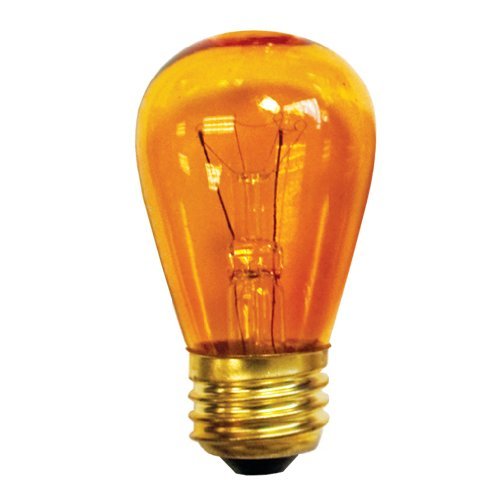
Image: Bulbrite 11 Watt S14 Transparent Amber Sign Bulb. This image displays the amber-colored S14 bulb, highlighting its shape and transparent finish, ready for installation into a medium base socket.
Operating Instructions
This incandescent bulb operates like any standard light bulb. Once properly installed in a compatible fixture and connected to a power source, simply use the fixture's switch to turn the light on or off. No special operating procedures are required.
Maintenance
- Cleaning: Ensure the power is off and the bulb is cool before cleaning. Wipe the bulb gently with a soft, dry cloth. Do not use liquid cleaners or abrasive materials, as these can damage the bulb's finish or electrical components.
- Replacement: When the bulb reaches the end of its operational life, turn off the power, allow it to cool, and replace it following the "Setup and Installation" steps. Dispose of old bulbs according to local regulations.
Troubleshooting
| Problem | Possible Cause | Solution |
|---|---|---|
| Bulb does not light up. |
|
|
| Bulb flickers. |
|
|
| Bulb burns out quickly. |
|
|
Specifications
| Brand | Bulbrite |
| Model Number | 11S14TA |
| Light Type | Incandescent |
| Wattage | 11 Watts |
| Bulb Shape Size | S14 (1.75" Diameter) |
| Light Color | Amber (Transparent) |
| Voltage | 130 Volts (for 110-120V systems) |
| Base Type | Medium |
| Indoor/Outdoor Usage | Indoor (unless fixture rated otherwise) |
| Material | Copper (base) |
| Connectivity Technology | Normal bulb (direct power) |
| Power Source | Corded Electric |
Warranty and Support
Specific warranty details for the Bulbrite 701211-11S14TA bulb are not provided in this manual. For information regarding warranty coverage, returns, or technical support, please refer to the original purchase documentation, contact your retailer, or visit the official Bulbrite website. Ensure you have your product model number (11S14TA) and proof of purchase available when seeking support.
Bulbrite Official Website: Visit Bulbrite Store on Amazon


