
1. Introduction
Thank you for choosing the PORTER-CABLE 20V MAX Cordless 18-Gauge Brad Nailer (PCC790LA). This tool is designed for efficient and reliable fastening in various applications, offering the convenience of cordless operation without the need for compressors, hoses, or gas cartridges. Please read this manual thoroughly before operating the tool to ensure safe and proper use.
Key Features:
- Cordless Convenience: Battery-powered operation eliminates the need for a compressor, hose, or gas cartridges.
- Consistent Firing Power: High-output motor provides consistent firing power into a broad variety of materials and environmental conditions.
- Ease of Use: Multiple tool-free settings for quick adjustments and increased productivity.
- Comfortable Operation: Lightweight structure and balanced center of gravity for comfortable use in various positions.
- Dual LED Work Lights: Multi-functional LED lights illuminate dark areas and provide error indication.
2. General Safety Information
WARNING: Read all safety warnings and instructions. Failure to follow the warnings and instructions may result in electric shock, fire, and/or serious injury.
Work Area Safety:
- Keep work area clean and well lit. Cluttered or dark areas invite accidents.
- Do not operate power tools in explosive atmospheres, such as in the presence of flammable liquids, gases, or dust.
- Keep children and bystanders away while operating a power tool. Distractions can cause you to lose control.
Electrical Safety:
- Power tool plugs must match the outlet. Never modify the plug in any way.
- Avoid body contact with earthed or grounded surfaces, such as pipes, radiators, ranges, and refrigerators.
Personal Safety:
- Always wear eye protection. Use safety glasses or goggles.
- Dress properly. Do not wear loose clothing or jewelry. Keep your hair and clothing away from moving parts.
- Stay alert, watch what you are doing, and use common sense when operating a power tool.
3. Product Components
Familiarize yourself with the main components of your PORTER-CABLE Brad Nailer.

Figure 1: Overview of the PORTER-CABLE 20V MAX Cordless Brad Nailer. This image shows the complete nailer with the battery attached, highlighting its compact and ergonomic design.
Included Components:
- (1) PCC790 Brad Nailer
- (1) PCC680L Battery (20V MAX Lithium Ion)
- (1) PCC691L Charger
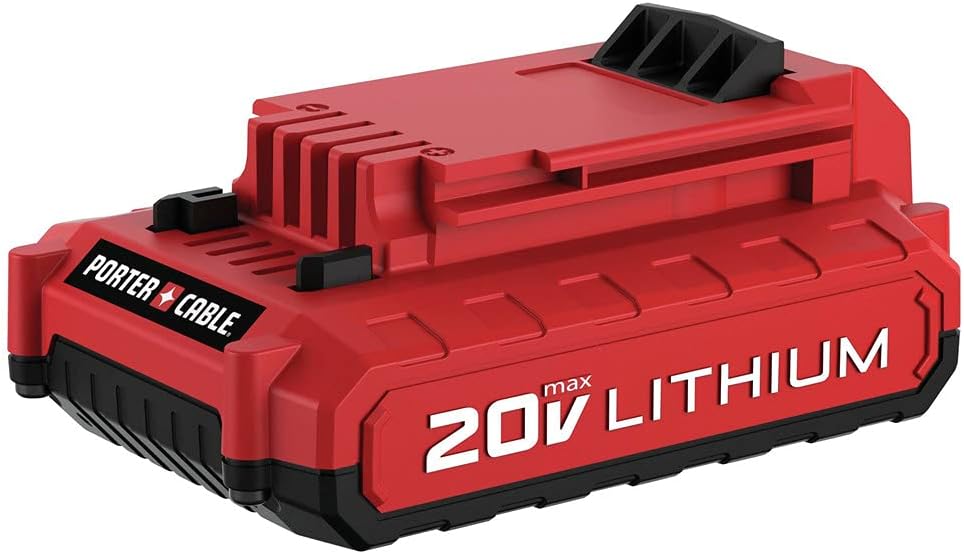
Figure 2: The 20V MAX Lithium Ion Battery (PCC680L). This image displays the red and black battery pack, which powers the cordless nailer.

Figure 3: The 20V MAX Battery Charger (PCC691L). This image shows the black charger unit used to replenish the battery.
4. Setup
4.1. Battery Installation and Charging
- Charge the Battery: Before first use, fully charge the PCC680L Lithium Ion battery using the PCC691L charger. Refer to the charger's instruction manual for detailed charging procedures.
- Install the Battery: Align the battery with the base of the nailer handle. Slide the battery into the tool until it clicks securely into place. Ensure it is firmly seated to prevent accidental disconnection during operation.
- Remove the Battery: To remove, press the battery release button (usually located at the front of the battery pack) and slide the battery out of the tool.
4.2. Loading Nails
- Ensure the tool is disconnected from the battery for safety.
- Locate the magazine release latch, typically near the bottom of the magazine.
- Pull the magazine follower back until it locks into place.
- Insert a strip of 18-gauge brad nails into the magazine, ensuring the points are facing forward and the nails are properly seated.
- Release the magazine follower, allowing it to push the nails forward.
Video 1: PORTER-CABLE PCC790LA 20V MAX Lithium 18GA Brad Nailer Kit. This video demonstrates the loading of nails into the brad nailer and its basic operation.
4.3. Depth Adjustment
The nailer features a tool-free depth adjustment wheel, allowing you to control how deep the nail is driven into the material.
- Locate the depth adjustment wheel, usually near the nose of the tool.
- Rotate the wheel to increase or decrease the driving depth. Test on a scrap piece of material to achieve the desired depth.
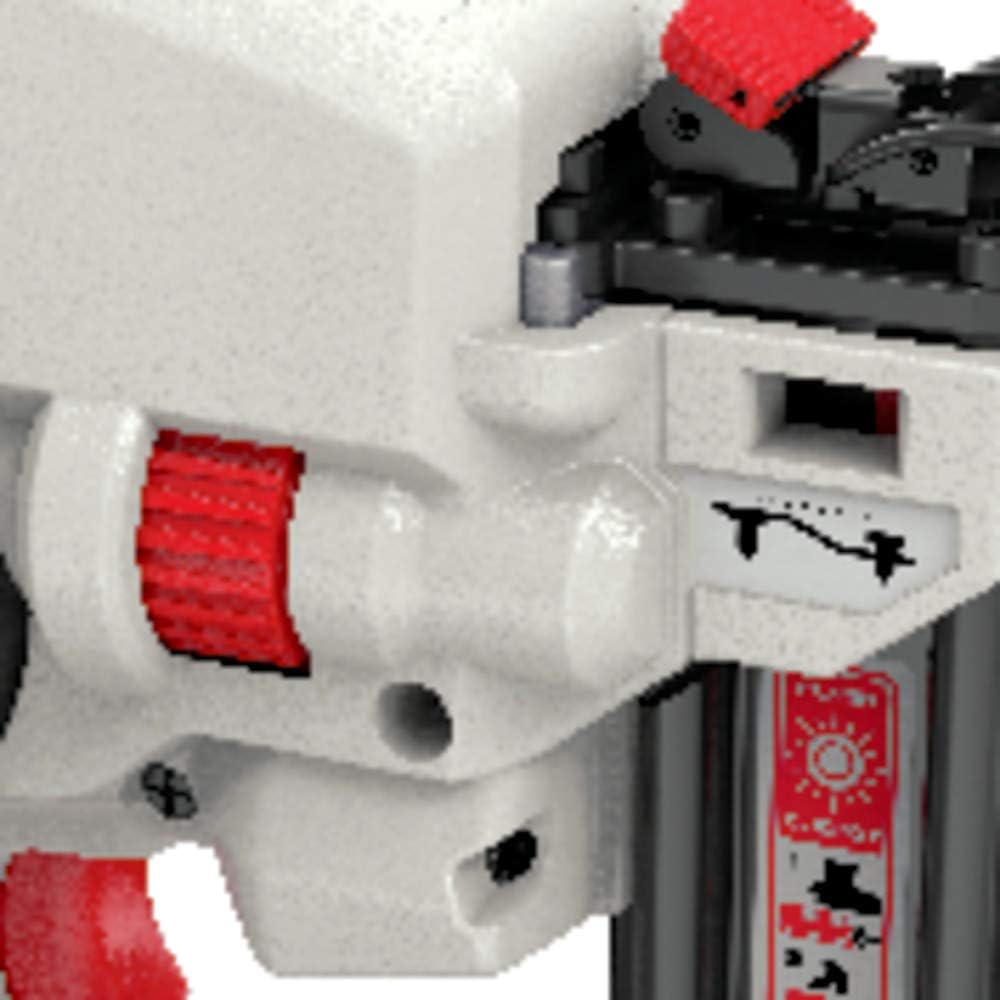
Figure 4: Close-up of the depth adjustment mechanism on the PORTER-CABLE Brad Nailer. This image highlights the red wheel used to control nail depth.
5. Operating Instructions
5.1. Safety Features
- Trigger Lock-Off: A trigger lock-off switch prevents accidental firing. Engage this switch when the tool is not in use or when changing nails.
- Contact Trip: The nailer will only fire when the contact trip (nose piece) is fully depressed against the workpiece and the trigger is pulled. This prevents accidental discharge.
- LED Lights: Dual LED lights illuminate the work area and can also indicate error conditions (e.g., low battery, jam).
5.2. Firing the Nailer
- Ensure the battery is installed and fully charged.
- Disengage the trigger lock-off switch.
- Place the nose piece firmly against the workpiece where you intend to drive a nail. The LED lights will typically activate when the nose piece is depressed.
- Pull the trigger to drive the nail. The tool may have a slight delay as the motor spools up before firing.
- After driving a nail, lift the tool from the workpiece.
- When finished, engage the trigger lock-off switch and remove the battery.
Video 2: PORTER-CABLE 20V MAX Cordless Brad Nailer Kit, 18GA (PCC790LA) in action. This video provides a brief demonstration of the nailer's firing mechanism and ease of use.
6. Maintenance
6.1. General Cleaning
- Keep the tool clean and free of debris. Use a dry cloth to wipe down the exterior.
- Regularly inspect the nose piece and magazine for any buildup of dust or wood particles.
6.2. Clearing Jams
WARNING: Always remove the battery before attempting to clear a jam.
- Remove the battery from the tool.
- Locate the tool-free jam release lever, typically near the nose of the tool.
- Open the jam release mechanism.
- Carefully remove any jammed nails or debris using pliers or a similar tool. Avoid using excessive force.
- Close the jam release mechanism securely.
- Reinsert the battery and test the tool on a scrap piece of material.
7. Troubleshooting
| Problem | Possible Cause | Solution |
|---|---|---|
| Nailer does not fire. | Battery not installed or discharged. Trigger lock-off engaged. Nose piece not fully depressed. Nail jam. | Install/charge battery. Disengage trigger lock-off. Press nose piece firmly against workpiece. Clear nail jam (see Maintenance). |
| Nails not driven to full depth. | Depth adjustment set too shallow. Low battery charge. Hard material. | Adjust depth setting deeper. Recharge battery. Increase depth setting or use appropriate nails for material. |
| Nails jam frequently. | Incorrect nail size/type. Worn or damaged nails. Debris in magazine/nose. | Use recommended 18-gauge brad nails. Use new, undamaged nails. Clean magazine and nose area. |
| LED lights flashing. | Indicates error or low battery. | Refer to the full manual for specific flash codes. Typically indicates low battery or a tool fault. |
8. Specifications
- Model Number: PCC790LA
- Brand: PORTER-CABLE
- Nail Gauge: 18 GA
- Power Source: Battery Powered
- Voltage: 20 Volts MAX
- Item Weight: 5.9 pounds
- Product Dimensions: 13.88 x 5 x 12 inches
- Battery Type: Lithium Ion (PCC680L included)
- Charger Type: PCC691L (included)
- Included Components: (1) PCC790 Brad Nailer, (1) PCC680L Battery, (1) PCC691L Charger
9. Warranty & Support
This PORTER-CABLE product comes with a 3-year limited warranty. For detailed warranty information, service, or technical support, please refer to the official PORTER-CABLE website or contact their customer service department.
For further assistance, please visit the PORTER-CABLE Store on Amazon.


